
TL;DR
- Research shows 56% of monitored workers feel tense at work, and heavily monitored employees are more likely to break rules, which is the backlash surveillance-first tools trigger.
- Tools that skip screenshots can still deliver 70+ reports, productivity scores, and burnout signals through activity patterns alone.
- On-premise deployment narrows the field fast. Insightful limits on-premise behind a 250-seat Enterprise minimum, so smaller regulated teams need to look elsewhere.
- Watch add-on pricing, not sticker pricing. Insightful starts at $8 per seat, but screenshots plus analytics can push costs near $16 per seat before security add-ons. Several alternatives include more at a lower base price.
In this article
This article is presented by WorkTime, a trusted solution for measuring productivity, optimizing workflows, and supporting high-performing teams.For teams looking for something less invasive, more flexible, or just a better value, this list breaks down seven Insightful alternatives worth comparing.
Why teams look for Insightful alternatives
Teams leave Insightful for five recurring reasons: invasiveness, climbing costs, deployment limits, compliance gaps, and support friction.Invasiveness drives employee backlash
Insightful captures screenshots on its base plan and offers screen recording and on-demand screenshots as paid add-ons. Stealth mode hides the software from the people being tracked. That surveillance-first design reads as micromanagement, and the research backs up the reaction. The American Psychological Association found that 56% of monitored workers feel tense or stressed at work, and 51% feel micromanaged, compared with 33% of workers who are not monitored. Harvard Business Review research found that heavily monitored employees are actually more likely to break rules, because surveillance erodes their sense of personal responsibility. Tools that watch everything can cost you the trust they were meant to protect. WorkTime takes the opposite approach with non-invasive monitoring that never records screens or logs keystroke content.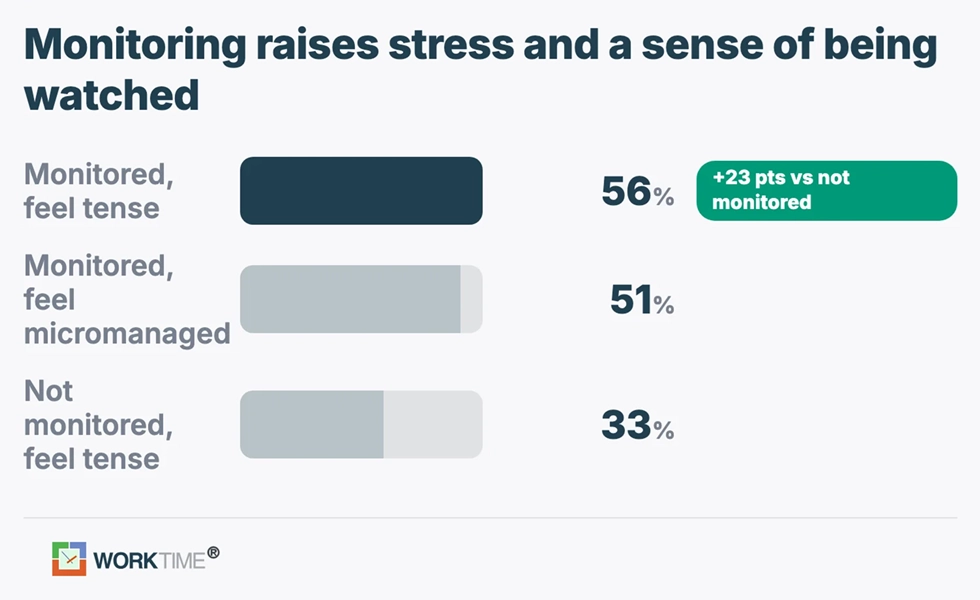
Pricing escalates with add-ons
Insightful starts at $8 per seat per month for its Workforce Analytics plan at the time of writing, but the features many buyers want sit behind extra charges. Screen recording, on-demand screenshots, and workspace security each add $4 per seat per month, and the Workflow Optimization tier runs $12 per seat. A small team that wants screenshots plus deeper analytics can land near $16 per seat before counting any security add-ons.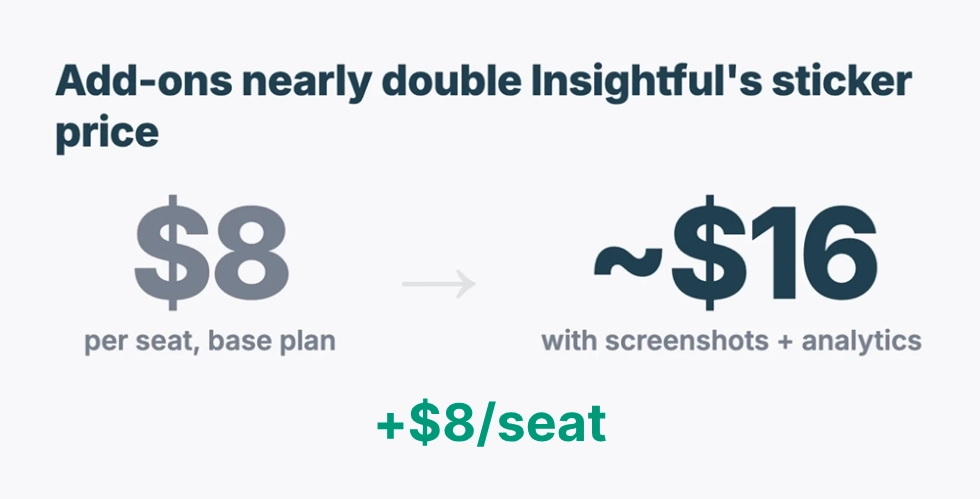
On-premise is limited
Insightful runs in the cloud for most customers. On-premise and private-cloud deployments sit on the Enterprise tier with a 250-employee minimum, which rules them out for smaller teams in regulated industries that need data kept in-house.Compliance and data loss prevention are thin
Insightful focuses on productivity tracking, not security tooling. Teams in finance, healthcare, and government often need built-in data loss prevention and documented compliance modes that the platform does not fully cover.Support and data lag draw complaints
Reviewers report slow support responses and reporting delays. For teams making payroll or staffing decisions from the data, lag is a real problem.Insightful at a glance
Insightful is workforce analytics and employee monitoring software that tracks time, app and website usage, active versus idle time, and productivity trends. It captures screenshots on the base plan, offers screen recording as an add-on, and includes stealth mode, attendance tracking, and project tracking. At the time of writing, pricing runs $8 per seat per month for Workforce Analytics, $12 for Workflow Optimization, and $16 for the combined plan, with custom Enterprise pricing for on-premise and private cloud. Add-ons stack on top. Strengths: clean productivity dashboards, screen recording for teams that require visual proof, and project-level time tracking. Weaknesses: screenshot and stealth tracking that strains employee trust, add-on pricing that climbs quickly, cloud-only deployment below 250 seats, and limited built-in compliance and data loss prevention.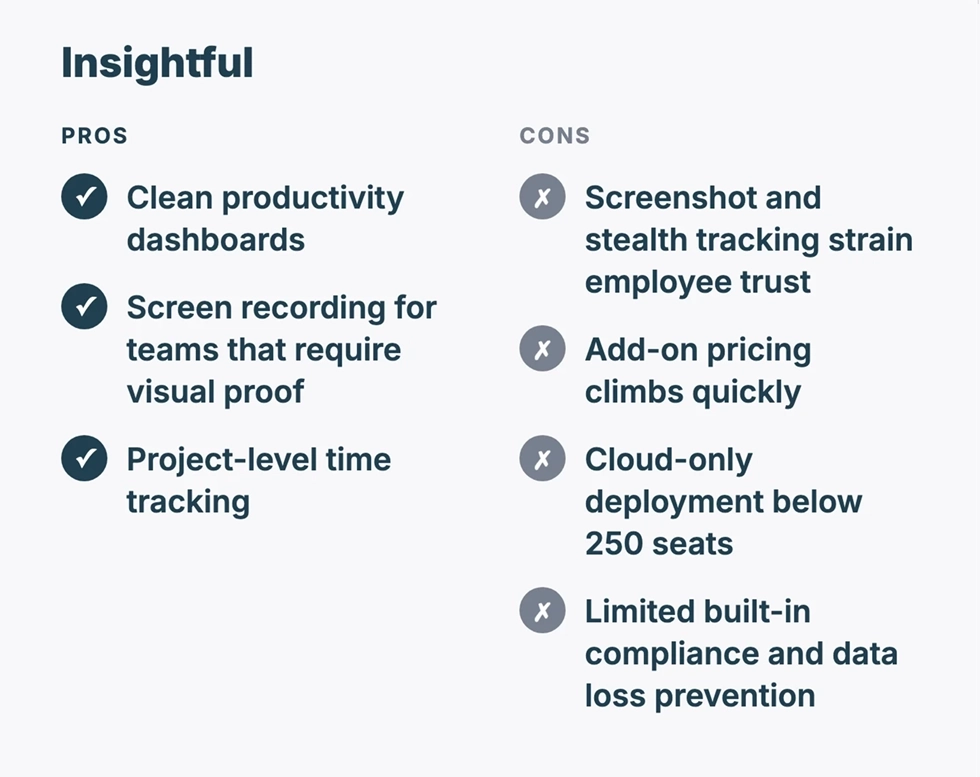
Top 7 Insightful alternatives
Every tool below tracks productivity, but they split sharply on how invasive they are and how they deploy. The table shows the fastest way to compare, followed by a full breakdown of each.| Tool | Starting price (at time of writing) | Billing | Screenshots | On-premise | Best for |
|---|---|---|---|---|---|
|
WorkTime |
$6.99/employee/mo |
Monthly or annual |
 |
 |
Non-invasive analytics for regulated teams |
|
ActivTrak |
$10/user/mo |
Monthly |
Optional |
|
Light-touch analytics dashboards |
|
Hubstaff |
$7/user/mo |
Monthly |
|
|
Mobile and field teams |
|
Time Doctor |
$8/user/mo |
Monthly |
|
|
Accountability and distraction control |
|
Teramind |
$21/seat/mo |
Monthly (5-seat min) |
|
|
Security, DLP, insider threat |
|
DeskTime |
$7/user/mo |
Monthly |
Optional |
|
Hands-off automatic tracking |
|
WebWork |
$4.99/user/mo |
Monthly |
|
|
Transparent budget tracking |
WorkTime: Best non-invasive approach & in-depth performance analytics
WorkTime captures no screenshots, no keystroke content, no screen recording, and no email or chat content. It measures productivity through activity patterns instead of surveillance, which is the cleanest answer to the privacy backlash that pushes teams off Insightful in the first place.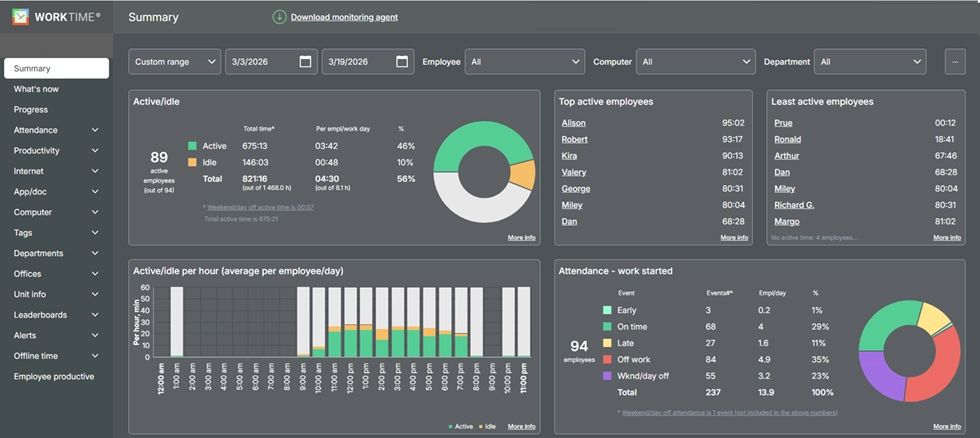
A 46% increase in active time - in only 3 days!
Excellent boost!
Industry
Banking
Employees
170
WorkTime helped this bank uncover opportunities for improvement and achieve measurable results within days.
Read more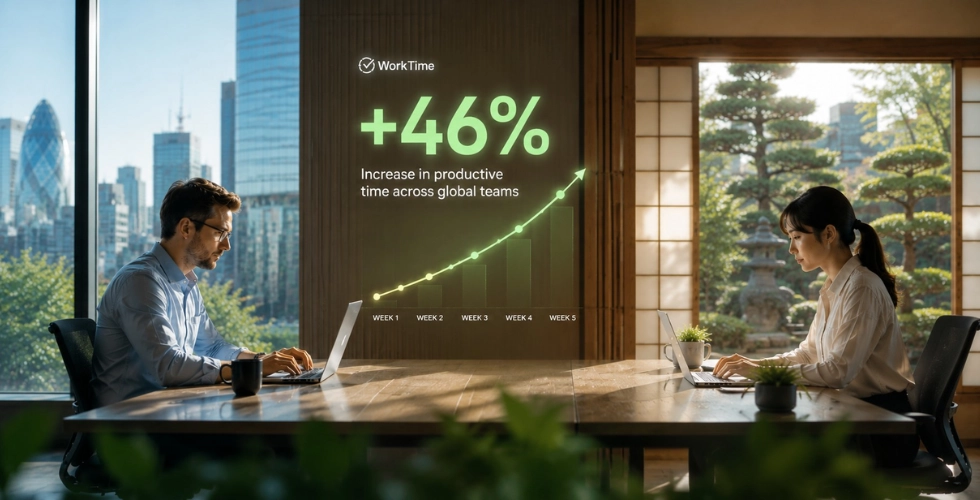
ActivTrak: Best for light-touch workforce analytics
ActivTrak focuses on workforce analytics and behavior insights rather than heavy surveillance, which makes it a popular privacy-aware pick. It surfaces productivity trends, capacity planning, and burnout risk through dashboards, and screenshots are optional rather than the default.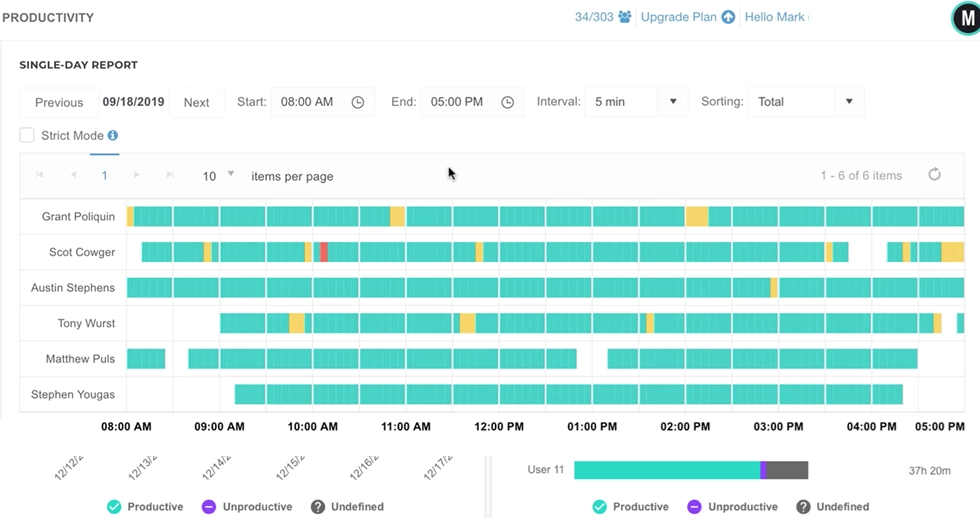
Hubstaff: Best for mobile and field teams
Hubstaff pairs time tracking with GPS location and payroll, which makes it the strongest pick for mobile and field teams rather than desk-based offices. It tracks time, takes screenshots, and automates payroll based on hours worked.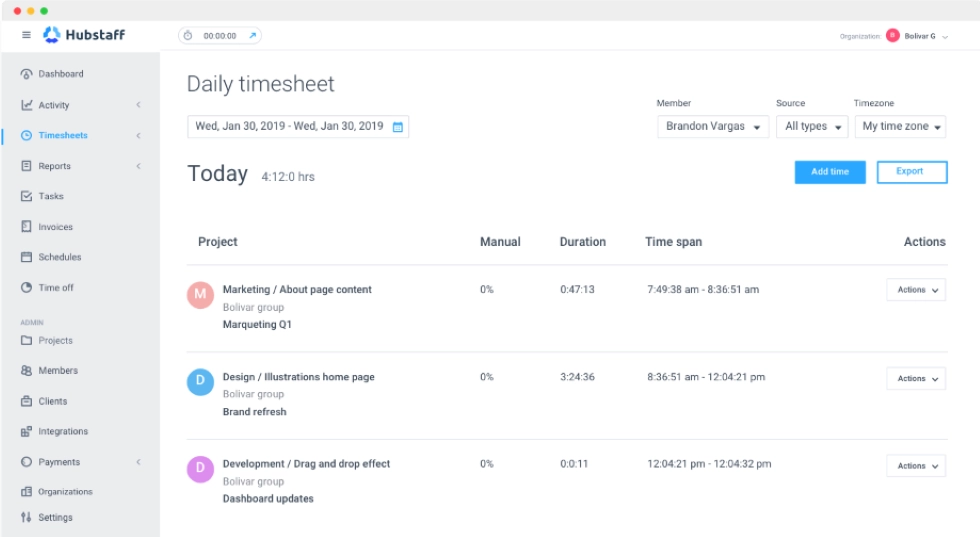
Time Doctor: Best for accountability and distraction control
Time Doctor leans into accountability with distraction alerts that nudge employees when they drift to non-work sites. It tracks time, takes screenshots, and offers screen recording on higher tiers, making it more interventionist than analytics-first tools.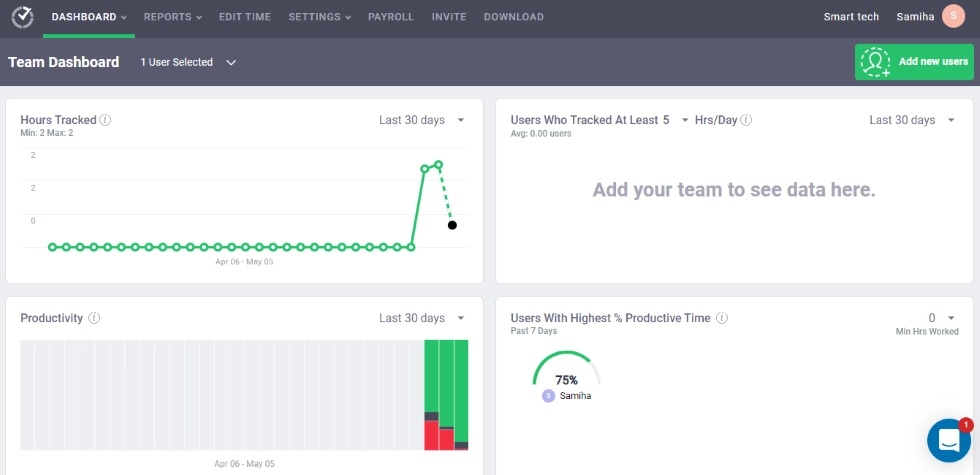
Teramind: Best for security, DLP, and insider-threat monitoring
Teramind is the security-first option, built for data loss prevention and insider-threat detection rather than everyday productivity coaching. It includes behavior analytics, session recording, DLP rules, and policy enforcement, and it supports both cloud and on-premise deployment.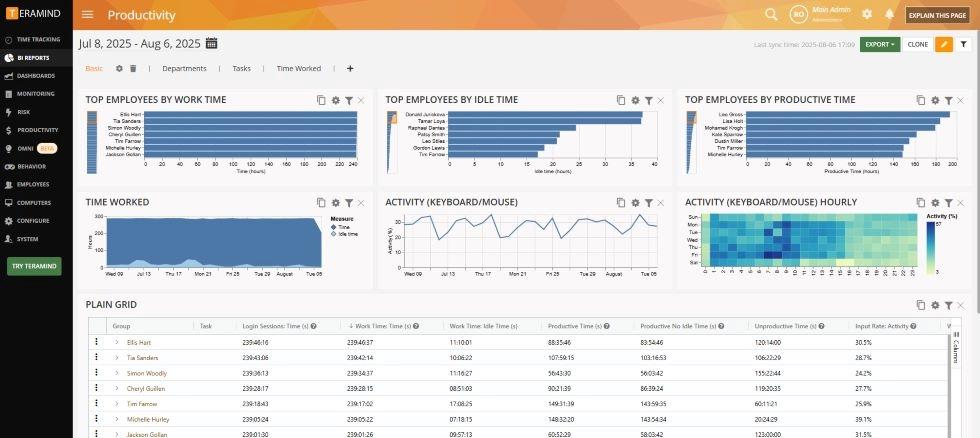
DeskTime: Best for hands-off automatic tracking
DeskTime automatically sorts app and website use into productive, neutral, and unproductive buckets with little setup, which makes it a low-effort tracker. It records time and productivity automatically and keeps screenshots optional.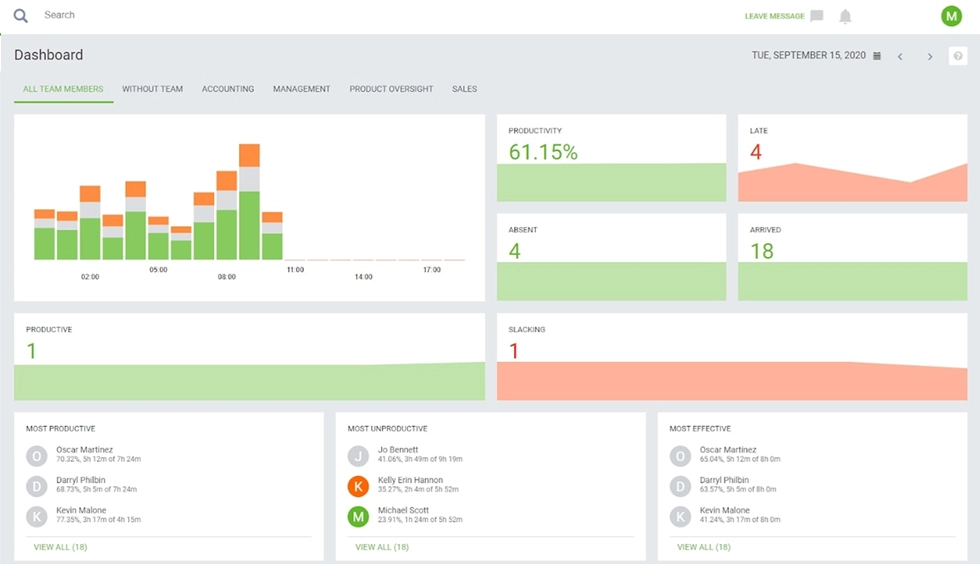
WebWork: Best for transparent budget tracking
WebWork is a transparency-first tracker that runs through a browser extension and avoids hidden background trackers, which builds trust with employees. It handles time tracking, budgeting, and payroll, and it is among the cheapest options on this list.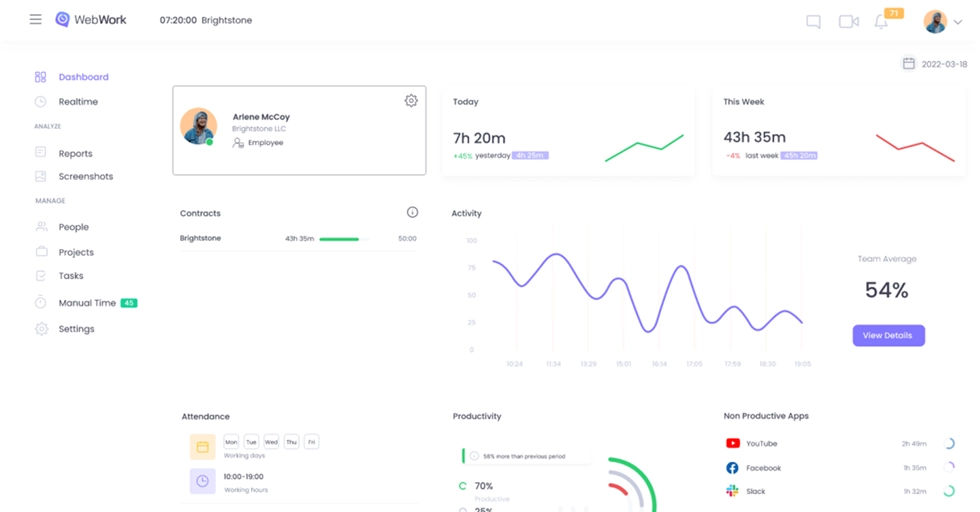
How to choose the right Insightful alternative
Start with how invasive you are willing to be, then match the tool to your top need. The choice usually comes down to five buyer types.- Privacy, compliance, or regulated industry: choose a non-invasive analytics tool. WorkTime fits because it skips screenshots and screen recording while keeping HIPAA, GDPR, and GLBA-safe modes.
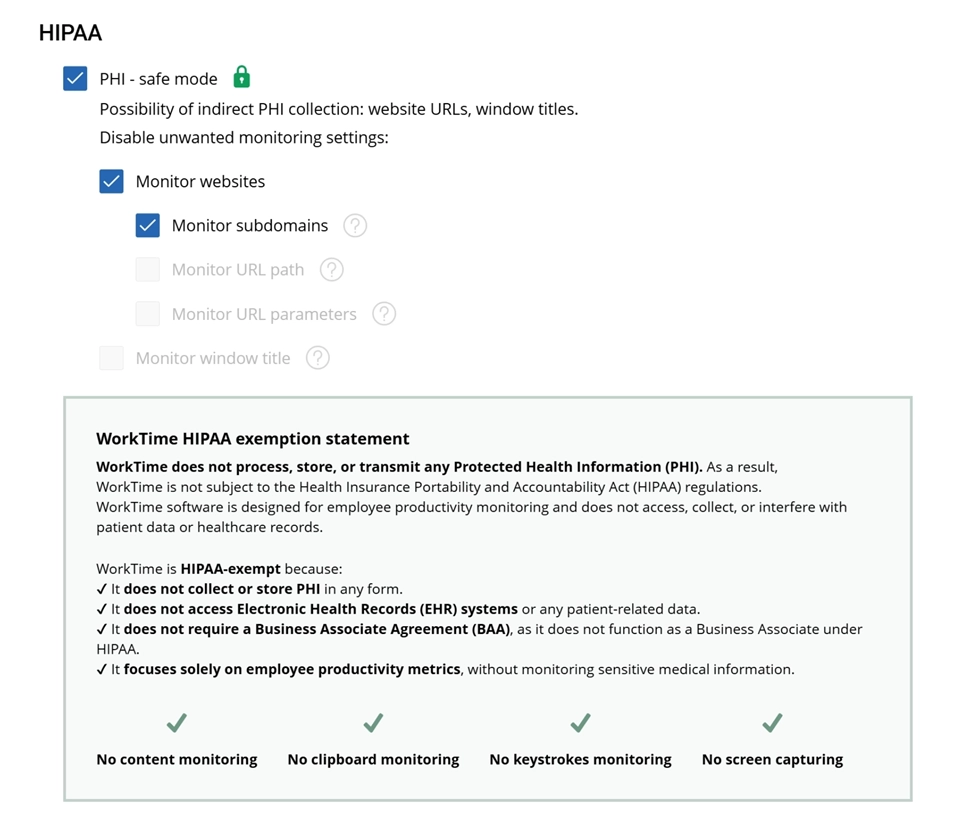

HIPAA-safe mode helps organizations monitor productivity with confidence by eliminating potential indirect healthcare data collection risks and supporting stricter privacy standards.
Start free trial- Mobile or field crews: Hubstaff for GPS and payroll tied to location.
- Security and insider-threat needs: Teramind for DLP and active threat detection.
- Tight budget or simple tracking: WebWork or DeskTime for low-cost, low-setup tracking.
The bottom line
The right Insightful alternative depends on your priority: analytics without surveillance, mobile tracking, or security tooling. Teams that left Insightful over screenshots and stealth tracking usually want the first, and that is where a non-invasive approach wins. WorkTime is non-invasive employee monitoring software that delivers productivity analytics, attendance, and burnout signals without ever capturing screenshots or recording screens, the same approach that helped one insurance firm save $50,000 in a year by catching false overtime. It pairs that with compliance-safe modes and both cloud and on-premise deployment, so it clears legal review without alienating your team.