• Deutsch

    Deutsch

  • English

    English

  • Español

    Español

  • Français

    Français

  • Italiano

    Italiano

  • Português

    Português

Software usage monitoring with WorkTime

WorkTime - effective software usage tracker for your team

WorkTime

For Windows, macOS

Terminal/Citrix

Cloud, on-premise

1 to 15,000+ computers

In-office, hybrid, remote

Amika
School district
Dukascopy
Toyota
Coutts
Universal

26

Years of experience

Trusted by 9,500+ global brands and organizations

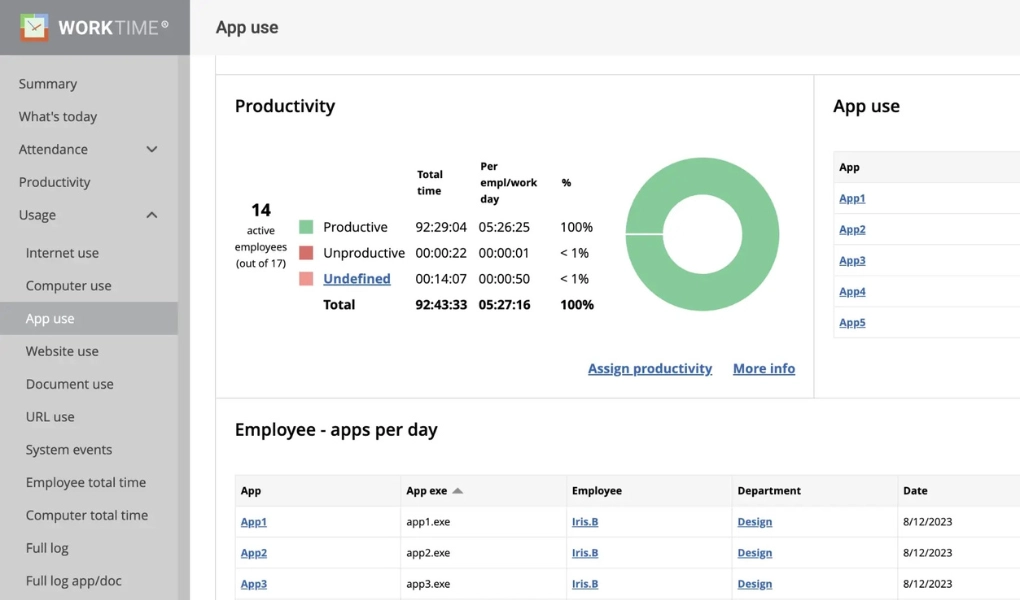
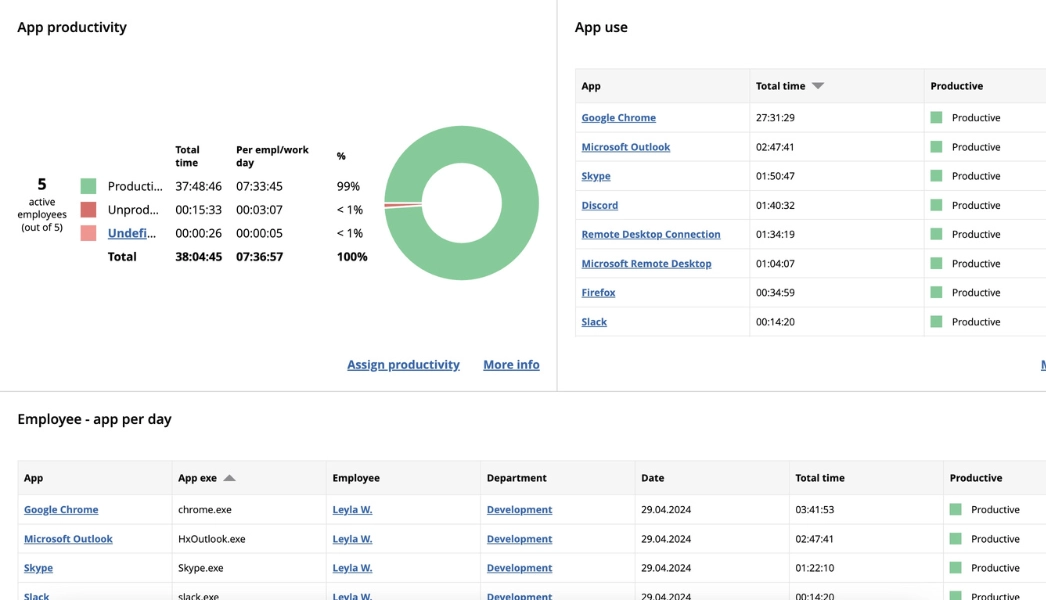
Monitor software usage on company's computers

  • Apps and documents usage
  • Websites usage
  • Apps/websites productivity
  • Apps/websites on employee screens
  • Apps used for online meetings
  • Custom app/website tags
WorkTime

Success story

WorkTime
Industry

Education

Employees

2,500

WorkTime contributed to saving taxpayers' money!

This U.S. school board discovered, with the assistance of WorkTime, that very expensive software was hardly utilized. WorkTime aided in reducing software expenses for them.

Read more
Money saved!
WorkTime

Use the custom tag feature to categorize applications and websites

WorkTime offers a custom tagging feature to categorize software and websites, such as Business software, Customer support, Math, etc.

A non-invasive way to show what apps & websites are on the screens

WorkTime

A non-invasive way to show what apps & websites are on the screens

Safe & effective replacement of invasive screenshots

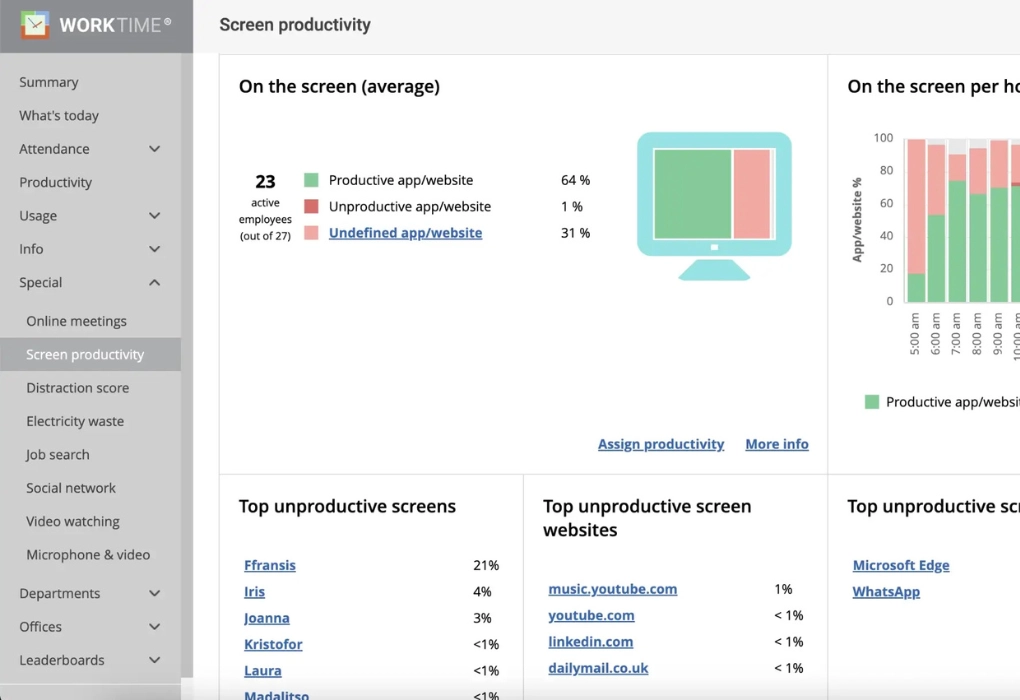
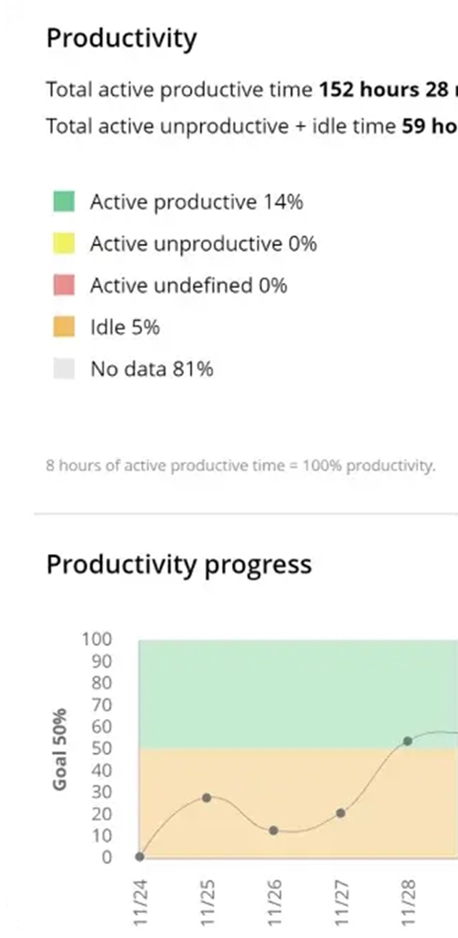
From this report, you can see the screen is 64% productive. Among the unproductive apps and websites are WhatsApp, YouTube, and news sites. This screen analysis does not capture any content; instead, it analyzes screen areas in percentage.

Try now 14 days free

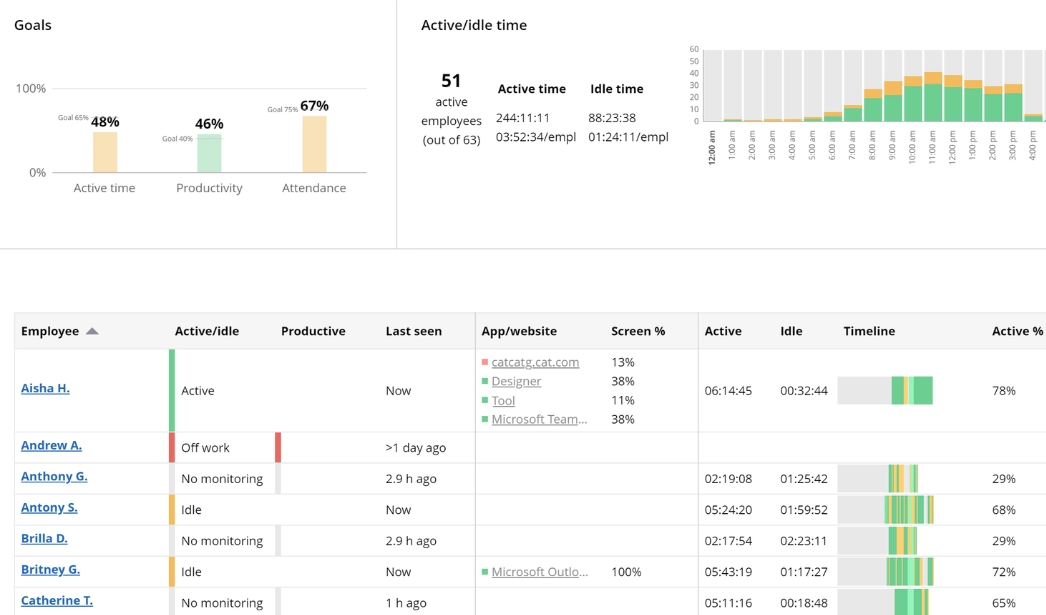
What apps and websites are on the screens right now?

This dashboard report displays the list of applications and websites on the employees' screens.

What apps and websites are on the screens right now?

WorkTime

Non-invasive software usage monitoring

WorkTime is non-invasive, socially responsible software usage monitoring. It offers a safe replacement for regular screenshots.

WorkTime is Green monitoring software, the only non-invasive monitoring on the market. All invasive functions are replaced by safe, non-invasive alternatives.

HIPAA compatible

GDPR compatible

GDPR compatible

Success story

WorkTime
Industry

Manufacturing

Employees

1,200

WorkTime saves thousands when migrating to new Citrix servers

This Australian manufacturing company successfully used WorkTime to identify unused licensed software during the transition to new Citrix servers.

Read more
$$$

Money saved!

WorkTime

Software usage monitoring features

WorkTime

Begin monitoring software use now

Start free trial
  • WorkTime

    Sign up

  • WorkTime

    Run monitoring agent

  • WorkTime

    View reports

Why do you need software monitoring?

1. Ensure the effective use of software resources.

Software usage tracking is the process of monitoring which applications, documents, and websites employees use, and for how long. WorkTime employee monitoring software does this non-invasively, with no screenshots and no content capture. It sits in the employee monitoring category, not IT asset management or product analytics, so it answers one practical question: is your team getting value from the software you pay for? WorkTime reports break usage down by computer, employee, department, and office, so underused applications and idle licenses become easy to see. It runs on Windows, macOS, Terminal, and Citrix, across in-office, hybrid, and remote teams. That visibility is the fastest way to put your software budget where the work actually happens.

2. Cut expenses on unused software.

Large organizations overpay for software they barely use. According to Ramp and Zylo, close to half of paid licenses sit unused or underused because big teams can't see who runs what. WorkTime removes the guesswork. It tracks how long each application is used, per computer and per employee, so idle licenses are easy to spot. You can cancel, downgrade, or reassign them and stop paying for software expenses you never recover.

3. Guarantee informed decision-making and resource allocation.

Software usage data drives better decisions about what to keep and what to cut. The WorkTime employee software monitoring solution provides reports that show management how often each app is used. If expensive software is rarely used or sits idle, WorkTime reports it. Organizations can then decide whether to discontinue a license and save money. The U.S. school board has also used WorkTime to cut spending on expensive software that was hardly touched.

4. Analyze how the software resources are utilized.

By analyzing data on application usage and time spent on tasks, companies can identify inefficiencies and redirect efforts toward high-priority projects. Application monitoring with a proactive approach leads to increased productivity and streamlined operations.

5. Reduce wasted time and resource misallocation.

By identifying time-consuming tasks and unnecessary software usage, businesses can allocate resources more effectively, saving time and money. Usage data also surfaces shadow IT, the unapproved apps employees install themselves, so IT can flag and remove them. Non-invasive monitoring reduces the need for disruptive check-ins or manual reporting, freeing people for higher-value work. Monitoring software and applications make this process easier. Software usage tracking on remote devices keeps productivity visible across a mobile workforce.

6. Gain valuable insights into employees' work patterns and software usage without infringing on privacy or disrupting workflows.

Non-invasive usage tracking is a key feature to maintain a balance between employers and employees. This fosters a culture of transparency and accountability, encouraging employees to manage their time more effectively and prioritize tasks.

7. Understand how your team uses software and applications.

Enabling tracking software usage is a crucial step in understanding how your team uses software and applications. Don't let these insights go to waste – turn on usage tracking and make data-driven decisions for a more efficient operation. Software usage tracking tools provide detailed insights into employees' performance and user behavior. Monitoring software usage will make you confident that your business decisions are data-driven. With application usage monitoring, you can gain valuable insights into how your employees work. Application usage tracking windows can help you effectively assess the productivity of software. To enhance software efficiency, it's essential to track application usage windows, allowing for data-driven insights and resource optimization.

What are WorkTime's main software usage tracking features?

Apps/docs usage monitoring software. Implement software monitoring to analyze the use of applications and documents on the company’s computers by each employee. Websites/URLs usage tracking. Software usage tracking can be effectively applied to monitor the use of websites and URLs visited by employees during the workday. Besides, WorkTime categorizes all websites as either productive or unproductive. "What’s on the screen?" report shows what apps and websites are on the screen right now. WorkTime monitoring software usage app tracks screen productivity in a non-invasive manner, without capturing any content. Online meetings. WorkTime software monitoring tracks the apps used by employees for online meetings. Moreover, you can get insights on app usage from various reports: top employees' meeting history, meetings history per day/employee, and more. Apps/websites per office. Track application usage across all locations and offices. Compare the apps/websites productivity of employees who work in the office, remotely, or from home.

How to benefit from WorkTime software monitoring

Enhanced productivity

App/document usage analytics is beneficial for employers and employees. Workers can analyze their working patterns and find out how to improve their productivity. As for employers, software usage tracking is useful to understand how apps and documents are used and assess their productivity.

60+ secure & reliable reports

Track usage of apps with WorkTime software monitoring and get 60+ non-invasive reports. All reports are lightweight, secure, and reliable. They are compatible with macOS and Windows, as well as Citrix and Terminal servers.

Data security and cost control

Implementing application usage monitoring is essential for data security and cost control. But the benefits of application usage monitoring extend beyond cost savings, encompassing enhanced productivity and resource allocation.

FAQ

What is software use monitoring?

Software use monitoring tracks which applications, documents, and websites employees use, and for how long. WorkTime reports on the productivity of each one non-invasively, with no screenshots or content capture.

Why is monitoring application usage important?

Software usage tracking shows businesses how employees actually use their software. Monitoring application use is central to managing costs, raising productivity, and protecting business operations. It also gives managers a clear, non-invasive way to track team performance and spot underused software without screenshots.

How does WorkTime software monitoring work?

After WorkTime is implemented, it will monitor software use and analyze each app and website's productivity. You can also use tags or create customized tags for each app and monitor how it is used by employees during the workday.

How to monitor software usage?

Monitor application usage with WorkTime. Track how applications and documents are used on company computers, then analyze their productivity through 80+ non-invasive reports presented as numbers, statistics, and visual dashboards.

What are application monitoring best practices?

Non-invasive app usage tracking software helps to monitor employee productivity without invasion of privacy. WorkTime provides an alternative to every invasion feature like screenshot or keystroke recording. Content recording is not necessary for effective productivity analysis. Instead, WorkTime provides 60+ non-invasive reports in numbers to evaluate each employee's performance.

What is shadow IT, and can WorkTime detect it?

Shadow IT is software that employees install or use without IT approval. WorkTime website usage reports show every app and site in use across the company, so IT can spot unapproved or unsanctioned software and decide whether to remove it. Because the tracking is non-invasive, you get this visibility without capturing any screen content.

Does software usage tracking require employee consent?

Monitoring company-owned devices is generally lawful in the United States, and several states require written notice to employees first. The recommended practice is clear disclosure, so employees know what is tracked. WorkTime is built for transparent, employee-informed monitoring and captures no screenshots, keystrokes, or content. Always confirm the rules that apply in your own jurisdiction.

How does WorkTime identify unused software licenses?

WorkTime tracks how long each application is actually used for every computer, employee, department, and office. Licenses that sit idle stand out in the reports, so you can reassign or cancel them. You can also compare software usage across offices and on Citrix or Terminal servers to find paid software no one runs.