• Deutsch

    Deutsch

  • English

    English

  • Español

    Español

  • Français

    Français

  • Italiano

    Italiano

  • Português

    Português

#1 Non-invasive employee monitoring

Offline time tracking for remote, in-office, and hybrid teams

WorkTime offers an Offline time tracking feature to track offline meetings

WorkTime offline work tracking

For Windows, macOS

Terminal/Citrix

Cloud, on-premise

1 to 15,000+ computers

In-office, hybrid, remote

WorkTime WorkTime WorkTime
WorkTime WorkTime WorkTime WorkTime
WorkTime WorkTime
Amika
School district
Dukascopy
Toyota
Coutts
Universal

26

Years of experience

Trusted by 9,500+ global brands and organizations

What is offline time tracking?

Offline time tracking logs work done away from the computer, such as meetings and events, so it counts in productivity reports. At WorkTime, we built non-invasive offline time tracking software for in-office, remote, and hybrid teams, with no screenshots or keystroke logging.


Why offline work is often missing from reports


Many teams do part of their work offline:

1. In-person meetings
2. Client visits
3. Trainings and workshops
4. Conferences and offline events


Without offline time tracking, this work is missing from productivity reports, which leaves the data incomplete and the conclusions wrong. WorkTime captures it so the report reflects the full day.

  • WorkTime

    Meetings with customers

    Track time spent in offline meetings with customers and partners to keep reports accurate and complete.

  • WorkTime

    Distributed teams

    Offline time tracking helps distributed and hybrid teams capture work done outside the workstation across locations and time zones.

  • WorkTime

    Weekend and off-hours work

    Log offline work performed on weekends or outside regular hours to avoid losing important working time in reports.

How does offline time tracking work?

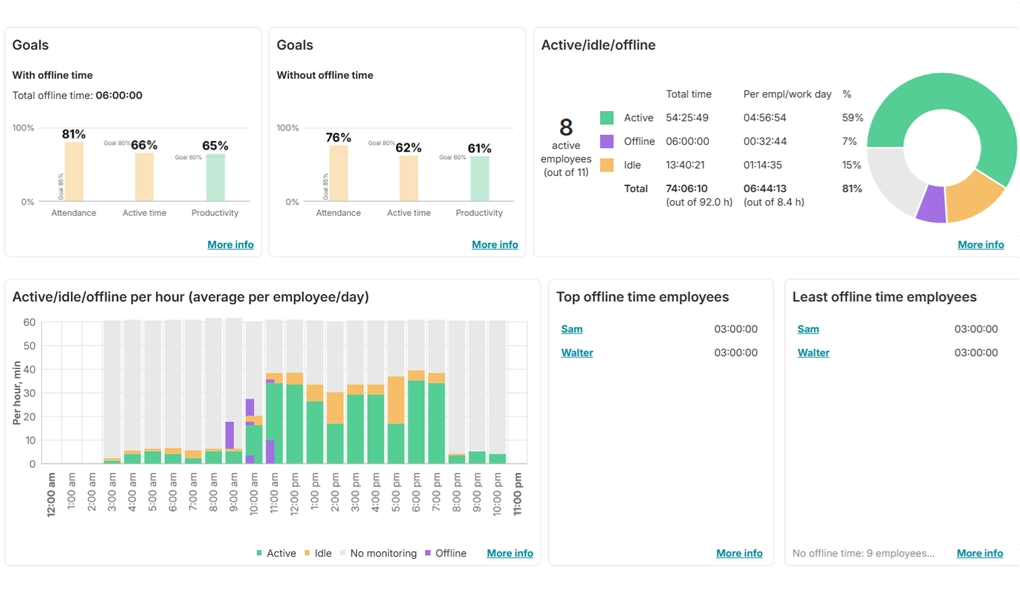
WorkTime logs offline time through the Offline Time feature. An employee adds an entry by selecting the activity and setting a start and end time, so meeting time sits in the same report as active and idle time.

WorkTime does not track offline work automatically. The Offline Time feature is on Premium and Enterprise plans

Offline meetings tracking and offline activities

WorkTime

Offline meetings tracking and offline activities

The Offline Time feature logs the activity and its start and end time. It never captures work content.

  • No screenshots
  • No keystroke content
  • No screen recording
  • No email or chat capture

Who needs offline time tracking

  • Remote and hybrid teams
  • Sales and customer-facing roles
  • Teams with frequent offline meetings
  • Organizations that value privacy and accuracy

Benefits of offline time tracking

Try WorkTime 14 days free

WorkTime trial is all inclusive:
all features, unlimited employees.
No credit card required.

Basic

$6.99

/ employee / month billed monthly

Premium

$8.99

/ employee / month billed monthly

Enterprise

$10.99

/ employee / month billed monthly

Compare plans

Does offline time tracking mean tracking time without an internet connection?

The term has two meanings. Some tools keep tracking with no internet and sync the data later. WorkTime works differently: its Offline Time feature is a manual entry for work done away from the computer, such as meetings and events, so that work still counts in reports. WorkTime does not track automatically without an internet connection.

How does WorkTime track offline time?

An employee opens the Offline Time feature, selects the activity, and sets a start and end time. The entry then appears in the same productivity and attendance reports as on-computer work, so time spent away from the desk is not left out of the data.

Does offline time count toward productivity reports?

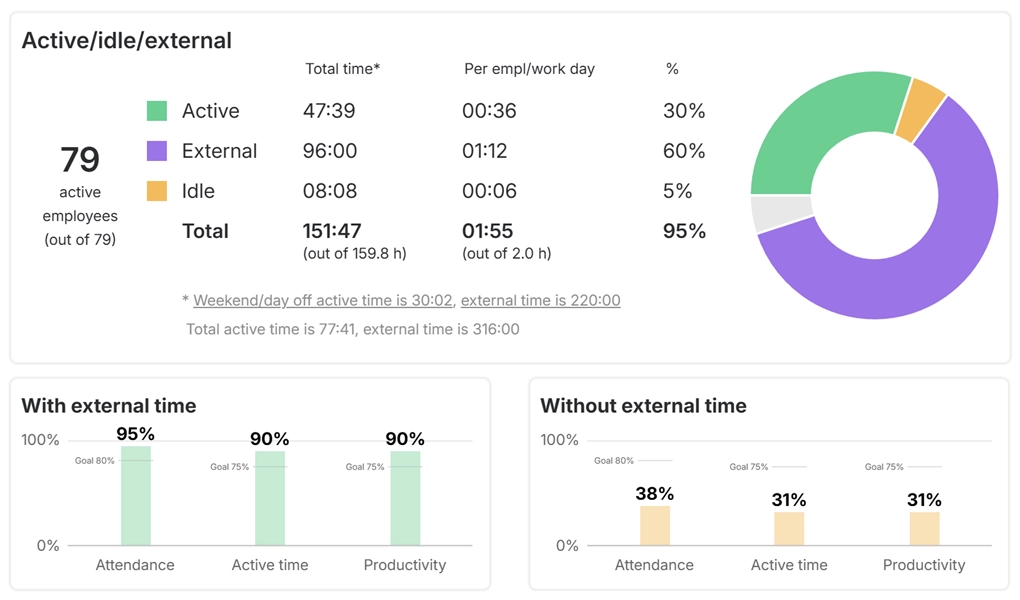
Yes. Offline entries appear in the same productivity and attendance reports as on-computer activity. A morning spent in client meetings shows up as worked time, so the report reflects the full day instead of scoring the away-from-desk hours as idle.

Which WorkTime plan includes offline time tracking?

The Offline Time feature is available on the Premium and Enterprise plans. You can compare what each plan includes on the WorkTime pricing page. A 14-day free trial gives you every feature, for unlimited employees, with no credit card required.

Is offline time tracking non-invasive?

Yes. For offline time, WorkTime logs the time entry only. It takes no screenshots, no keystroke content, and no screen recording, which is what makes it non-invasive monitoring. Other offline trackers add screenshots, GPS, or facial recognition to their offline mode.