
TL;DR
- Time Doctor's pricing adds up fast. The Basic plan starts at $8 per user per month, but key features like integrations, detailed reports, and advanced productivity analysis are locked behind the Standard ($14) and Premium ($20) tiers. There is no free plan.
- Surveillance-style monitoring backfires. An ExpressVPN survey found that 59% of employees feel stressed or anxious when their employer uses tracking tools that capture screen content (ExpressVPN, 2021). The way you monitor matters as much as whether you monitor at all.
- You don't need screenshots to measure output. Several Time Doctor alternatives deliver productivity data through app classification, website scoring, and active time analysis, without ever recording what's on the screen.
- The best tool depends on your use case. We evaluated each option below for a specific category win so you can match the right solution to your team's actual needs.
In this article
Top 10 alternatives to Time Doctor
1. WorkTime
Best Time Doctor alternative for: Non-invasive employee monitoring with in-depth productivity analytics.WorkTime is a feature-rich employee monitoring solution with 80+ reports, designed to optimize performance through transparent, non-intrusive monitoring.Where Time Doctor relies on screenshots and screen recordings to gauge output, WorkTime takes the opposite approach. It tracks attendance, active and idle time, app usage, and website activity without recording screen content, keystrokes, emails, or chat messages. Managers still get granular productivity data. The difference is how that data is collected.
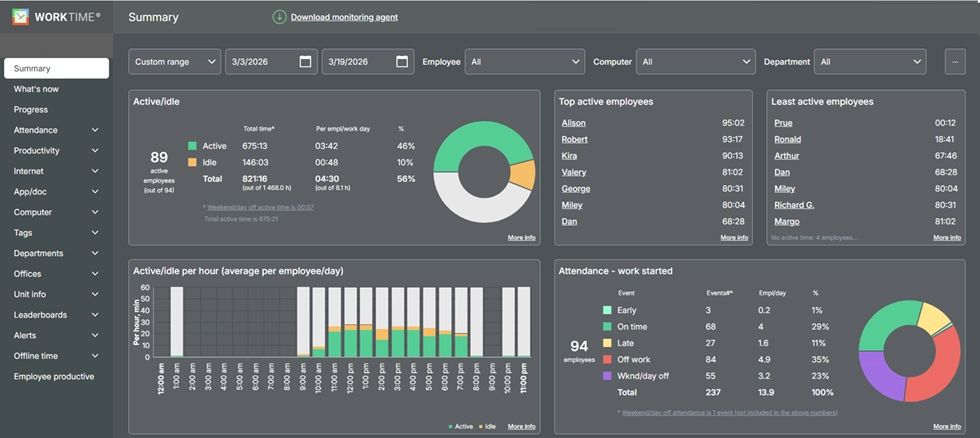
- IP-based location detection that compares remote vs. in-office productivity side by side
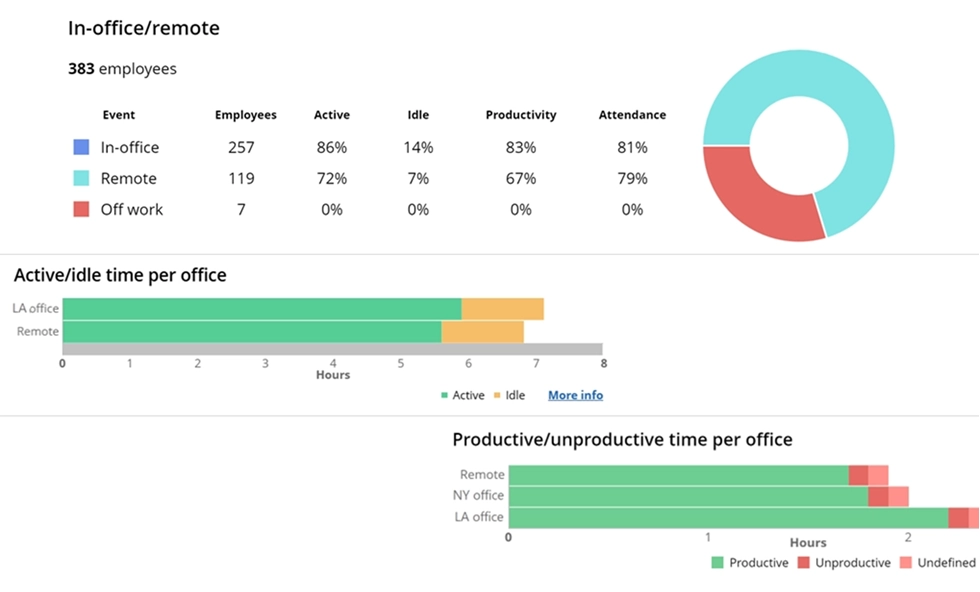

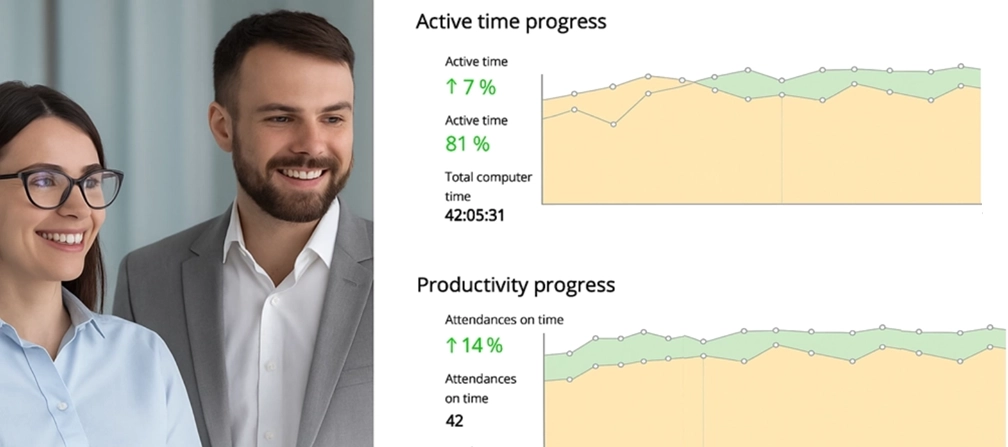
This WorkTime report analyzes performance across locations. View when your team works, compare performance by location, & identify top applications at a glance.
Start free trial- HIPAA, GDPR, and GLBA compliance modes built into the software, not sold as add-ons
- On-premise and private cloud deployment options for teams that can't send employee data to third-party servers
- Burnout signs tracking, overtime fraud detection, distraction scoring, and real-time alerts
- Active and idle time tracking that doesn't flag phone calls or thinking time as unproductive
- Supports Windows, macOS, and Terminal/Citrix environments from 1 to 15,000+ computers.
2. Hubstaff
Best for: GPS tracking and field team management. Hubstaff is a time tracking and workforce management platform built for teams that need location tracking alongside time tracking. It tracks work hours through desktop and mobile apps and includes GPS-enabled time clock features, geofencing, and route tracking for deskless or remote field workers. What's included:- GPS tracking with real-time location monitoring for field crews
- Automatic time tracking with screenshots and activity monitoring
- Project tracking, tasks, and budget tracking by project and client
- Payroll and accounting software integrations with QuickBooks, Gusto, ADP, and Paychex
- Workforce management tools, including shift scheduling and attendance tracking.
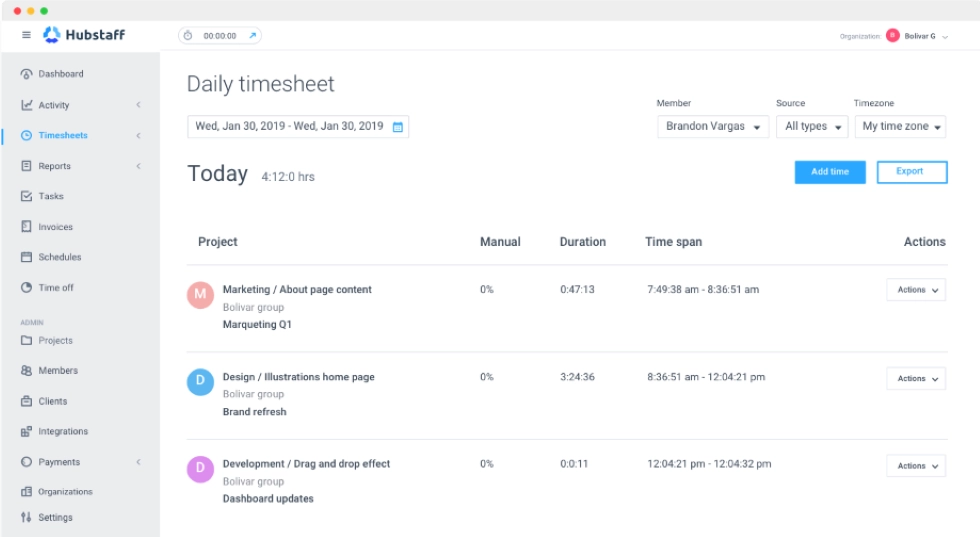
- “Insights” costs $2.50 per user;
- More screenshots cost $2.50 per user;
- “Locations” costs $3.33 per user.
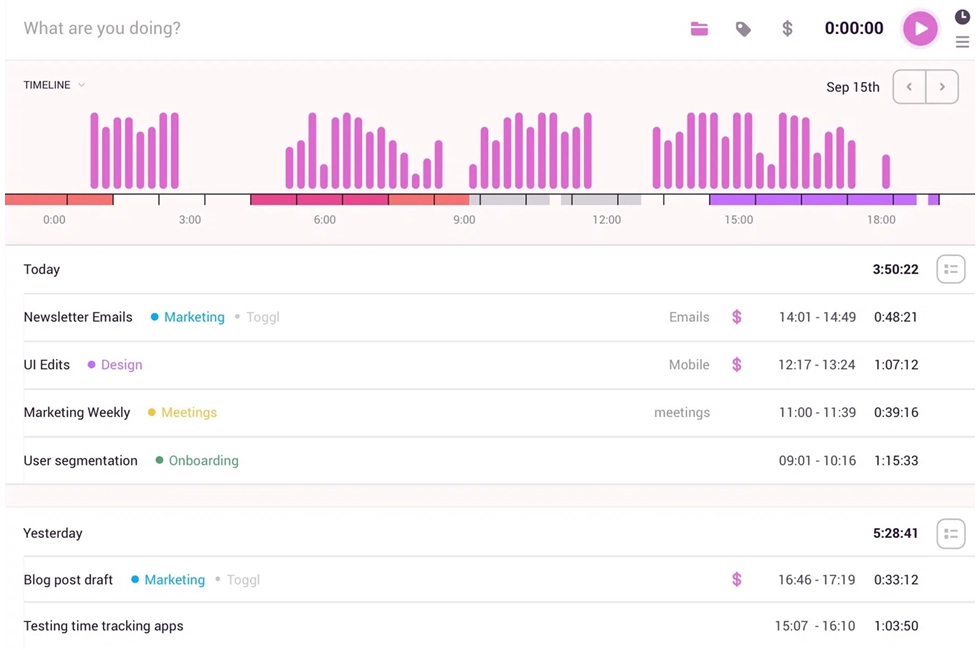
3. Toggl Track
Best for: Simple time tracking without employee monitoring. Toggl Track strips out everything related to monitoring and focuses purely on tracking hours. No screenshots, no activity scores, no keystroke data, no idle alerts. It's built for agencies, consultants, and small teams that bill clients by the hour and need clean records of where time goes. Highlights:- One-click timer, manual entry, and calendar-based time entries for flexible tracking
- Integrations with over 100 project management and task tracking tools, including Asana, Jira, and Slack
- Filter time entries by user, team, client, project, and tasks for detailed reports
- Full reporting suite for project tracking and accurate billing
- Available as a desktop app, web, and mobile with a browser extension for tracking across devices
- Excellent time tracking dashboard with visual breakdowns of time spent across projects.
4. ActivTrak
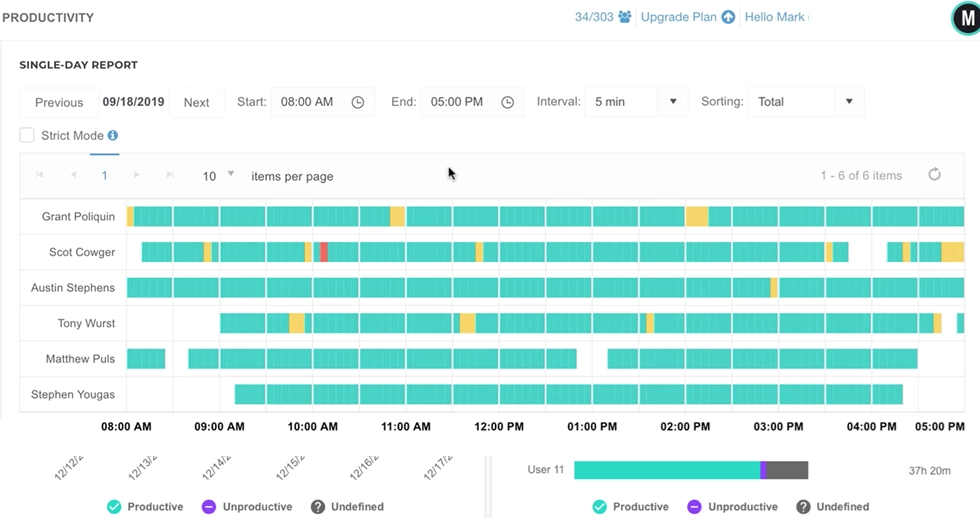
Best for: Workforce analytics and productivity analysis. ActivTrak brands itself as a workforce analytics platform rather than a monitoring tool. It logs which apps and websites employees use, scores that activity as productive or unproductive, and turns the results into dashboards designed for coaching conversations, not disciplinary ones. What's included:- Workload balance views, benchmarking across teams, and coaching-focused insights
- Real-time reports on how employees spend time across tools and categories
- Dashboards with trend analysis for team management
- Integrations with project management tools and HR systems
- Automatic tracking of app and website usage without manual entry.
5. Clockify
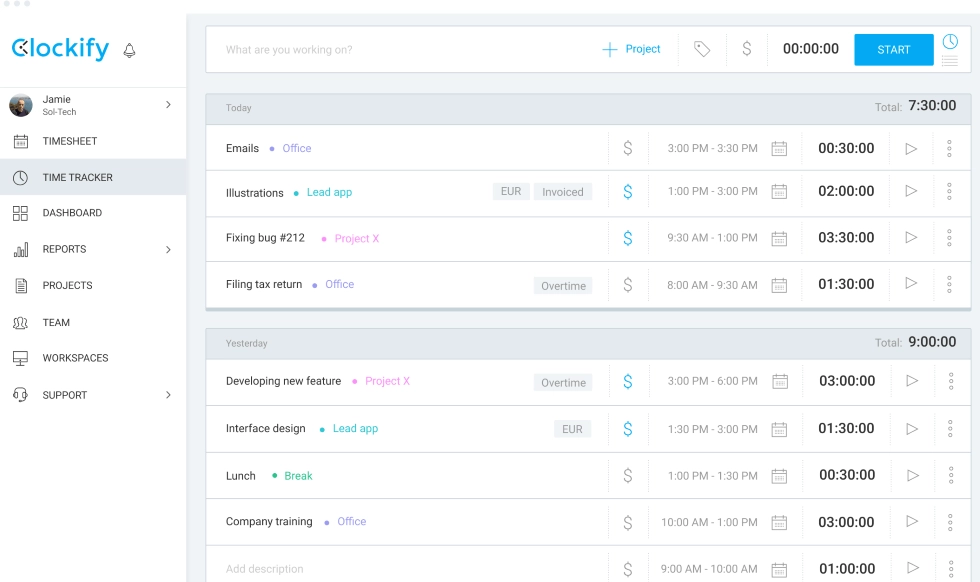
Best for: Free time tracker for budget-conscious teams. If your only requirement is logging hours, Clockify does it for free. There's no user cap, no project limit, and no paywall for basic time entries. Teams that need a simple clock-in/clock-out system and timesheets can run Clockify without spending a dollar. What's included:- Track time using a timer, manual entry, or timesheet view across web, desktop, and mobile
- GPS tracking, shift scheduling, and expense tracking on paid plans
- Attendance tracking, time off management, recurring shifts, and data export for payroll integration
- Offline time tracking for work that happens away from a connection
- Billable hours tracking with rates by project to ensure accurate billing.
6. Insightful
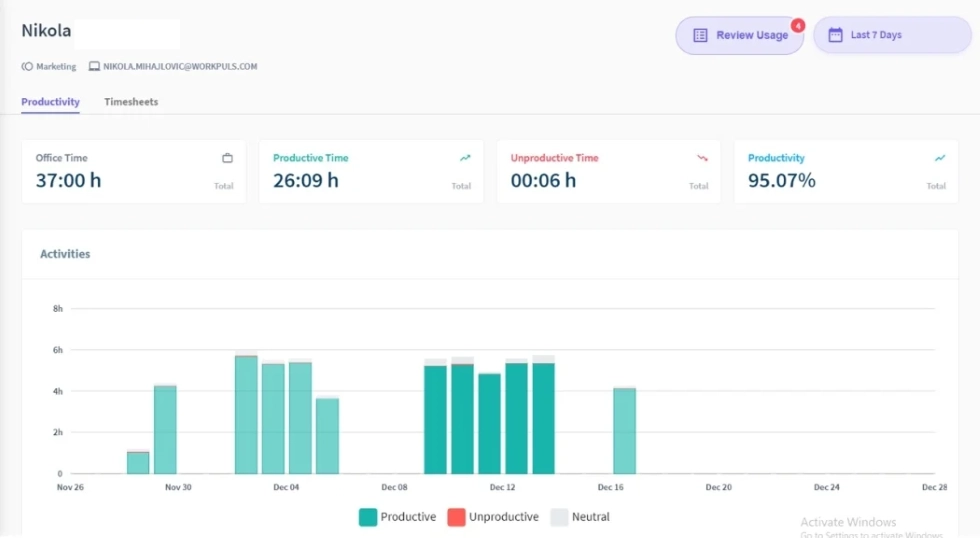
Best for: Workforce analytics with configurable privacy. Insightful (formerly Workpuls) sits between full surveillance tools and fully non-invasive options. It tracks app usage, active time, and engagement patterns, then packages the data into productivity reports. Screenshots are available but can be toggled off or limited, giving admins more control over how much is captured. What's included:- Configurable screenshots with control over frequency and access
- Detailed productivity reports on work patterns and engagement
- Task tracking with time entries by project
- Supports both remote and in-office staff with separate dashboards
- On-premise deployment option available for regulated industries
- Automatic time tracking that runs in the background.
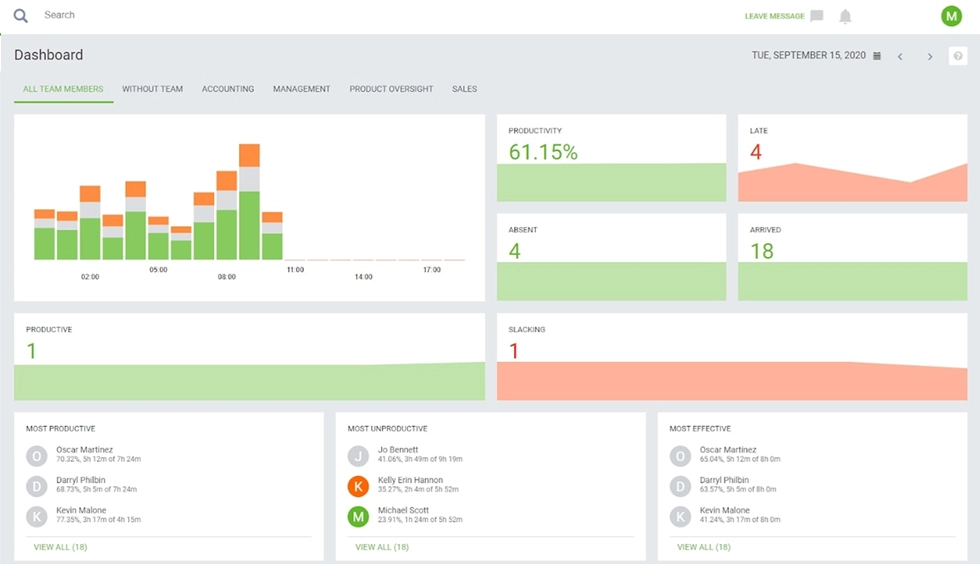
7. DeskTime
Best for: Automatic time tracking with private time features. DeskTime starts tracking the moment an employee opens their computer and categorizes every app and website as productive, unproductive, or neutral. There's no timer to start or stop. Everything runs automatically in the background. Highlights:- "Private Time" button that pauses all tracking so employees can handle personal tasks without being logged
- Automatic app and website categorization for scoring
- Offline time tracking for work that happens away from the computer
- Optional screenshots available but not required by default
- Project tracking with tasks and time entries by project
- Document title tracking that shows what files employees are working on.
8. Connecteam
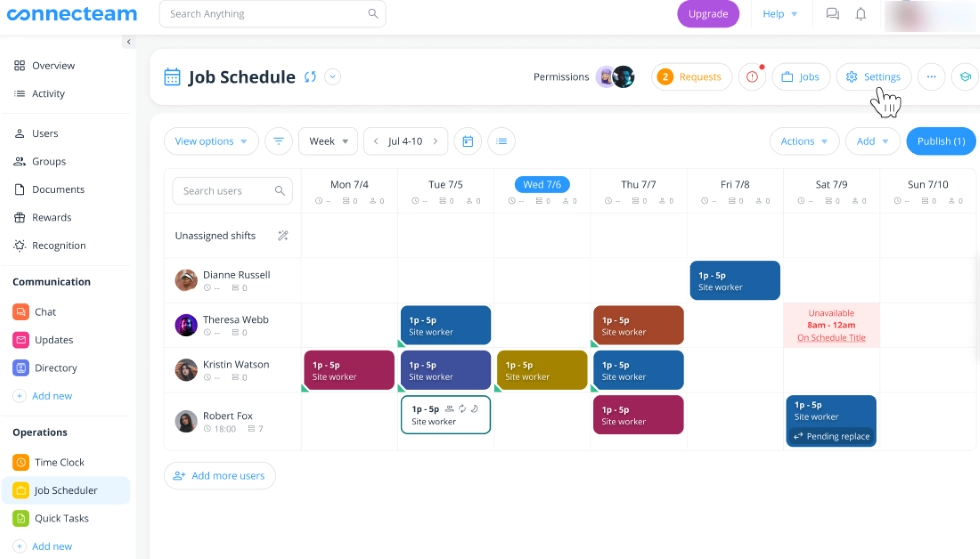
Best for: Overall employee management with a GPS-enabled time clock. Connecteam is a workforce management platform that combines tracking with broader team management capabilities. It includes a GPS-enabled time clock, scheduling, and integrated communication tools. It's built for deskless or remote workers and teams that need more than just monitoring. What's included:- GPS-enabled time clock with geofencing for attendance verification
- Integrated communication tools provide messaging through in-app chat
- Task management, customizable digital forms, and overall employee management
- Recurring shifts, scheduling, and time off management
- Mobile app designed for field teams
- Payroll and accounting software integrations for processing hours
9. Buddy Punch
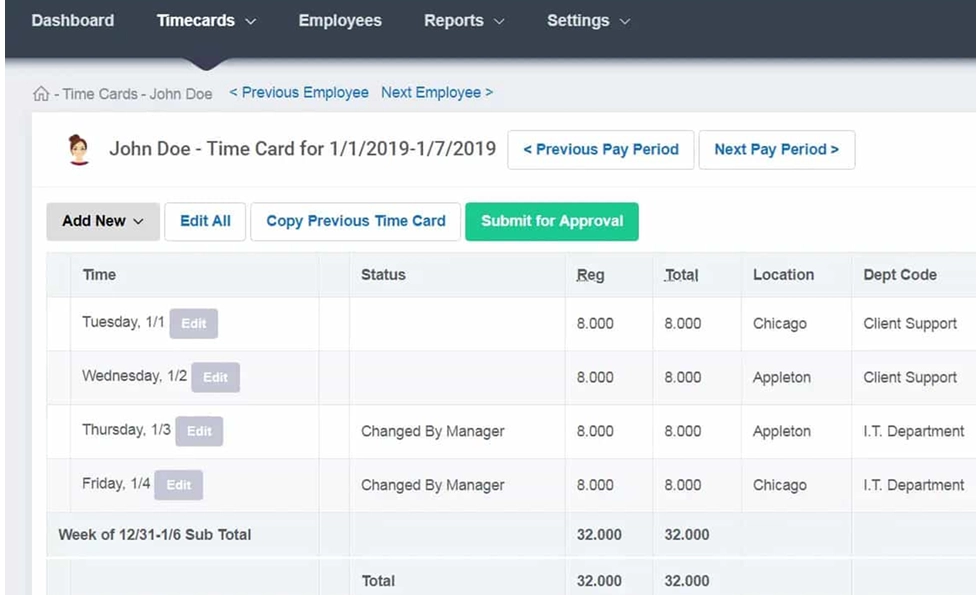
Best for: Simple attendance tracking and payroll. Buddy Punch is a time tracking solution focused on attendance and payroll processing. It offers a straightforward time clock with GPS tracking, facial recognition for clock-ins, and direct payroll software integration. It's designed for small teams that need to track work hours without complex monitoring. What's included:- Geofencing for clock-out and clock-in verification
- Facial recognition and QR codes for attendance
- Automatic overtime calculations and total working hours tracking
- Integrations with QuickBooks, ADP, and Paychex
- Desktop and mobile for tracking across devices
- Reports on work hours and attendance patterns.
10. Apploye
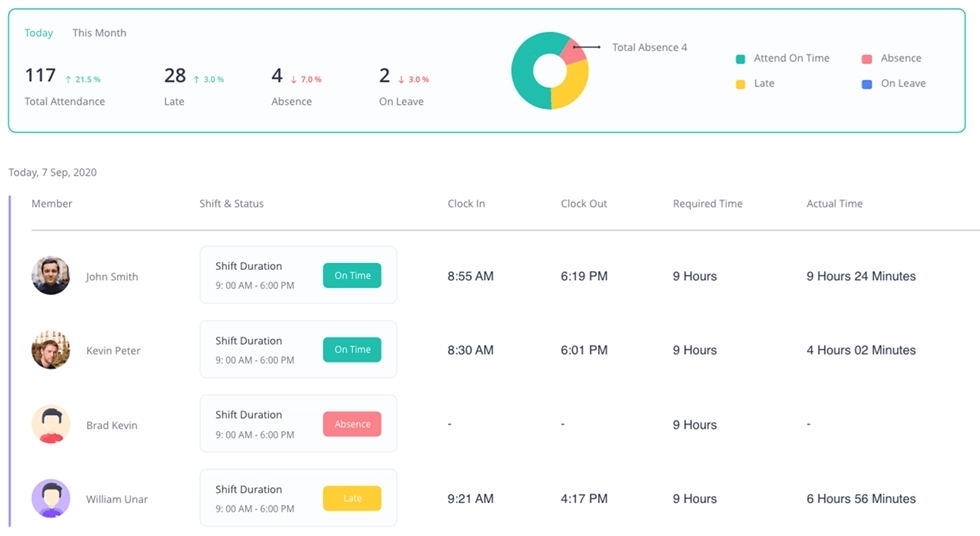
Best for: Remote teams needing project management with time tracking. Apploye combines time tracking with project management, task tracking, and monitoring in a single platform. It's designed for remote teams, agencies, and outsourcing companies that need to manage projects while tracking work hours. What's included:- Automatic time tracking with optional screenshots and activity monitoring
- Project management with task tracking, milestones, and crew coordination
- Productivity monitoring features with app and URL tracking
- Time entries organized by project, client, and team member
- Location services for field teams
- Mobile app and desktop for tracking across devices
- Invoicing and payroll features for invoicing and time spent on client projects.
Side-by-side feature comparison
Here is a side-by-side comparison of the key features, time-tracking capabilities, and monitoring approaches for each alternative to Time Doctor.| Feature | WorkTime | Hubstaff | Toggl Track | ActivTrak | Clockify | Insightful | DeskTime | Connecteam | Buddy Punch | Apploye |
|---|---|---|---|---|---|---|---|---|---|---|
|
Screenshots |
 |
 |
|
|
|
Configurable |
Optional |
|
|
Optional |
|
App/URL tracking |
|
|
|
|
|
|
|
|
|
|
Idle time detection |
|
|
|
|
|
|
|
|
|
|
|
GPS tracking |
|
|
|
|
Paid |
|
|
|
|
|
|
Task management |
|
|
|
|
|
|
|
|
|
|
|
Project management |
|
|
|
|
|
|
|
|
|
|
|
On-premise |
|
|
|
|
|
|
|
|
|
|
|
Mobile app |
|
|
|
|
|
|
|
|
|
|
|
Free plan |
3 users |
|
5 users |
3 users |
Unlimited |
|
|
10 users |
|
10 users |
|
Starting price |
$6.99/user |
$7/user |
$10/user |
$10/user |
$4.99/user |
$10/use |
$7/user |
$35/mo |
$5.49/user |
$7/user |
Where Time Doctor falls short
Monitoring feels invasive
Time Doctor takes screenshots at set intervals, tracks keyboard and mouse activity, monitors app and URL usage, and offers webcam monitoring on Premium plans. A 2024 Cornell University study that examined online forums where employees discussed monitoring software found a recurring theme: workers described feeling so surveilled that quitting seemed preferable to staying.Pricing locks features behind tiers
Time Doctor's Basic plan ($6.70 per user, billed annually) covers time tracking and screenshots, but that's about it. To get integrations with project management tools, you need the Standard plan at $11.70 per user. For video screen recording, internet connectivity reports, and VIP support, you need Premium at $16.70 per user. Add-ons like Benchmarks AI and Unusual Activity Reporting cost another $2-3 per user per month. For a 50-person team on the Standard plan, that's roughly $7,020 per year before add-ons.Employee resistance is real
A Harvard Business Review study found that heavy-handed monitoring actually weakens employees' sense of responsibility, making rule-breaking more likely, not less. On top of that, a Raconteur/Attest survey showed 80% of workers already feel watched at work to a moderate or high degree. Layering screenshot capture on top of that existing tension pushes people toward disengagement rather than productivity.Mobile app and support gaps
Time Doctor's mobile app is limited to basic start/stop timers with no dashboards, detailed productivity reports, or team communication features. Multiple Trustpilot and Capterra reviewers report slow customer support responses and unresolved billing issues. There is no phone support on any plan.Factors to consider when choosing alternatives
Before comparing specific Time Doctor alternatives, here's a decision framework based on the most common reasons teams switch.Monitoring approach
The single most important question: does the tool record what's on the screen, or does it measure output through categorization and scoring? Time Doctor takes screenshots by default. Some alternatives deliver equivalent productivity data without capturing content. That distinction affects compliance, employee trust, and adoption.Total cost with features included
Time Doctor's tiered pricing means the number on the pricing page isn't the number you'll actually pay. Compare tools that bundle features into one price against tools that charge for each capability separately. A $10 per user tool with everything included often costs less than a $6.70 per user tool after add-ons.Employee acceptance
Tools that skip screen capture and content logging tend to see faster rollout and less pushback. This matters most for remote teams and smaller organizations where a monitoring backlash can damage culture quickly.Compliance and deployment
If your organization handles protected health information, financial records, or government data, you need a tool with built-in compliance modes, not just a privacy policy. On-premise and private cloud options matter when regulations prohibit storing employee data on external servers.Integrations and team management
Does it connect with your existing project management, payroll software, and team communication tools? Broader team management capabilities matter when you're replacing a tool that your workflow depends on.Move beyond screenshot-based tracking
Time Doctor gives you data, but the way it collects that data creates problems that often outweigh the insights. Screenshot capture spooks employees, tiered pricing inflates costs, and content recording turns a productivity tool into a compliance liability. The alternatives on this list prove you don't have to choose between visibility and trust. If you want to track productivity, attendance, and active time without recording screens, try WorkTime free for 14 days. All features, unlimited employees, no credit card required.Try WorkTime now!