
TL;DR
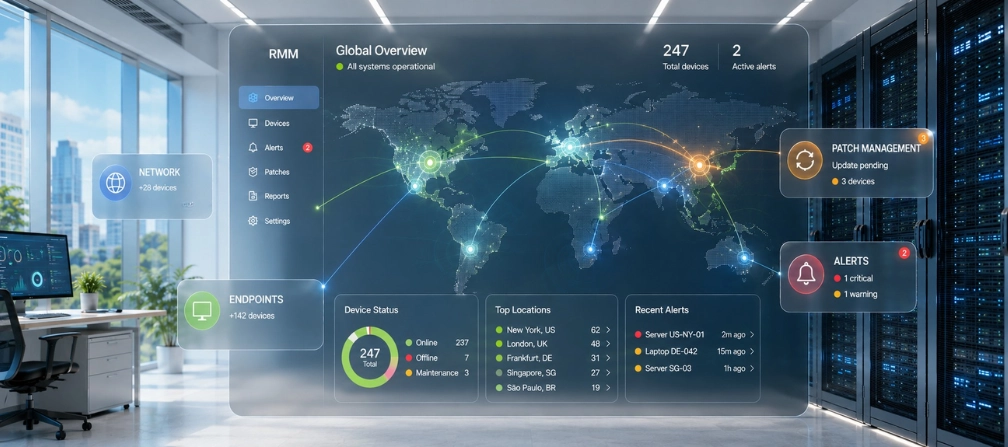
- RMM platforms let IT teams remotely monitor, secure, and maintain devices and endpoints from a single platform without on-site visits.
- Security is a two-way concern. Monitoring and management RMM platforms themselves have become targets, with a 277% year-over-year increase in abuse reported across all industries.
- Cloud-based RMM dominates, with roughly 61% of users preferring cloud deployments for scalability and remote access to distributed systems.
- RMM manages IT systems, not people. If you need workforce productivity data, you need employee monitoring and management software as a complement.
In this article
The article is prepared by WorkTime, a remote, in-office, and hybrid employee monitoring solution that delivers non-invasive, compliant performance analytics.
What is remote monitoring and management software?
Remote monitoring and management (RMM) is a category of remote monitoring software that managed service providers and internal IT teams use to manage systems remotely. An RMM system works by deploying lightweight agents on endpoints like workstations, servers, mobile devices, and network equipment. These agents collect information on device health, operating system status, CPU usage, disk space, and security events, then send real-time data back to a centralized console. From that console, teams can perform routine tasks such as automated patch management, software updates, and maintenance. They can use a remote control to troubleshoot endpoint devices, manage cloud environments and servers, and detect issues before they cause downtime. Core functions include real-time monitoring of connected devices, alerts for potential issues, patch management across operating systems, remote access for support, and automated maintenance scripts.How does it work?
An RMM platform operates in three stages: deploy, monitor, and act.- A lightweight agent is installed on each managed endpoint. This includes servers, workstations, mobile devices, and any other devices connected to the network. The agent runs silently with minimal impact on hardware status.
- The agent continuously monitors each device and sends real-time insight back to the central dashboard. IT teams gain visibility into system performance, security posture, and performance issues across every endpoint. The platform can collect data on everything from application behavior to network traffic.
- When the platform detects issues or triggers alerts, technicians take action via remote control, deploy scripts, run patch management, or escalate security events. The goal is to proactively detect issues before they disrupt business operations. Modern RMM solutions also integrate with professional services automation, giving managed service providers unified workflows for ticketing, billing, and service delivery.
Key features to evaluate
Not every set of RMM tools delivers the same value. Focus on features that reduce downtime, boost efficiency, and protect your environment.Patch management
The best platforms automate patch deployment across Windows, macOS, Linux systems, and third-party applications. Automated patch management keeps managed endpoints secure without manual effort.Remote access and remote control
These features let technicians troubleshoot a remote device without site visits. Whether it is a laptop in a home office or on-premises servers in a branch location, secure remote access means faster resolution and improved operational efficiency. WorkTime extends this visibility through in-office, remote, and hybrid monitoring features.Real-time monitoring and alerts
and alerts provide visibility into device health, hardware status, and security posture across all endpoints. Good alerting surfaces potential issues that matter. Bad alerting creates fatigue. LogMeIn research found that 86% of IT teams report support backlogs that lead to unsafe workarounds. WorkTime brings real-time visibility into employee activity without intrusive methods, turning work patterns into measurable data instead of screenshots. So, managers stay informed without compromising employee trust.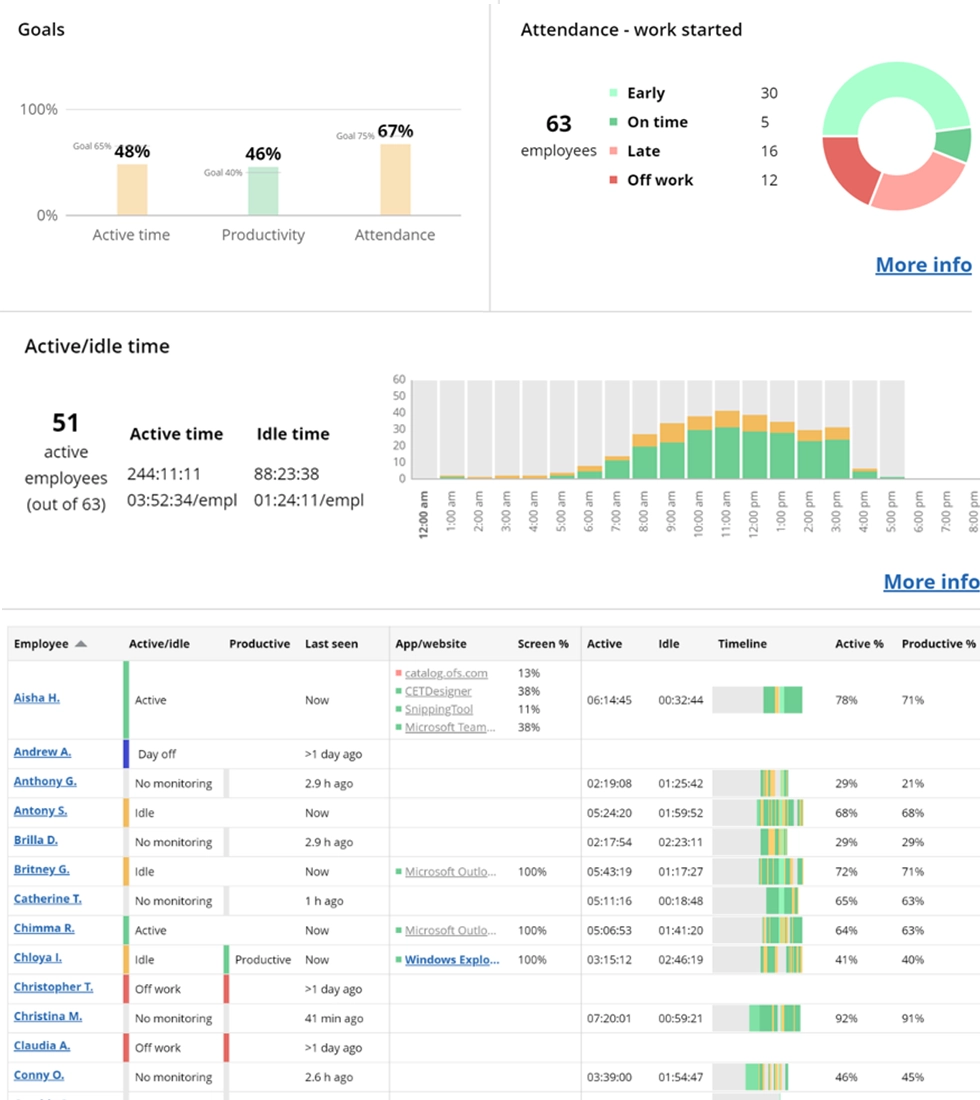

This WorkTime report provides a real-time view of team performance, including activity, location, timelines, and tools in use - all through a non-invasive approach.
Start free trialAutomation
This improves efficiency at scale. Custom scripts and automated maintenance routines handle routine tasks like disk cleanup, service restarts, and deployment tasks. This frees IT teams to improve efficiency and focus on strategic work.Network management and security services
Platforms should enforce security protocols, track data integrity across systems, and collect information on cyber threats across cloud environments, on-premises data centers, and distributed endpoints. Strong security protections are non-negotiable.The security risk most guides ignore
Here is what most guides skip: the RMM tools designed to secure endpoints can become the entry point for attackers. The Huntress 2026 Cyber Threat Report documented a 277% year-over-year surge in malicious use of RMM tools across all industries. The Arctic Wolf Threat Report revealed that 59.4% of ransomware cases began with external remote access, including direct exploitation. Researchers identified malicious usage of 32 different RMM solutions in a single quarter. CISA issued a formal advisory after ransomware actors exploited unpatched SimpleHelp vulnerabilities to compromise downstream customers. Separately, researchers documented Datto RMM agents being weaponized in phishing-delivered malware chains. The takeaway: your RMM system requires its own security hardening. Enable multi-factor authentication. Enforce role-based access control across all systems. Audit every agent, session, and integration. Treat your RMM system as a high-value target, because attackers already do. Average ransomware recovery costs hit $2.73 million in 2024 before dropping to $1.53 million in 2025, according to Sophos.RMM vs. employee monitoring: know the difference
Remote monitoring and management platforms manage IT infrastructure. They keep devices patched, endpoints secure, and services running. Employee monitoring software manages workforce productivity: active and idle time, application usage, attendance patterns, and productivity scores. If your organization runs a monitoring and management platform, you know your devices and systems are healthy. But you cannot answer these questions:- Are remote employees productive?
- Who is at risk of burnout?
- Where is time being wasted?
WorkTime - GDPR-, HIPAA-, & GLBA-safe monitoring!


Final thoughts
Remote monitoring and management are foundational for organizations managing distributed IT environments. The right RMM system reduces downtime, improves operational efficiency, secures endpoints, and helps IT teams do more with fewer resources. But the landscape carries new risks. Monitoring platforms themselves demand security attention. AI adds capabilities, but hype outpaces reality. And monitoring alone does not solve the workforce productivity gap that managers and compliance teams care about most. Choose your monitoring and management RMM platform based on deployment model, pricing, compliance requirements, data security, and architecture. Then consider what monitoring cannot do, like tracking employee productivity, and layer in complementary services to fill those gaps. If you are evaluating non-invasive employee monitoring to pair with your RMM stack, WorkTime bridges the workforce visibility gap with a 14-day trial. All features, every endpoint, and no credit card.Try WorkTime now!