
TL;DR
- Both are analytics-first, not surveillance-first. Insightful is a workforce-analytics tool with a time-tracking lineage (it was formerly Workpuls). ActivTrak is a productivity-analytics platform. Neither logs keystroke content by default.
- Entry price and model differ. Insightful starts at $8 per seat per month on annual billing with no seat minimum. ActivTrak has a free tier for up to 3 users, with paid plans starting at $10 per worker per month and billed annually only. Prices are current as of October 2026.
- Fit comes down to the job. Insightful suits teams that need granular time, attendance, and billable-hour tracking with an analytics layer on top. ActivTrak suits teams that want productivity coaching and work-pattern trends.
- WorkTime measures productivity through meaningful performance data. In-depth analytics provide detailed insights into employee activity and productivity without screenshots, screen recording, or keystroke content logging.
In this article
Presented by WorkTime
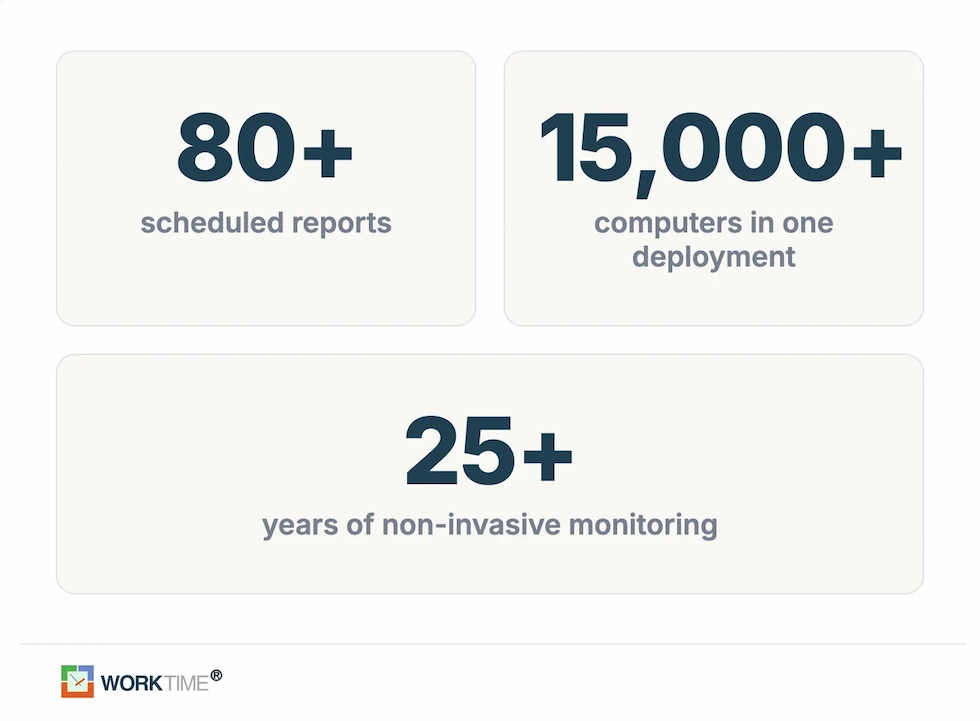
WorkTime is non-invasive employee monitoring software that combines productivity analytics, time tracking, attendance reporting, & more in one platform. We offer 80+ reports without screenshots or screen recording.
Insightful vs. ActivTrak: side-by-side comparison
This table covers the dimensions buyers weigh most. Row order is for navigation, not a quality ranking. Prices were checked on each vendor's pricing page in October 2026 and may shift after that. The review scores come from the named platforms, each with its own sample.| Dimension | Insightful (formerly Workpuls) | ActivTrak |
|---|---|---|
|
Category |
Workforce analytics with a time-tracking lineage |
Productivity analytics |
|
Data captured by default |
App and website usage, active vs idle time, time and attendance; no keystroke-content logging |
App and website usage, active/idle and "Productive Passive" time; no keystroke logging, camera, or video by default |
|
Screen capture |
Paid add-ons: on-demand screenshots, increased frequency up to 120 per hour, and a screen-recording add-on |
Not in core plans; available through the paid Screen Details add-on |
|
Analytics model |
Operational: timesheets, project and task time, billable hours, office vs. remote |
Aggregated: work-pattern trends, capacity planning, coaching, benchmarks |
|
Entry price (annual) |
$8/seat/mo, no seat minimum |
Free up to 3 users; paid from $10/worker/mo |
|
Capability tier |
Combo (analytics + optimization) $16/seat/mo |
Productivity Optimization $17/worker/mo; AI Insights +$4 |
|
Free access and trial |
7-day free trial, no card |
Free tier for 3 users; 14-day trial |
|
Deployment and OS |
Cloud and on-premise (about a 250-employee minimum on-prem); Windows, Mac, Linux |
Cloud only; Windows and macOS desktop agents |
|
Compliance posture |
Enterprise adds SSO, audit logs, and insider-threat detection |
SOC 2; no-keylogging design |
|
Designed for |
Teams needing granular time, attendance, and billable-hour tracking with analytics |
Teams wanting productivity coaching and work-pattern trends |
Insightful in brief
Insightful pairs workforce analytics with time tracking to show where a team's working hours actually go. A lightweight agent records app and website use, active versus idle time, and attendance, then feeds dashboards for productivity trends, project and task time, and an office-versus-remote split. It carries deeper capture as an option rather than a default. For a fuller breakdown of plans and trade-offs, see our Insightful review.ActivTrak in brief
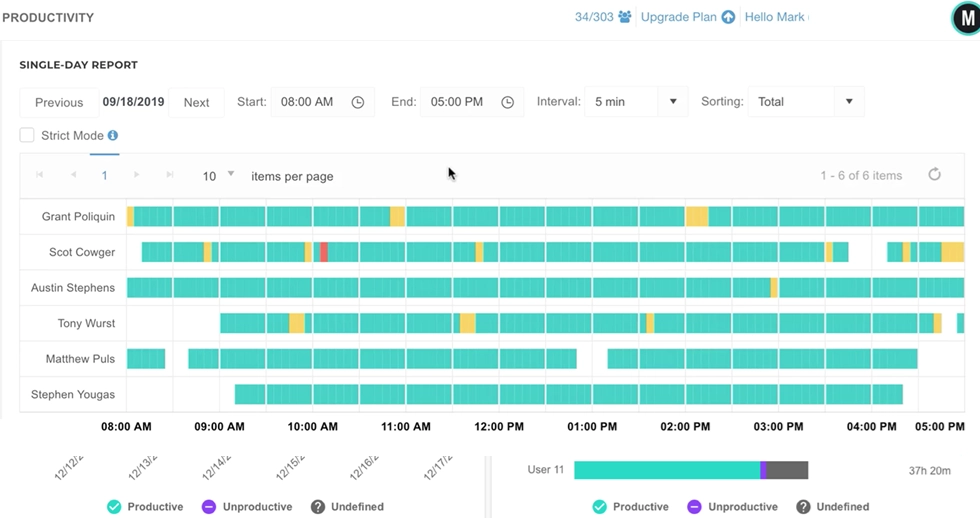
ActivTrak is a productivity-analytics platform that reports on how work gets done rather than counting billable hours. It categorizes app and website usage automatically, tracks active and idle time plus a "Productive Passive" measure for reading and meetings, and surfaces workload balance, capacity planning, and coaching prompts. It keeps screenshots out of its standard plans. ActivTrak is also favorably reviewed on G2 and Capterra, though those scores come from a different reviewer sample and are not directly comparable to Insightful's. For a related head-to-head, see our ActivTrak vs.Teramind comparison.How Insightful and ActivTrak approach analytics
Insightful and ActivTrak both turn raw activity into productivity data, but they answer different questions with it. Insightful answers how hours were spent. ActivTrak answers how efficiently work happened. Insightful is built around operational visibility. It records app and website usage and activity levels, then adds time and attendance, project and task time, and billable-hour tracking on top. Its office-versus-remote comparison and itemized timesheets make it a fit for teams that need to account for time precisely, not just understand it in aggregate. The lineage shows here: the product started as Workpuls, a time-tracking tool, and the time-tracking depth remains its strongest layer.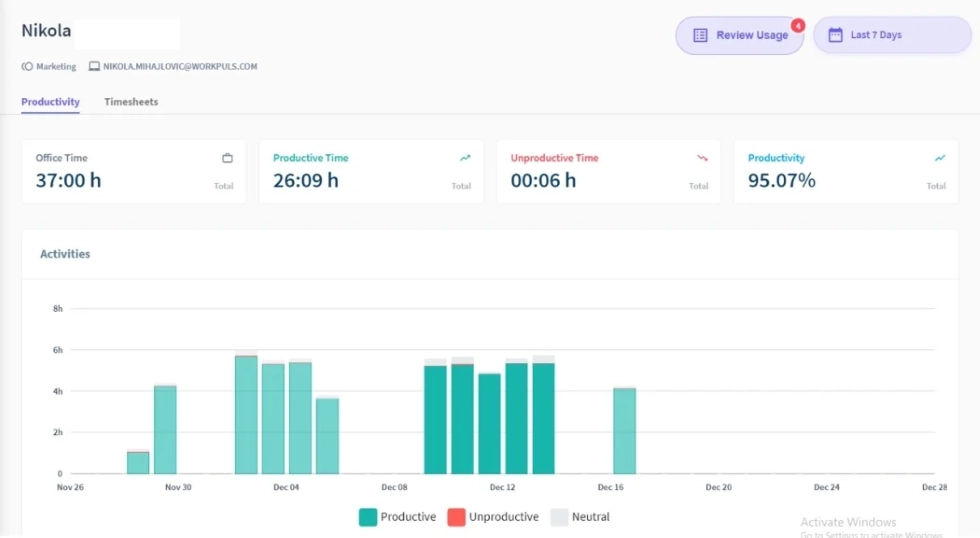
Screenshots and privacy: default versus add-on
Neither Insightful nor ActivTrak logs keystroke content by default, and both avoid the heaviest surveillance features. The real privacy question is screen capture, and the two handle it differently. This is the part buyers search for most, which is why "what does ActivTrak monitor" and "can my boss see my screen" recur as questions around this comparison. Insightful treats screenshots as a core capability you can scale up. The agent can run visibly or as a silent background process, and screenshots are sold as add-ons on top of the base plan: an on-demand screenshot add-on and an increased-frequency option that captures up to 120 screenshots per hour, verified on Insightful's pricing page as of October 2026. A separate screen-recording add-on records the screen as video, without microphone or system audio. None of this is on by default, but all of it is available, and it is central to how Insightful can be used. ActivTrak takes the opposite stance by default. Its own product pages describe design with no keystroke logging, content scraping, camera access, or video recording. Screenshots, live screen views, and full URL detail are not in the standard plans at all. They become available only through the paid Screen Details add-on. It is also not a hard limit: once an organization buys the add-on, ActivTrak can capture screens too. The honest summary is that both tools sit in the same place. Each avoids keystroke-content logging out of the box, and each can still capture screens. For most teams, that flexibility is fine. For a team where the answer to "can this tool capture our screens?" has to be a flat no, both tools leave that option on the table, and that is the gap neither closes.Pricing: Insightful vs. ActivTrak compared
Cost is the single most common refinement buyers add to this comparison, so it is worth pricing both tools past the headline number. Every figure here is a per-seat or per-worker monthly rate on an annual plan, pulled from the two pricing pages in October 2026.Insightful pricing
- Workforce Analytics: $8 per seat per month
- Workflow Optimization (Beta): $12 per seat per month
- Combo, which pairs the two plans: $16 per seat per month, the best-value option
- Enterprise: custom pricing, adding SSO, audit logs, and insider-threat detection.
ActivTrak pricing
- Free: $0 for up to 3 users, limited functionality
- Work Activity Tracking: $10 per worker per month
- Workforce Management: $15 per worker per month
- Productivity Optimization: $17 per worker per month, adding capacity planning and coaching
- Workflow: $21 per worker per month.
Deployment, compliance, and employee trust
How a tool captures data is not just a feature question; it is a compliance one, and most comparisons skip past it. Any screenshot or recording, even a paid one, can pull in whatever happens to be on the screen: a patient record, a client's financials, a case file. For regulated employers in health, banking, insurance, law, and the public sector, that exposure is the entire concern.
Which platform fits which team
Insightful and ActivTrak are designed for different jobs, so the honest guidance is to match the tool to the work rather than crown a winner. Insightful is designed for operations, professional services, and remote teams that need to account for time precisely: timesheets, attendance, project and task time, and billable hours, with a productivity-analytics layer on top. Its lower entry price, lack of a seat minimum, and time-tracking depth suit teams whose core question is where the hours went. ActivTrak is designed for small businesses through enterprise teams that want productivity analytics without default deep surveillance: work-pattern trends, capacity planning, burnout signals, and coaching, with a free tier for teams up to three. Its strength is understanding and improving how work happens rather than logging it for billing. Both answers share one assumption, though: that putting screen capture in front of employees, whether as an Insightful add-on or an ActivTrak Screen Details purchase, is acceptable. For many teams, that holds. For others, it is the one thing blocking a purchase, and that calls for a different kind of tool.WorkTime: analytics with no screen capture to switch off
WorkTime is non-invasive employee monitoring software designed to deliver workforce productivity analytics without surveillance, and it takes no screenshots, records no screens, logs no keystroke content, and never touches email or chat. It is simply not part of the product, so there is no upgrade, add-on, or admin setting that can switch it on later. In place of capture, you get the analytics layer both rivals compete on. WorkTime scores productivity at the employee, team, and department level, and our Screen Productivity Score stands in for screenshots without recording a single pixel of screen content. Around that sit attendance, active and idle time, app and website use, distraction tracking, and early burnout signals, all pushed out through 80-plus scheduled reports. For distributed teams, it sets remote and in-office productivity side by side.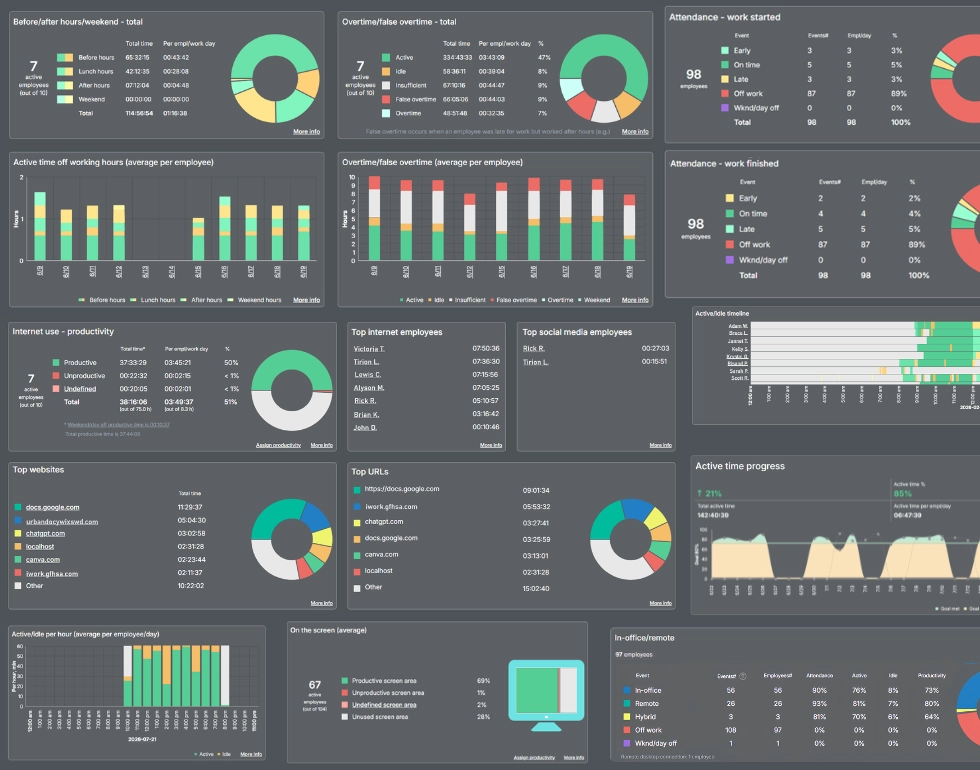
Get a clearer view of workforce performance with 80+ WorkTime reports!
Book demo
Track productivity, attendance, focus, and other key metrics without collecting personal content.
Start free trialMoney saved on unused educational software!
Industry
Education
Employees
2,500
WorkTime helped this U.S. school board identify underused educational software, reduce unnecessary spending, and make better-informed purchasing decisions.
Read more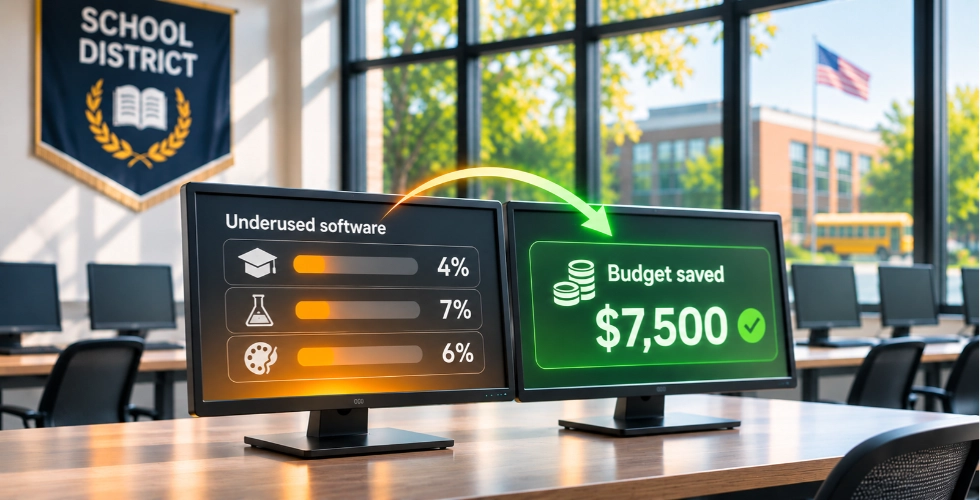
The bottom line
Insightful and ActivTrak differ in their approach to workforce analytics. Insightful offers time and attendance tracking alongside productivity and billable-hour reports. ActivTrak focuses on employee productivity, work patterns, and coaching insights. When comparing them, look at the reporting capabilities, plan limitations, and add-on costs to determine which solution meets your requirements. For organizations looking for a broad set of workforce analytics, WorkTime offers a feature-rich, non-invasive alternative. We provide 80+ reports for analyzing productivity, attendance, active and idle time, and app and website usage. WorkTime supports Windows and macOS, offers both cloud and on-premise deployment, and includes safe modes for regulated industries. Unlike tools that rely on screen capture, WorkTime provides performance insights without screenshots or screen recording. View pricing options or book a personalized demo.