


TL;DR
- Different jobs, not better or worse. ActivTrak centers on behavioral analytics, workload balance, and productivity coaching. Time Doctor centers on precise time tracking, attendance, and payroll-ready reporting for teams that bill by the hour.
- Screenshots work differently. Time Doctor includes interval screenshots on every plan. ActivTrak keeps screenshots out of its core tiers and offers them only through a paid Screen Details add-on.
- Time Doctor has the lower starting price. Time Doctor starts at $6.67 per user per month billed annually, with no free plan. ActivTrak offers a free tier for up to 3 users and paid plans from $10 per worker per month, as of October 2026.
- Both assume screen capture. Each tool expects some form of screen monitoring. Teams in regulated or trust-sensitive settings sometimes want productivity analytics without it, which we cover in the final section.
- WorkTime supports privacy-conscious employee monitoring. We provide detailed performance analytics without capturing screenshots or recording screen content, with HIPAA-safe, GDPR-safe, and GLBA-safe modes available on the Enterprise plan.
In this article
ActivTrak vs. Time Doctor: key differences at a glance
This is a factual comparison, not a ranking. Prices and plan names were verified on each vendor's pricing page as of October 2026 and can change.| Feature | ActivTrak | Time Doctor |
|---|---|---|
|
Primary focus |
Behavioral analytics and workforce intelligence |
Time tracking, timesheets, and payroll-ready reporting |
|
Time-tracking style |
Automatic, passive background tracking |
Active task timers and strict timekeeping logs |
|
Screenshots |
Paid Screen Details add-on only; not in core plans |
Built in on every plan (interval screenshots) |
|
Productivity analytics |
Deep: workload balance, capacity planning, coaching |
Activity levels, app and website usage, worked-hours reports |
|
Payroll and invoicing |
Not built in |
Built-in, with payroll-ready exports |
|
Deployment |
Cloud only, leans toward company-issued devices |
Cloud, built for remote and hourly teams |
|
Starting price (annual) |
Free up to 3 users; paid from $10 per worker per month |
$6.67 per user per month; no free plan |
|
Designed for |
In-office and hybrid teams focused on efficiency and trends |
Distributed, remote, hourly, and outsourced teams billing by the hour |
ActivTrak: behavioral analytics and workforce intelligence
ActivTrak is a workforce analytics platform that shows how work gets done rather than counting billable hours. It automatically categorizes app and website usage as productive or unproductive, surfaces real-time team dashboards, and reports on workload balance, capacity planning, and coaching opportunities. It tracks time passively in the background instead of asking employees to start and stop timers. A notable design choice: ActivTrak does not log keystroke content and does not take automatic screenshots in its standard plans. Screenshots, live screen views, and full URL visibility come only through a paid add-on. For privacy-conscious buyers, that restraint is a genuine strength, not a gap. ActivTrak offers a free tier for up to 3 users. Paid plans run from $10 per worker per month for basic activity tracking, $15 for workforce management, and $17 for the productivity optimization tier that carries capacity planning and coaching. An AI Insights add-on costs an extra $4 per worker per month, and screenshots come only through a separate Screen Details add-on, priced on request. These figures are from ActivTrak's pricing page as of October 2026. All paid plans are billed annually, with no monthly option. ActivTrak is favorably reviewed on G2 and Capterra, where users praise the fast setup and the coaching value. The most common complaints among reviewers center on cost, occasional performance glitches, and the fact that anything resembling visual proof of work requires the paid add-on. ActivTrak is also cloud-only, with no self-hosted option.Time Doctor: time tracking, proof of work, and payroll-ready reporting
Time Doctor is a time-tracking and proof-of-work platform built for teams that bill by the hour. It records precise, task-level time, builds timesheets and attendance records, and produces payroll-ready reports that feed a broad set of payroll and project integrations. Offline tracking, distraction alerts, and web and app usage monitoring round out the core. Screenshots are the signature feature. Time Doctor captures interval screenshots on every plan, alongside keyboard and mouse activity levels shown as a percentage. That percentage is an activity measure, not keystroke-content logging, so the tool is not a keylogger in the strict sense. Video screen recording and AI-driven insights sit on the top Premium tier. Time Doctor has no free plan, only a 14-day trial. According to Business.com, paid plans run $6.67 per user per month for Basic, $11.67 for Standard, which adds reporting, payroll, and the full integration set, and $16.70 for Premium, which adds video screen recording, AI insights, and single sign-on, all billed annually. Enterprise pricing is custom, and some capabilities are optional paid add-ons. These prices are current as of October 2026. Feedback on Time Doctor varies across review platforms. Overall, users appreciate its reporting capabilities and ease of setup, while common concerns relate to intrusive monitoring features and how the software measures activity.How ActivTrak and Time Doctor compare, feature by feature
Time tracking: passive analytics vs. active timesheets
ActivTrak tracks time passively, and Time Doctor tracks it actively. ActivTrak runs in the background and builds a picture of how hours are spent without asking employees to manage timers. Time Doctor expects interactive timers and task-level logs, which produce exact, billable records. If your goal is a clean invoice or a payroll export, active tracking is built for exactly that. If your goal is understanding workload patterns across a team, passive tracking is less intrusive and easier to sustain.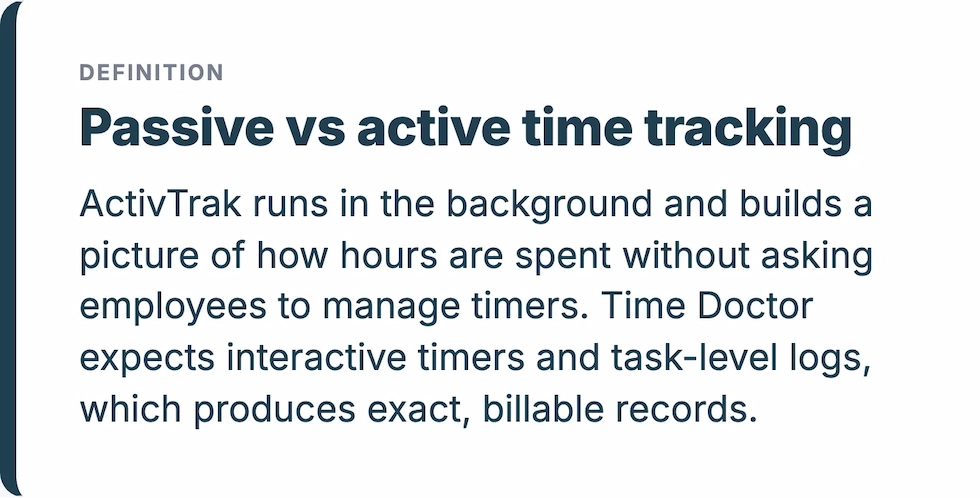
Screenshots and monitoring style: add-on vs. built-in
The two tools take opposite stances on screen capture. Time Doctor builds interval screenshots into every plan as its proof-of-work mechanism. ActivTrak treats screenshots as an exception, available only through the paid Screen Details add-on, and leans on analytics instead. This single difference drives most of the trust conversation around both tools. A team that needs visual evidence for investigations will find Time Doctor ready out of the box and ActivTrak an extra purchase. A team worried about capturing sensitive on-screen data will find ActivTrak's default far easier to defend.Productivity analytics and reporting
ActivTrak goes deeper on analytics; Time Doctor goes deeper on time and billing records. ActivTrak surfaces workload balance, capacity and headcount planning, burnout and team-health signals, and coaching prompts, which answer the question of how efficiently work happens. Time Doctor's reporting is strongest on worked hours, attendance, and payroll-ready exports, which answer the question of how many hours were worked and billed. Both report on app and website usage, but they point that data at different decisions.Payroll, billing, and integrations
Time Doctor owns this lane, and ActivTrak does not compete in it. Time Doctor produces payroll-ready reports, supports client billing, and connects to a broad set of integrations, which is why it suits agencies, BPOs, and hourly teams. ActivTrak has no native payroll or invoicing. If paying people or billing clients from tracked time is central to your workflow, that gap is decisive.Compliance, privacy, and employee trust
Monitoring style is a compliance decision as much as a feature choice. Screenshots and screen recording can capture whatever is on an employee's screen, including customer records, financial data, or protected health information, which raises real questions in healthcare, finance, insurance, government, and legal settings. ActivTrak's no-keylogging, screenshot-as-an-add-on default reduces that exposure. Time Doctor's built-in screenshots increase it, though its blur-for-privacy option and clear activity-level approach give administrators some control. Neither stance is right or wrong on its own. The correct level of monitoring depends on your industry, your workforce, and the notice you give employees.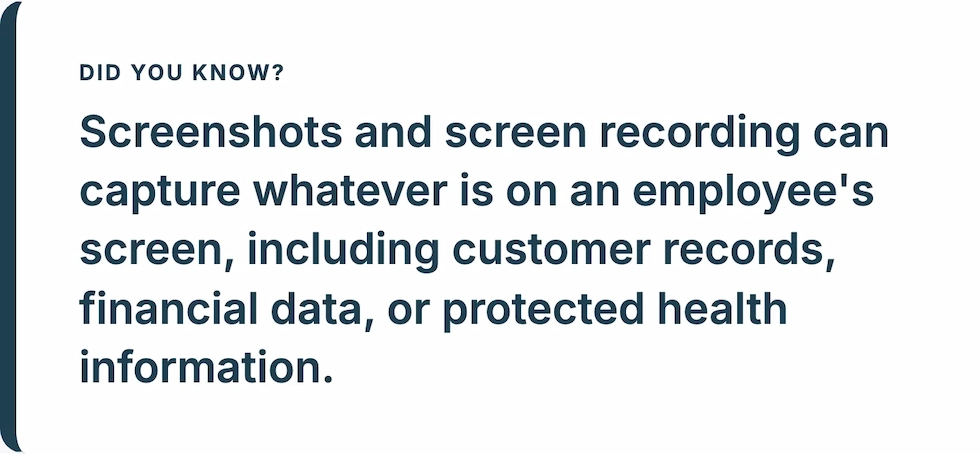
Pricing comparison: ActivTrak vs. Time Doctor
On entry price, Time Doctor is cheaper; for free access, only ActivTrak offers a free tier. Time Doctor starts at $6.67 per user per month billed annually but has no free plan. ActivTrak has no monthly option, but it offers a free tier for up to 3 users and starts paid plans at $10 per worker per month. Look past the headline number to the tier that carries the capability you actually need, as of October 2026:- ActivTrak: the deeper analytics most buyers want, including capacity planning and coaching, sits on the $17 Productivity Optimization tier. Screenshots require the separate Screen Details add-on, priced on request, and AI Insights add $4 per worker per month.
- Time Doctor: payroll and the full integration set sit on the $11.67 Standard tier. Video screen recording and AI Insights sit on the $16.70 Premium tier, more than double the Basic price.
| Price the tier that holds the feature you need (per user per month, billed annually |
|||
|---|---|---|---|
|
ActivTrak: work activity tracking |
$10 |
Time Doctor: Basic |
$6.67 |
|
ActivTrak: workforce management |
$15 |
Time Doctor: Standard |
$11.67 |
|
ActivTrak: productivity optimization |
$17 |
Time Doctor: Premium |
$16.70 |
Which platform fits which team
ActivTrak and Time Doctor are designed for different jobs, so the honest answer is to match the tool to the work. ActivTrak is designed for in-office and hybrid corporate teams that want to understand workload, efficiency, and digital habits, and that value coaching and capacity planning over billable-hour precision. Time Doctor is designed for distributed, remote, hourly, and outsourced teams that need strict time logs, active-time validation, and payroll accuracy, and that are comfortable with screenshot-based proof of work. Both answers share one assumption: that you are willing to put some form of screen capture in front of your employees, whether as an ActivTrak add-on or a Time Doctor default. For many teams, that is fine. For others, it is the exact thing standing in the way, which is where a third approach matters.The non-invasive alternative: productivity analytics without screen capture
We built WorkTime as non-invasive employee monitoring software that scores productivity, tracks attendance, and reports on workforce activity for regulated and trust-sensitive teams that need visibility without screen capture. WorkTime has no screenshots, no keystroke-content logging, no screen recording, and no email or chat capture. Those capabilities are left out of the architecture, not switched off in a settings menu. Instead, you get the analytics layer: productivity scores by employee, department, and team; our Screen Productivity Score as a non-invasive stand-in for screenshots; active and idle time; attendance; app and website usage; distraction levels; and burnout signals, delivered through 80-plus productivity reports. For distributed teams, we compare remote and in-office productivity side by side. For regulated buyers, we offer HIPAA-safe monitoring, with GDPR and GLBA-safe modes, on our Enterprise plan.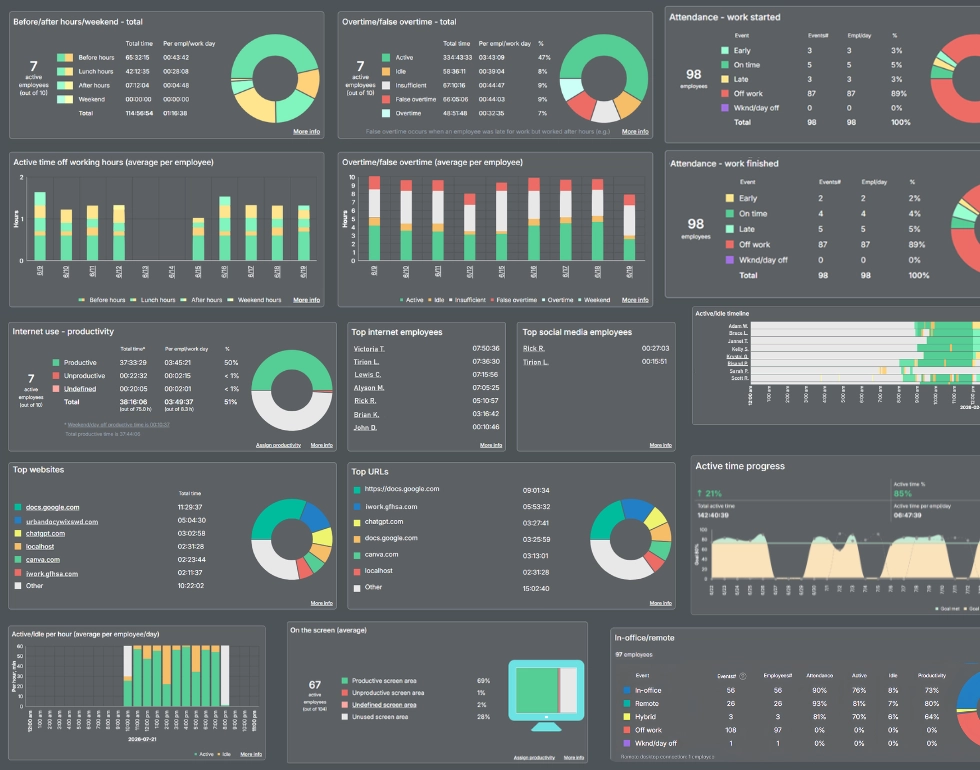

WorkTime offers 80+ reports without personal content capture. Besides, safe modes address data protection needs in regulated settings.
Start free trialMoney saved through accurate time tracking!
Industry
Rescue medical services
Employees
20
WorkTime helped a Canadian rescue medical services company identify timesheet discrepancies and save approximately $150,000 annually.
Read more
The bottom line
ActivTrak and Time Doctor are monitoring tools built for different problems. ActivTrak is designed around behavioral analytics, workload insight, and coaching, with screenshots kept optional. Time Doctor is designed around precise time tracking, payroll-ready reporting, and client billing, with screenshots built in as proof of work. Match the tool to the work in front of you, price the tier that carries the feature you need, and read the review platforms before you commit. You can monitor workforce productivity without relying on screenshots or keystroke logging. At WorkTime, we provide non-invasive employee monitoring with productivity analytics and full remote monitoring, without screenshots or keystroke logging. You can compare plans or book a short demo to see the analytics without the surveillance.