
TL;DR
- All-in-one time and billing: Hubstaff combines time tracking across desktop, web, and mobile with GPS and geofencing, payroll, and invoicing in a single tool, which is its main reason to buy.
- Pricing starts at $4.99 per seat per month on annual billing, with a two-seat minimum on every tier, no free plan, and a 14-day trial (as of October 2026).
- Not a content keylogger: Hubstaff's own documentation states it does not record keystroke content, read emails or messages, use the webcam, or capture audio. Screenshots and activity tracking are optional and set up by the administrator.
- Designed for: field and remote teams that need GPS plus billable hours and payroll in one place. Hubstaff is a heavier fit for privacy-sensitive or regulated teams that are uneasy with screenshot-based monitoring.
- WorkTime offers non-invasive monitoring with detailed analytics. 80+ reports cover productivity, attendance, active and idle time, app and website usage, and other work patterns without screenshots, screen recording, or keystroke-content logging.
In this article
Presented by WorkTime
WorkTime supports productivity analysis across office-based, hybrid, and remote teams. Our non-invasive monitoring software helps organizations evaluate performance without screenshots or screen recording.
What is Hubstaff?
Hubstaff is workforce management software that pairs time tracking with employee monitoring and payroll for remote, hybrid, and field teams. It runs as a cloud service with desktop and mobile apps, and its core job is to accurately measure worked hours, then feed those hours into timesheets, payroll, and client invoices.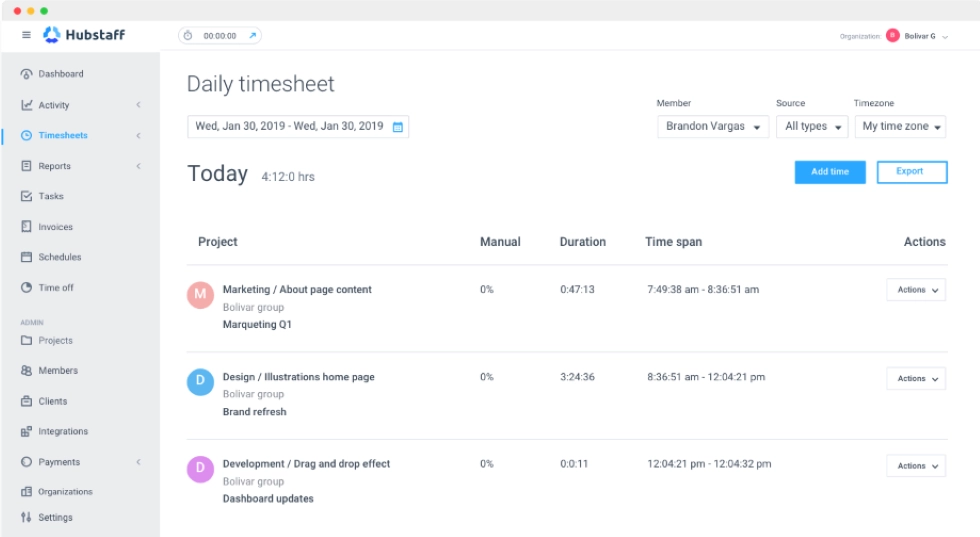
Hubstaff features
Hubstaff's feature set is organized around capturing worked time and then layering optional oversight and payment on top of it. The core capabilities fall into time tracking, optional monitoring, field and billing tools, and reporting, and for the monitoring features the detail that matters is what each one actually collects.| Feature | What it does | What it captures or privacy note |
|---|---|---|
|
Time tracking |
Tracks worked time across desktop, web, mobile, and a browser extension |
Start and stop times, worked hours; low sensitivity |
|
Activity rates |
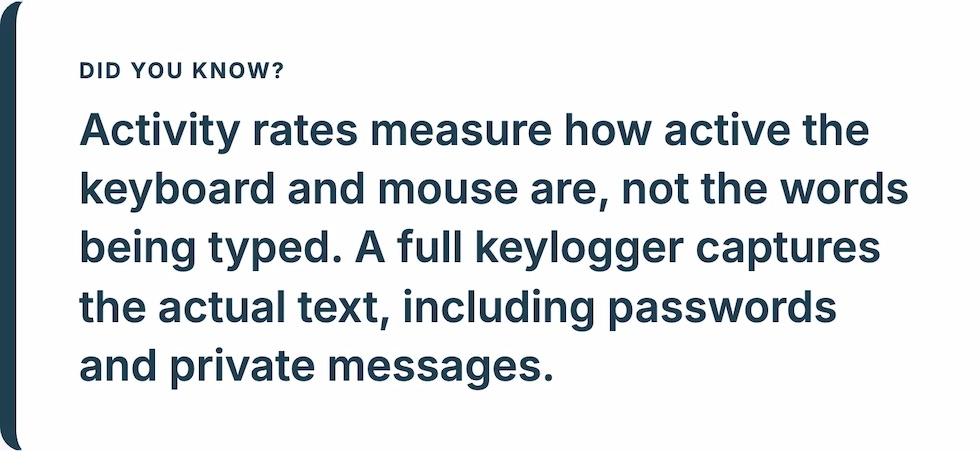
Measures keyboard and mouse activity as a percentage of active time |
Activity level only, not the content of what is typed |
|
App and URL tracking |
Logs which apps and websites are used during tracked time |
App and site names; optional, admin-enabled |
|
Screenshots |
Periodic screen captures during tracked time |
Optional; can be disabled, blurred, or frequency-limited; counts scale by plan |
|
GPS and geofencing |
Real-time location and automatic clock-in and clock-out at job sites |
Location data for field staff; normally requires disclosure |
|
Payroll and invoicing |
Pays staff from tracked hours and bills clients, via Wise, PayPal, Deel, and Payoneer |
Financial and timesheet data; low monitoring sensitivity |
|
Project management |
Tasks, budgets, and scheduling tied to tracked time |
Standard project oversight |
|
Reports and Insights |
Productivity and activity reports, with a higher-tier Insights add-on |
Aggregated activity data |
|
Integrations |
Connects to 35+ tools including Slack, Jira, and QuickBooks |
Standard integration scope |
Hubstaff pricing
Hubstaff pricing starts at $4.99 per seat per month on annual billing, with a two-seat minimum on every plan and no free tier (as of October 2026). That two-seat floor means even a solo operator pays for two seats, and the entry price buys the time-tracking core rather than the full monitoring and payroll feature set.| Plan | Price (per seat per month, annual) | What it adds |
|---|---|---|
|
Starter |
$4.99 |
Time tracking, limited screenshots, activity and app tracking, basic reports |
|
Grow |
$7.50 |
More screenshots, project budgeting, expanded reporting |
|
Team |
$10.00 |
Unlimited screenshots, timesheet approvals, scheduling, integrations, live chat support |
|
Enterprise |
$25.00 |
HIPAA and SOC 2 Type II, higher limits, enterprise controls |
Hubstaff pros and cons
Pros
- One tool from time to payment. Few competitors combine accurate time tracking, GPS and geofencing, payroll, and client invoicing as completely as Hubstaff. For teams that genuinely need that whole path, the consolidation is the main reason to buy.
- Strong field and remote support. GPS, geofencing, and automatic clock-in and clock-out at job sites make it a practical fit for construction, field services, and distributed crews.
- Well-regarded dashboard and reporting. Reviewers rank its dashboard, reporting, and mobile app among the best it tested for overall day-to-day use, praising how customizable the tracking and privacy settings are.
- Deep integrations. Hubstaff connects to more than 35 tools, including Slack, Jira, and QuickBooks, so it fits into an existing stack rather than replacing it.
- Administrator privacy controls. Screenshots and activity tracking can be disabled, blurred, or limited, which gives privacy-conscious admins room to dial the monitoring down.
Cons
- No free plan and a two-seat minimum. Hubstaff removed its free tier, so the entry point is paid, and the two-seat minimum means a single user still pays for two seats.
- Add-on cost creep. Core-feeling capabilities such as Insights, extra screenshots, Tasks, and the Locations add-on for GPS are paid extras, and Locations is locked to the Team plan and above, which forces an upgrade for field teams.
- Monitoring can feel invasive. TheBusinessDive notes that screenshot capturing and activity tracking can feel intrusive, and flags teams that prioritize a privacy-friendly environment may find the platform too monitoring-focused even with the settings dialed down. This is reported reviewer sentiment, and it points to a real adoption risk when monitoring is rolled out without clear disclosure.
- Support and billing. Users report mixed experiences with customer support, billing, and refund processes.
Hubstaff ratings
Customer feedback on Hubstaff varies by platform. Reviews on sites such as G2 and Capterra generally focus on its features and usability, while Trustpilot reviews include complaints about billing, refunds, cancellations, and support. When assessing Hubstaff, it helps to consider both sets of feedback. A tool’s feature set matters, but so do its commercial terms, support processes, and alignment with the organization’s approach to employee monitoring.WorkTime: performance insights without invasive monitoring
A non-invasive monitoring approach answers the same visibility question a different way. Rather than photographing screens, it reads behavioral signals: how much time is active/idle, whether people are present, which apps and sites get used, and how productivity moves over weeks. The outcome tells you whether work is getting done without keeping a picture of anyone's screen. WorkTime is the tool we built in that category. Our output is productivity analytics: a score for each employee, team, and department, alongside active and idle time, attendance, app, software, and internet use, distraction and burnout signals, and an IP-based remote versus in-office productivity view, delivered across more than 80 scheduled reports. None of that involves screenshots, keystroke content, screen recording, or email and chat capture, because WorkTime never collects them. WorkTime has nothing to switch off, since the underlying data is never captured, so no stored screen image exists to expose a patient record, a financial file, or a confidential document.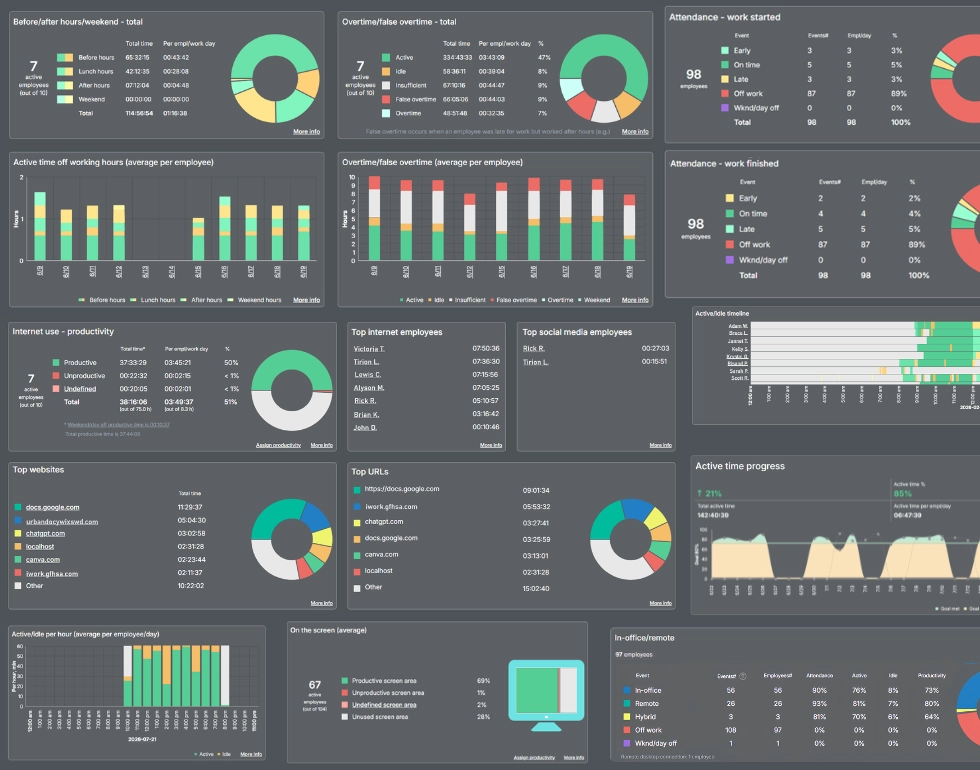
GDPR-, HIPAA-, and GLBA-safe modes add further protection for regulated environments.
Book demo
Gain detailed workforce insights with 80+ WorkTime reports, all built around transparent monitoring with no personal content capture.
Start free trial| Hubstaff | WorkTime | |
|---|---|---|
|
Primary focus |
Time tracking, billing, and payroll |
Non-invasive productivity analytics |
|
Screenshots |
Optional, admin-enabled |
None, by design |
|
Keystrokes |
Activity rate only, no content |
Counter only, no content |
|
GPS and field tracking |
Yes, via Locations add-on |
No |
|
Payroll and invoicing |
Yes, built-in |
No |
|
Compliance modes |
HIPAA and SOC 2 on Enterprise |
HIPAA, GDPR, and GLBA-safe modes on Enterprise |
|
Starting price |
$7 per seat per month, two-seat minimum |
Free tier, then $6.99 per employee per month |
The bottom line
Hubstaff is a capable all-in-one tool for teams that need to turn tracked time into payroll and client bills, especially remote and field crews that rely on GPS and geofencing. Its strengths are real: broad features, strong integrations, a well-rated dashboard, and admin controls that can soften the monitoring. The trade-offs are just as real. The headline price climbs quickly once you add the plan and add-ons most teams actually use, and the screenshot-and-activity model can feel heavy for privacy-sensitive staff, which the billing and support complaints on Trustpilot compound. It earns its place where billable time and field tracking are the job, and it is harder to justify where they are not. For teams that want productivity visibility without screenshots or content capture, WorkTime offers non-invasive employee monitoring with workforce productivity analytics, built for remote and regulated workforces over 26 years and trusted by more than 9,500 organizations. Because we measure output rather than storing images of people's screens, no sensitive file can be captured by accident, which is why WorkTime suits healthcare, finance, government, and other trust-sensitive teams.