
TL;DR
- Screenshots and live screen views come only through a paid Screen Details add-on, not the base plans.
- Analytics is the real strength. Real-time Team Pulse dashboards, productivity scoring, workload and burnout signals, and capacity planning are what ActivTrak does better than basic trackers.
- Pricing starts free, then climbs with add-ons. A free tier covers up to 3 users. Paid plans run from $10 to $21 per worker per month, billed annually only, as of October 2026. AI Insights, screenshots, and API access are separate costs.
- Known weak spots. Setup requires manual app categorization; there is no project billing or invoicing, GPS or mobile monitoring app, and some users report billing and cancellation friction.
- WorkTime pairs detailed analytics with a non-invasive approach. Managers can analyze productivity, attendance, and computer activity without screenshots, screen recording, or keystroke logging.
In this article
Presented by WorkTime
WorkTime is non-invasive employee monitoring software with 80+ reports that help organizations analyze workforce performance without screenshots or screen recording.
What is ActivTrak?
ActivTrak is workforce analytics software that shows how a team spends its working time, built for office, hybrid, and remote companies. It runs in the cloud, installs on employee computers, and automatically sorts the apps and websites people use into productive and unproductive categories. The result is a set of dashboards and reports about focus, workload, and activity rather than a literal recording of what each person did. The product is organized around workforce management, productivity optimization, and workforce planning. In practice, that means a manager uses it to see whether a team is overloaded or has spare capacity, to spot burnout risk, and to coach on focus, rather than to catch people out. ActivTrak leans into that framing, and independent reviewers describe it as productivity-focused rather than surveillance-focused. That positioning is the reason it gets recommended for teams moving to hybrid work who want visibility without heavy oversight.What ActivTrak monitors (and what it doesn't)
ActivTrak monitors activity signals, not content. It captures which applications and websites are used, how long they are used, and when a computer is active versus idle, then turns that into productivity scores and trends. It also tracks schedule adherence based on when people are active, rather than through GPS or location hardware. What ActivTrak does not do matters just as much for buyers weighing privacy and legal risk:- No keystroke-content logging. ActivTrak does not capture what employees type. Business.com states plainly that it "does not offer keystroke logging or cell phone monitoring."
- No video or screen recording by default. There is no continuous screen capture in the base product.
- No camera or audio capture. It does not use the webcam or microphone.
- Screenshots only as an add-on. Screenshots, live screen views, full URL detail, and website blocking sit inside a separate paid Screen Details add-on, not the standard plans.
ActivTrak features
ActivTrak's feature set is built to summarize activity into decisions, not to store a record of everything. These are the capabilities that define it.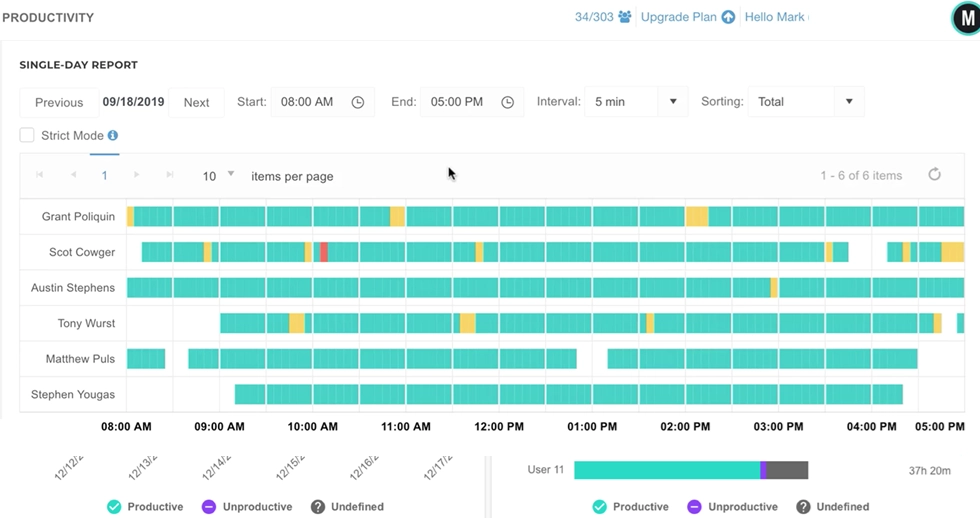
Team Pulse
A real-time dashboard that shows who is active and what categories of work are happening right now. ActivTrak positions it as real-time workforce visibility, so managers get a live read without opening individual screens.Productivity analytics and scoring
ActivTrak classifies apps and sites as productive or unproductive, then scores productivity by person, team, and time of day. This is the core output: reports and trends that answer whether focused work is happening.Goals, benchmarks, and workload balance
Beyond raw activity, ActivTrak reports on capacity, workload distribution, and burnout risk, so a manager can see who is overloaded and who has room. This is the "workforce planning" layer that separates it from simple time trackers.Personal insights
Employees get their own view of their focus and activity, positioned as a self-coaching tool rather than a management report. It is a genuine differentiator for teams that want monitoring to feel two-way.AI insights
ActivTrak offers an AI layer that surfaces patterns and recommendations. It is a paid add-on rather than a standard inclusion, priced separately per worker.Integrations and reporting
ActivTrak connects to other business systems through its ActivConnect API and offers BI-style reporting, though deeper integration and data export sit behind paid add-ons.Compliance posture
ActivTrak reports SOC 2 Type 2 practices and supports HIPAA, GDPR, and CCPA considerations, which matters for regulated buyers doing due diligence. Compliance features should always be checked against your own requirements rather than assumed. For teams managing remote and hybrid staff, the combination of live dashboards and workload reporting is the part that earns ActivTrak its reputation.ActivTrak pricing (2026)
ActivTrak uses a tiered model with a free entry plan, and the plan names changed recently, so it is worth reading the current ladder carefully. The figures below come from ActivTrak's own pricing page as of October 2026.| Plan | Price per worker, per month (billed annually) | What it adds |
|---|---|---|
|
Free |
$0 |
Up to 3 users, limited data history |
|
Work activity tracking |
$10 |
Core activity and productivity tracking |
|
Workforce management |
$15 |
Team dashboards, management reporting |
|
Productivity optimization |
$17 |
Capacity planning, coaching, deeper analytics |
|
Workflow |
$21 |
Workflow-level analytics |
|
Enterprise |
Custom |
Volume and multi-year pricing |
ActivTrak pros and cons
Pros
- Clean dashboards and fast setup. Reviewers consistently praise the interface and how quickly ActivTrak deploys, which lowers the effort of getting a team monitored.
- Strong analytics. Team Pulse, productivity scoring, workload balance, and capacity planning give managers real decision data, not just hours logged.
- A usable free tier. Up to three users at no cost makes ActivTrak easy to trial for small teams.
- Employee-facing Personal Insights. The self-coaching view makes monitoring feel less one-sided, which helps adoption.
Cons
- Add-ons inflate the true cost. Screenshots, AI Insights, API access, and premium support are priced separately, so the plan price alone rarely reflects the final bill.
- Annual billing only. There is no month-to-month option, so buyers commit for a year up front.
- Setup and categorization overhead. Apps and sites must be categorized as productive or unproductive, and reviewers note this tuning is ongoing work rather than a one-time step.
- No billing or invoicing. ActivTrak has no project billing, client invoicing, or manual timecard editing, so teams that bill by the hour will need a separate tool.
- No GPS or mobile monitoring app. ActivTrak monitors computer activity on desktops, so field teams and mobile-first workflows are not well served.
- Billing and cancellation friction. Some Trustpilot reviewers report unexpected charges, auto-renewals, and difficulty reducing licenses mid-term, including a July 2026 complaint about a surprise charge. These are individual accounts, not a verdict on every account, but the pattern is worth noting before you commit annually.
What real users say
ActivTrak is well rated across the major platforms, and the scores are consistent enough to trust the general picture. The positive themes are steady: clear productivity visibility, granular reporting, an intuitive interface, and a balance of oversight and privacy that teams are comfortable deploying. The free tier draws repeated praise from small teams. The mixed feedback is just as consistent. Reviewers describe the volume of data as overwhelming at first, and several say the reporting "feels like ongoing maintenance" because categorization and customization need attention. The lack of a mobile monitoring app comes up, as does confusion around user management.WorkTime - a non-invasive alternative
WorkTime takes a different approach to employee monitoring and performance analytics. We never capture screenshots or record screens at all, and compliance-safe modes are a defined part of the plan lineup rather than a bespoke negotiation.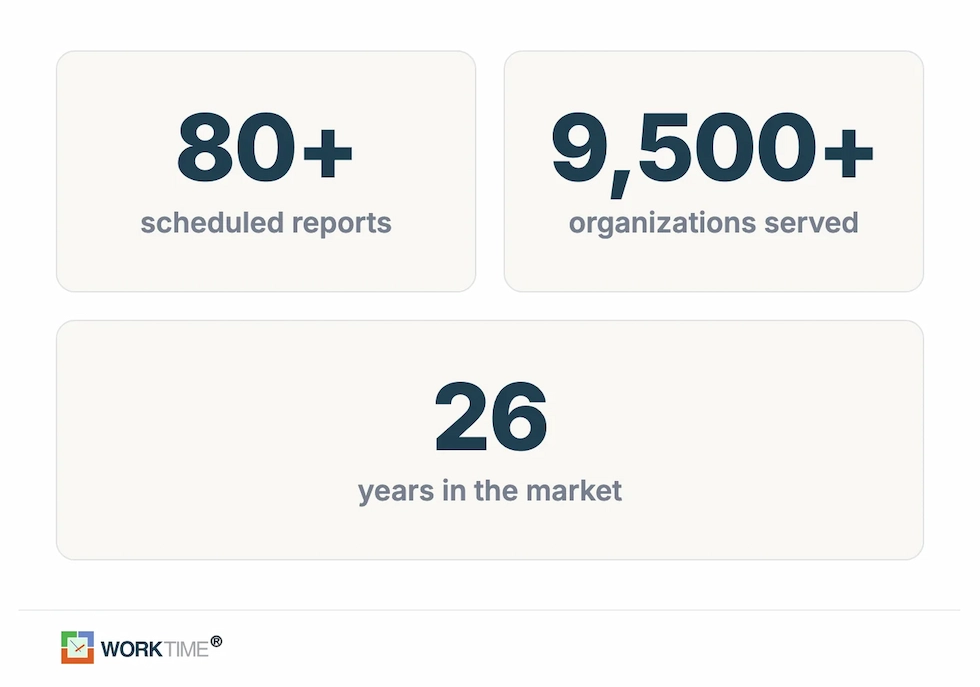
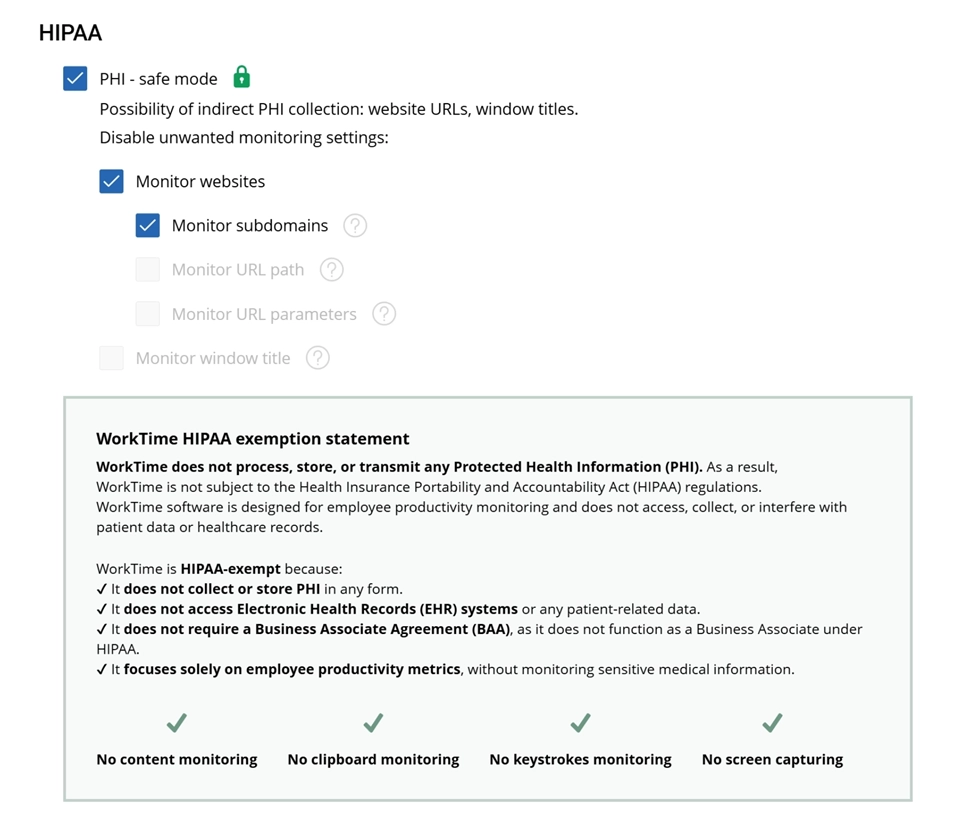

With HIPAA-safe mode enabled, WorkTime avoids capturing any potentially sensitive healthcare data sources. It keeps employee monitoring secure, transparent, and HIPAA-exempt.
Start free trial| ActivTrak | WorkTime | |
|---|---|---|
|
Screenshots |
Optional paid Screen Details add-on |
Not captured, by design |
|
Keystroke content |
Not logged |
Not logged (activity counter only) |
|
Deep analytics |
Capacity and coaching on the $17 Productivity Optimization tier |
Productivity analytics from the Premium plan up; 80+ reports |
|
Compliance modes |
SOC 2; HIPAA and GDPR posture |
HIPAA, GDPR, and GLBA-safe modes (Enterprise) |
|
Billing |
Annual only, no monthly option |
Annual (two months free) or monthly |
|
Entry price |
Free tier; paid from $10 per worker per month |
Free tier; paid from $6.99 per employee per month |
The bottom line
ActivTrak is a capable, privacy-forward workforce analytics platform. Its strength is turning everyday activity into clear productivity data through Team Pulse, scoring, and workload reporting, without logging keystroke content or recording video by default. Its trade-offs are real too: the true cost rises with add-ons, billing is annual only, and there is no payroll, invoicing, or mobile tracking. Analytics-led teams comfortable with the annual, add-on model are the ones who tend to rate it highly, while teams that need billing, mobile tracking, or monthly flexibility feel the gaps. For teams that want that productivity visibility without any screen capture in the mix, WorkTime offers non-invasive employee monitoring that has served more than 9,500 organizations over its 26 years in the market, with productivity analytics across 80-plus reports and zero screenshot or screen-recording capability by design. If that approach fits how you want to monitor your team, you can try WorkTime free for 14 days and compare it against ActivTrak directly.