
TL;DR
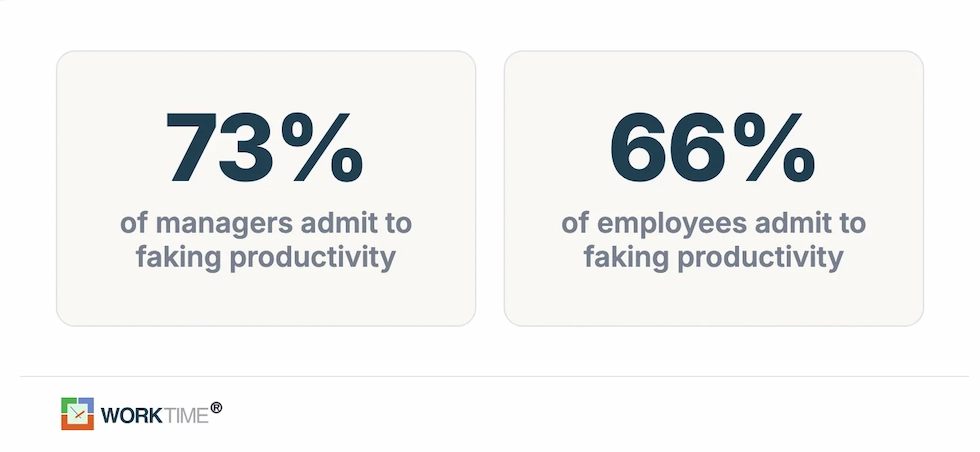
- Presence is not proof. In a 2026 Software Finder survey, 66% of employees and 73% of managers admitted to faking productivity, and the average worker who fakes productivity spends about five hours a week just looking busy. A green status or a moving cursor tells you almost nothing.
- Measure outcomes, not hours. The most reliable way to confirm a remote employee is working is to track completed tasks, quality, active-time trends, and attendance patterns rather than counting minutes or keystrokes.
- Transparency beats secrecy. Research from the National Bureau of Economic Research found that monitoring workers without explaining it can significantly reduce output, while performance held steady when the reason was made clear.
- Non-invasive monitoring earns buy-in. Tracking attendance, active time, and app categories without capturing screenshots, keystrokes, or screen content gives managers the data they need and gives employees a tool they will accept.
- Legal rules vary by state. New York, Connecticut, and Delaware require written notice before monitoring, and other states add their own consent rules, so confirm the laws where each employee actually works.
In this article
Presented by WorkTime
The article is presented by WorkTime - designed to help distributed teams stay productive with transparent analytics and zero content capture.
How to know if a remote employee is working
You confirm a remote employee is working by checking three signals together: the outcomes they deliver, transparent activity and attendance data, and steady communication. No single signal is enough on its own, and the clearest read comes from patterns over weeks, not moments.1. Focus on results and outcomes
The strongest sign a remote employee is working is a steady flow of finished work that meets your standards. Judge output, not hours logged in.- Set clear goals: Define weekly deliverables and milestones so progress is easy to see and measure.
- Review task progress: Check project boards and completed assignments instead of counting hours online.
- Measure value: Weigh the quality and impact of the work, not how fast someone types.
2. Use transparent, non-invasive tracking
Transparent tracking shows when remote employees start and end work and how active they are, without capturing private screen content. This is the layer that turns a hunch into data.- Log attendance: Use login and logout monitoring to see when people start and finish and whether their hours match expectations.
- Watch trends, not moments: Review active versus idle time over weeks so a short break never reads as a problem.
- Choose non-invasive tools: Track attendance and app categories without screenshots, keystroke logging, or screen recording, so employees can see exactly what is measured.
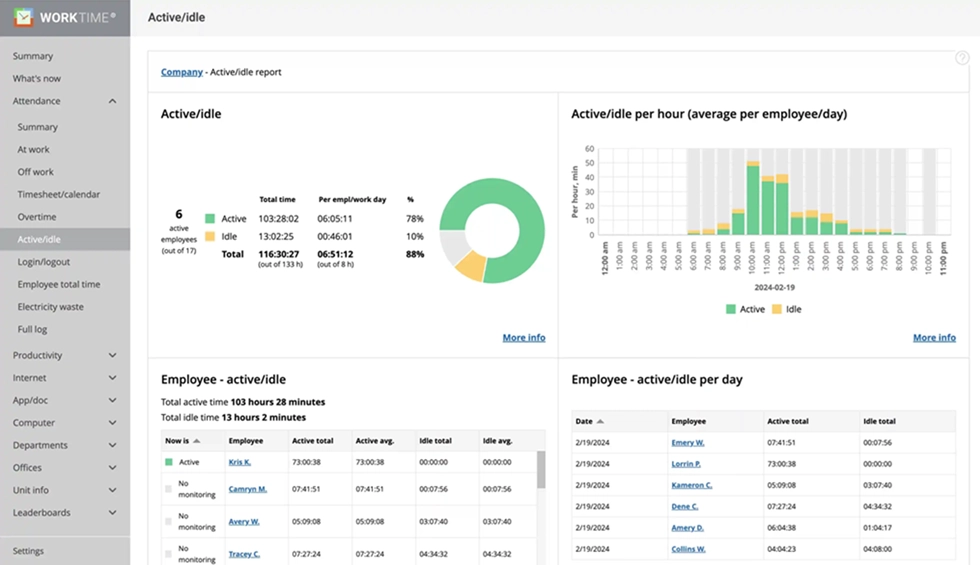

See how your team is doing at a glance. Track productivity, active vs. idle time, and attendance patterns to spot potential attendance issues before they become bigger problems.
Start free trial3. Keep steady communication
Regular, lightweight communication confirms that remote employees are engaged and working without anyone hovering over them.- Hold short syncs: Run brief daily or weekly standups where everyone shares what they are working on.
- Ask for daily recaps: Have team members note finished tasks and their next priorities.
- Watch for red flags: Treat long, unexplained silence combined with missed deadlines as a reason to check in, not a reason to assume the worst.
Signs a remote employee may not be working
The most common signs a remote employee may not be working are a drop in completed work, slower responses, declining active time, missed deadlines, and a status that looks active without matching output. Treat these as prompts for a conversation, not proof of wrongdoing, because good employees also go quiet for legitimate reasons.- Work output drops: Fewer completed tasks or lower quality over several weeks is the strongest signal, because outcomes are hard to fake.
- Responses get slow and vague: Chronically late replies and thin updates can point to disengagement or an unclear workload.
- Active time falls off: A sustained decline in active time during working hours, viewed as a trend, is far more telling than any single day.
- Attendance patterns slip: Repeated late starts, early finishes, or gaps in attendance records point to a problem worth addressing.
- Presence without progress: An online status or a moving cursor is easy to fake. Some employees run anti-monitoring software to appear active, and in 2024 Wells Fargo dismissed more than a dozen employees for simulating keyboard activity. Presence signals lie in both directions, which is why verified output matters more than a status light.
Why companies monitor remote employees
Remote work is now permanent, which is why visibility became a management problem worth solving. Gallup data show that 52% of remote-capable U.S. workers split their time between home and the office, 26% are fully remote, and only 22% work entirely on-site. That shift created real challenges: in Owl Labs research, managers named maintaining engagement (29%) and reduced visibility into work activity (27%) as their top concerns with remote teams. Companies use remote employee monitoring software to solve specific problems, including tracking work hours, measuring productivity across distributed teams, protecting data on remote devices, and spotting burnout before it turns into turnover. It also lets managers compare remote and in-office performance so standards stay consistent.
What to monitor: key performance indicators that matter
Not all data is equally useful. The most effective remote employee monitoring system tracks metrics that help managers see how remote teams are really doing and help employees improve.Attendance and work hours
Track when remote employees log in/log out and whether their hours align with expectations. Attendance monitoring catches patterns like chronic late starts, early departures, and time gaps that signal disengagement. For employees working from home, this is the first layer of accountability and a simple way to track time accurately.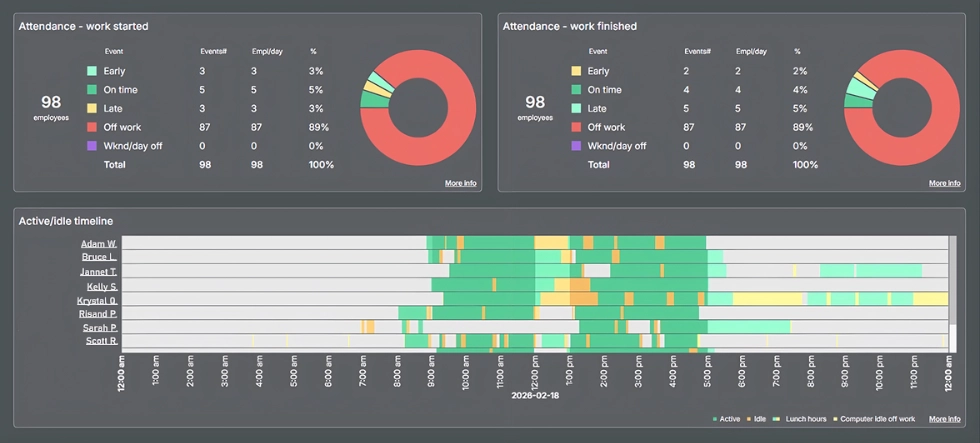

Want a clearer picture of team attendance? See who’s on time, late, or absent, and compare attendance data with active and idle time to spot potential issues early.
Book demoActive time vs. idle time
Active-time tracking measures whether an employee's computer is in use during logged work hours. Idle-time spikes can indicate disengagement, unclear priorities, or an unbalanced workload. This is far more reliable than keystroke counting, which rewards activity theater instead of real productivity.Employee activity by application and website
User activity monitoring that sorts application use by type (productive, neutral, unproductive) shows managers how remote employees spend their time. The best tools provide these insights without capturing screen content, which protects employee privacy and sensitive data. That is why remote employees are far more likely to accept non-invasive tools.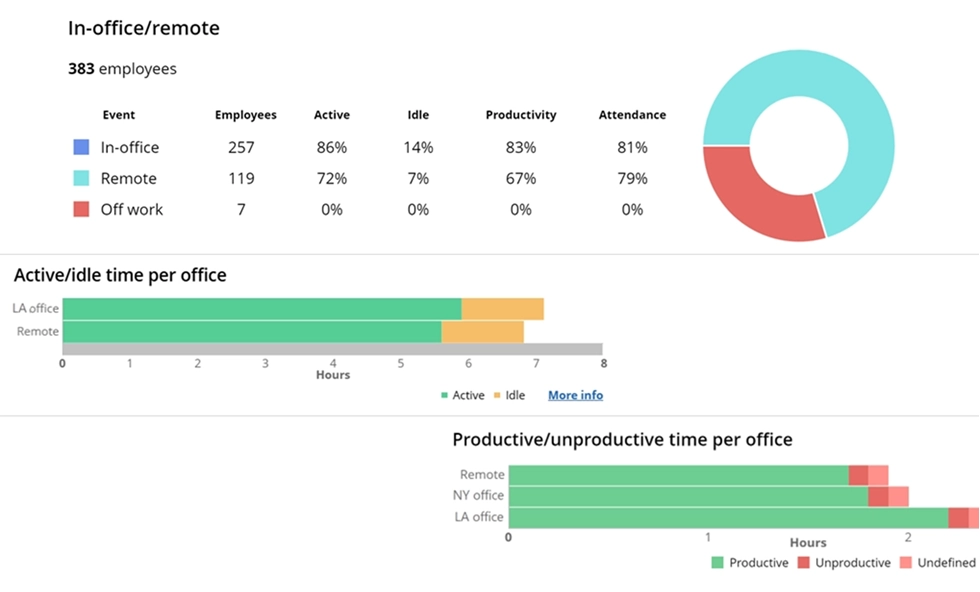

Track productivity across any work environment with in-depth performance analytics. WorkTime keeps remote monitoring transparent and privacy-friendly - no intrusive tracking!
Start free trialTask completion and project progress
Pair monitoring software with project management tools or built-in task features to track completion rates. This connects daily activity to business outcomes, so managers can measure progress and give feedback based on results rather than hours.Performance metrics and productivity scores
AI-assisted productivity scoring analyzes patterns across app usage, active time, and attendance to generate individual and team scores. These scores help managers identify top performers, spot struggling team members early, and balance workloads across the remote team.Burnout and overwork signals
One overlooked use of monitoring is detecting remote employees who are working too much. Tracking overtime patterns, after-hours activity, and declining productivity scores helps managers step in before burnout leads to turnover. In remote settings, overwork is invisible without the right tools.


Types of remote employee monitoring software
Employee monitoring tools fall into two broad categories, and the difference matters.Non-invasive monitoring
Non-invasive monitoring tracks attendance, active time, application categories, and internet activity without capturing personal content. No screenshots, no keystroke-content logging, no email or chat capture, and no screen recording. It focuses on what employees accomplish rather than watching how they work. WorkTime non-invasive employee monitoring software shows the payoff: one company saw employee performance increase 40% after implementation. Remote employees are far more likely to accept these tools because they can see exactly what is tracked, so managers get better data without the backlash that follows intrusive tracking.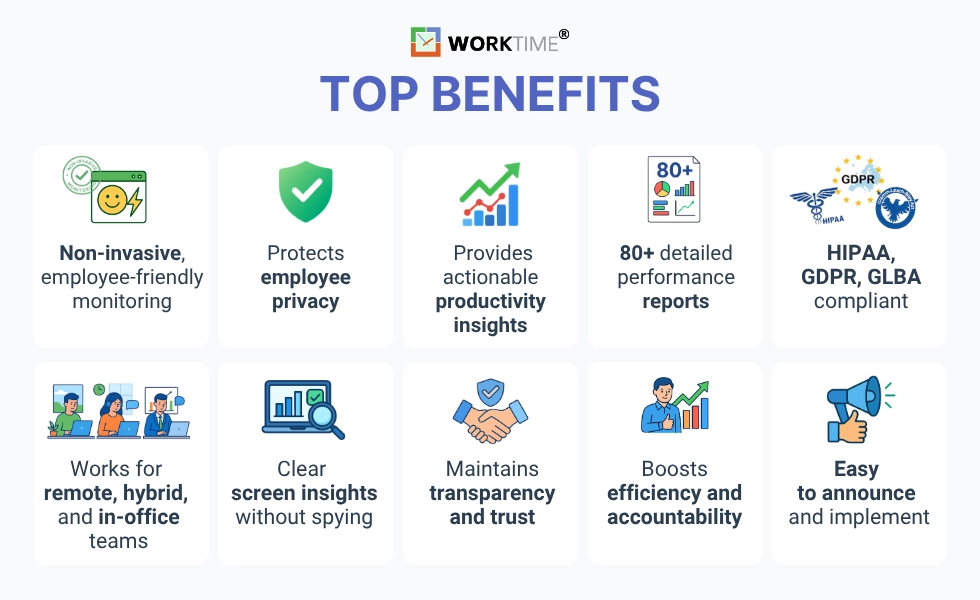
Invasive monitoring
Invasive monitoring captures screen content through screenshots or video, logs keystrokes, and can capture emails, chats, and webcam feeds. Marketed as productivity software, these tools create real problems. In a 2021 ExpressVPN survey of monitored remote workers, 49% said they pretended to be online, 31% used anti-monitoring software, and 25% looked up tricks to fake activity, which produces unreliable data and adds security risk. For most organizations, non-invasive monitoring yields better data on remote productivity with fewer security risks and far less resistance.How to choose the right remote monitoring software
When evaluating remote monitoring software, focus on features that support both productivity and trust.Productivity and attendance tracking
The system should offer time tracking plus active-time, idle-time, and login/logout analysis. Look for AI-assisted scoring based on app-usage patterns that turns raw activity into meaningful analytics.Employee transparency features
The best tools let remote employees view their own data. Self-service dashboards turn monitoring from something done to employees into a self-improvement tool that lifts productivity across the team.Compliance modes
For healthcare, finance, or insurance companies, monitoring software must support HIPAA and GLBA requirements. Look for built-in compliance modes rather than trying to configure a general-purpose tool. Protecting company data and employee privacy should not be in conflict.
Deployment flexibility
Cloud-based monitoring works for most remote teams, but organizations handling sensitive data may need on-premise or private-cloud deployment. Confirm the option before you commit.Lightweight performance
Monitoring software runs on employee devices. Heavy agents slow computers and reduce adoption, so prioritize tools that consume minimal resources.Detailed reports and analytics
Look for tools that provide customizable reports on individual and team performance and attendance patterns. These reports help managers track how remote employees are doing and keep employees working from home to the same standards as on-site staff.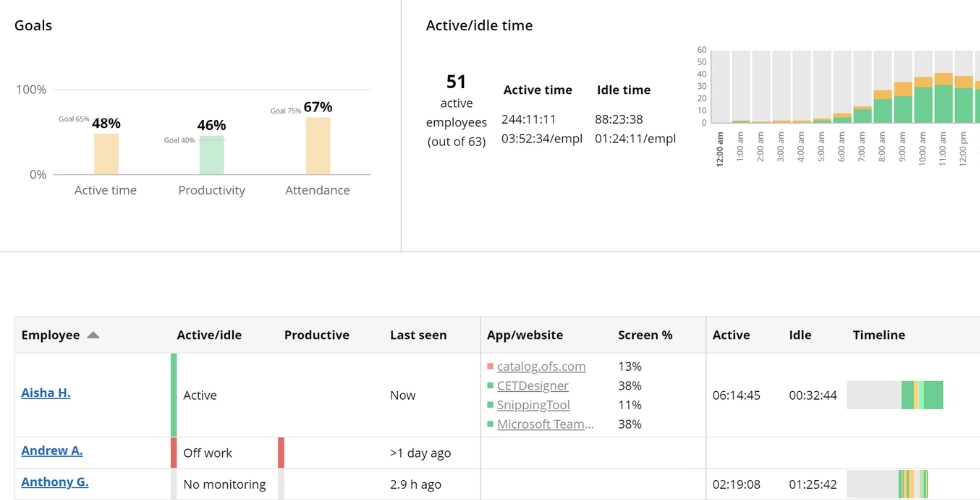

This WorkTime report shows real-time performance across your teams. See activity, location, timelines, and apps in use - fully non-invasive and privacy-friendly.
Book demoLegal requirements for monitoring remote employees
Employee monitoring is generally legal in the United States, but the rules vary by state and country, so review the laws where each employee works and confirm your approach with legal counsel.Federal law: The ECPA
The Electronic Communications Privacy Act (ECPA) allows employers to monitor activity on company-owned devices for legitimate business purposes or with employee consent, and violations can bring civil and criminal penalties. The practical takeaway is to get written consent and keep a clear monitoring policy on file.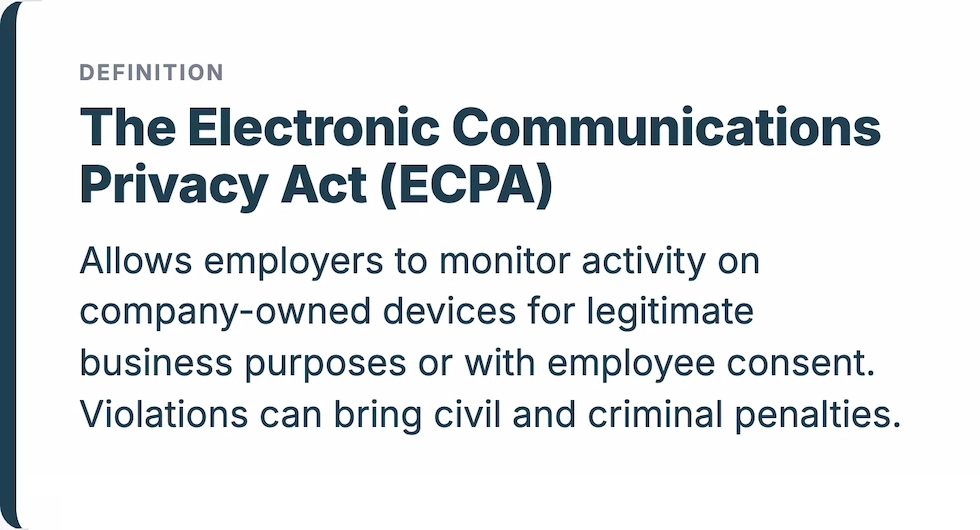
State-specific requirements
Several states add requirements beyond the ECPA. Confirm the current rule for each employee's location before you begin.| State | Requirement |
|---|---|
|
New York |
Written or electronic notice to employees upon hiring, posted conspicuously |
|
Connecticut |
Prior written notice to affected employees before monitoring begins |
|
Delaware |
Daily electronic notice or a one-time written notice with employee acknowledgment |
GDPR for companies with EU workers
If your remote team includes employees in the EU, the GDPR applies. It requires employers to identify a lawful basis for monitoring, conduct a Data Protection Impact Assessment (DPIA) when monitoring poses a high risk, and inform employees transparently about the practice. Employee consent is generally not enough on its own because of the power imbalance between employer and employee. Several EU countries add stricter limits on specific monitoring methods, so confirm the rules in each country where your team works.
Regulated industries
In healthcare, monitoring must be HIPAA-safe, meaning the system cannot inadvertently capture protected health information on employee screens. Financial institutions face similar demands under GLBA. For these industries, non-invasive monitoring that avoids content capture is the practical path to compliance, so look for software with built-in safe modes.How to implement monitoring without losing trust
The research is clear that how you implement monitoring matters more than which tool you choose. Here is how to introduce it the right way.Start with a written policy
Document which tools you use, what data they collect, and how that data is used. Put it in your employee handbook and onboarding materials, and have employees acknowledge it in writing. This protects you legally and sets clear expectations for every remote team member.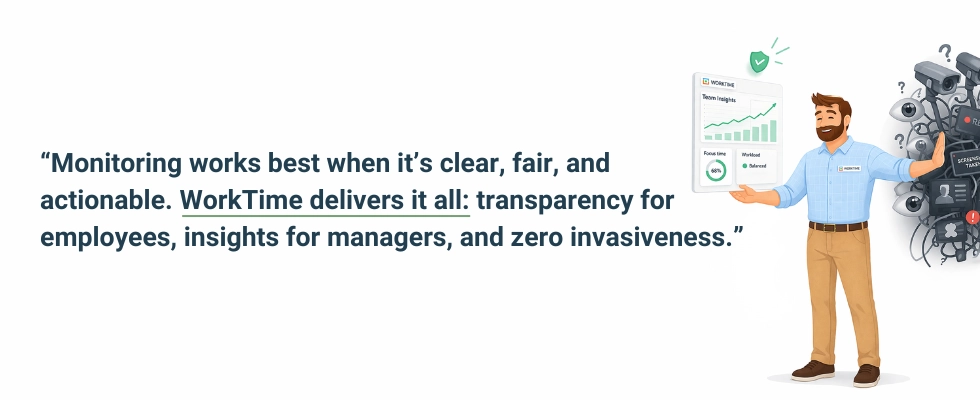
Be transparent about what you track
Tell remote employees exactly what is monitored and what is not. If your software tracks application categories but does not capture screenshots, say so. When employees know monitoring is fair and limited to work-related metrics, resistance drops sharply.Give employees access to their own data
Self-service dashboards that let remote workers see their own productivity scores, attendance records, and active-time data turn monitoring into something done for employees rather than to them. When people can see their own data, they self-correct before a manager ever steps in.Use data constructively
Monitoring data should inform coaching conversations, workload adjustments, and recognition of strong performers. Use it to support and improve, not to punish. Handled this way, tracking builds a healthier remote culture instead of eroding it.Introduce monitoring during onboarding
For existing teams, announce changes openly, explain the business reasons, and give employees time to ask questions. For new hires, cover monitoring during onboarding so it is a known condition from day one.Common mistakes when monitoring remote workers
- Using monitoring as a substitute for management. Tools provide data, not leadership, and clear management drives better results than monitoring technology alone.
- Tracking inputs instead of outputs. Mouse movements and keystrokes measure activity, not productivity. Focus on task completion, work quality, and metrics tied to business goals.
- Ignoring multi-state compliance. A single monitoring policy may not cover employees in different states. Review the requirements for every state where your team works.
- Over-monitoring. More data does not mean better management. Excessive, intrusive monitoring erodes trust and outweighs any benefit.
- Rolling it out in secret. Even where it is not legally required, secret monitoring destroys trust the moment it is discovered.
Final thoughts
Knowing whether remote employees are working does not require watching them. Presence signals can be faked in both directions, but verified outcomes cannot, so the answer is to measure completed work, active-time and attendance trends, and steady communication, then read those signals together over time. The research points the same way: transparent, non-invasive monitoring delivers better results than intrusive tracking, keeps trust intact, and gives managers the productivity insight they need. At WorkTime, we build non-invasive employee monitoring software that helps HR and IT teams see productivity, attendance, and active time across remote and in-office teams without screenshots, keystroke logging, or screen recording. If you want to see it in practice, you can start a free 14-day trial with unlimited employees and no credit card required.