
TL;DR
- On-premise deployment matters for government. Cloud-based tools require FedRAMP authorization, which takes 12 to 18 months. On-premise keeps all monitoring data on agency servers.
- Non-invasive monitoring avoids labor disputes. Federal unions have consultation rights over monitoring practices. Solutions that skip screenshots and keystroke logging pass union review faster.
- OPM's December 2025 guidance requires agencies to verify attendance and evaluate telework effectiveness. Productivity monitoring is no longer optional for the government.
- Productivity monitoring balanced with data protection is what government agencies need. Employee monitoring solutions should track working hours and employee performance without capturing sensitive content from screens.
In this article
The article is presented by WorkTime - a non-invasive, compliance-ready monitoring solution trusted by government agencies.
Why government agencies need employee monitoring
Taxpayers fund government employee hours, and agencies must demonstrate that those hours produce results. Three recent developments accelerated demand:- OPM's telework verification mandate. The December 2025 guidance requires agencies to verify that employees are working on-site full-time. For the ~10% of federal employees with telework exemptions, agencies must evaluate whether remote workers are maintaining productivity or should return to the office.
- The Telework Reform Act of 2025 (S.82). This pending legislation would require agencies to report the metrics used to evaluate teleworking employee performance, including methods for tracking employee productivity and computer usage.
- Overtime fraud. Department of Defense audits uncovered that employees were falsifying up to 190 hours of unauthorized overtime per pay period. The Boston Police overtime fraud scheme cost federal funds over $25,000 in a single case. Automatic tracking of time and activity monitoring prevents this waste.
WorkTime - compliant for government agencies!


What government agencies should look for in monitoring software
On-premise deployment
Government agencies handling classified, law enforcement, or protected health information cannot send workforce data to external servers. On-premise keeps the monitoring system within the agency infrastructure.Non-invasive activity monitoring
Intrusive monitoring that captures screenshots or records keystroke content triggers union consultation requirements. Non-invasive employee monitoring solutions track employee activity through productivity scores, working hours, attendance monitoring patterns, and application categories without capturing content. Workforce data stays numerical, which maintains operational efficiency while respecting privacy. WorkTime aligns perfectly with this principle, offering non-invasive monitoring that turns employee activity into clear productivity metrics without recording screens, keystrokes, or private data.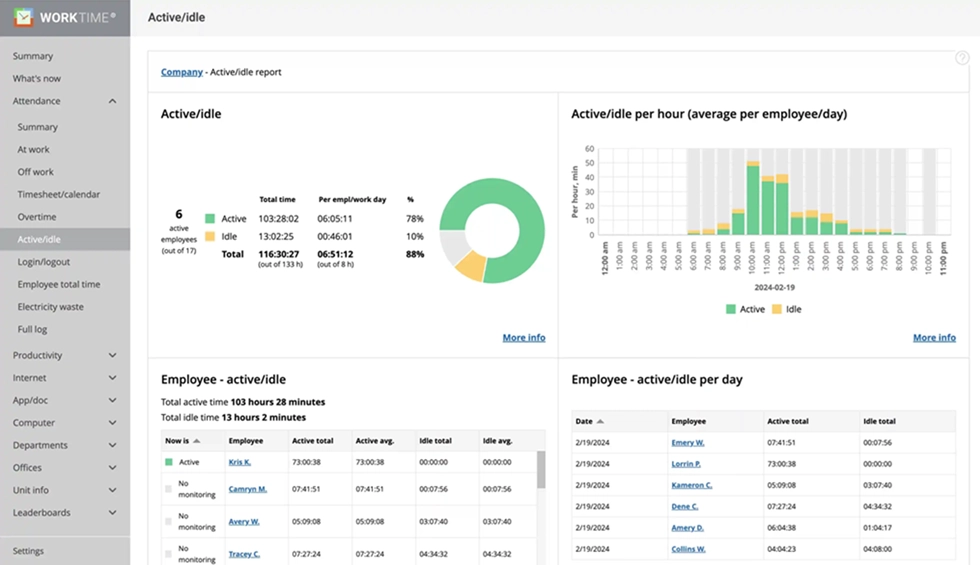

See when employees are actively working and when time is idle. WorkTime report delivers clear activity insights through a privacy-friendly, non-intrusive approach.
Start free trialAES-256 encryption and role-based access controls
Government standards require enterprise-grade encryption. Monitoring systems must restrict who views employee data. Supervisors see their team. Leadership sees department-level productivity analysis. IT manages the system without viewing individual performance management data. WorkTime delivers enterprise-grade protection with AES-256 encryption, a standard trusted by financial and government institutions. Paired with granular role-based access control, it limits data visibility to authorized users, maintaining strict confidentiality across teams and departments.Compliance modes
HIPAA-safe monitoring for healthcare agencies. GLBA alignment for financial data. GDPR-safe modes for international partnerships. Built-in compliance modes in monitoring tools beat configuring general-purpose software. WorkTime supports this with built-in compliance modes, delivering HIPAA-, GLBA-, and GDPR-safe monitoring, making it easy to meet strict regulatory requirements without complex configuration.WorkTime - HIPAA, GLBA & GDPR-safe monitoring!
Reporting and analytics
Monitoring software should produce reports that demonstrate operational efficiency to oversight bodies. Website monitoring and software usage tracking help government agencies monitor employee resource use. Look for communication tools integration and audit export capability. The ability to analyze and track monitoring productivity trends over time is what separates useful tools from checkbox solutions.Top 6 employee monitoring software for government agencies
1. WorkTime: Best for non-invasive government productivity monitoring & in-depth analytics
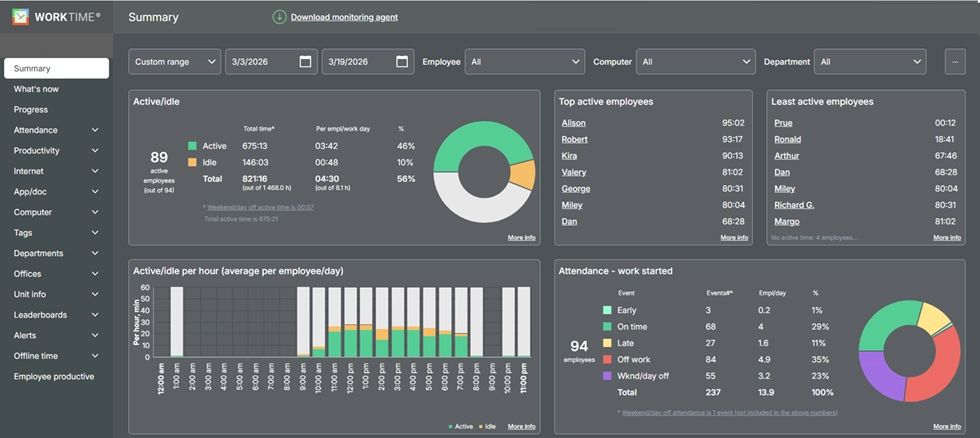
Best for: Federal, state, and local governments that need productivity monitoring and time tracking without invasive surveillance. WorkTime is built around non-invasive monitoring. It tracks employee productivity, attendance, active and idle time, application usage, and internet activity without screenshots, keystroke content, email text, or screen recordings. All data is numerical, so there is no risk of recording sensitive data, protected health information, or classified content from employee screens. Key features for government:- On-premise and private cloud deployment
- HIPAA-safe, GDPR-safe, and GLBA-safe compliance modes
- AES-256 encryption for all data
- Overtime and weekend work tracking to prevent fraud
- Remote vs. in-office productivity comparison for managing remote teams with telework exemptions
- Burnout detection and employee attendance alerts
- Software license tracking for cost control
- Scales from 1 to 15,000+ computers
- 26+ years on the market (founded 1998).
Book a personalized demo now!
2. Teramind: Best for insider threat detection
Best for: High-security environments requiring user activity monitoring, data loss prevention, and employee monitoring. Teramind combines productivity monitoring with insider threat detection and DLP. It captures detailed employee behavior data, including screen recordings and file transfers. For agencies where security threats outweigh workforce productivity needs, Teramind provides forensic-level visibility and employee activity analysis. Key features: User activity monitoring with behavior analytics, DLP policies, on-premise deployment, role-based access controls, and compliance support for HIPAA and PCI.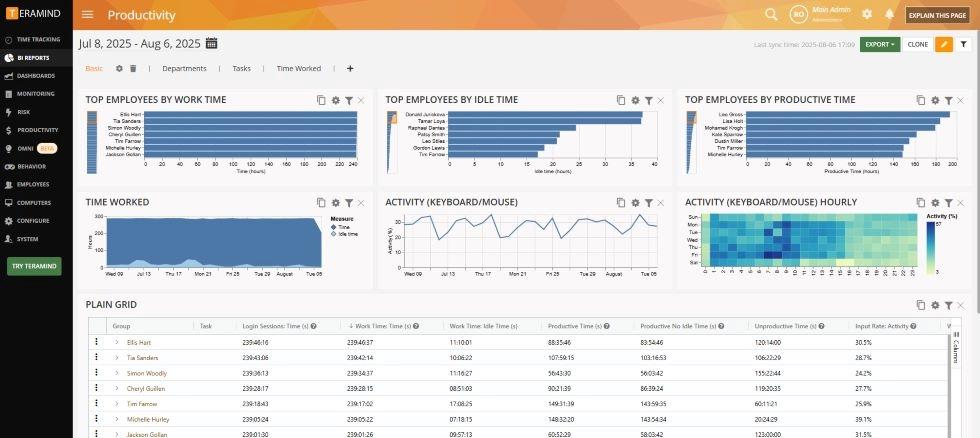
3. Veriato: Best for forensic investigation
Best for: Large agencies and higher education institutions needing forensic-grade analysis for investigations. Veriato uses AI-powered risk scoring to establish baseline patterns and flag anomalies. Its focus is insider threat detection, not day-to-day task management or productivity monitoring. Veriato is marketed to government, finance, and healthcare sectors. Key features: AI risk scoring, forensic investigation trails, cloud/on-premise deployment, and network monitoring.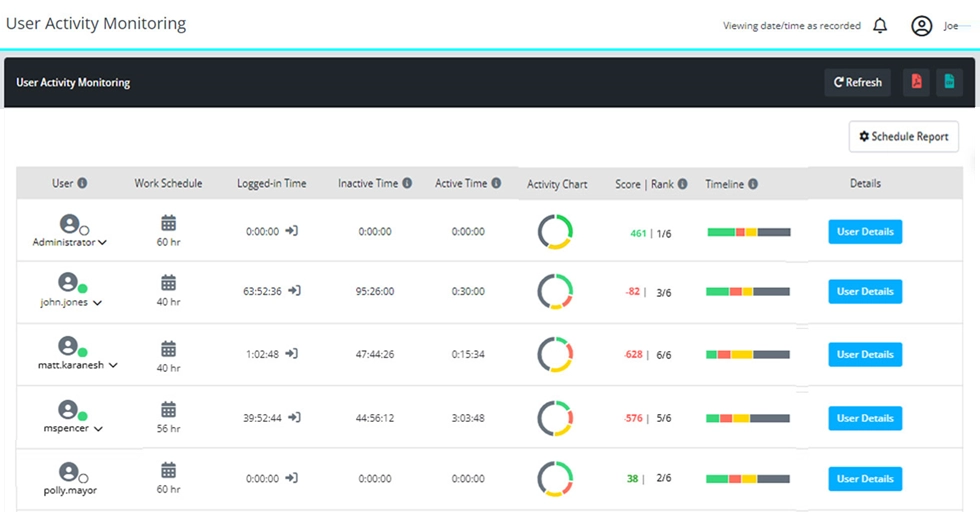
4. ActivTrak: Best for workforce analytics
Best for: State and local governments focused on workforce analytics and employee engagement insights. ActivTrak provides productivity analysis dashboards, team comparisons, workload balance, and employee engagement scoring. It is SOC 2 certified and focuses on analyzing productivity patterns. Project management integration supports task management across departments. Such software works well for agencies that need workforce management insights without invasive monitoring. Key features: Productivity analysis dashboards, automated reporting, activity tracking, workload management, and performance management insights.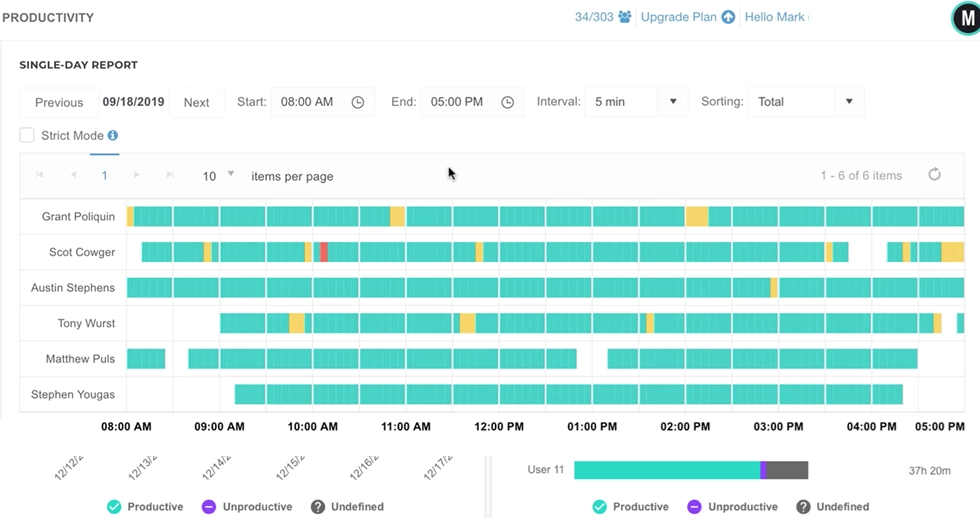
5. Hubstaff: Best for field teams and location tracking
Best for: Government agencies managing field inspectors, maintenance crews, or mobile workers who need location verification with time-tracking software. Hubstaff pairs location verification and geofencing with time tracking and activity monitoring for distributed remote teams. Public works departments use it for verifying worker locations alongside time tracking. It also supports task management and project management for field operations. Key features: Location tracking, geofencing, automatic time tracking, project management, payroll integration. Its monitoring features are geared toward field accountability.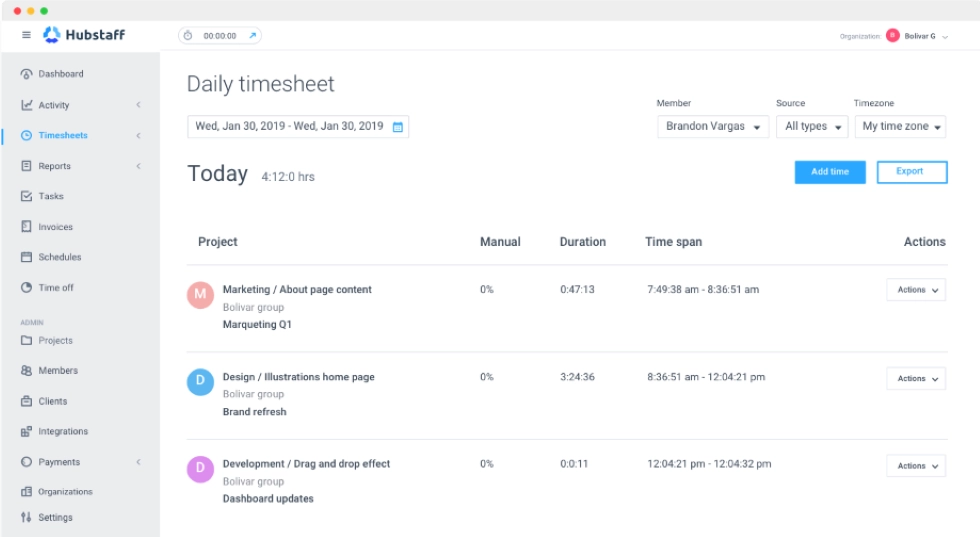
6. Time Doctor: Best for contractor accountability
Best for: Government contractors needing strict time tracking and project management to bill against contracts. Time Doctor provides detailed time tracking software with application monitoring, periodic screenshots, and productivity reports. It works for organizations where proving employee hours against specific project management deliverables is a core business process requirement. This employee monitoring software is designed for contractor accountability. Key features: Task-level time tracking, productivity tracking, application monitoring, automated reporting, payroll integration.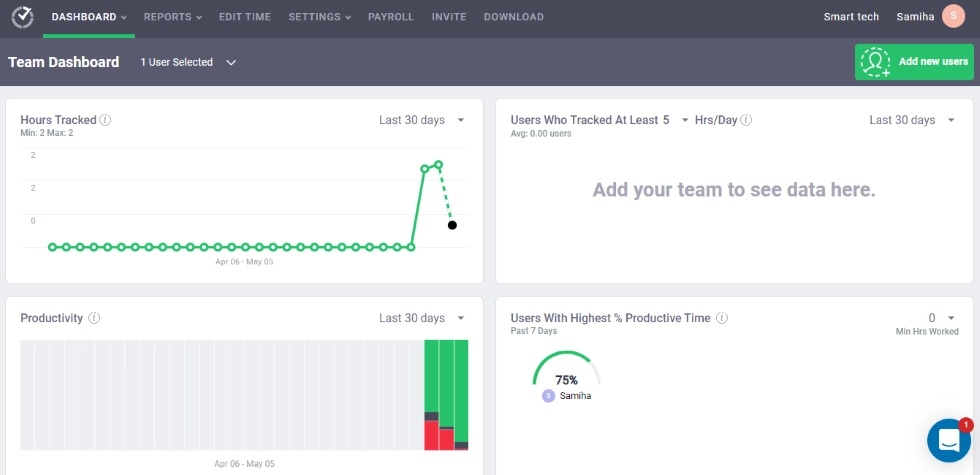
Comparison table
| Feature | WorkTime | Teramind | Veriato | ActivTrak | Hubstaff | Time Doctor |
|---|---|---|---|---|---|---|
|
Government use |
Productivity monitoring & in-depth analytics |
Insider threats |
Forensic analysis |
Analytics |
Field teams |
Contractors |
|
Approach |
Non-invasive |
Invasive |
Invasive |
Analytics |
Moderate |
Invasive |
|
On-premise |
 |
|
|
 |
|
|
|
HIPAA mode |
|
|
Configurable |
|
|
|
|
Time tracking |
|
|
Limited |
|
|
|
|
GPS |
|
|
|
|
|
|
|
Starting price |
$6.99/user |
$21/user |
$25/user |
$10/user |
$7/user |
$8/user |
Government compliance considerations
- FISMA and NIST SP 800-53 establish the security baseline for federal systems. Any employee monitoring software deployed in a federal environment should align with applicable NIST controls.
- FedRAMP is required for cloud services in federal agencies. On-premise deployment avoids this.
- The CJIS Security Policy applies to law enforcement. Employee monitoring that captures screen content risks recording criminal justice information. Non-invasive monitoring practices that track only numerical data avoid this.
- Union consultation. Under 5 USC Chapter 71, federal agencies must consult unions before implementing monitoring that affects working conditions. State and local governments with collective bargaining face similar requirements. Non-invasive monitoring practices are easier to implement because they do not capture personal content.
How to implement employee monitoring in government
- Start with policy. Document what the monitoring solution tracks, how data is used, who has access, and retention periods. Align with IT governance and collective bargaining agreements.
- Consult labor representatives. Engage union representatives before deployment. Present what the system does not capture alongside what it tracks (working hours, employee attendance, active time, employee productivity scores).
- Pilot first. Start with one department to establish baseline data, test reporting, and demonstrate operational efficiency gains before expanding.
- Give employees access to their own data. Employee engagement and maintaining productivity improve when workers see their own reports. This converts activity monitoring from oversight into a workforce productivity improvement tool.
Final thoughts
State and local governments and federal agencies need employee monitoring that meets public sector standards without new risks. The right monitoring solution depends on your mission: productivity monitoring, insider threats, field team management, or contractor accountability. For agencies focused on workforce productivity, time tracking, and attendance monitoring with compliance and on-premise deployment, WorkTime has served government, defense, and law enforcement organizations for 26+ years. Start a free 14-day trial with all features, unlimited employees - no credit card required.Try WorkTime now!