

TL;DR
- Attorney time tracking software should recover lost billable time, not just log it. With lawyers recording only 2.9 billable hours per day on average, automatic time tracking reveals where revenue leaks occur across various tasks.
- Privilege-safe monitoring matters more than features. Tools that capture screenshots can record privileged work from attorney screens. Non-invasive monitoring that produces only numerical data eliminates this risk and meets legal standards for confidentiality.
- Law firm management needs visibility into non-billable time. Understanding how time spent on administrative tasks compares to billable hours helps partners make data-driven decisions about resource allocation.
- Modern law firms need monitoring for multiple practice areas. The right tool generates detailed reports on employee productivity, attendance, and app usage across departments without disrupting workflow automation or daily operations.
In this article
This article is prepared by WorkTime, a trusted monitoring solution that combines in-depth analytics with a privacy-safe, non-invasive approach.
The billable hours problem (and how monitoring solves it)
Billable hours recovery
Lawyers record an average of 2.9 billable hours per day. Attorney time-tracking software with automatic tracking captures lawyer time that manual entries miss. For small law firms, recovering even a fraction of lost revenue adds up. Time tracking software that lets attorneys track time passively is a better fit than tools that rely on manual logging.Non-billable time visibility
How much lawyer time goes to administrative tasks versus billable work? Detailed reports on employee activity help detect bottlenecks and support resource allocation decisions. Allowing teams to see their own data drives self-correction.Attendance patterns
One US law firm discovered that smoke breaks and informal breaks consumed up to 40 minutes per employee daily. Time tracking tools that monitor time for attendance patterns catch these issues early.Software license cost control
Law firms pay premium rates for Westlaw, LexisNexis, and other business applications. Tracking which tools are used helps cut waste and improve operational efficiency.Remote and hybrid teams
With 26% of law firms experiencing a data breach (ABA Cybersecurity TechReport), managing remote teams requires visibility into employee productivity without creating new security risks. Time tracking software with monitoring capabilities provides that coverage. Compliance requirements for remote attorney oversight continue to grow.Monitor remote teams - with WorkTime!


Choosing time tracking and monitoring software for a law firm
Privilege-safe monitoring
Attorney screens display privileged communications, case documents, and confidential financials throughout the day. Any tool that captures screenshots or records keystroke content creates risk. Non-invasive time tracking software that produces only numerical data passes the privilege test.Passive time capture
The best attorney time-tracking software does not rely on lawyers to start and stop timers. It runs in the background, recording when attorneys are active across various tasks and client matters. This produces accurate time data for tracking hours without adding burden.Detailed reports and productivity insights
Look for time tracking tools that generate detailed reports on productive vs. unproductive time, attendance, and time spent across applications. The ability to track progress against billable hour targets keeps the team accountable. WorkTime delivers exactly that with 80+ comprehensive performance reports, giving managers a clear view of productivity trends, attendance, and app usage - all through a fully non-invasive approach.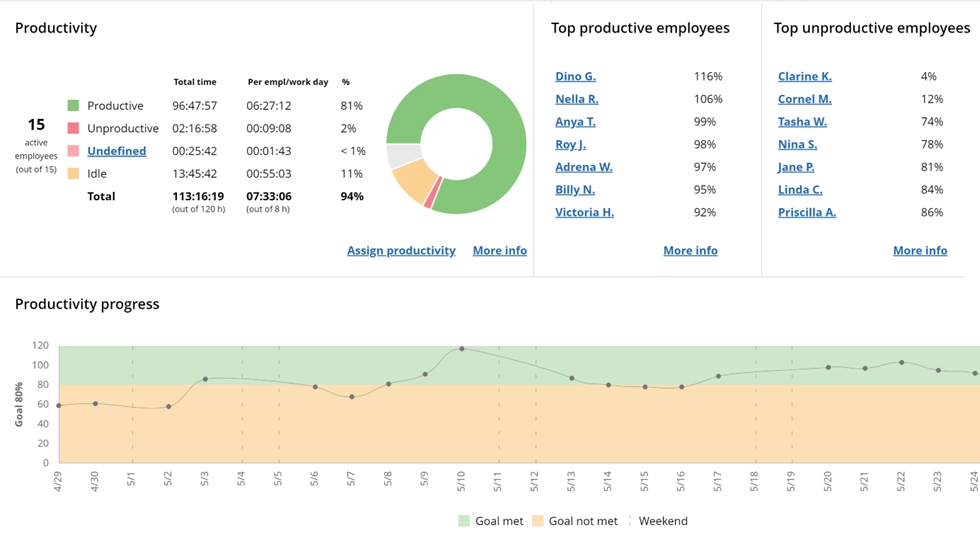

Turn computer activity into productivity insights! WorkTime report highlights performance across apps, websites, and documents using detailed analytics and visuals.
Start free trialCompatibility with existing systems
Law firms use practice management platforms for billing and client work. Time tracking software should complement these existing systems. The monitoring tool handles employee productivity. The practice management platform handles time entries and accurate billing.On-premise deployment
Law firms handling sensitive litigation may need monitoring data on firm servers. On-premise eliminates external storage concerns.Top 6 employee monitoring software for law firms
1. WorkTime: Best for privilege-safe law firm monitoring
Best for: Law firms that need employee productivity monitoring and accurate time tracking without risking privileged data. WorkTime measures lawyer time on active periods, application categories, attendance, and employee performance without capturing screenshots, keystroke content, or screen recordings. Every data point is numerical. There is zero risk of recording privileged documents or confidential financials from attorney screens. It is a feature-rich tool for optimizing operational efficiency in legal practice.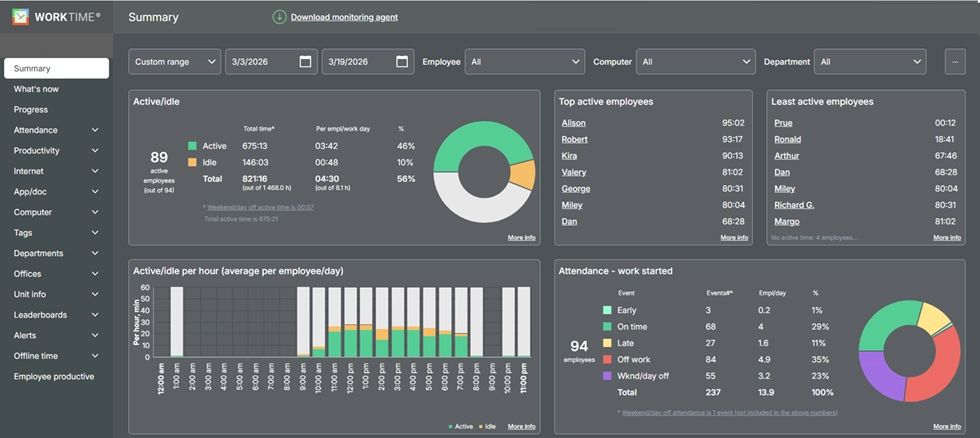
- Automatic time tracking of active and idle time across all applications
- Productivity scoring by app category (legal research, case management, unproductive sites)
- Attendance monitoring with alerts
- Software license tracking for legal tools
- Remote vs. in-office comparison for hybrid teams
- Burnout detection for overworked associates
- On-premise and private cloud deployment
- Trusted by law firms, healthcare, and financial organizations since 1998.
Try WorkTime now!
2. Clio: Best for integrated legal practice management
Best for: Firms that want attorney time tracking software built into their case management and billing workflow. Clio is the leading practice management platform. Its time-tracking tools are integrated with client work management, accurate invoicing, and document storage. Clio Duo (AI feature) suggests time entries for unlogged calls, notes, and emails, helping lawyers track billable hours they might miss.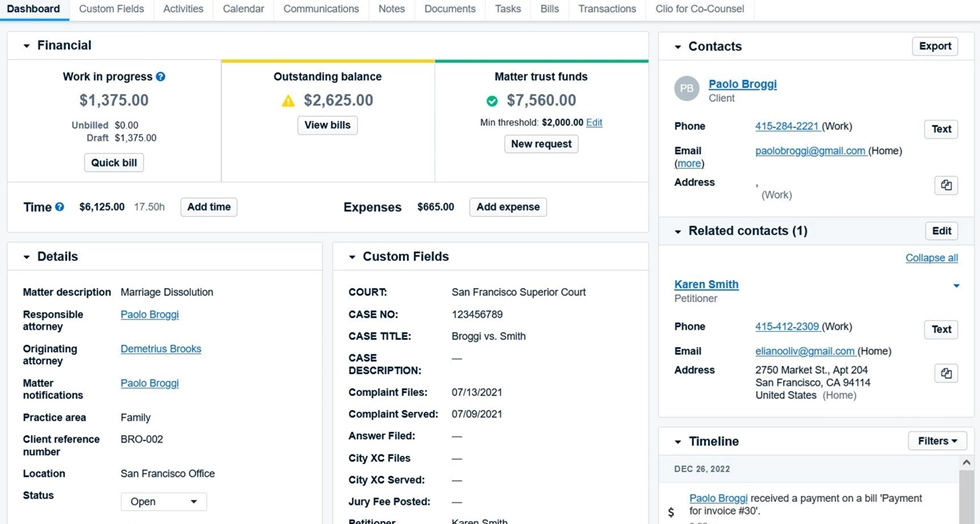
3. Teramind: Best for insider threat and data loss prevention
Best for: Large law firms with DLP requirements alongside employee monitoring. Teramind provides deep employee activity tracking, including screen recordings, file transfer monitoring, and behavioral analytics. For firms where data exfiltration risk is the primary concern, Teramind offers forensic-level visibility and advanced reporting.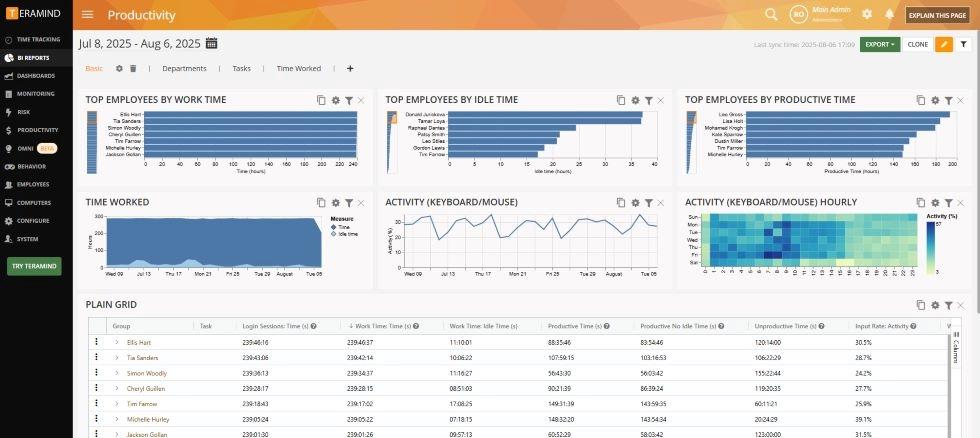
4. ActivTrak: Best for workforce analytics in larger firms
Best for: Mid-sized law firms that need team productivity analytics and resource optimization. ActivTrak tracks employee productivity through analytics dashboards. It monitors app usage, productive vs. unproductive time, and workload balance. For firms focused on resource allocation across departments, ActivTrak provides valuable insights into how time spent compares across teams and practice areas.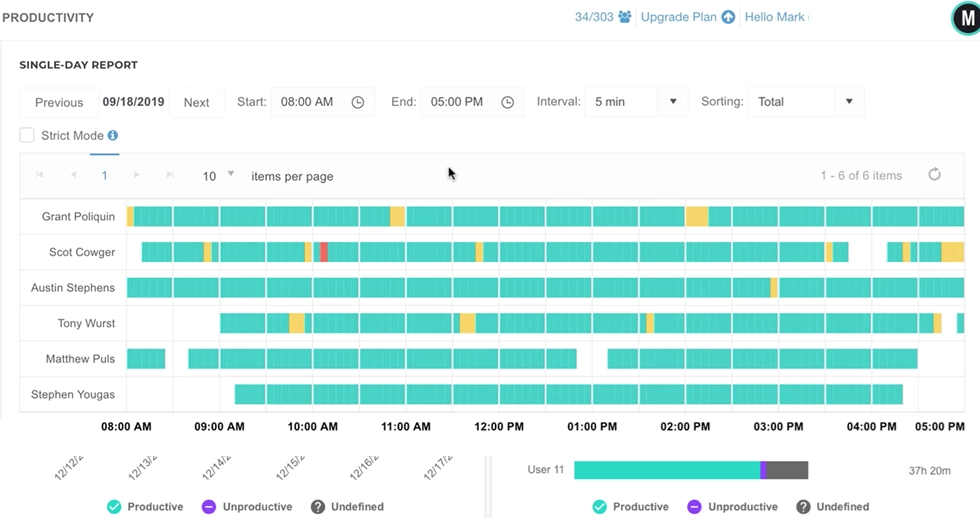
5. Toggl Track: Best for simple time tracking without monitoring
Best for: Small law firms that need a clean tool to track billable hours without employee monitoring. Toggl Track lets attorneys track time on tasks and projects with a simple timer interface. It categorizes billable vs. non-billable hours and supports accurate invoices from tracked time.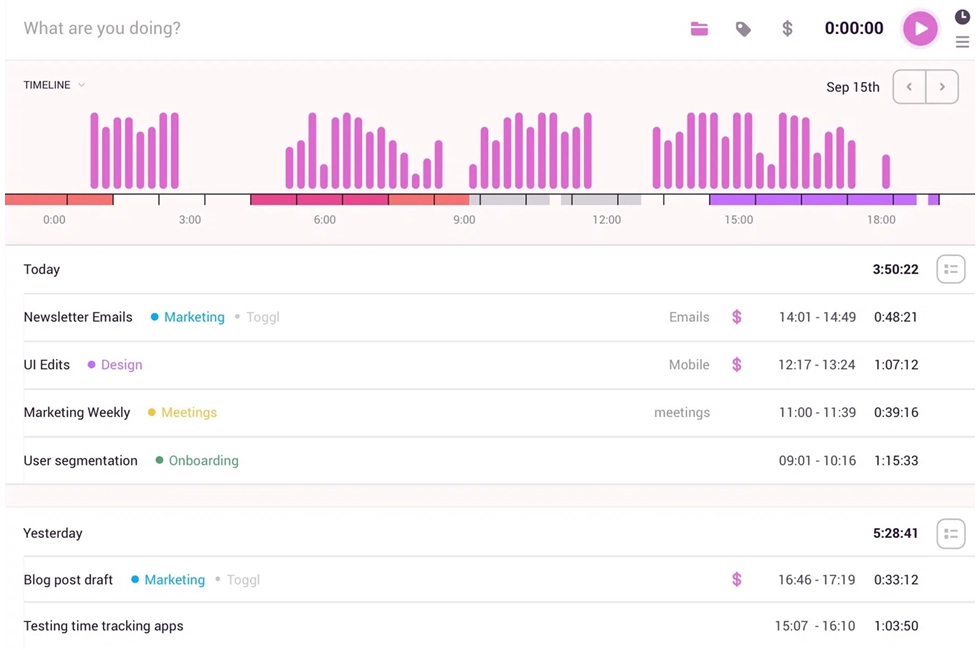
6. Time Doctor: Best for contractor and paralegal accountability
Best for: Firms that outsource paralegal work or manage contract attorneys needing strict time tracking. Time Doctor provides time tracking software with app monitoring, periodic screenshots, and productivity scoring. It is built for organizations where proving hours against specific project management deliverables matters. Managing remote teams of contract staff is its strongest use case.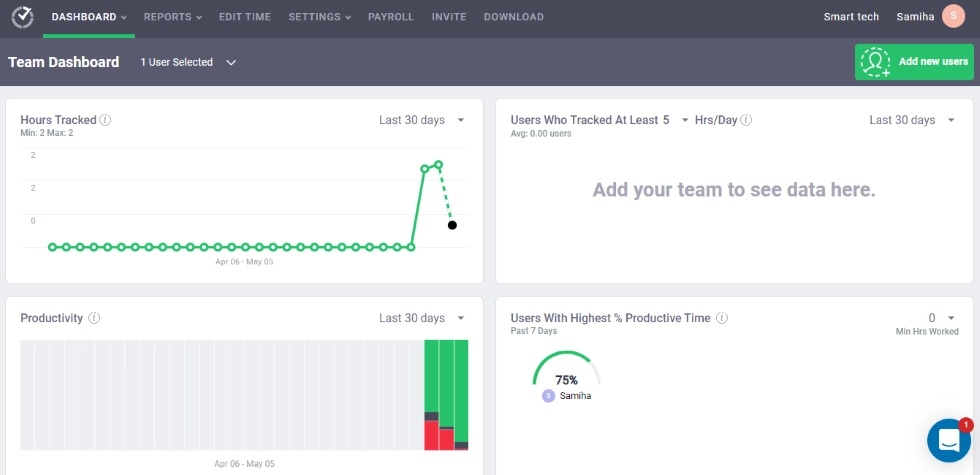
Side-by-side comparison
| Feature | WorkTime | Clio | Teramind | ActivTrak | Toggl Track | Time Doctor |
|---|---|---|---|---|---|---|
|
Best for |
Privilege-safe monitoring |
Practice management |
Insider threats |
Analytics |
Time tracking |
Contractors |
|
Privilege-safe |
 |
N/A |
 |
Configurable |
N/A |
|
|
Tracks billable hours |
Via active time data |
Yes (native) |
|
Via app tracking |
Yes (timers) |
|
|
Employee monitoring |
|
|
|
|
|
|
|
On-premise |
|
|
|
|
|
|
|
Case management |
|
|
|
|
|
|
|
Starting price |
$6.99/user |
$59/user |
$21/user |
$10/user |
Free/ $10/user |
$8/user |
Why privilege safety should drive your software decision
ABA Rule 1.6 requires lawyers to prevent unauthorized access to information relating to client representation. When monitoring software captures screenshots, those images can contain privileged communications, case documents, and client financials. If that data is stored or accessed improperly, the firm faces ethical exposure and client disputes. Non-invasive time tracking software solves this. When the tool tracks only numerical data, there is nothing privileged to capture or breach. Time tracking and employee productivity monitoring operate without ever seeing screen content. For legal practice, this is a compliance requirement, not a feature preference.Rolling out monitoring at your firm
The firms that succeed with monitoring are the ones that frame it as a profitability tool from day one. Here is a four-step approach:1. Lead with the revenue case
Show partners the math: if each attorney recovers just 10% of lost billable hours through better time tracking, what does that mean for the firm's top line? Time-tracking software and employee monitoring pay for themselves when positioned around billable-hours recovery, not oversight.2. Draft a monitoring policy first
Before installing anything, document what the tool tracks (active time, attendance, app categories, productivity scores) and what it does not (screen content, emails, documents, client work). Streamlined workflows for rollout start with clarity. With WorkTime, rollout becomes simple: its transparent, non-invasive design makes it easy to introduce to teams. Plus, ready-made announcement samples help you communicate policies clearly and confidently.WorkTime - announce monitoring seamlessly!