• Deutsch

    Deutsch

  • English

    English

  • Español

    Español

  • Français

    Français

  • Italiano

    Italiano

  • Português

    Português

WorkTime comparison of Hubstaff and ActivTrak

June 22, 2026

8 min read

Hubstaff vs. ActivTrak (2026): Which monitoring tool fits your team?

TL;DR

  • Different jobs, not better or worse. Hubstaff is built for time, payroll, and field teams; ActivTrak is built for analytics and behavior insight.
  • Screenshots are the divide. Hubstaff captures them by default, ActivTrak offers them as an add-on, and non-invasive tools skip them entirely.
  • Watch the real price, not the sticker. Hubstaff's add-on stack can add around $15 per person, while ActivTrak's deeper features and longer data history sit on higher tiers.
  • Compliance fit varies. ActivTrak lists HIPAA compliance; Hubstaff limits it to Enterprise, so regulated teams should check this first.
Hubstaff and ActivTrak solve two different problems. Hubstaff is time-tracking and workforce management software built around a start/stop timer, with screenshots, GPS, and built-in payroll. ActivTrak is a workforce analytics software that runs quietly on company devices to surface productivity patterns and coaching opportunities. Neither is "better" outright. The right pick depends on whether you need to bill and pay by the hour or understand how your team actually works. There is also a third lane for the head-to-head misses. Both tools keep some form of screen capture on the table, which is a problem for teams in regulated industries or anywhere employee trust is fragile. For those buyers, the real answer is non-invasive monitoring that never records screens. It is the niche WorkTime has built for, pairing productivity analytics with HIPAA, GDPR, and GLBA-safe modes so the software clears a compliance review that screenshots would fail.
Presented by WorkTime, a non-invasive workforce analytics solution designed to turn productivity data into measurable business results.
This guide compares Hubstaff and ActivTrak on focus, tracking, screenshots, analytics, pricing, and deployment, then shows when a non-invasive tool beats both.

Hubstaff vs. ActivTrak at a glance

Feature ActivTrak Hubstaff

Primary focus

Workforce analytics and behavior insights

Time tracking, payroll, and field teams

Time tracking

Passive, background (no clock-in)

Start/stop timer, timesheets, idle detection

Screenshots

Optional, via paid add-on

Built-in (up to 3 per 10 minutes)

Productivity analytics

Deep (20-plus dashboards)

Lighter, activity-rate based

Payroll and invoicing

No

Yes, built-in

Project management

No

Yes (Tasks, Kanban)

GPS tracking

No

Yes

Deployment

Cloud, Windows, and Mac; company devices

Cloud, cross-platform, & BYOD supported

Integrations

About 20

35-plus

Free plan

Yes (up to 3 users)

Yes (1 user)

Starting price (annual)

$10/user/mo

$7/user/mo (2-seat minimum)

Best for

Corporate teams analyzing workflows

Distributed and field teams billing by the hour

These figures are each vendor's list prices as of June 2026 and shift regularly. Check the live pricing page before you commit.

What is Hubstaff?

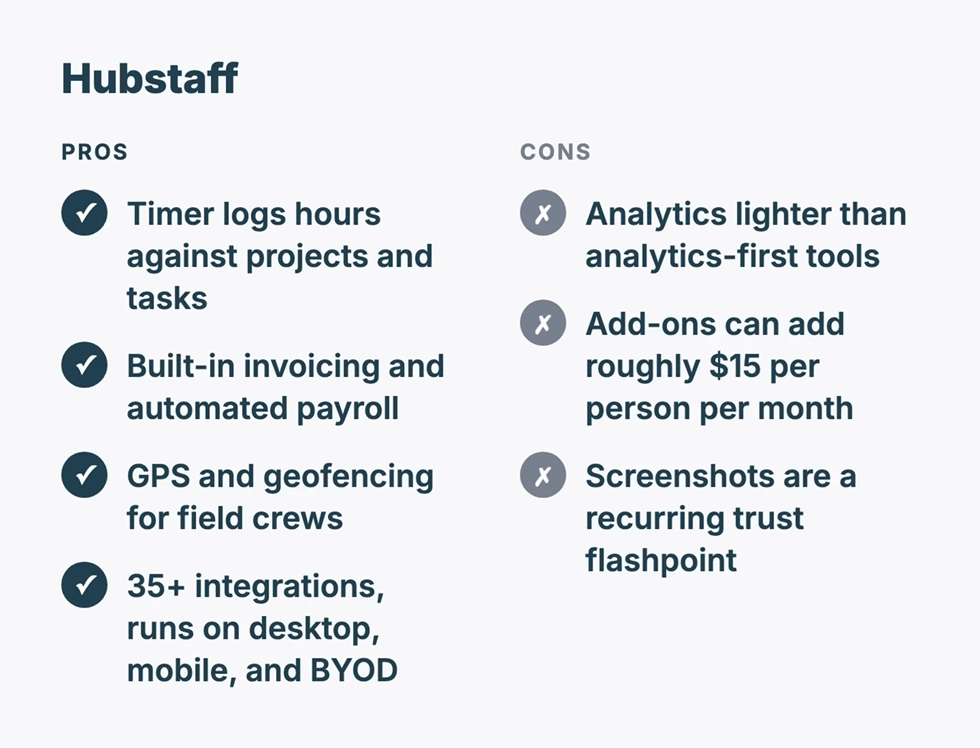
Hubstaff is time-tracking and workforce management software built around a timer that logs hours against projects and tasks. It pairs that timer with screenshots, GPS location, activity rates, and automated payroll, which makes it a fit for distributed and mobile teams that bill by the hour.
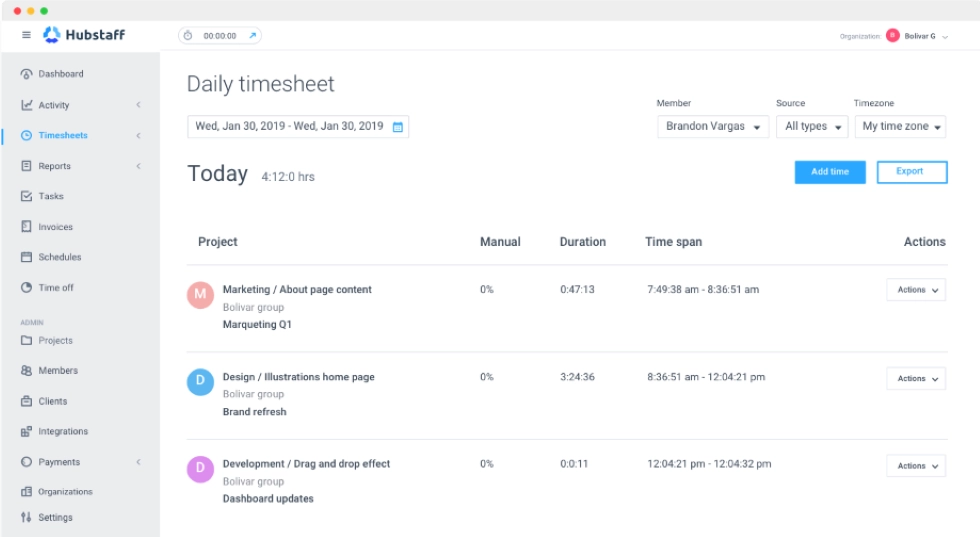
Hubstaff time tracking dashboard.
Its strengths are operational. Hubstaff runs on Windows, Mac, Linux, iOS, and Android, plus a Chrome extension. And it supports both company devices and bring-your-own-device setups. It includes built-in invoicing and automated payments, project management through Hubstaff Tasks and Kanban boards, GPS and geofencing for field crews, and more than 35 integrations. The weaknesses show up in two places. Its analytics are lighter than an analytics-first platform, and its real cost climbs through add-ons. Features like Insights, Tasks, Data Retention, Locations, and Silent tracking are paid extras, and independent reviews estimate they can add roughly $15 per person per month on top of the base plan. Screenshots are also a recurring trust flashpoint with employees. If you want desk-focused options, see our roundup of the best Hubstaff alternatives.
WorkTime's overview of Hubstaff features.

What is ActivTrak?

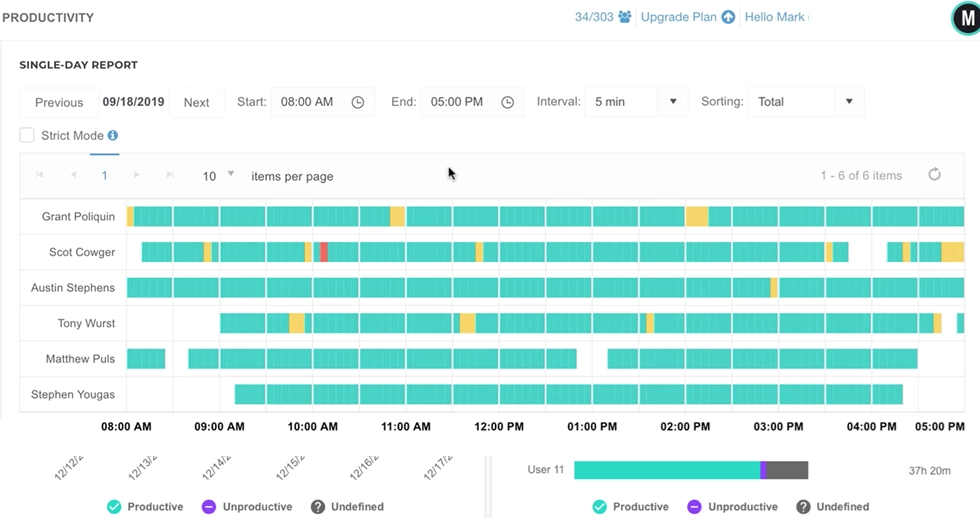
ActivTrak is workforce analytics software that runs in the background on company devices to track app usage, website visits, and work patterns, then turns them into productivity insights. It is built to answer "how does our team actually work," not to clock hours for billing.
ActivTrak dashboard
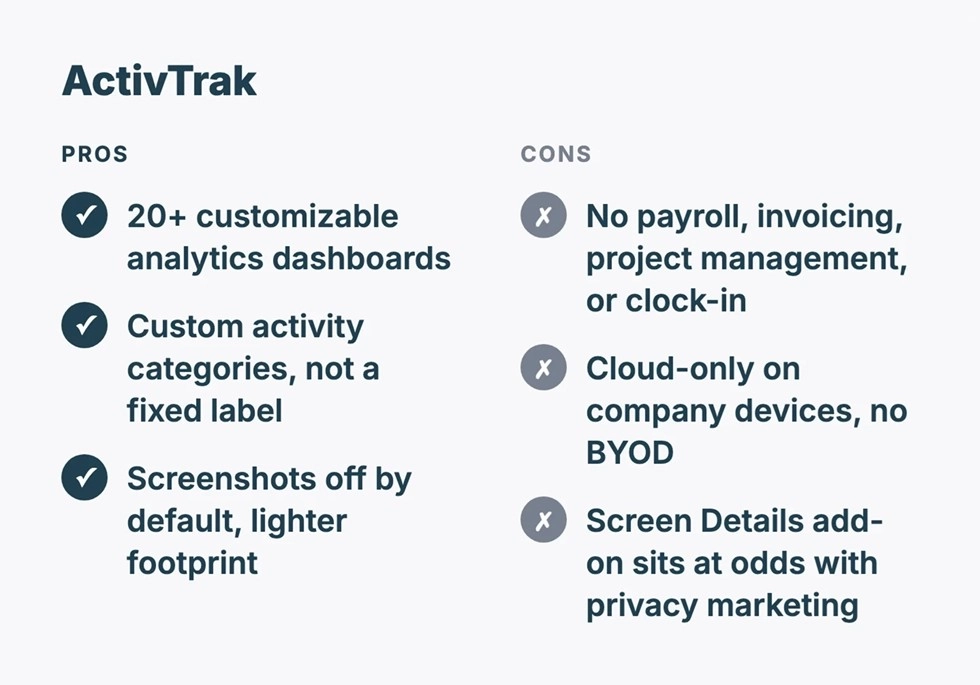
Its strengths are analytical. ActivTrak ships more than 20 customizable dashboards covering focus time, coaching opportunities, workload balance, schedule adherence, and burnout signals, with custom activity categories rather than a fixed productive-or-not label. Screenshots are off by default and available only as a paid add-on, which gives it a lighter monitoring footprint than tools that capture screens automatically. ActivTrak also leaves real gaps. It has no payroll, no invoicing, no project management, and no clock-in module, and it runs cloud-only on company-managed Windows and Mac devices, so it does not suit bring-your-own-device teams. Smaller teams sometimes find it analytics-heavy with a learning curve. And its optional Screen Details add-on, which adds screenshots and full URL capture, sits at odds with its privacy-first marketing. For a closer look at trade-offs, see the best ActivTrak alternatives.
WorkTime's overview of ActivTrack features.

Hubstaff vs. ActivTrak: Key differences

Time tracking

Hubstaff tracks time actively; ActivTrak tracks behavior passively. Hubstaff runs a manual or automatic timer that logs hours against specific projects, builds timesheets with approvals, and flags idle time. ActivTrak has no clock-in. It records app and website activity in the background and infers active versus idle time from that, which suits analysis but not hourly billing.

Screenshots and monitoring style

This is the dividing line. Hubstaff includes screenshots in its core product, capturing up to three per ten minutes on a configurable schedule, with a blur option and capture only while the timer runs. ActivTrak does not take screenshots in its base plans at all; screen capture is available only through the paid Screen Details add-on. Either way, both platforms can show what is on an employee's screen once configured, which is the exact capability some buyers cannot allow.

Productivity analytics

ActivTrak is the deeper analytics platform. Its dashboards surface focus time, productivity trends, capacity planning, and coaching opportunities, and it categorizes activity into custom buckets. Hubstaff reports productivity through activity rates drawn from keyboard and mouse use plus app and URL tracking, which is enough for accountability but shallower for workforce planning.

Payroll, invoicing, and project management

Hubstaff wins on operations because ActivTrak does not compete here. Hubstaff turns tracked hours into invoices and automated payments and manages work through Tasks and Kanban boards. Payroll taxes are still handled outside the platform. ActivTrak has none of these features and expects payroll and project tools to live elsewhere in your stack.

Deployment and devices

Hubstaff is the more flexible deployment; ActivTrak is the more contained one. Hubstaff is cloud-based and cross-platform across desktop and mobile, and it supports remote contractors on their own devices. ActivTrak is cloud-only, installs silently on company-managed Windows and Mac machines, and is built for company-owned hardware rather than personal devices.

Compliance and security

Both carry standard security credentials, but compliance depth differs. ActivTrak lists SOC 2 Type II and HIPAA compliance. Hubstaff lists SOC 2 Type II with SSO, SCIM, two-factor authentication, and limits HIPAA to its Enterprise tier. Compliance requirements get specific fast, so regulated teams should confirm each vendor's current posture on its own compliance page before deciding.

Pricing

ActivTrak costs more at entry; Hubstaff costs more to fully equip. At the time of writing, ActivTrak offers a free plan for up to three users, then Essentials at $10, Essentials Plus at $15, and Professional at $19 per user per month on annual billing, with custom Enterprise pricing. Hubstaff offers a free plan for one user, then Starter at $5.83, Grow at $7.50, and Team at $10 per user per month annually, with Enterprise at $25 and a two-seat minimum on paid plans. Hubstaff's lower entry price is real, but the add-on stack can close the gap fast.

The third option: Monitoring with no screen capture

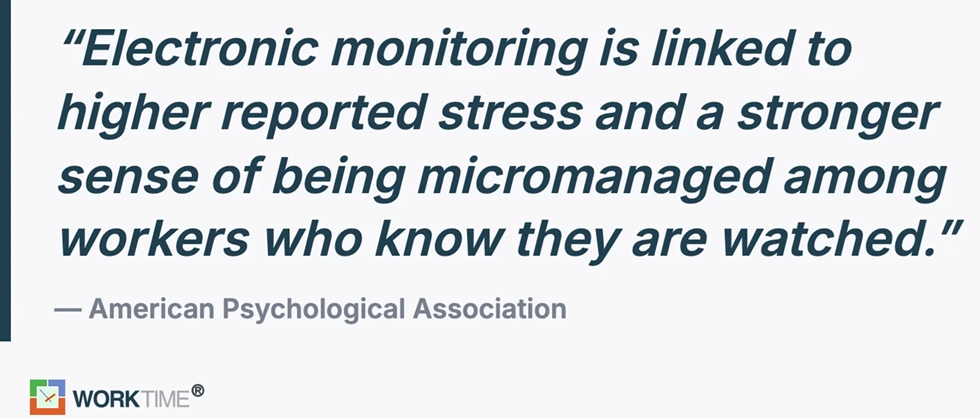
The whole Hubstaff-versus-ActivTrak decision quietly assumes you accept some screen capture, either Hubstaff's built-in screenshots or ActivTrak's optional add-on. For many teams, that assumption is the problem, not the choice between the two tools. If your legal or compliance reviewers will not sign off on capturing screens, and if your employees would read screenshots as surveillance, neither default clears the bar. Research from the American Psychological Association links electronic monitoring to higher reported stress and a stronger sense of being micromanaged among workers who know they are being watched, which is the backlash a screenshot tool can trigger.
WorkTime graphic citing APA research on employee monitoring.
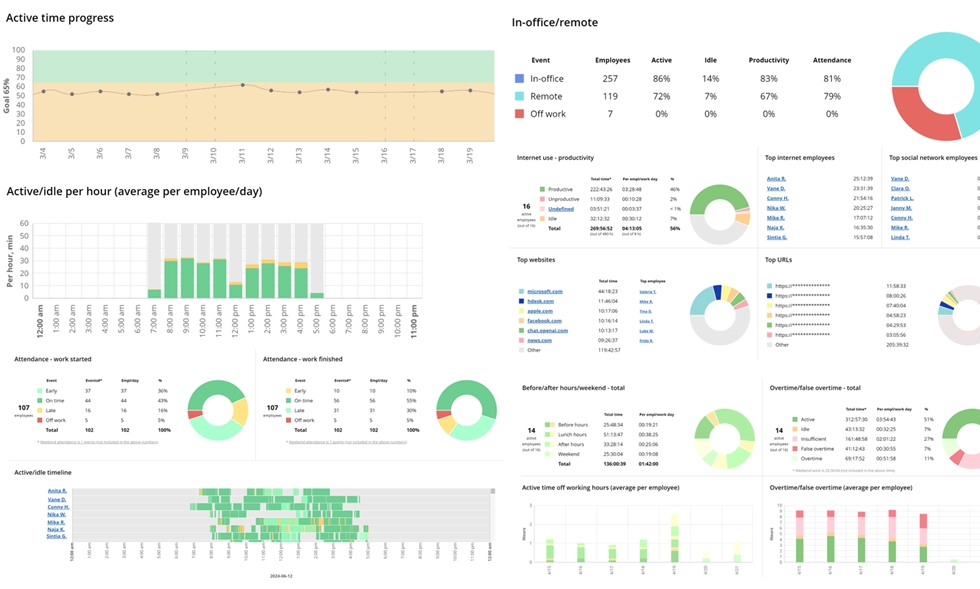
WorkTime brings together productivity, attendance, performance, and workforce analytics in one solution while keeping monitoring transparent. As non-invasive employee monitoring software, it reads productivity from activity patterns and reporting, and it has no ability to grab screenshots, log keystroke content, record screens, or read email and chat because those features were left out of the architecture. The common worry is whether that leaves you with enough to act on. It does: WorkTime generates 80-plus reports spanning productivity scores, attendance, active and idle time, and early burnout signals, and its safe screen analyzer reads screen engagement from activity signals, not from an image of the screen.
WorkTime - 80+ non-invasive productivity monitoring reports
WorkTime - safe employee monitoring software.

All reports are transparent and privacy-safe, with no personal content captured.

Book demo

WorkTime offers 80+ comprehensive reports for in-office and remote performance analytics.

Start free trial
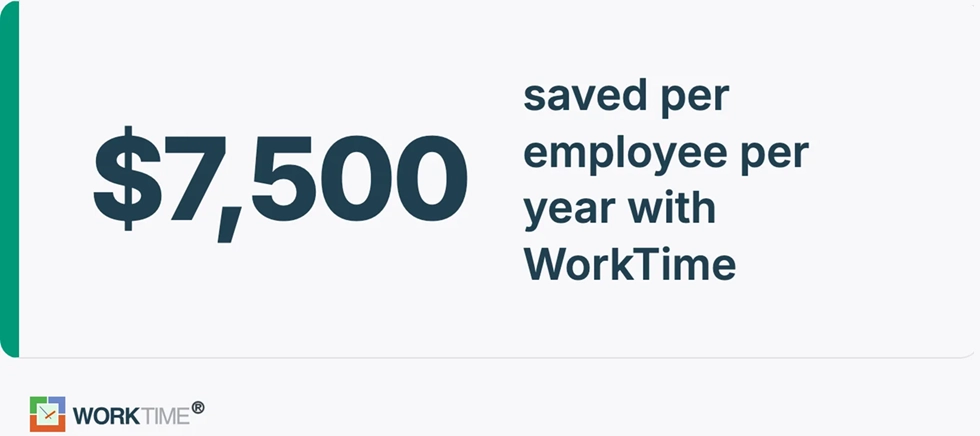
The approach holds up where screen capture is a non-starter. A rescue medical services provider saved $7,500 per employee per year with WorkTime in a setting where capturing screens of sensitive records would never pass review. Regulated teams can turn on HIPAA, GDPR, and GLBA-safe modes on WorkTime's Enterprise plan. WorkTime is not the right tool for everyone. WorkTime competes on a single promise: deep productivity analytics and remote monitoring without surveillance. You can try it free for 14 days and see the reports before deciding.
WorkTime shows customer's savings.

Which should you choose?

Match the tool to your top need.
  1. Choose Hubstaff if you run a distributed, field, or contractor team, bill by the hour, and want time tracking, GPS, payroll, and project tasks in one platform.
  2. Choose ActivTrak if payroll is handled elsewhere and you want big-picture workforce analytics and coaching with a lighter touch and screenshots kept optional.
  3. Choose a non-invasive tool if you work in a regulated industry, face a compliance review, or know employee trust is the real blocker, and you want analytics without any screen capture.
One practical test before you commit: run a free trial with a small group, then ask whether the tracking would survive an honest conversation with those employees. If the answer is no, move to a less invasive option.

The bottom line

Hubstaff and ActivTrak answer different questions. Pick Hubstaff when the priority is tracking hours, paying people, and managing field work in one place. Pick ActivTrak when the priority is understanding how your team works through deep analytics, with screenshots kept optional. Both, though, leave screen capture on the table. For teams whose real constraint is privacy, compliance, or employee trust, the smarter move is non-invasive monitoring that reports on productivity without recording a single screen. That is the lane WorkTime owns because it has no screenshot, keystroke content, or screen-recording capability built into it at all, and it backs that architecture with HIPAA, GDPR, and GLBA-safe modes that clear legal review.

Frequently asked questions

Is Hubstaff or ActivTrak better?

Neither is better outright; they are built for different jobs. Hubstaff is better for distributed and field teams that need time tracking, GPS, and payroll in one tool. ActivTrak is better for corporate teams that want workforce analytics and coaching without running payroll. Teams that need productivity data but cannot allow screen capture are better served by a non-invasive tool.

Does ActivTrak take screenshots?

ActivTrak does not take screenshots in its base plans. Screen capture is available only through its paid Screen Details add-on, which adds screenshots, screen views, and full URL tracking. By default, ActivTrak reports aggregate activity and productivity analytics rather than images of an employee's screen.

Can ActivTrak see your screen?

ActivTrak can see your screen only if an administrator enables the Screen Details add-on. Without that add-on, it tracks which apps and websites are used and for how long, not the visual content on the screen. Its standard reporting is built on activity data, not screenshots.

Is ActivTrak legal?

Employee monitoring software like ActivTrak is legal to use in the United States, and it is on the strongest footing when it runs on company-owned devices and employees have acknowledged a written policy. Rules vary by state. According to Nolo's workplace privacy guidance, states such as Connecticut and Delaware require employers to give notice before monitoring, while California, Florida, and Maryland require all parties to consent to monitoring of electronic communications. Confirm the rules for your locations before deploying any tool.

Can Hubstaff detect mouse jigglers?

Hubstaff can flag mouse jigglers indirectly. It measures activity rates from real keyboard and mouse input and tracks idle time, so steady cursor movement with no genuine work tends to show up as low productive activity. It does not market a dedicated jiggler-detection feature, but the activity data exposes the pattern.

Can ActivTrak detect mouse jigglers?

ActivTrak can surface mouse jigglers through its activity data. Because it categorizes real app and website usage rather than counting raw cursor movement, a session with constant motion but no genuine work tends to show up as low-productive activity. It does not advertise a dedicated jiggler-detection tool, but the behavior stands out in the analytics.

Can I tell if my work computer is being monitored?

Sometimes, but not always. ActivTrak and Hubstaff can both run quietly in the background, and Hubstaff offers a Silent add-on that hides the app, so visible signs are not reliable. The dependable way to know is your employer's monitoring policy, which many states require employees to be notified of. Non-invasive tools are typically deployed transparently, with employees told what is and is not tracked.

What is a non-invasive alternative to Hubstaff and ActivTrak?

WorkTime is a non-invasive alternative to both. It reads productivity from activity patterns and turns out 80-plus reports while capturing no screenshots, no keystroke content, no screen recordings, and no email or chat content.

WorkTime

Employee monitoring software

WorkTime

Non-invasive - the only non-invasive software on the market

25+ years on the market

80+ reports: attendance, productivity, active time, online meetings, remote vs. in-office and more

WorkTime WorkTime WorkTime WorkTime WorkTime WorkTime WorkTime

What’s next

worktime best employee monitoring software