
TL;DR
- Non-invasive monitoring software tracks productivity metrics such as active time, app usage, and attendance without capturing screenshots or personal content from employees' screens.
- 74% of U.S. employers track employee computer activity, but nearly half of employees say they'd consider quitting if surveillance increased.
- Legal requirements vary by state. Connecticut, Delaware, New York, and Texas all have specific notification laws. A clear company policy is required before you start.
- The best employee monitoring software focuses on outcomes, not surveillance. Employee monitoring tools that score productivity rather than record screens provide valuable insights while protecting privacy.
In this article
Prepared for you by WorkTime, a privacy-conscious solution that helps managers get performance insights, support teams, and improve productivity transparently.
What is employee user activity monitoring?
Employee computer activity monitoring is the process of tracking and recording how workers use company computers during work hours. It covers time tracking, software usage, web browsing, and application access. The goal is to understand how work actually happens so you can improve employee productivity, protect sensitive data, and stay compliant with industry regulations. According to a Gartner survey of 4,861 workers, 96% of digital workers said they would accept monitoring in exchange for tangible benefits like training, career development opportunities, or IT support (Gartner, 2023). When you monitor employees' computer activity with this mindset, it becomes a tool for growth, not punishment. Modern monitoring software collects data and organizes it into reports. Managers can view activity logs and attendance patterns. The software tools available today range from lightweight time tracking apps to comprehensive solutions with real-time monitoring and activity tracking. Not all of these employee monitoring features are necessary. And some can do more harm than good.
Types of employee computer activity you can track
When you monitor computer activity, there are several categories of employee activity you can measure.Time and attendance
Track when employees log in, log out, take breaks, and how many hours they work. Time tracking is the foundation of any monitoring system. It supports payroll accuracy, overtime management, and resource allocation.Active vs. idle time
Measure how much time employees spend actively working versus sitting idle. Reviewing employees' computer data for idle patterns helps identify bottlenecks and workload imbalances across teams.App and software usage
See which applications employees use throughout the day. This employee activity data supports productivity management and professional development decisions. If your team isn't using a tool you're paying for, you'll know.Internet activity and website tracking
See which websites employees visit during work hours. Tracking websites helps identify patterns of distraction and reveals when employees are using work-related resources. Context matters when reviewing employee computer activity.Productivity scoring
Some tools go beyond raw data and score productivity based on how time is spent. This is more useful than simply counting mouse clicks or keystrokes. WorkTime takes this approach with 80+ reports built for comprehensive productivity analytics, not raw tracking.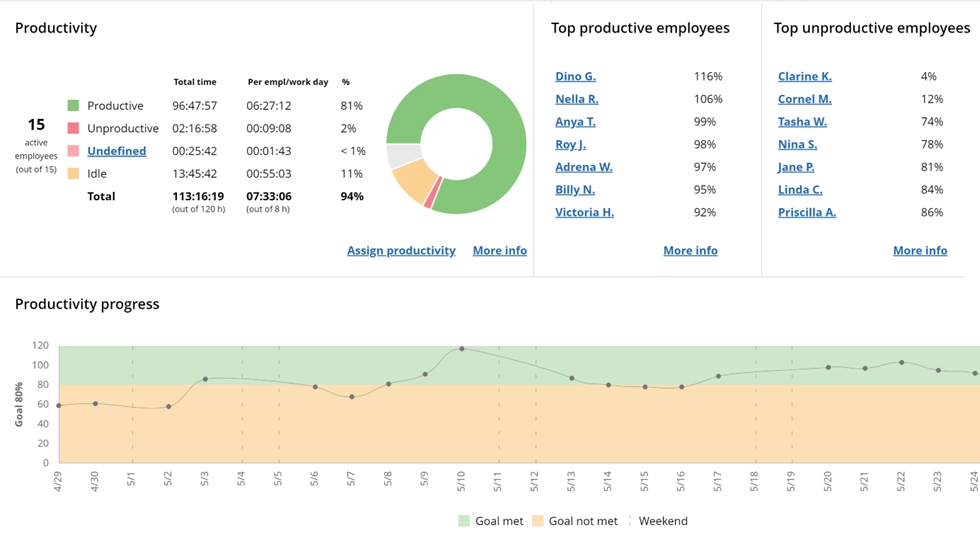
Productivity insights
This WorkTime report helps you assess employee productivity through computer usage analysis.
Book demo
With built-in diagrams and detailed stats, WorkTime shows productivity levels across apps, websites, and documents - turning raw activity into actionable insights.
Start free trialRemote & hybrid team monitoring
For remote teams, IP-based detection determines whether an employee is working from the office, at home, or elsewhere. This supports remote work policies without requiring GPS tracking.Invasive vs. non-invasive employee monitoring
This is where most companies go wrong. There are two fundamentally different approaches to tracking employee computer activity, and the one you choose will shape your workplace culture.Invasive monitoring
Invasive methods capture the actual content of what employees do. This includes screenshots, screen recordings, keystroke logging, and chat message recording. These methods provide granular detail on employees' computer screens but come with significant drawbacks. Harvard Business Review research found that monitored employees were more likely to take unapproved breaks, disregard instructions, and even damage workplace property (HBR, 2022). A Forbes survey found that 59% of employees feel stress and anxiety from this type of surveillance. And a 2022 poll of tech workers found that roughly half would rather quit than be monitored invasively (MIT Technology Review, 2025).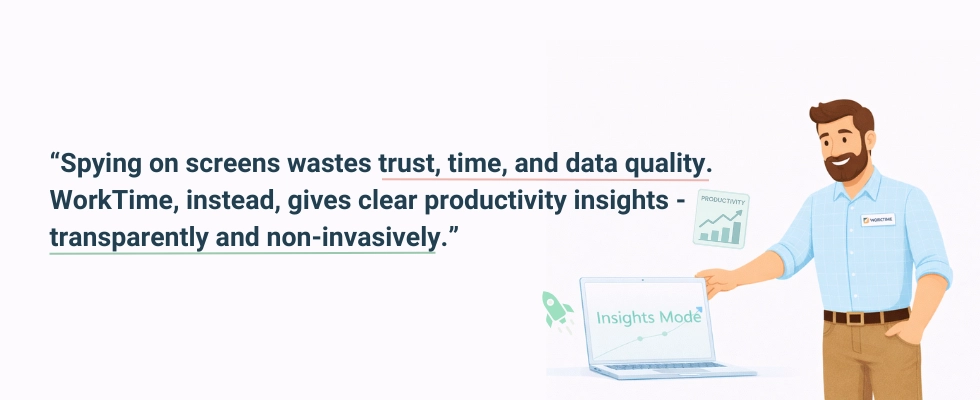
Non-invasive monitoring
Non-invasive tools track productivity metrics from employee computer activity without capturing personal content. Instead of screenshots, they use productivity scores. Instead of logging what employees type, they measure employee activity. Instead of reading emails, they track time in applications.
How to monitor remote employees’ computer activity
Remote work has made it more important than ever to track how employees use their computers effectively. An MIT study found that approximately 80% of companies already monitor their remote workforce in some capacity. Here's how to monitor employees' computer activity in remote and hybrid settings:- Track active time, not screen content. Remote employees need flexibility. Activity tracking that measures productive time gives you visibility without micromanagement. You can see when people are working, how long tasks take, and whether their productivity levels stay consistent.
- Compare remote vs. in-office results. Some tools offer location-based comparisons of employee performance. This helps you make informed decisions about remote work policies based on real data, not assumptions.
- Use the same rules for everyone. Applying different standards to people working from home creates resentment. One company policy for how you monitor employees' computer activity is one set of standards. Get started with a practical guide from WorkTime on creating employee monitoring policies - just follow the link.
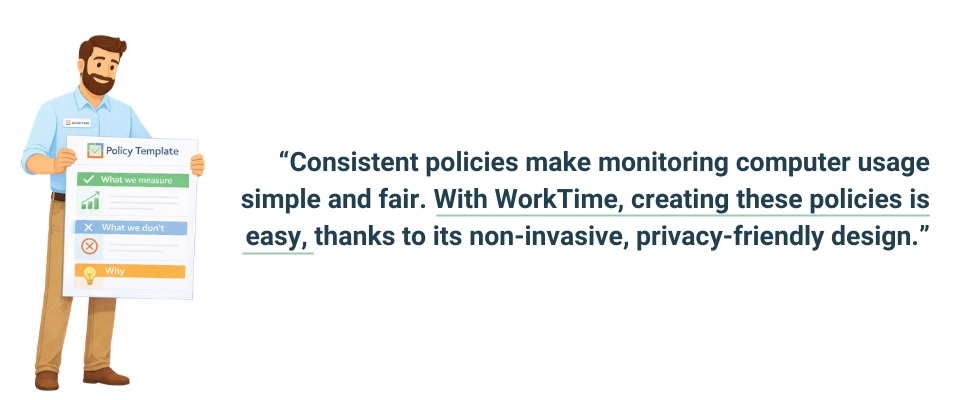
- Set clear expectations before you start. Before monitoring employee activity, tell your team what data you collect, why, and how it's used. According to the IAPP (International Association of Privacy Professionals), employer practices should be described in workplace policies to prevent privacy expectations from developing where they shouldn't.
How to choose the right monitoring software
Not all tools for tracking how employees use their computers are equal. Here's what to look for in an employee monitoring solution.1. Non-invasive approach
Choose tools that provide productivity scoring, active time measurement, and attendance tracking without capturing screenshots or personal content from employees' computer screens. This protects sensitive information while still giving you the data you need to monitor computer activity effectively.2. Lightweight performance
Monitoring software that slows employees' computers defeats the purpose. Look for tools that run in the background with minimal impact on system resources and computer usage.3. Compliance modes
If you work in healthcare, banking, insurance, or government, you need built-in compliance settings to meet regulations such as HIPAA and GLBA. This protects sensitive data and reduces the risk of data breaches.4. An efficient user interface
Managers shouldn't need a training course to read reports. Look for clear dashboards with easy-to-read employee activity data and detailed reports. This is why clients recommend WorkTime - they value the user-friendly design, zero privacy headaches, and feature-rich reporting system.WorkTime - transparent, effective, & feature-rich!


5. Remote work support
The tools you use to monitor computer activity should work the same for remote teams and in-office employees. Look for remote access reporting, location-based time tracking, and IP-based detection.6. Data storage and security
The data collected from employees' computer sessions is sensitive. Make sure your solution stores it securely and gives you control over retention periods.7. Transparency features
User activity monitoring tools that let employees view their own data shift monitoring from surveillance to self-improvement. This supports employee engagement and builds trust. Here's a quick look:| Feature | Invasive tools | Non-invasive tools |
|---|---|---|
|
Screenshots / video recording |
Yes |
No |
|
Keystroke logging |
Content captured |
Counts only (if any) |
|
Productivity scoring |
Sometimes |
Yes |
|
Active/idle time |
Yes |
Yes |
|
App and internet activity |
Yes |
Yes |
|
Employee privacy impact |
High |
Low |
|
System resource usage |
Often heavy |
Lightweight |
|
Compliance suitability |
Risky in regulated industries |
Built for compliance |
Legal requirements before you track computer activity at work
Before you begin, understand the legal landscape. Knowing how to monitor employees' computer activity legally is just as important as choosing the right tools. The practice is legal in the U.S., but requirements vary by state.Federal baseline
The Electronic Communications Privacy Act (ECPA) allows employers to monitor electronic communications for legitimate business purposes. There's no federal requirement to notify employees, but it's strongly recommended.States with specific notification laws
- Connecticut requires prior written notice about the types of monitoring in use. Fines range from $500 to $3,000 per violation.
- Delaware requires either a daily electronic notice when employees log on or a one-time written notice with employee acknowledgment. Fines of $100 per violation.
- New York requires written notice upon hiring, a signed acknowledgment, and a posted notice in the workplace. Penalties range from $500 for a first offense to $3,000 for subsequent offenses.
Stay transparent & meet monitoring regulations!
- Texas requires disclosure of how you monitor employees' computer activity, including what data is collected and how it's retained.
- California requires written notice and consent for certain types of monitoring. Civil lawsuits can reach $7,500 per affected employee.
What is the best practice?
Create a written company policy that explains what employee computer activity you track, why, and how the data is used. Have every employee sign it.
How to implement monitoring the right way
The difference between monitoring that works and monitoring that backfires comes down to implementation. If you want to know how to monitor employees' computer activity successfully, follow the step-by-step approach below.1. Define your goals
Are you tracking attendance? Protecting company data from data breaches? Improving team performance? Your goals determine which metrics you actually need.2. Choose non-invasive employee monitoring software
Based on the research, non-invasive tools deliver better long-term results. They provide the employee computer activity data you need without the turnover risk or the legal complexity of content capture. WorkTime is a good example of this: transparent monitoring designed for insight, not intrusion.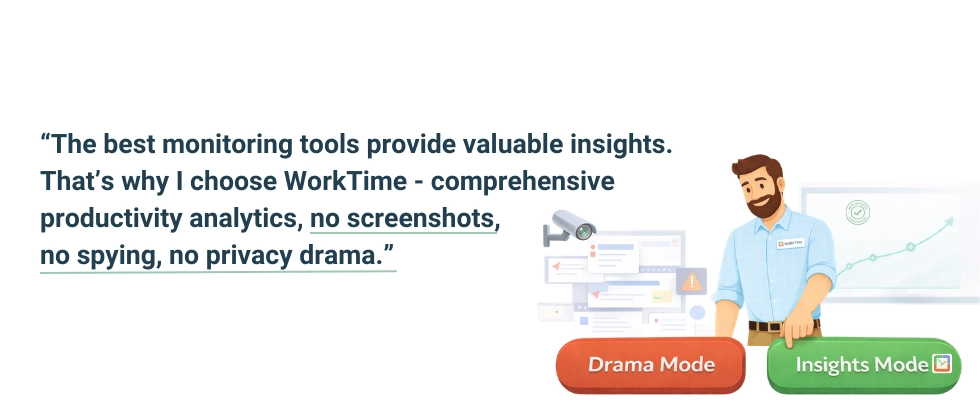
3. Write a clear company policy
Document what employee data you'll collect, how it's stored, who has access, and how monitoring supports employee productivity. Reference all applicable state laws.4. Communicate before you install
Tell your team before the monitoring software goes live. Explain the benefits: how the data can identify burnout, improve team balance, and boost productivity. Don’t hesitate to use our employee monitoring handbook to introduce WorkTime to your team smoothly. It explains the monitored KPIs, what WorkTime records, what it doesn’t record, and other key essentials.5. Give employees access to their own data
When employees can see their own activity tracking results, it shifts from surveillance to a coaching tool.6. Focus on trends, not moments
One slow afternoon doesn't indicate a problem. Look at patterns in employeesStart monitoring smarter - with WorkTime
You don't need to capture every keystroke or screenshot to understand how your team works. The data that matters, including active time, productivity scores, attendance patterns, and how employees use their time, is available without invasive tracking. WorkTime is a non-invasive employee monitoring solution built to track employee computer activity, improve employee productivity, and protect privacy, all without screenshots, keystroke logging, or content capture. With built-in HIPAA and GDPR-safe modes, support for remote work teams, and the lightest system footprint in its class, it's monitoring software that works for both you and your employees. Start your free trial with all features, unlimited employees, and no credit card required.Try WorkTime now!