
TL;DR
- CurrentWare's modular pricing adds up. Individual modules start around $5-6 per user per month, but the full CurrentWare software suite costs $12-14 per user per month with a $999 per year minimum contract.
- 66% of employers now monitor employees' internet use (American Management Association), and industry trends show a shift away from invasive screen capture toward non-invasive employee monitoring software.
- Not all CurrentWare competitors offer on-premise deployment. If your company handles sensitive employee data in healthcare or finance, verify that your alternative software supports your security needs.
- Cross-platform support is a dealbreaker. CurrentWare added Mac monitoring in v12.0 (February 2026), but most top alternatives and competitors in this category have supported macOS for years.
In this article
The article is presented by WorkTime - helping organizations understand productivity patterns with transparent and non-intrusive analytics.
Why companies look for CurrentWare alternatives and competitors
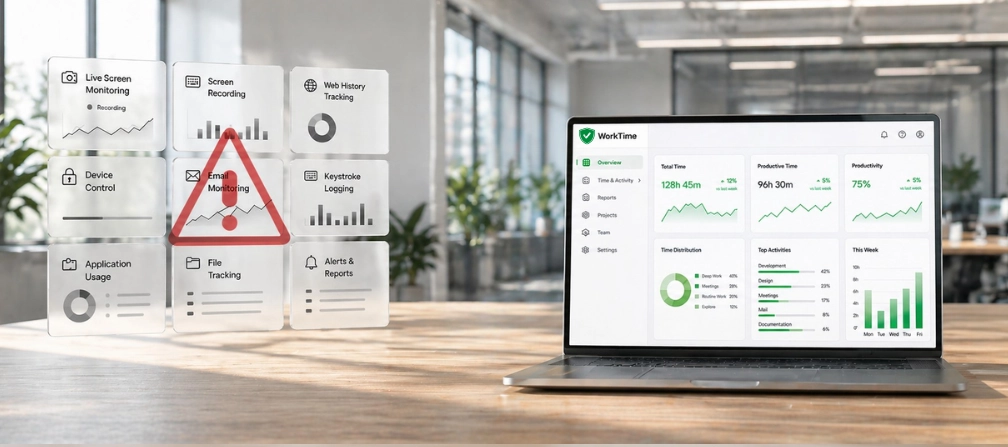
When CurrentWare is compared to newer solutions and alternatives, it earns strong reviews for web filtering and data loss prevention. Its AccessPatrol module helps block unauthorized removable media, and BrowseControl restricts risky websites. But several pain points push businesses toward alternatives and competitors to CurrentWare.- Screen capture raises concerns about data leaks and trust. CurrentWare's BrowseReporter records employees' screens. For businesses that want to monitor employees without capturing personal content, this creates risk.
The trend in employee monitoring software is moving toward solutions that measure how employees work without recording what they see. WorkTime follows this direction: no screenshots, no content capture - just clear, non-invasive productivity data.
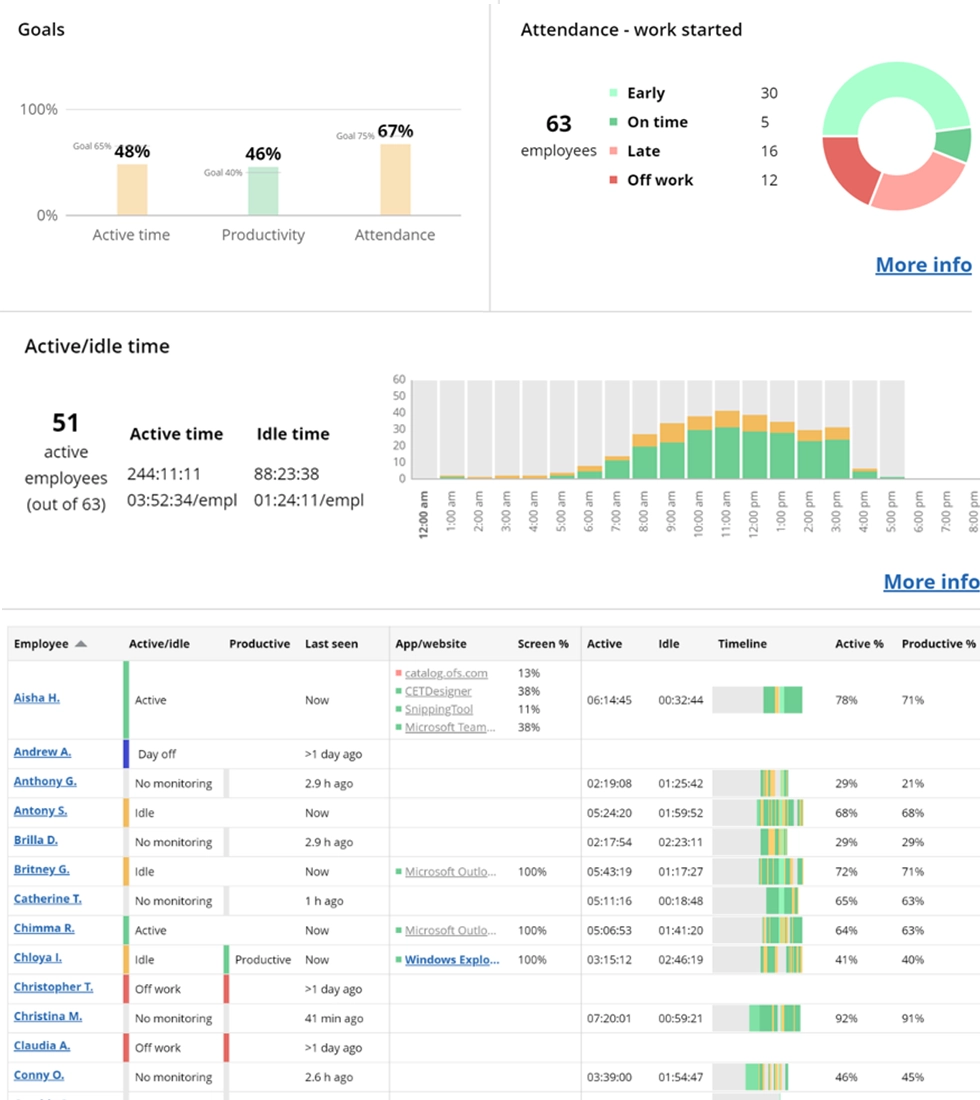

Get a real-time overview of employee activity, including status, location (in-office/remote), timelines, and tools in use - all without capturing any personal content.
Start free trial- No purpose-built safe modes for employees. CurrentWare software does not offer dedicated HIPAA, GDPR, or GLBA-safe modes. Enterprises in healthcare and banking need employee monitoring software that prevents the indirect collection of protected employee data by design.
- Zero integrations. CurrentWare does not connect with HR, payroll, or project management software. For businesses evaluating alternatives to CurrentWare, this means manual exports that waste time each year.
How we selected these top alternatives to CurrentWare
We evaluated each CurrentWare alternative across six criteria businesses care about when evaluating employee monitoring solutions:- Monitoring approach - Invasive (screenshots, keystroke capture) or non-invasive employee monitoring?
- Deployment options - Cloud, on-premise, or both?
- Platform support - Windows, macOS, Linux, mobile?
- Security - HIPAA, GDPR, GLBA, ISO, or SOC 2 readiness?
- Pricing - Clear per-user pricing without hidden minimums?
- Time tracking capabilities - Built-in time tracking or standalone monitoring?
Top 10 alternatives for CurrentWare
1. WorkTime - best for non-invasive employee monitoring, in-depth performance analytics
WorkTime is the CurrentWare alternative for companies that want employee monitoring software with deep productivity insight and no invasive surveillance. It does not capture screenshots, keystroke content, email content, or screen recordings at any tier. WorkTime offers a safe screen productivity analyzer that shows what percentage of each user's time is productive without recording screen content.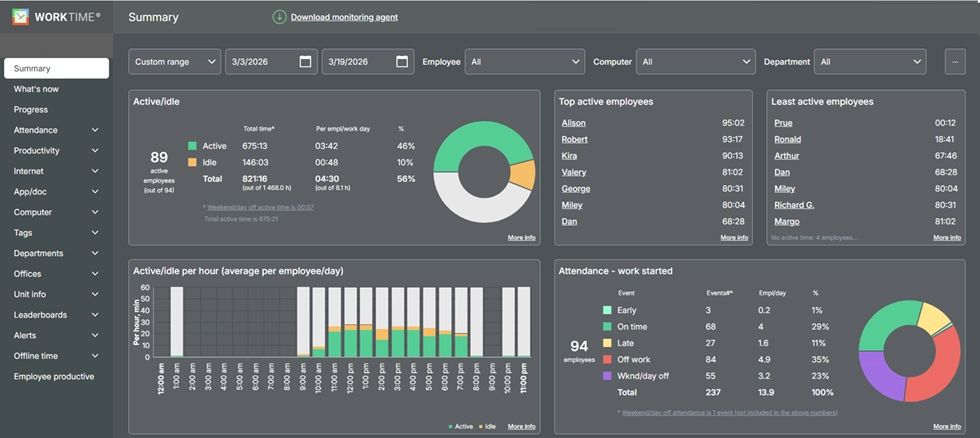
- WorkTime Enterprise plan includes HIPAA, GDPR, and GLBA-safe modes, SOC 2 certification, and on-premise deployment.
- WorkTime supports Windows, macOS, and Terminal/Citrix.
- With 28 years in business serving 9,500+ organizations, WorkTime offers the stability enterprises need.
Try WorkTime now!


2. Teramind - best for insider threat detection
Teramind is a powerful security-focused employee monitoring software built to detect insider threats. It logs keystrokes, records employees' screens, and uses OCR to search for sensitive content. Teramind helps enterprises build custom alert rules and produce audit documentation. It supports Windows and macOS with per-user licensing and ISO 27001 alignment. Pricing starts around $14 per user per month.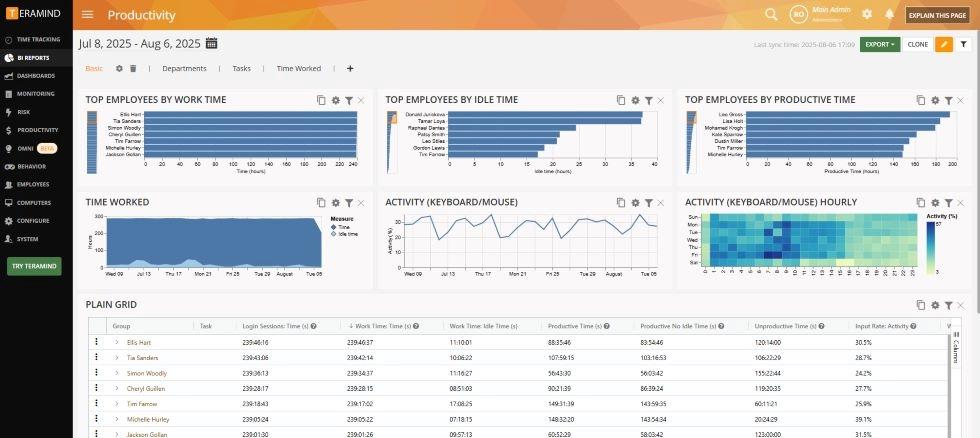
3. ActivTrak - best for cloud workforce analytics
ActivTrak is a cloud-native employee monitoring software focused on how employees spend their work time. It provides employee activity insight through its software, including app and website usage, workload balance analysis, and AI-powered dashboards. ActivTrak works on Windows, macOS, and Chrome OS. Free plan available for up to 3 user accounts.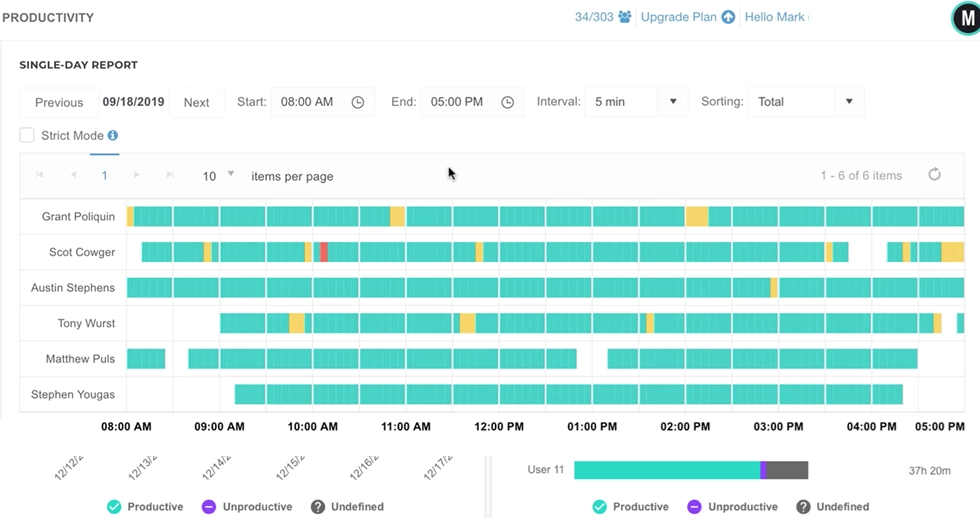
4. Hubstaff - best for GPS and field teams
Hubstaff is employee monitoring software that combines activity monitoring software with time tracking, GPS, geofencing, and payroll. It works on Windows, macOS, Linux, iOS, and Android for any user. Hubstaff helps businesses manage field employees and contractors who need verified billable hours for employees. It integrates with 30+ tools.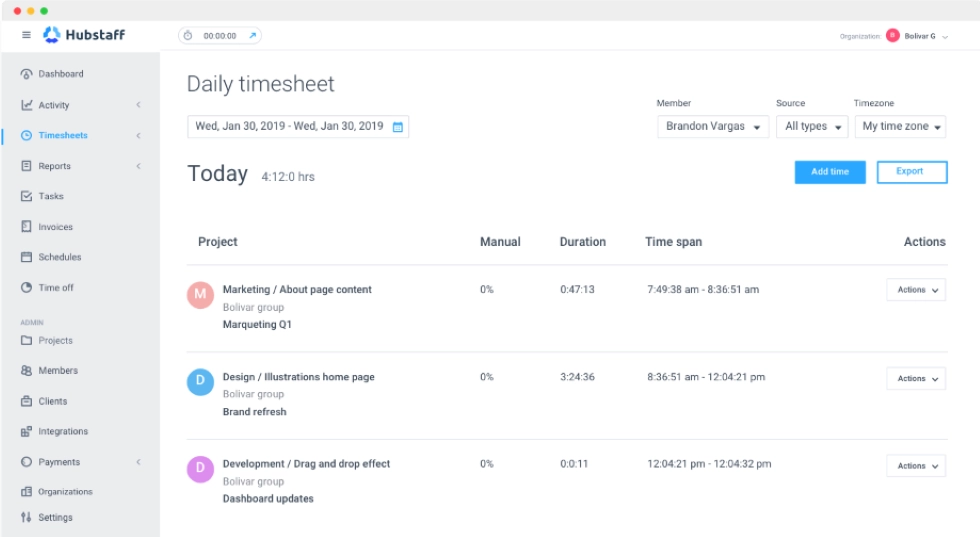
5. Time Doctor - best for BPO team management
Time Doctor offers employee monitoring software with automated time tracking, screen capture, idle detection, and distraction alerts. It supports Windows, macOS, Linux, and mobile. Time Doctor is widely used in outsourcing environments where companies need to verify that employees are focused during work hours and that employees' time is accounted for.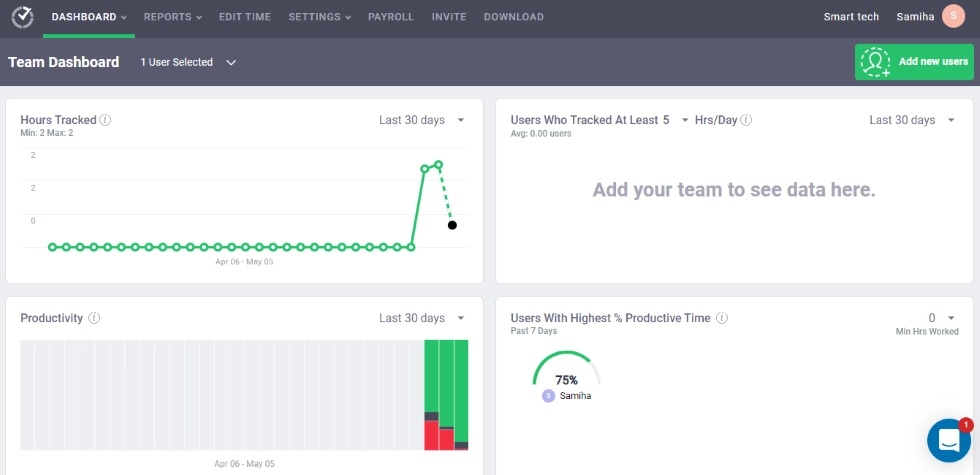
6. Insightful - best for hybrid workforce optimization
Insightful (formerly Workpuls) provides real-time employee activity monitoring with app usage tracking and project-level insight. It offers cloud and on-premise deployment on Windows and macOS. Insightful detects fake mouse jigglers and helps teams understand work patterns.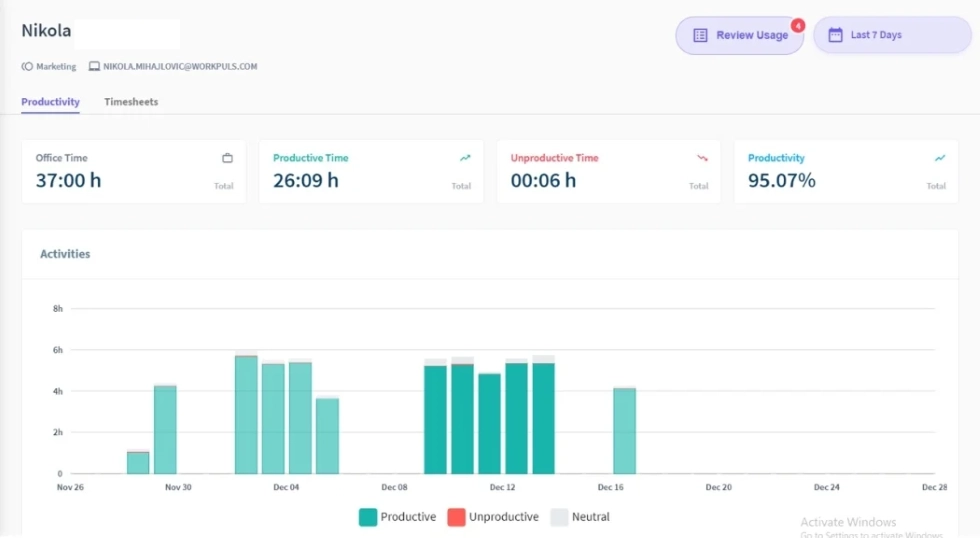
7. Veriato - best for regulated industry forensics
Veriato specializes in employee activity monitoring and powerful behavior analytics for companies in regulated industries. It supports on-premise deployment, keystroke logging, and risk scoring. Used by legal, finance, and government organizations as investigative software.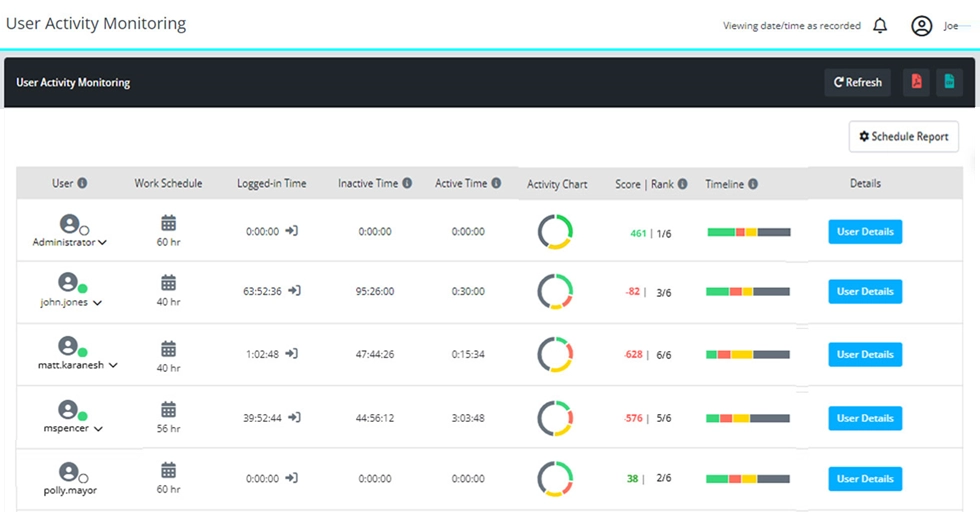
8. DeskTime - best for simple automated time tracking
DeskTime provides automatic time tracking that categorizes employees' activity across app and website use. Clean interface for small and mid-size teams evaluating simple CurrentWare alternatives. Works on Windows, macOS, Linux, iOS, and Android.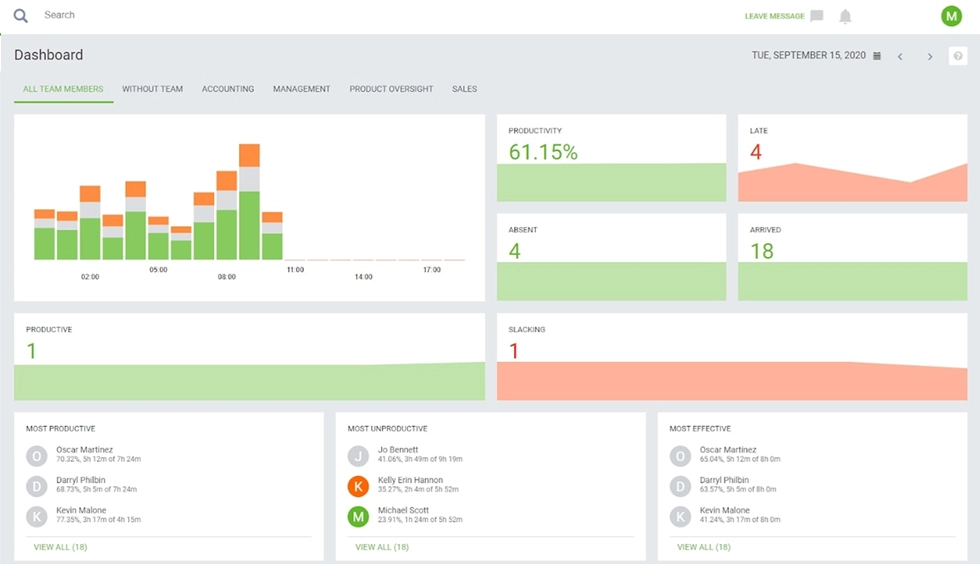
9. Monitask - best for budget monitoring
Monitask offers core employee activity monitoring software at a low per-user price point. It includes screen capture, app tracking, and user activity time tracking. Cloud-based. Supports Windows, macOS, and Linux. Good entry-level software for small businesses evaluating CurrentWare alternatives and competitors.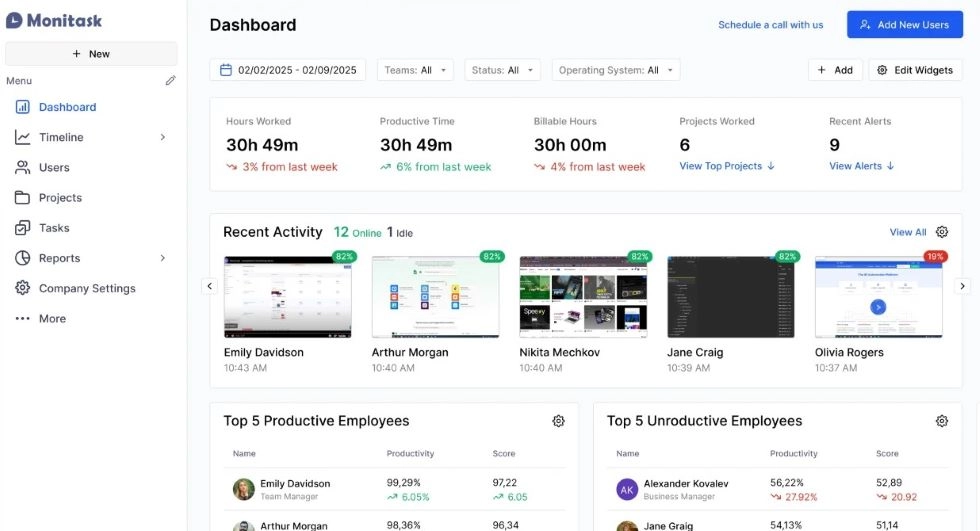
10. Kickidler - best for real-time screen monitoring
Kickidler (KeepActive) gives employers live screen viewing, video recording, and keystroke logging. It supports cloud and on-premise deployment on Windows and macOS computers. This software is useful for training and quality assurance in companies that need visual oversight of how employees work.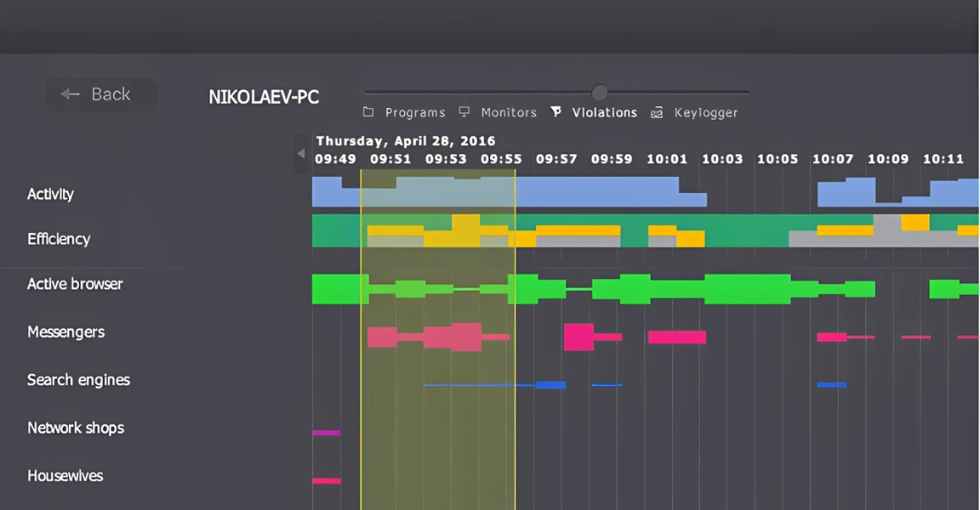
CurrentWare alternatives comparison table
| Feature | WorkTime | Teramind | ActivTrak | Hubstaff | CurrentWare |
|---|---|---|---|---|---|
|
Non-invasive monitoring |
 |
 |
Partial |
|
|
|
Screenshots |
|
|
Optional |
|
|
|
On-premise |
|
|
|
|
|
|
HIPAA-safe mode |
|
|
|
|
|
|
macOS |
|
|
|
|
New (v12.0) |
|
USB/DLP |
|
|
|
|
|
|
Web blocking |
|
|
|
|
|
|
Free plan |
|
|
|
|
|
|
Integrations |
|
|
|
|
|
Final thoughts
Choosing among CurrentWare alternatives depends on what your company values. If you want CurrentWare alternatives that ensure employees' peace of mind while providing the insight and accountability businesses need, a non-invasive monitoring approach offers a proven path. WorkTime provides a proven non-invasive approach supported by 28 years of experience, 80+ productivity reports, enterprise-grade security, and compliance-ready monitoring for GDPR, HIPAA, and GLBA. All these help employees and employers build trust through monitoring that respects employees' privacy.Try WorkTime now!