
TL;DR
- 47% of workers cite internet surfing as their top off-task behavior, making internet usage monitoring a priority for balancing privacy with productivity.
- Non-invasive monitoring practices protect employee privacy while giving managers visibility into internet activity and employee computer usage.
- U.S. federal law (ECPA) permits monitoring internet use on company computers with consent or a legitimate business purpose, but state laws add requirements.
- The best monitoring software tracks patterns, not personal content, helping you enhance productivity without privacy invasion or job satisfaction problems.
In this article
This guide is brought to you by WorkTime, a privacy-friendly productivity monitoring solution trusted by modern workplaces.
Why companies need to monitor internet usage
Unmonitored internet use creates three problems: lost productivity, cybersecurity risks, and compliance gaps. Disengaged employees cost the global economy $438 billion in lost productivity in 2024 alone. In the U.S., Gallup has estimated the cost at $483 billion to $605 billion annually. Internet surfing, online shopping, social media, and entertainment websites are the top culprits. 80% of employees can't go a full hour without checking their phone or visiting non-work-related websites.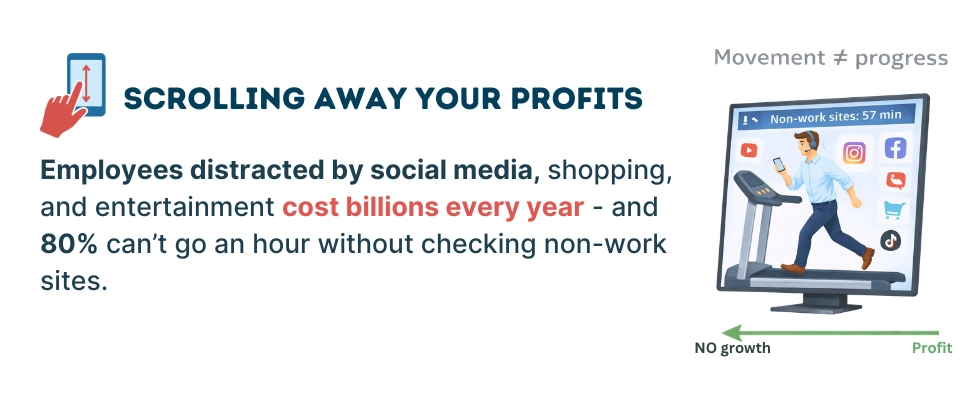
What does internet monitoring actually track?
Internet monitoring ranges from lightweight to highly invasive. Understanding the difference matters because your approach directly affects employee performance, trust, and legal compliance. Non-invasive monitoring focuses on patterns and productivity metrics:- tracking websites visited and time spent on each
- categorizing internet activity as productive or unproductive
- tracking software and app usage on employee computers during work hours
- flagging excessive idle time or unusual network activity.
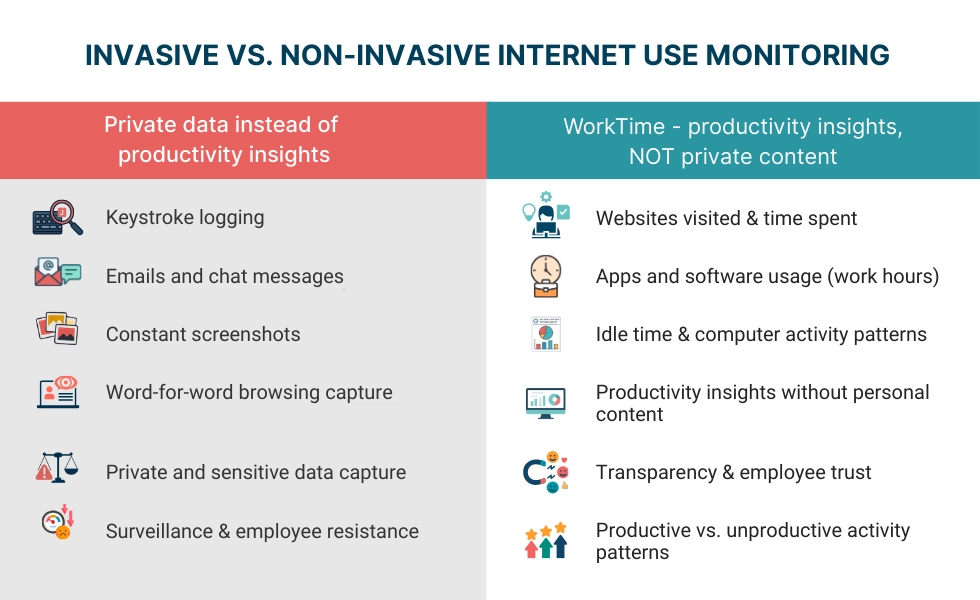
- keystroke logging
- screenshot recording
- reading emails and chat messages
- capturing web browsing data word for word
- webcam recording.
5 ways to monitor employee internet usage
1. Internet usage monitoring software
Dedicated employee monitoring software is the most common approach. These tools install a lightweight agent on employee computers and track internet use, app usage, and computer activity. The best platforms let you set alerts for specific behaviors like excessive time on certain websites. WorkTime internet usage monitoring is the only non-invasive monitoring software on the market. It tracks visited websites, records the duration of each internet activity, and labels sites as productive or unproductive, all without screenshots, keystroke logging, or content capture. This eliminates potential misuse of monitoring data and protects employee privacy.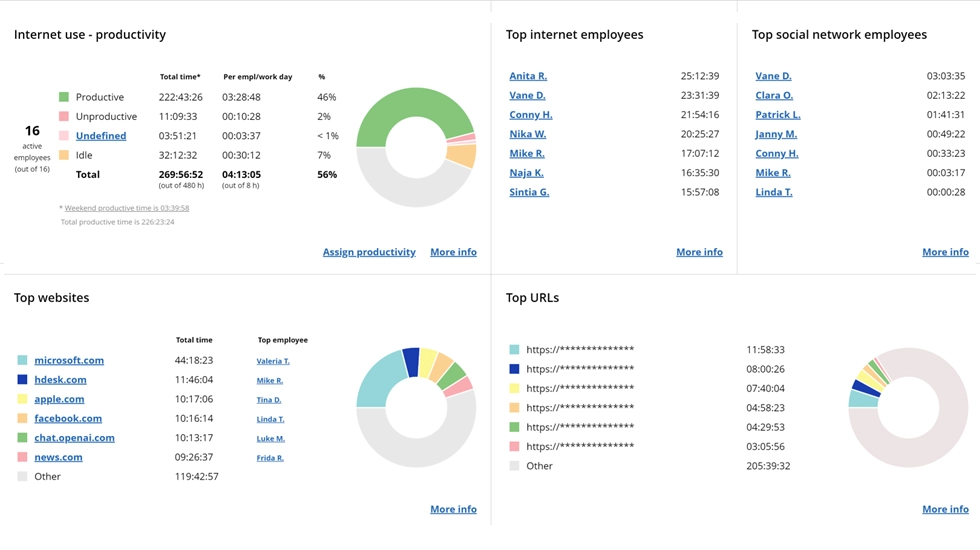

See which apps and websites drive productivity. This report provides a non-invasive overview of internet activity across teams and individuals.
Start free trialNetwork monitoring and firewalls
Network monitoring tracks internet traffic at the infrastructure level rather than on individual devices. Firewalls and DNS-level filters block certain websites (malware, explicit content) while logging network activity patterns. This works well as a first line of defense on most companies' networks, especially combined with agent-based monitoring software for deeper employee activity insights on each employee's computer.Web filtering and content blocking
Web filtering categorizes websites into tiers: prohibited, discouraged, allowed, and encouraged. Block dangerous sites at the network level and use monitoring software to track time on gray-area sites. This supports both security and job satisfaction by giving employees clear boundaries.Browser history and web activity audits
Some companies periodically review browser history rather than run continuous monitoring. This works for small teams but means you only see visited websites after the fact and miss real-time alerts for security threats.Remote employee monitoring tools
Remote workers and hybrid work teams present unique challenges. They operate on home networks, sometimes without company devices, outside direct oversight. WorkTime remote employee monitoring tracks the same internet activity and productivity metrics for remote employees as for in-office staff.Get remote productivity insights - transparently!


Employee internet monitoring laws
In the United States, employee internet monitoring on company devices is generally legal, but the rules vary by federal and state law. Federal law (ECPA): The Electronic Communications Privacy Act permits employers to monitor internet use on the company's computers when there is a legitimate business purpose or employee consent. Companies typically obtain consent through company policy documents signed during onboarding. State requirements vary. Connecticut, Delaware, and New York require written notice before monitoring employees. Texas expanded disclosure requirements in 2025. California's CCPA gives employees rights over the data collected. The practical rule: Notify employees about monitoring in writing. Have them sign an acknowledgment. Explain what is monitored, why, and how data will be used. For regulated industries, WorkTime's HIPAA-safe and GDPR-safe modes provide built-in compliance frameworks.WorkTime - non-invasive & compliant monitoring!
Best practices to monitor internet usage
Start with a clear company policy
Define acceptable internet use before deploying monitoring software. Make sure employees understand the policy and why it exists. Clear communication prevents privacy invasion concerns. When employees know what monitoring practices are in place, they respond better than when monitoring is a surprise.Use the least invasive method
To monitor internet usage effectively, track time on categories of websites and apps, rather than capturing an employee's browser history content. Focus on patterns, not policing individual employees. Employees who trust their employer's monitoring practices are more productive than employees who feel surveilled.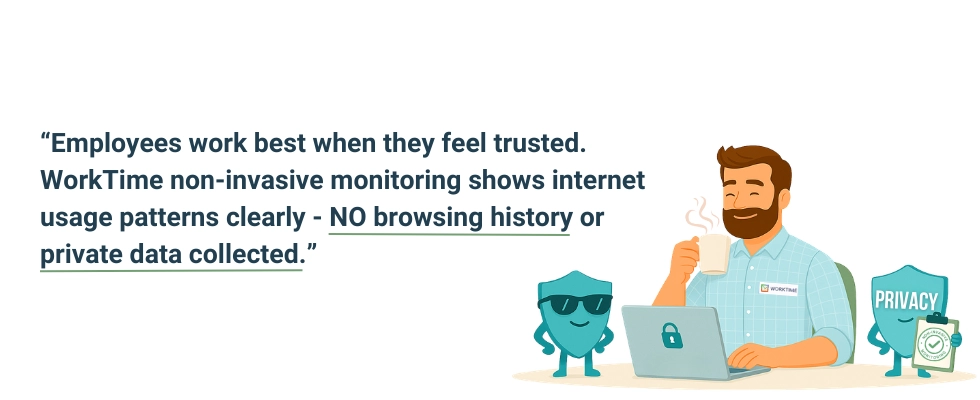
Monitor during working hours only
Tracking employee internet activity outside work crosses legal and trust boundaries. Configure monitoring systems to stop when the workday ends, especially for employees using work devices at home. Track time spent during scheduled hours only.Give employees access to their own data
When employees can see their own user activity reports, many self-correct without management intervention. WorkTime employee productivity monitoring provides reports that help both managers and employees track productive versus unproductive time.Act on data constructively
Use internet monitoring data for coaching, not punishment. If reports show employees spending excessive time on non-work-related websites, address it as a performance conversation. Research from the University of Melbourne found that some personal internet use (under 12% of work time) actually has a positive effect on employee productivity.Drive productivity with WorkTime insights!
Set alerts for security threats
Configure real-time alerts for high-risk internet activity: visits to malware sites, large data transfers, or access to unauthorized tools. This turns internet usage monitoring into a cybersecurity layer that helps you track employee time on risky sites and flag suspicious computer activity before it becomes a breach.Conclusion
When you monitor employee internet usage effectively, you understand how your team uses working hours and protect your company from cybersecurity risks. The companies that get this right focus on patterns over content, transparency over secrecy, and productivity data over personal data. WorkTime is the only non-invasive employee monitoring software on the market, offering internet usage monitoring, productivity tracking, and active time tracking without screenshots or content capture. Start a 14-day free trial to see your team's internet use in real time.Try WorkTime now!