

TL;DR
- Shadow IT rarely starts as “rule-breaking.” It starts as someone trying to move faster, and it quietly becomes standard.
- Most unauthorized software in the workplace shows up as extra SaaS tools, AI tools, browser extensions, and messaging apps added outside IT workflows.
- The real damage is not only to security. It’s shadow IT costs, tool overload at work, duplicated effort, and decision-making based on incomplete data.
- Shadow IT visibility is the turning point: once you can see tool usage patterns, you can reduce software sprawl without breaking trust.
In this article
This article is brought to you by WorkTime, an expert in non-invasive team monitoring that helps reduce IT expenses while keeping teams productive.
What is shadow IT?
Shadow IT refers to tools, apps, and services employees use to get work done without formal approval, review, or onboarding by IT. In practice, it often shows up as unauthorized software in the workplace. For example, if employees are using Snapchat to talk to one another, this could be considered shadow IT.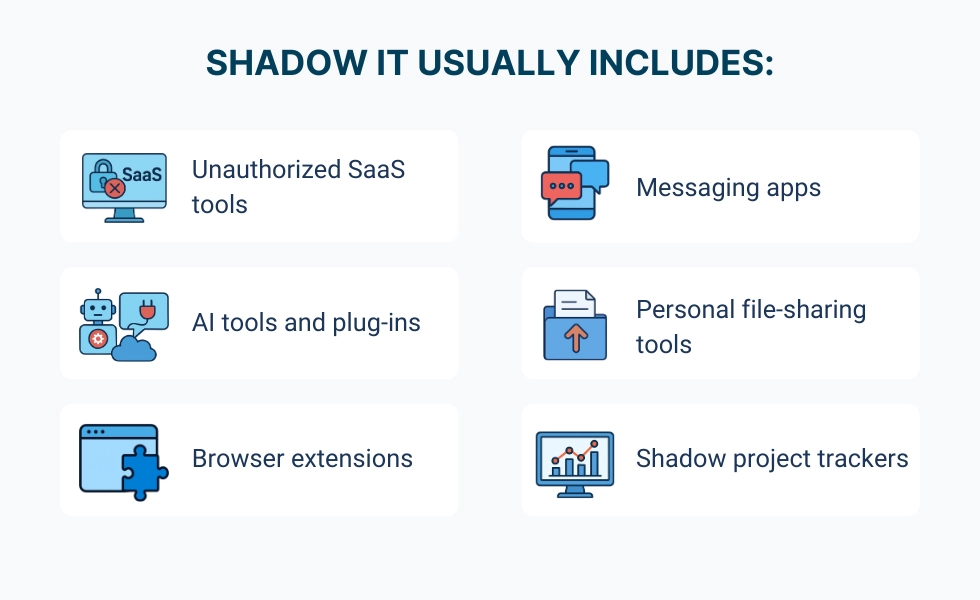
How shadow IT impacts costs, speed, and decisions
Shadow IT does not have a banner that announces its presence. Instead, it simply grows, and by the time anyone realizes it, it has become budget creep, muddled reporting, and operational confusion. A thousand different apps, some with work stuff on them, some with pictures of cats doing the laundry, do not make for a productive workforce. Shadow IT inflates costs and distorts decisions. It can have many unforeseen consequences, including:| Impact area | What it looks like | Why it matters |
|---|---|---|
|
Duplicate software licenses |
Multiple tools do the same job across teams |
Spending rises without improving outcomes |
|
Fragmented data |
Different dashboards, different “truth.” |
Decision-making slows, and confidence drops |
|
Tool overload at work |
Teams bounce between apps all day |
Focus declines, and handoffs get messy |
|
Hidden renewals |
Small subscriptions multiply quietly |
Budget planning becomes guesswork |
Unauthorized software quietly drains productivity & focus
Unauthorized software leads to a drain in productivity for a few reasons. With all the apps these days, one of the most concerning is tool overload. Tool overload doesn't seem so dramatic. Who among us doesn't have a ton of apps on their phone? In the workplace, however, tool overload can be life-saving. What does tool overload look like in real life?- Logging into Slack, Teams, and email just to find one update.
- Getting hit with notifications from Slack, Asana, and Jira at the same time.
- Entering the same data in Salesforce and then again in HubSpot.
- Marketing uses Notion while the product tracks the same project in Jira.
- Arguing over whether the final file lives in Google Drive or Dropbox instead of finishing the work.


Why banning apps only makes shadow IT worse
When a company finds that it has unauthorized applications being used by employees at their workplace, many will overreact. "Ban all applications" or "Block all websites" - this is typical of how companies try to regain some level of control when faced with unauthorized application use. The effect of such a reaction is not good at all. The more a company tries to blanket-ban applications, the more likely these same applications are going to be used under the table. With a blanket ban, employees will find ways to circumvent the policy, which then creates additional jobs to try to stop it.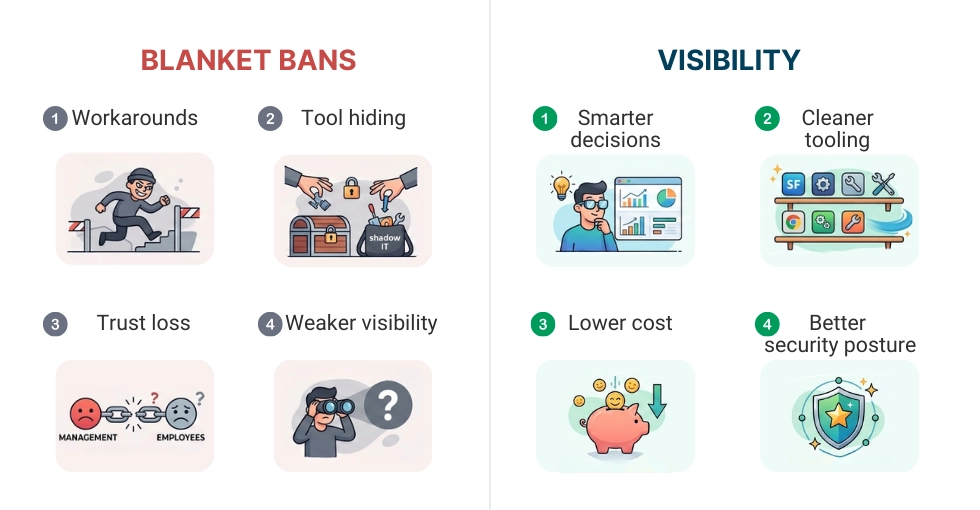
Visibility: bring shadow IT into the light
The first step to solving Shadow IT is visibility, not enforcement. Most organizations believe they have visibility into their organization because they have a company-wide policy and a company-approved list of tools. However, in reality, what people use daily often varies from what they claim they will use based on the company's approved tool list, especially in modern times. Below are some helpful ways to bring Shadow IT into the light.| Action | Operational benefit |
|---|---|
|
Consolidate overlapping tools |
Reduces duplicate software licenses and simplifies the tool stack. |
|
Align licenses to actual usage |
Makes sure software spend reflects real work needs instead of assumptions. |
|
Reduce tool hopping and context switching |
Improves focus and reduces cognitive load during daily work. |
|
Standardize workflows without breaking momentum |
Creates consistent processes while keeping teams productive and flexible. |
A practical look at how tool usage expands beyond visibility
Shadow IT is easier to understand by seeing how it appears in real organizations over time. Teams use different tools to quickly resolve immediate issues, to improve workflow, to collaborate, etc. Individually, the decision to use a new tool is one of simple logic. Collectively, they create overlap, duplicate licenses, and multiple processes, which create inefficiencies and redundant costs. This is impossible to identify without some level of visibility. The dataset below is just one example (it does not relate to any particular organization) illustrating how the number of tools and overlap among departments can expand rapidly. The data structure is set up for a simple bar chart that highlights where software usage exceeds leadership or IT awareness, and where redundant cost and complexity quietly build over time.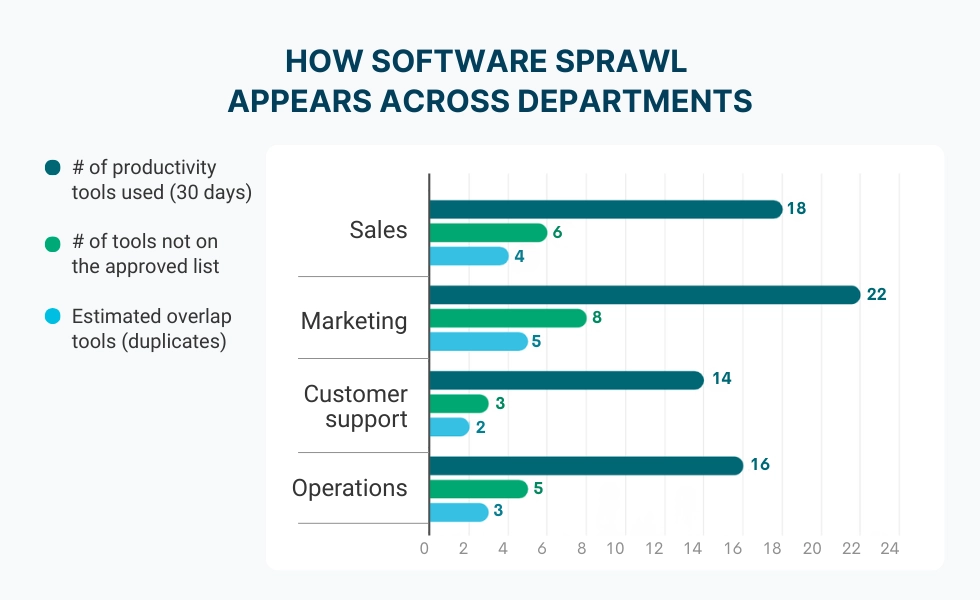
How employee monitoring helps identify shadow IT
To reduce shadow IT, you need accurate visibility into software usage. That’s where employee monitoring comes in, not as surveillance, but as a way to understand application and website usage patterns across teams. The best approach focuses on aggregated insights and trends:- App usage analytics showing which tools are actually used;
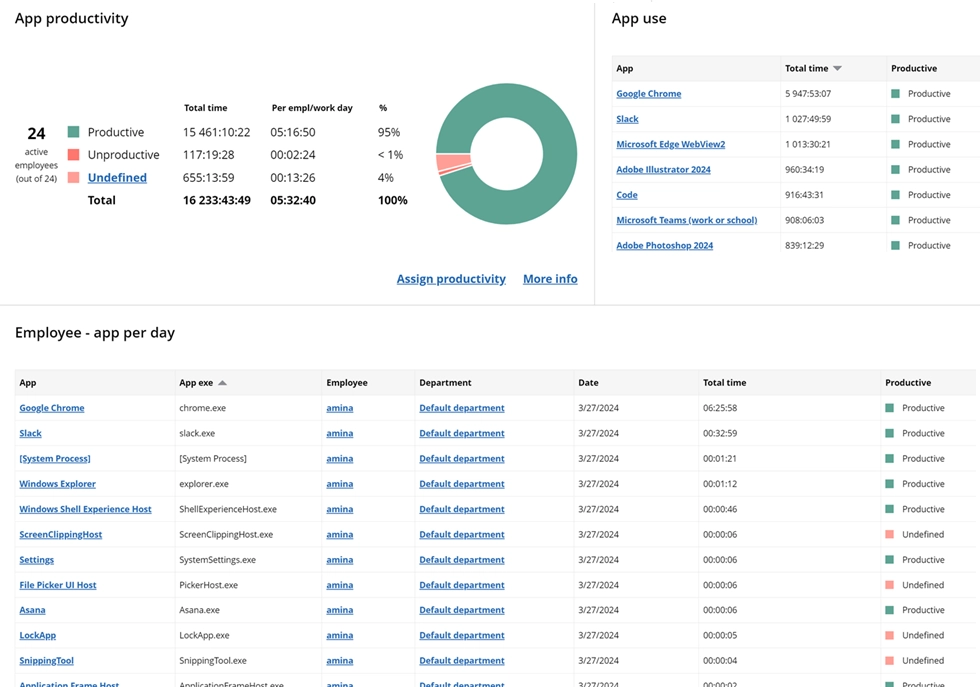

Get a clear view of app usage and productivity across your team. Identify trends, optimize workflows, and make informed decisions.
Start free trial- Patterns by role, team, or department;
- Identification of redundant or unknown tools;
- Visibility into software sprawl without capturing personal content.
WorkTime - optimize software use transparently
WorkTime helps organizations improve software usage visibility so they can reduce waste, improve workflows, and address shadow IT without turning the workplace into a policing environment. It supports transparent, non-invasive monitoring focused on productivity insights, not surveillance.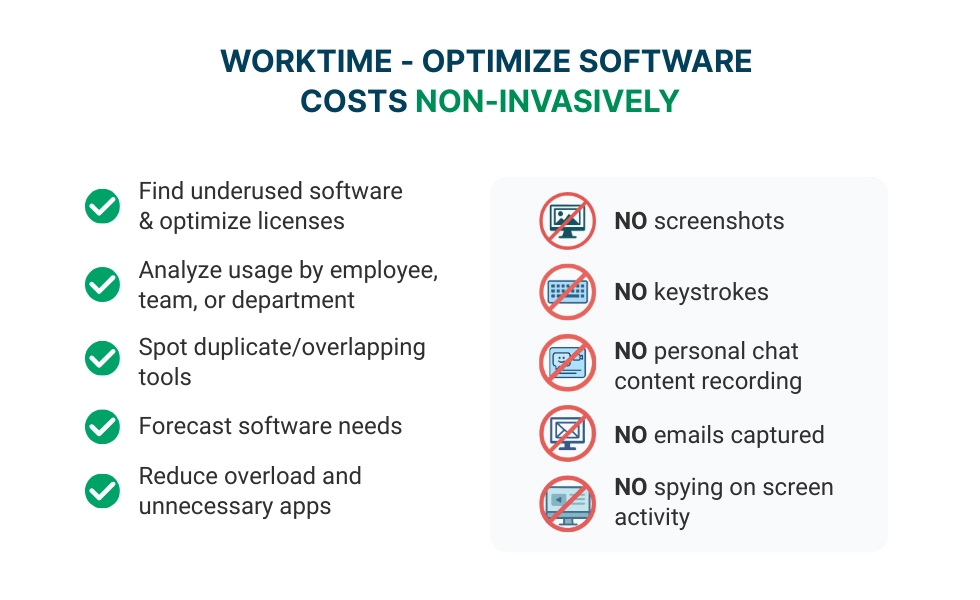
Final takeaway: bring shadow IT into the light
Shadow IT exists in the shadows, but it doesn't have to. Of course, while living in modern society, it's perfectly normal to overindulge in downloading and end up with a bunch of different apps. The trick is not to let it seep into the rest of the workplace. If you haven't taken action before, then chances are you might have a sprawling Shadow IT system that's not only draining the productivity of your employees but also messing with your internet bandwidth. WorkTime gives teams clear visibility into app usage across the company, including tools that often slip under the radar. That means you can spot inefficiencies, cut IT waste, and keep productivity on track. And because WorkTime is non-invasive, you get the data without crossing privacy lines.