
TL;DR
- Non-invasive time-tracking tools improve productivity without eroding trust, which matters because 59% of workers report stress or anxiety about employer surveillance.
- The best remote time tracker apps go beyond clock-in/clock-out to show productivity patterns, active vs. idle time, and remote vs. in-office performance comparisons.
- Compliance is a real concern for distributed teams. States like Connecticut, Delaware, and New York require written notice before monitoring employees, and regulated industries need HIPAA or GDPR-safe tracking.
- Free plans exist, but paid tools pay for themselves. Companies that implement employee time-tracking software achieve an average ROI of 300-500% in the first year.
In this article
Prepared by WorkTime - a trusted, non-invasive employee monitoring platform delivering clear productivity insights for remote, hybrid, and in-office teams.
Why remote teams need time tracking software
Over 32.6 million Americans now work remotely, and 52% of employees with remote-capable jobs follow a hybrid schedule. Remote work isn't going away. 88% of employers offer some form of hybrid work, and 90% of companies plan to maintain or expand remote options. But visibility remains a challenge for every business with distributed staff. When employees work from home offices, coffee shops, or co-working spaces across time zones, managers lose the informal check-ins that happen in an office. A time-tracking app fills that gap by automatically recording when remote team members are active, which tasks and projects they're working on, and how their productivity compares during in-office vs. remote hours. Employee time tracking data also protects your team. Accurate timesheet records prevent overtime disputes, ensure fair pay, and help managers spot early signs of employee burnout before it leads to turnover.Top 7 time-tracking apps & tools for remote employees
1. WorkTime
Best for: Non-invasive productivity monitoring for in-office, remote, and hybrid teams. WorkTime is an employee time-tracking and monitoring tool built on a non-invasive philosophy. It tracks productivity, attendance, and active time without capturing screenshots, keystroke content, emails, or chat messages. For remote teams, WorkTime's standout feature is its remote vs. in-office productivity comparison, which uses IP-based location tracking to show managers exactly how their remote employees perform compared to in-office staff.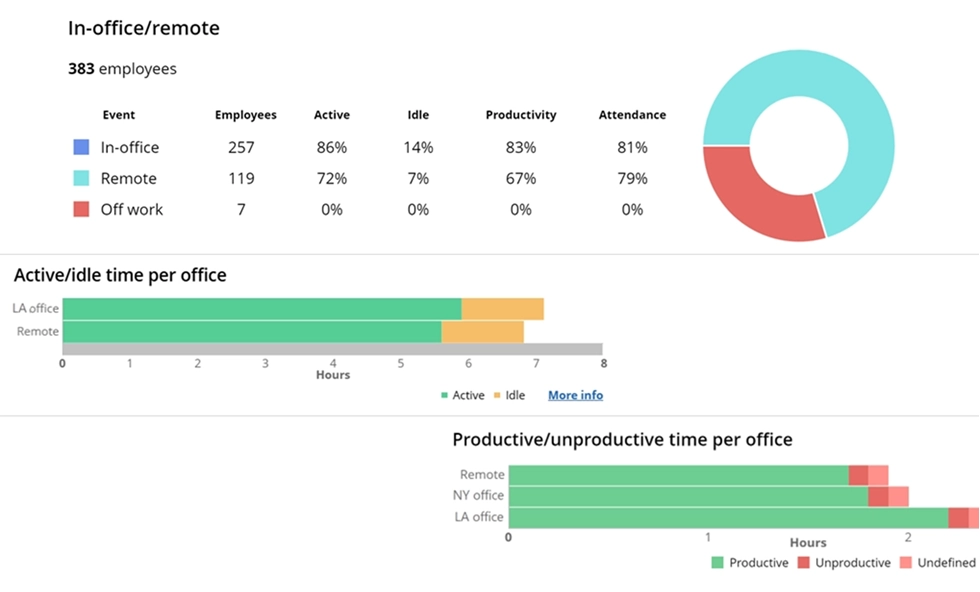

Gain insights into employee performance by work location. WorkTime report highlights productivity levels and most-used applications across office, home, and remote environments.
Start free trial
2. Toggl Track
Best for: Small teams that want a simple time tracker without monitoring. Toggl Track is a lightweight time tracking app built for simplicity. Employees track time with a one-click timer, manual timesheet entries, or calendar-based input. The app is popular among remote teams that value autonomy because it doesn't include screenshots or activity monitoring. Toggl Track's reporting lets you filter timesheet entries by user, team, client, project, tasks, and billable/non-billable hours. This makes it useful for agencies that track time against client projects for billing. The app integrates with over 100 other tools, including Asana, Jira, and Slack.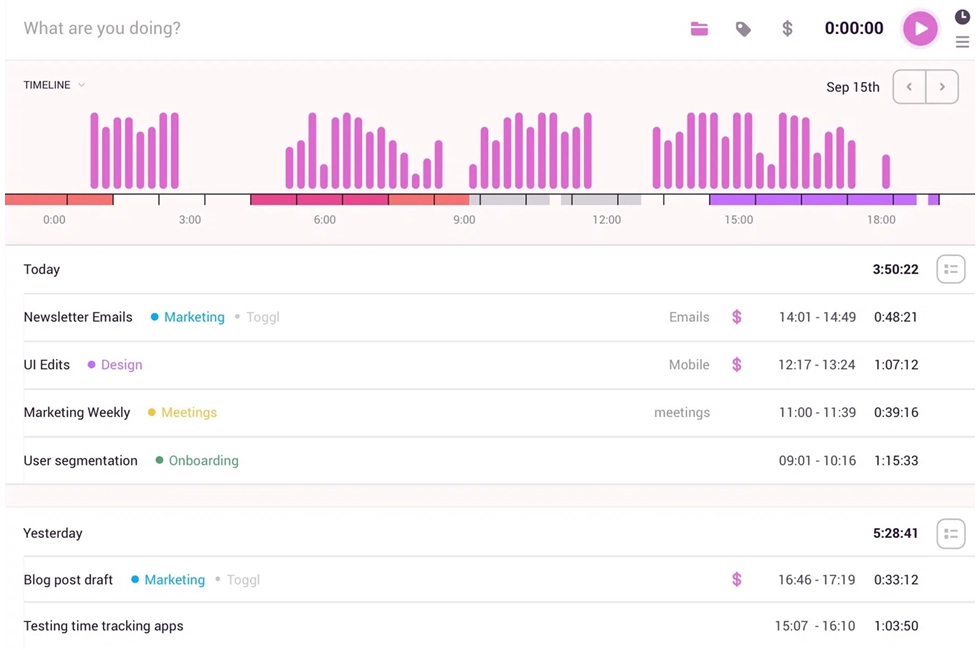
3. Hubstaff
Best for: Large teams and agencies needing activity monitoring with GPS. Hubstaff provides time tracking alongside activity monitoring, including optional screenshots, app and web URL tracking, and mouse/keyboard activity levels. For remote teams, it offers GPS and location tracking for field-based or mobile employees.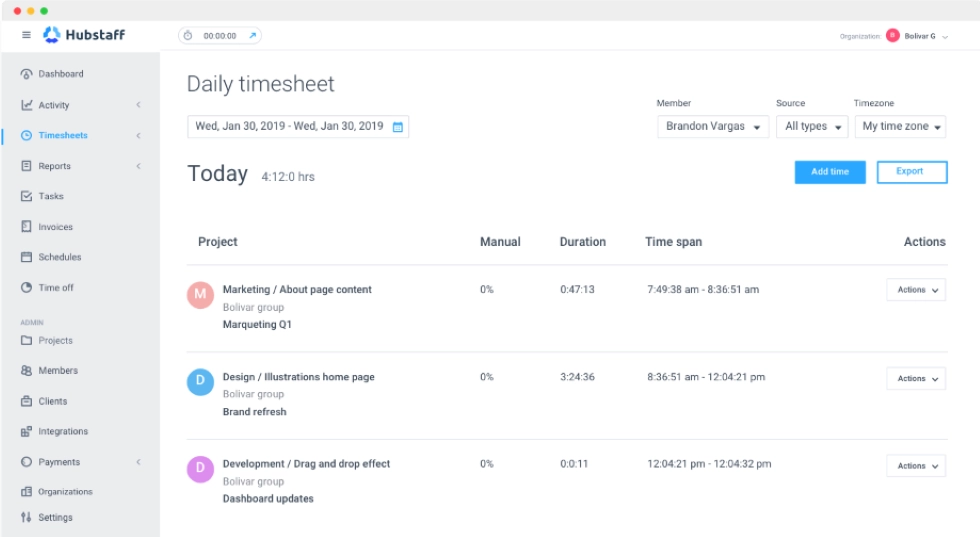
4. Time Doctor
Best for: Teams that want distraction management with productivity scoring. Time Doctor is a time tracking app with productivity features for remote teams. It automatically tracks employee time, categorizes web pages and apps as productive or unproductive, and provides wellness insights to spot overworked team members. Time Doctor also offers optional screenshots that employees can blur for privacy.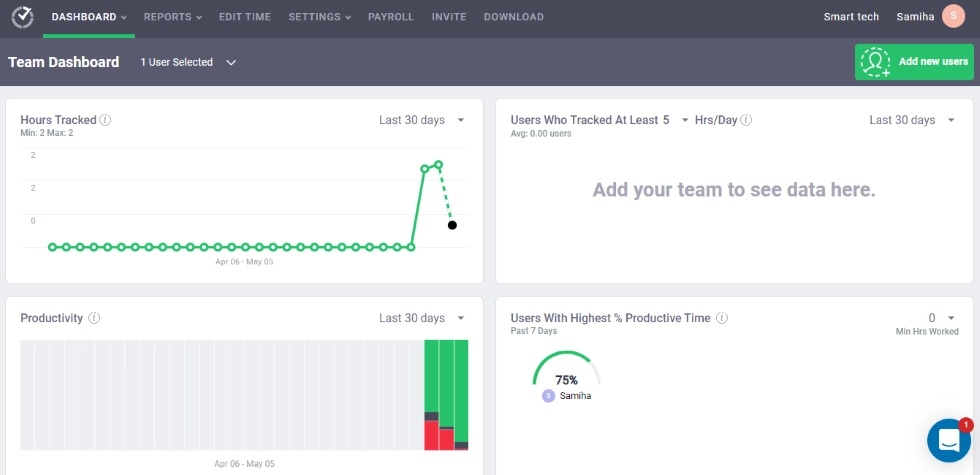
5. Clockify
Best for: Budget-conscious remote teams that need a free time tracker. Clockify stands out for its free plan. Unlimited users can track time, manage unlimited projects, and generate basic reporting without spending money. This makes it a popular choice for small businesses that need to track hours across client projects without a big software budget.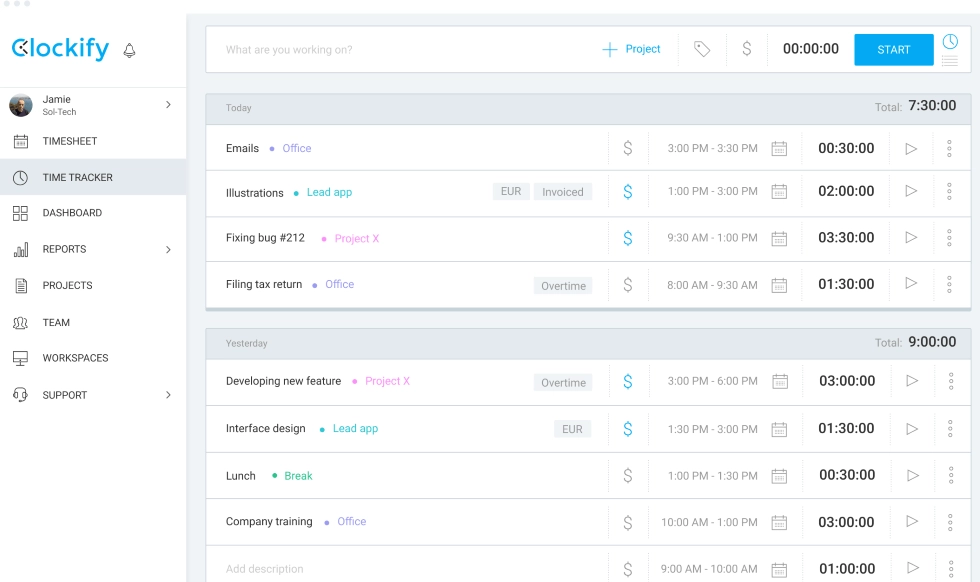
6. Harvest
Best for: Professional services firms tracking billable hours. Harvest is a time tracker and invoicing app for teams that bill clients by the hour. Team members track time against projects and tasks using a desktop app, mobile app, or browser extension. Managers can create invoices from tracked hours and accept payments through Stripe or PayPal.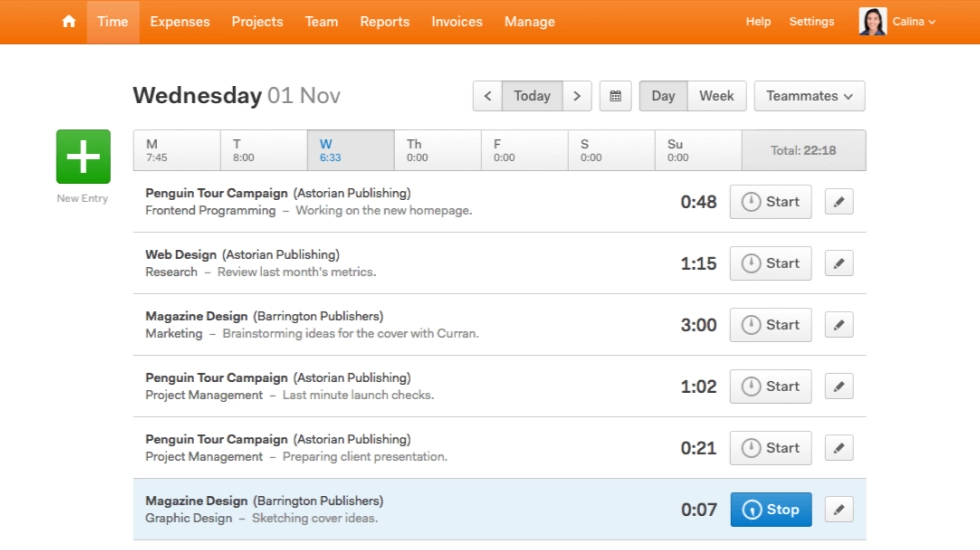
7. QuickBooks Time
Best for: Teams already using QuickBooks for payroll and accounting. QuickBooks Time (formerly TSheets) integrates directly into the QuickBooks ecosystem. For remote teams already using QuickBooks for payroll, this is the simplest way to connect employee time tracking data to payroll processing. Team members track time on the mobile or desktop app, managers approve timesheets, and hours flow directly into payroll.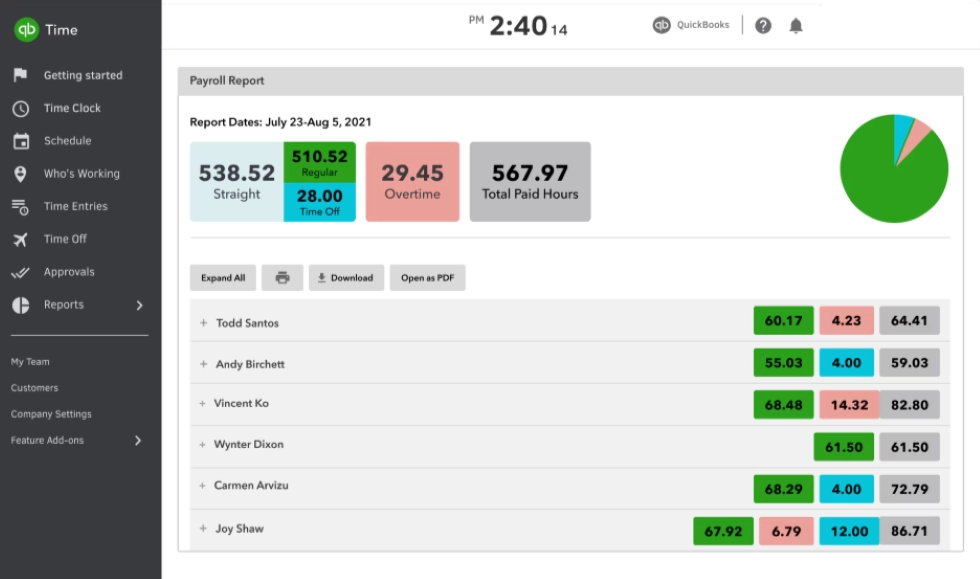
What to look for in a remote time tracking app
Automatic employee time tracking
Remote employees don't want to manually start and stop timers throughout the day. The best time-tracking apps automatically track employee time when workers log in and log out of their desktop or web app. This eliminates manual timesheet entry and gives you accurate data on hours worked across tasks, including overtime, without relying on self-reporting.Productivity monitoring (not surveillance)
There is a meaningful difference between productivity monitoring and surveillance. Tools that take screenshots every five minutes or log every keystroke on an employee's computer create adversarial relationships. A 2024 study found that 80% of workers already feel monitored to a moderate or high degree.
Remote vs. in-office comparison
If your company runs hybrid teams, you need reporting that compares remote and in-office team performance. A few tools use IP-based location tracking to identify whether employees are working from the office or remotely, then generate comparison reports on productivity, active time, and attendance. This reporting is critical for leadership to evaluate remote work policy based on real numbers instead of assumptions.Compliance features
Remote employees may work across state lines or internationally. This creates compliance challenges that most time tracking tools ignore. If your business operates in a regulated industry, look for software with built-in HIPAA-safe, GDPR-safe, or GLBA-safe modes. Also consider deployment options: cloud, on-premises, or private cloud. For healthcare and finance organizations, keeping employee time data on your own system may not be optional.WorkTime - HIPAA, GDPR, GLBA-safe monitoring!


Reporting and data export
Good reporting turns raw timesheet data into decisions. Look for time tracking tools that let you export data in multiple formats, generate custom reports by team or department, and schedule automatic delivery of weekly summaries. Advanced reporting features should include trend analysis to track whether productivity is improving or declining over time. The best tools also offer real-time reporting dashboards so managers can check team status without waiting for end-of-week reports.Integrations with project management tools
Remote teams already use project management tools like Asana, Trello, Monday.com, and Jira, as well as communication apps like Slack and Microsoft Teams. Your tracking software should be connected to these systems so employees don't have to switch between platforms to log time against tasks and projects. Assigning tasks in a project management app and tracking hours against them in your time tracker keeps everything aligned. Look for a web, desktop, and mobile app so team members can track time from any device.How does time tracking improve productivity for remote teams?
Time tracking doesn't just measure productivity. It helps improve productivity across your entire remote team. When employees know their active time, attendance, and output are being tracked, they naturally focus more during working hours. One company reported a 40% increase in productivity after implementing WorkTime, and a UK bank saw a 46% increase in active time in just 3 days.Improve employee performance - right now!
Can you track remote employees without hurting trust?
Yes, but the time tracking app you choose matters. A study found that 72% of employees are open to tracking when they're given transparency and access to their own account data. The problem isn't tracking itself. It's how it's done. Non-invasive tracking software that measures productivity instead of capturing screenshots or keystrokes maintains employee trust while giving managers the reporting they need.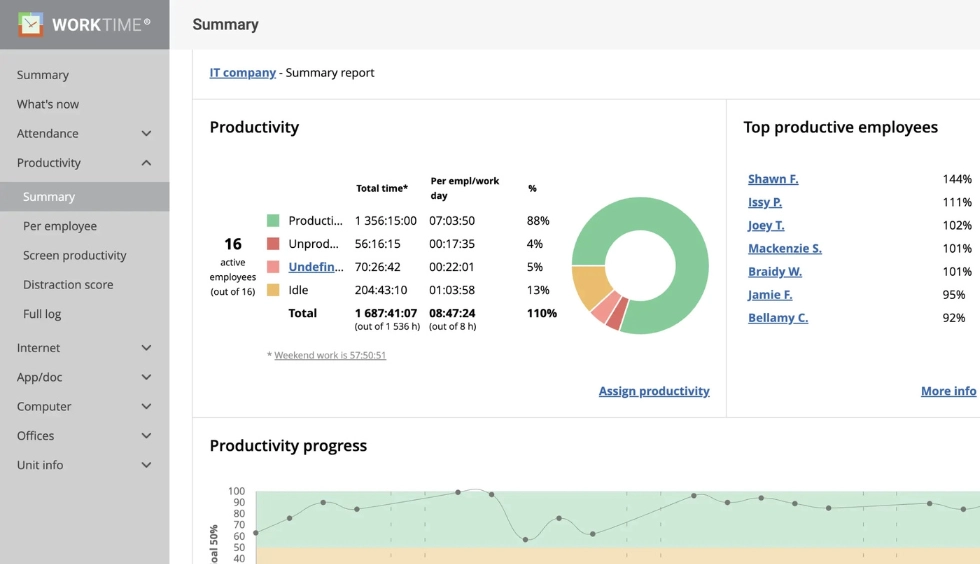

Get a clear view of screen productivity - no screenshots, no spying. WorkTime report includes an easy-to-read productivity % for transparent performance insights.
Start free trialStart tracking smarter
The best time tracking software for remote employees doesn't just count hours. It shows you how employee time translates into real work across projects and clients, helps you improve productivity by spotting problems early, and gives your team the transparency they need to focus and trust the process. If you're ready to track your remote team's productivity, attendance, and active time with a non-invasive time tracker, try WorkTime free for 14 days. All features, unlimited employees, no credit card required.Try WorkTime now!