
TL;DR
- WorkTime is the best employee time tracking app for non-invasive productivity monitoring, with built-in HIPAA, GDPR, and GLBA compliance modes.
- Employers lose about 4.5 hours per week per employee to time theft, making time tracking a financial priority, not just an operational one.
- 59% of workers feel digital tracking hurts trust at work, so the approach your tracking software takes to privacy matters as much as the features it offers.
- Compliance matters more than features for regulated industries. Built-in HIPAA, GDPR, and GLBA modes should be a requirement, not an afterthought.
- The best time tracking app is the one your team actually uses. A user-friendly interface and transparent approach drive adoption more than a long feature list.
In this article
The article is prepared by WorkTime, a feature-rich, privacy-friendly employee monitoring solution for modern teams.
Top 10 time tracking tools & software today
1. WorkTime: best for non-invasive employee monitoring
Best for: Companies in regulated industries (healthcare, finance, insurance, and government) and any organization that needs productivity tracking without invasive surveillance. WorkTime takes a fundamentally different approach to employee time tracking. Instead of screenshots, keystroke logging, or email monitoring, it tracks only productivity metrics. That makes it the only tool on this list with built-in compliance modes for HIPAA, GDPR, and GLBA. Key time tracking features:- Automated active/idle time tracking with detailed time logs
- Attendance monitoring with login/logout records
- Productivity monitoring with an AI-powered app and website scoring
- Remote vs. in-office productivity comparison (IP-based)
- Overtime and fraud detection for false overtime claims
- Burnout signs tracking to catch overworked employees early
- Software use monitoring to find unused licenses and reduce waste
- Screen productivity analyzer as a non-invasive alternative to screenshots
- 80+ report types covering employee time, productivity, and engagement
- Distraction score and job search detection.
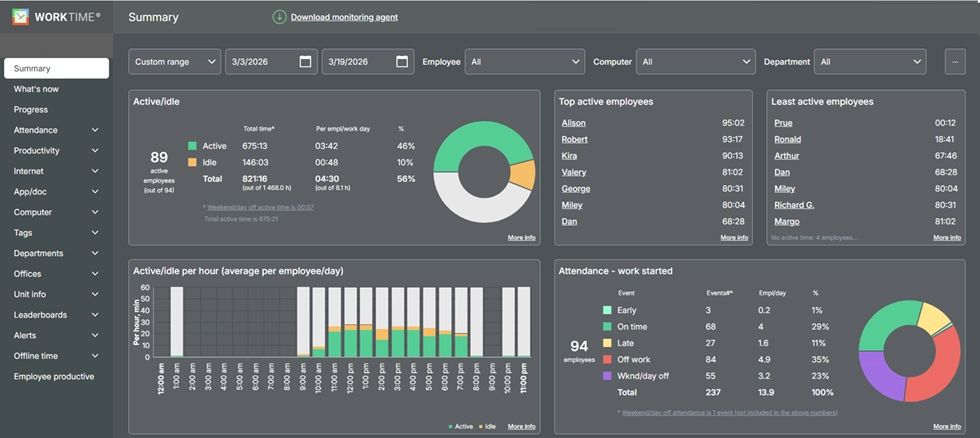
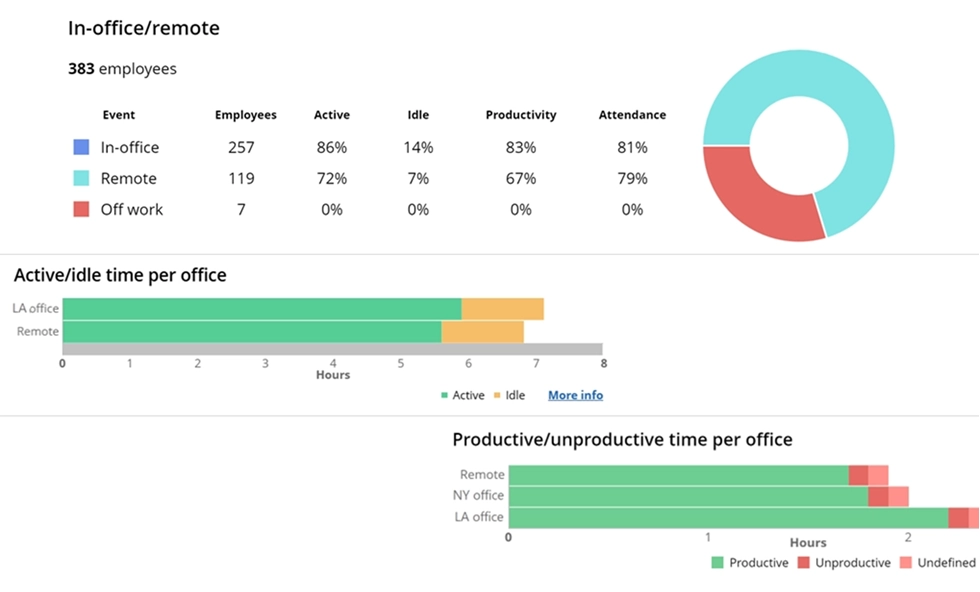

Understand how productivity varies by work location. The report displays productivity metrics and leading applications across in-office, at-home, and remote teams.
Start free trial


2. Toggl Track
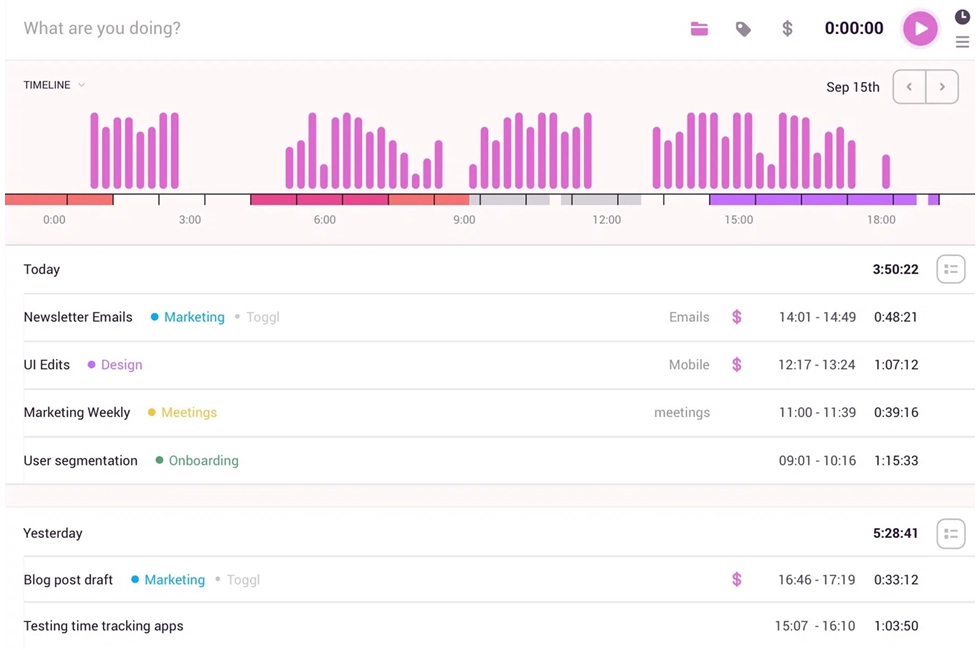
Best for: Small teams, freelancers, and agencies that need a clean time tracker tool without employee monitoring features. Toggl Track is one of the most popular time tracking tools on the market, and for good reason. Its user-friendly interface makes it easy for team members to track time on tasks and projects without a steep learning curve. Key features:- One-click timer and manual time entries
- Project and task management with tagging
- Billable hours tracking with customizable rates
- Reporting tools with project budgets and profitability insights
- Integrations with popular project management tools like Asana, Trello, Jira, and Slack
- Desktop app, web app, mobile apps, and browser extension
- Team management features with resource scheduling and team capacity planning.
3. Clockify
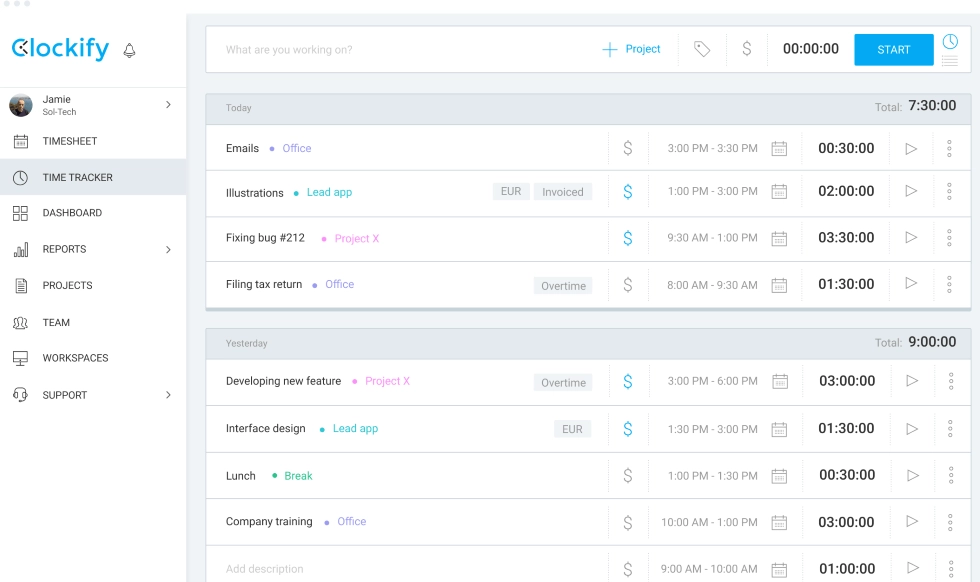
Best for: Budget-conscious small teams that need unlimited users on a free plan. Clockify offers the most generous free plan in the time tracking software market. Unlimited users and unlimited projects at no cost make it a strong starting point for teams testing the benefits of time tracking before committing to paid plans. Key features:- Timer and manual timesheet entry
- Project and task management with client tracking
- Billable and non-billable hours categorization
- Reporting tools and time logs export
- Integrations with Google Calendar, Trello, Asana, and 80+ other tools
- Desktop app (Windows, Mac, Linux), web app, and mobile apps
- Kiosk mode for shared devices.
4. Hubstaff
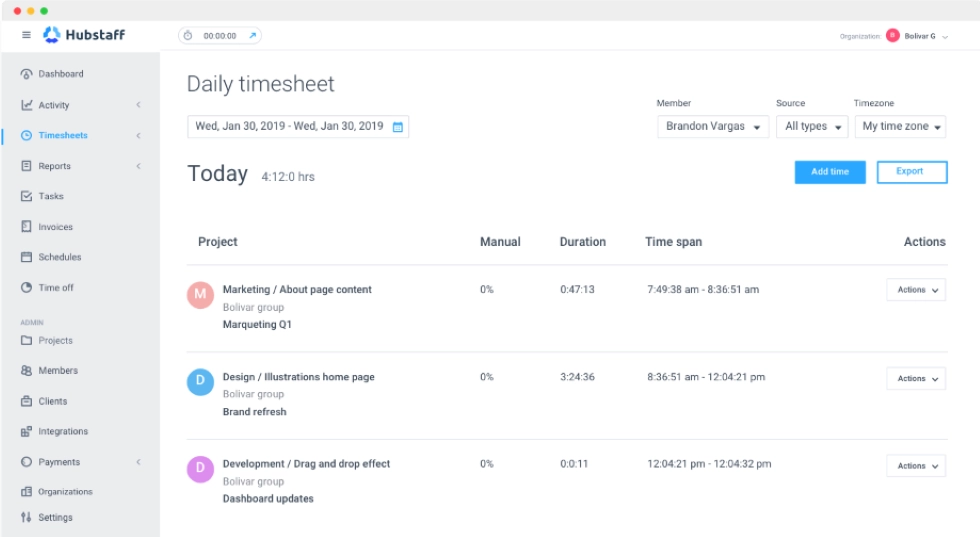
Best for: Remote teams, field service companies, and agencies that need location tracking and productivity insights for distributed workers. Hubstaff combines time tracking with employee monitoring features like activity levels, GPS tracking, and optional screenshots. It's designed for managers who need visibility into how remote teams spend their time. Key features:- Automatic time tracker with activity level monitoring
- GPS tracking and location tracking with geofencing
- Optional screenshots and app/URL tracking
- Automated timesheets and payroll integrations
- Project budgets and resource scheduling
- Integrations with Trello, Asana, Jira, QuickBooks, and more.
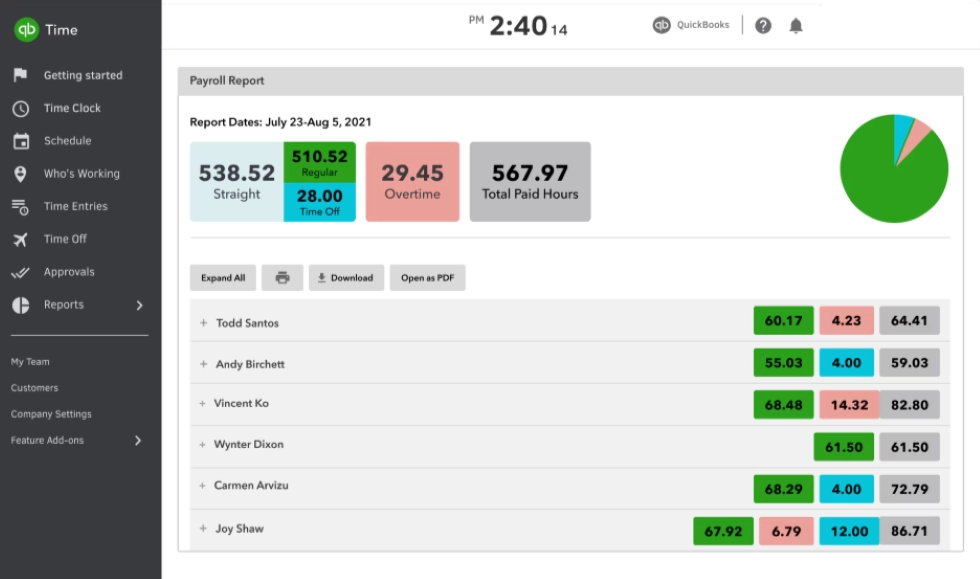
5. QuickBooks Time
Best for: Businesses already using QuickBooks for accounting that need seamless payroll and time tracking integration. QuickBooks Time (formerly TSheets) connects directly to the QuickBooks ecosystem. If your accounting runs on QuickBooks, this integration alone can save hours of manual data entry each pay period. Key features:- Clock-in/clock-out with mobile app, web app, or kiosk
- GPS location tracking and geofencing
- Scheduling and shift management
- Job costing and project time tracking
- Automated timesheet approvals
- Direct integration with QuickBooks Online and Desktop.
6. Time Doctor
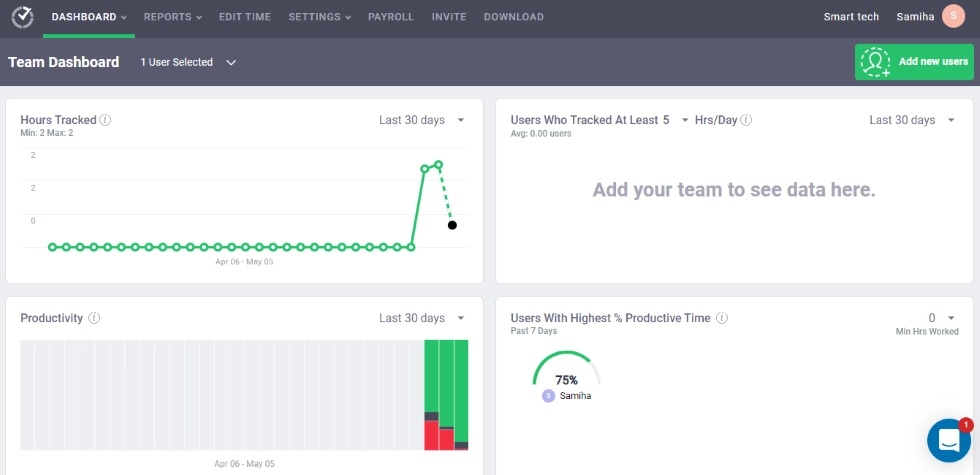
Best for: BPO companies, outsourcing agencies, and remote teams that need strict accountability with detailed productivity tracking. Time Doctor provides some of the most detailed activity monitoring on the market. It logs website and app usage, takes periodic screenshots, and measures keyboard and mouse activity to score employee productivity. Key features:- Automated time tracking with idle time detection
- Website and app usage tracking
- Periodic screenshots and screen recording
- Work/life balance monitoring widgets
- Distraction alerts and productivity insights
- Payroll integration and client billing.
7. Harvest
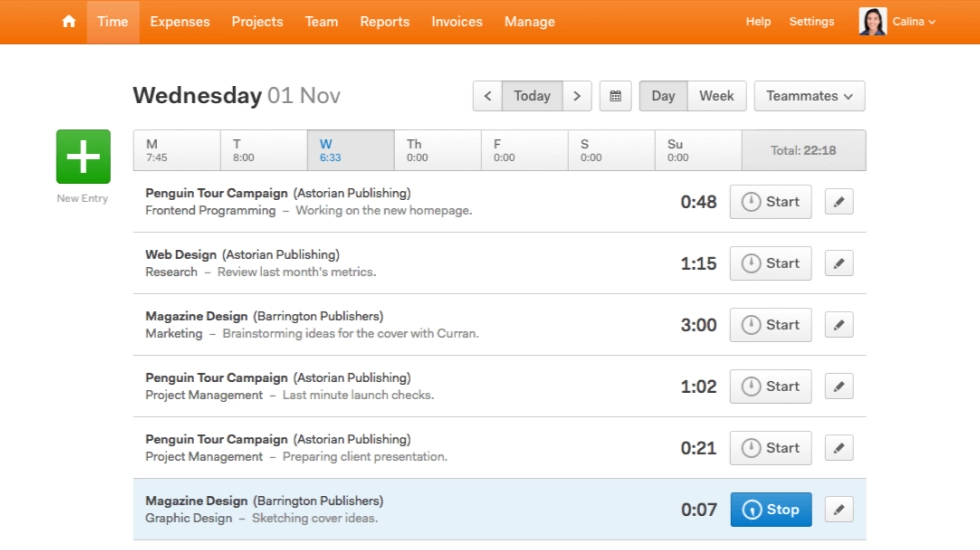
Best for: Agencies, consultants, and service businesses that need to track billable hours and create invoices from the same platform. Harvest connects time tracking directly to billing. You can log employee time on client projects and turn those hours into professional invoices without leaving the platform. Key features:- Timer and manual time entries across multiple projects
- Billable hours tracking with client-specific rates
- Built-in invoicing with Stripe and PayPal integration
- Project budgets with visual spend tracking
- Expense tracking
- Integrations with Asana, Trello, Slack, QuickBooks, and Xero
- Desktop app and browser extensions.
8. Connecteam
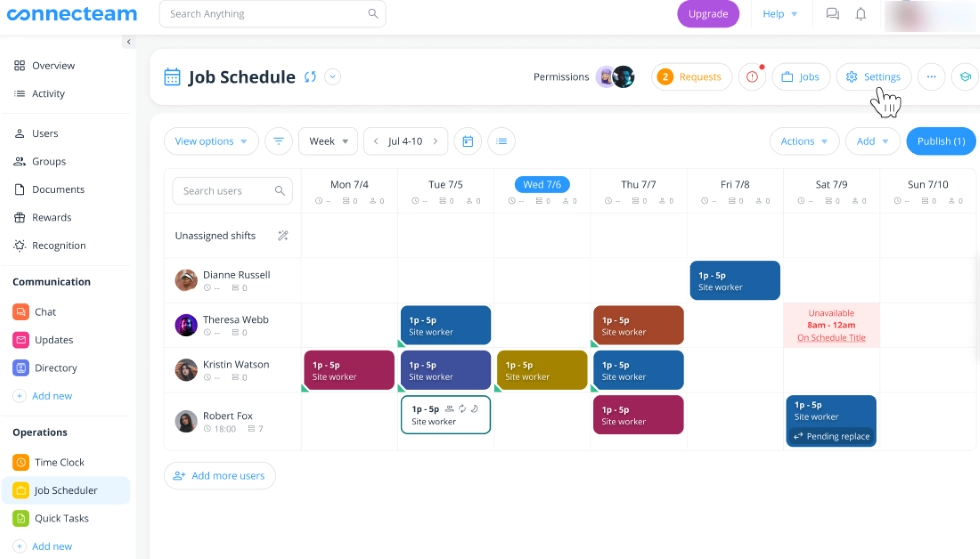
Best for: Businesses with deskless, mobile, or field-based employees who need clock-in/clock-out from any location with GPS tracking. Connecteam is an all-in-one platform that combines time tracking, team management, and communication tools in a single app. Connecteam is built for teams that don't sit at desks. The combination of time tracking, scheduling, and communication in one app reduces the need for multiple tools. Geofencing ensures employees can clock in only from approved locations, supporting attendance tracking across job sites. Key features:- Mobile time clock with GPS tracking and geofencing
- Automated timesheets with overtime and break calculations
- Employee scheduling with shift management
- Task management and digital forms
- Team communication tools (chat, announcements)
- Integrations with Gusto, QuickBooks, Xero, Paychex, and Google Calendar.
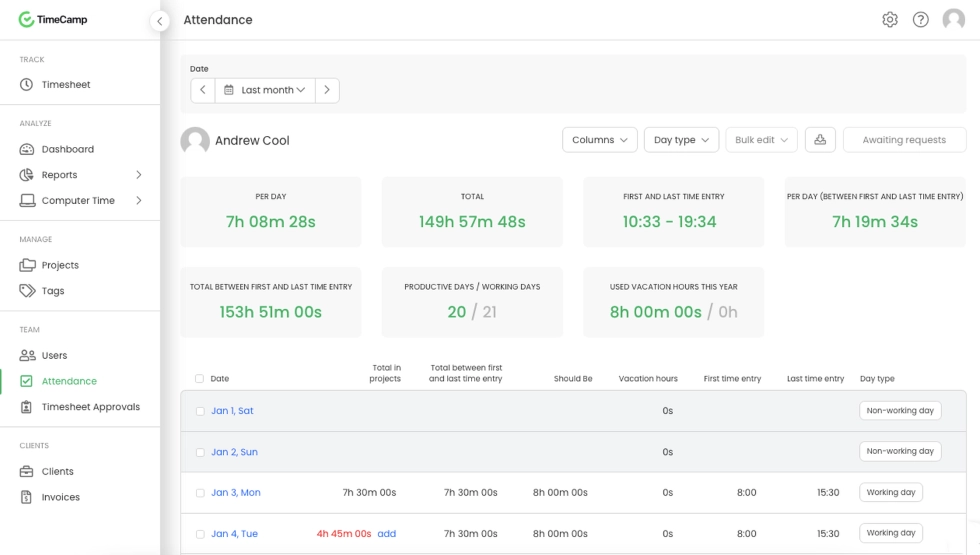
9. TimeCamp
Best for: Teams that want automated time tracking based on desktop activity without relying on manual timers or time entries. TimeCamp's standout feature is its keyword-based automatic time tracker. The desktop app runs in the background and automatically assigns time to projects based on the apps, websites, and documents you're working on. That means less manual logging time and more accurate time logs. Once you set up keywords for your projects, the tool recognizes what you're working on and assigns time accordingly. This is ideal for teams where logging time manually is a constant struggle. Key features:- Automatic time tracking based on keywords and desktop activity
- Manual timer and timesheet options
- Billable hours tracking with invoicing
- Project budgets and profitability reports
- 100+ integrations with popular project management tools like Trello, Asana, Jira, and ClickUp
- Desktop app (Windows, Mac, Linux), web app, browser extension, and mobile apps
- Attendance tracking with timesheet approvals.
10. Jibble
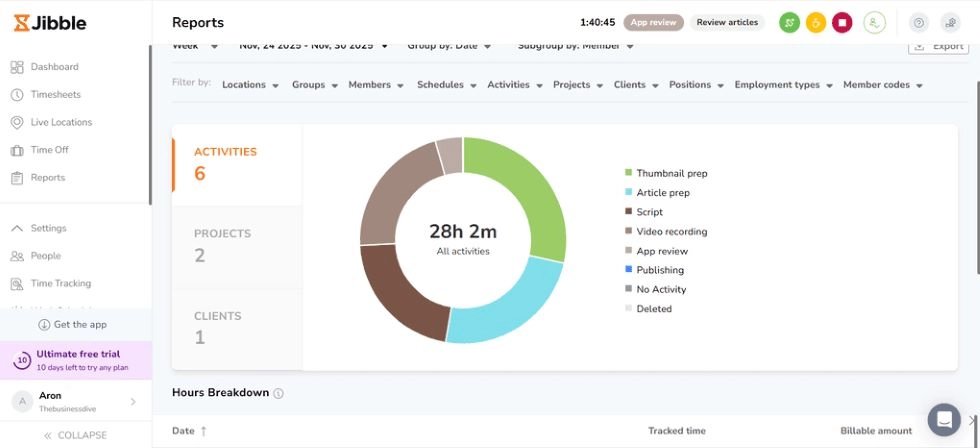
Best for: Small teams and growing businesses that need a full-featured free time tracking app with facial recognition and attendance tracking. Jibble positions itself as a focused time clock and attendance tracking tool. The free plan is among the most generous on the market, offering unlimited users with core time-tracking features, facial recognition, and basic reporting. Key features:- Clock-in/clock-out via mobile, desktop app, web app, Slack, or Microsoft Teams
- Facial recognition for identity verification (prevents buddy punching)
- GPS tracking and geofencing
- Automated timesheets with overtime and break calculations
- Project and activity time tracking
- Integrations with QuickBooks Online, Xero, Deel, Zapier, and Google Calendar
- Available in 12+ languages.
Here’s a quick glance
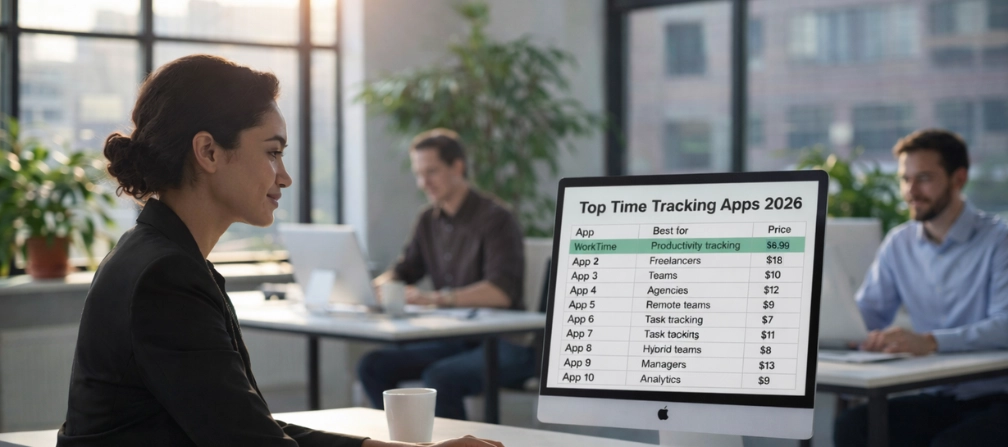
| Tool | Best for | Pricing | Free plan | Deployment |
|---|---|---|---|---|
|
Non-invasive productivity monitoring |
From $6.99/user/mo |
Yes (3 employees) |
Cloud, on-premise, private cloud |
|
|
Toggl Track |
Simple time logging |
From $10/user/mo |
Yes (5 users) |
Cloud |
|
Clockify |
Free time tracking |
From $6.99/user/mo |
Yes (unlimited users) |
Cloud |
|
Hubstaff |
Remote team management with GPS tracking |
From $7/user/mo |
Yes (1 user) |
Cloud |
|
QuickBooks Time |
QuickBooks payroll integration |
From $8/user/mo + $20 base |
No |
Cloud |
|
Time Doctor |
Activity monitoring with screenshots |
From $7/user/mo |
No |
Cloud |
|
Harvest |
Client billing and invoicing |
From $11/user/mo |
Yes (1 seat) |
Cloud |
|
Connecteam |
Deskless and field team management |
From $29/mo (up to 30 users)) |
Yes (up to 5 users) |
Cloud |
|
TimeCamp |
Automated time tracking |
From $5.49/user/mo |
Yes (unlimited users) |
Cloud |
|
Jibble |
Free time clock with facial recognition |
From $4.49/user/mo |
Yes (unlimited users) |
Cloud |
How to choose the right time tracking app
The time-tracking software market is worth billions and growing rapidly, making it more competitive than ever. Here's how to narrow it down.1. Start with your actual need
Time tracking apps fall on a spectrum. On one end, you have simple timers that track hours. On the other hand, you have employee-monitoring software that captures screenshots and logs keystrokes. Where your team falls on this spectrum depends on your needs and priorities. With WorkTime, you get comprehensive productivity insights in a transparent, non-intrusive, and privacy-respectful way.2. Check compliance requirements
If you're in healthcare, finance, insurance, or government, your time-tracking software must support regulatory compliance. HIPAA, GDPR, and GLBA all have specific requirements for how employee data is collected and stored. WorkTime's compliance features are built in. Most other tools on this list don't address compliance.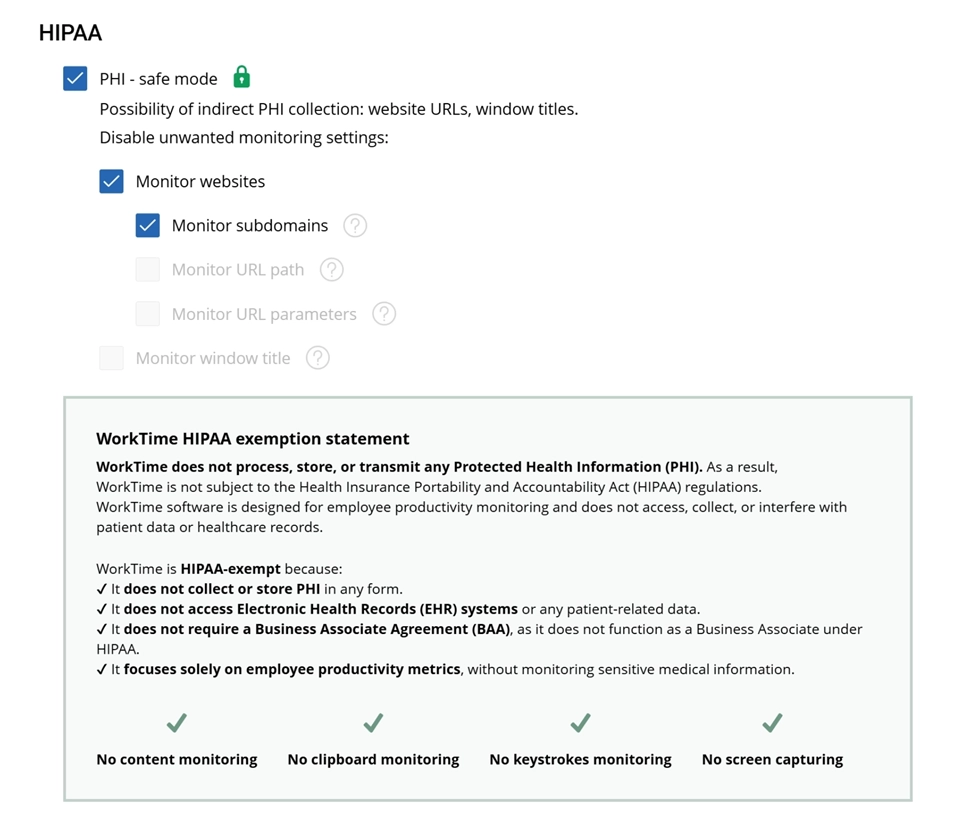

WorkTime HIPAA-safe mode ensures sensitive data is fully protected, preventing any indirect collection of HIPAA-related information.
Start free trial3. Consider deployment options
Most time tracking tools are cloud-only. If your organization handles sensitive data and needs on-premise deployment, your options narrow significantly. WorkTime offers cloud, on-premise, and private cloud options. This is especially relevant for healthcare and finance companies subject to data sovereignty requirements, where employee hours and work data must stay on internal servers.4. Think about employee adoption
Only 17% of people actively track their time (FinancesOnline). If your tool is complicated, invasive, or annoying, employees won't use it consistently. The best time tracking app is the one your team actually adopts. Look for a user-friendly interface, responsive customer support, and a transparent approach that builds trust rather than suspicion. Introducing WorkTime is easy because there’s nothing to hide. Its green monitoring model is ethical, fully transparent, and keeps employee trust intact while providing actionable productivity insights.
5. Evaluate total cost
Free plans are great for small teams with basic features. But as you scale, per-user pricing adds up fast. Factor in training time, integration costs, and the hidden cost of employee resistance if you choose an overly invasive tool. A tool that costs slightly more but gets higher adoption will deliver better ROI.Time tracking vs. employee monitoring
Time tracking apps simply log hours. Employees start a timer, stop it, and submit time entries. The data tells you how many hours someone worked, but not how productive those hours were. Employee monitoring software captures detailed activity data, including screenshots, keystroke logs, website visits, and application usage. This provides deep visibility but raises serious privacy concerns. WorkTime is a non-invasive, all-in-one monitoring solution built for productivity, from tracking time and apps to analyzing performance trends. It automatically tracks active time, idle time, app and website usage, and productivity scores without capturing personal content. No screenshots. No keystroke content. No email or chat data. For teams in regulated industries or companies that value employee trust, this approach is often the best fit.Do employees really need to be tracked?
The data says yes, but the method matters. Office employees are productive only about 60% of the time. Employers lose roughly 4.5 hours per week per employee to time theft. According to a survey, 49% of employees have admitted to time theft. At the same time, 60% of large employers now use monitoring tools, a number expected to reach 70% (Gartner), but heavy-handed approaches backfire. When monitoring feels like surveillance, employees game the system rather than improve performance. They move the mouse to look active. They open tabs they don't need. They disengage mentally even while appearing busy.
Final thoughts
The best employee time tracking app depends on what you're trying to solve. For non-invasive, compliant productivity monitoring, WorkTime is the best choice. Whatever you choose, prioritize tools that your team will actually use. Track time to improve work, not to police people, and you'll see better results across the board. Try WorkTime free for 14 days to see how non-invasive employee monitoring can improve productivity, attendance, and active time for your team.