


TL;DR
- The Screen Recording permission is the Mac tax. Every screenshot-based monitoring tool needs it. And without it, macOS returns blank or black captures even when the feature looks like it is working.
- Apple Silicon support is now a hard requirement. Rosetta 2 is being phased out starting with macOS 26.4, so an Intel-only agent that leans on Rosetta is a forward-looking liability.
- Non-invasive tools skip the most-resented permission. Monitoring that reads only metadata (active and idle time, app and website use, attendance) needs no Screen Recording grant, so there is nothing for employees to refuse.
- Feature parity is not guaranteed on a Mac. Several Windows-first tools ship a reduced macOS agent. Teramind states outright that its Mac client has limited functionality.
- Compliance is the real differentiator for regulated fleets. For healthcare, finance, legal, and government Macs, HIPAA, GDPR, and GLBA-safe modes matter more than how many screenshots a tool can take.
In this article
WorkTime is non-invasive employee monitoring software for Windows and macOS, delivering comprehensive performance analytics without screenshots or keystroke logging.
Top 8 Mac employee monitoring software tools
Here is how the eight options compare on the four things that decide a Mac rollout: the native agent, the Screen Recording permission, macOS support, and price. Prices are per user per month as of August 2026. Verify current tiers on each vendor's pricing page before you buy.| Tool | Best for | macOS support | Needs Screen Recording permission | Starting price |
|---|---|---|---|---|
|
WorkTime |
Non-invasive monitoring on compliant Mac fleets |
Native Windows + macOS client |
No |
Free / $6.99 |
|
ActivTrak |
Screenshots on a fully native Apple Silicon agent |
Universal, macOS 10.14+ |
Yes |
Free / $10 |
|
Teramind |
Insider-threat and data-loss prevention |
Reduced, macOS 12.7.6+ |
Yes |
$21 |
|
Hubstaff |
Payroll and scheduling for hourly teams |
macOS 11+, via Rosetta |
Optional |
Free / $7 |
|
Time Doctor |
Real-time distraction and idle alerts |
Native, macOS 11+ |
Optional |
$8 |
|
DeskTime |
Automatic project time tracking on small teams |
Native, macOS 11+ |
Optional |
$7 |
|
Insightful |
Staffing and capacity workforce analytics |
Native, macOS 12+ |
Yes |
$8 |
|
HiveDesk |
Timer-based tracking on a lean budget |
Native, macOS 10.8+ |
Yes |
$5 |
1. WorkTime: best for non-invasive monitoring on compliant Mac fleets
WorkTime is our non-invasive employee monitoring software, with a native Windows and macOS client. We capture no screenshots, no keystroke content, no screen recording, and no email or chat content. Instead, we track active and idle time, attendance, app and website use, and per-employee productivity scores from metadata alone. On a Mac, that design pays off directly: with nothing to capture from the screen, we never request the Screen Recording permission that trips up every screenshot-based rival on this list.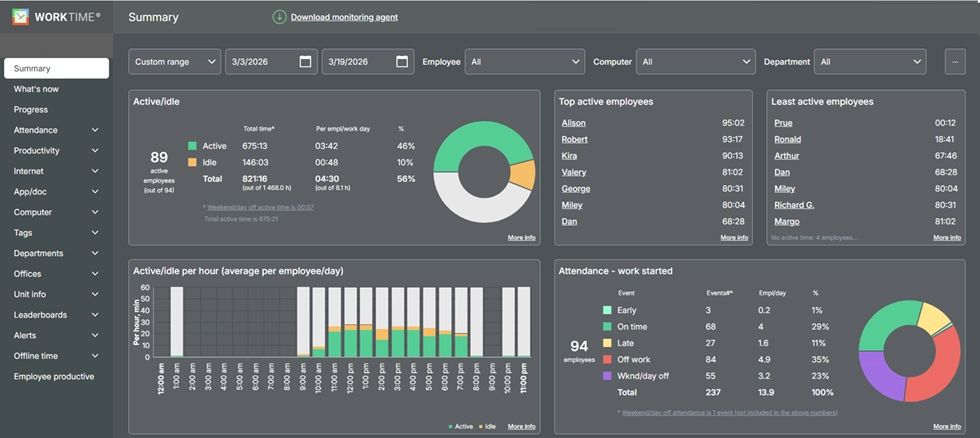
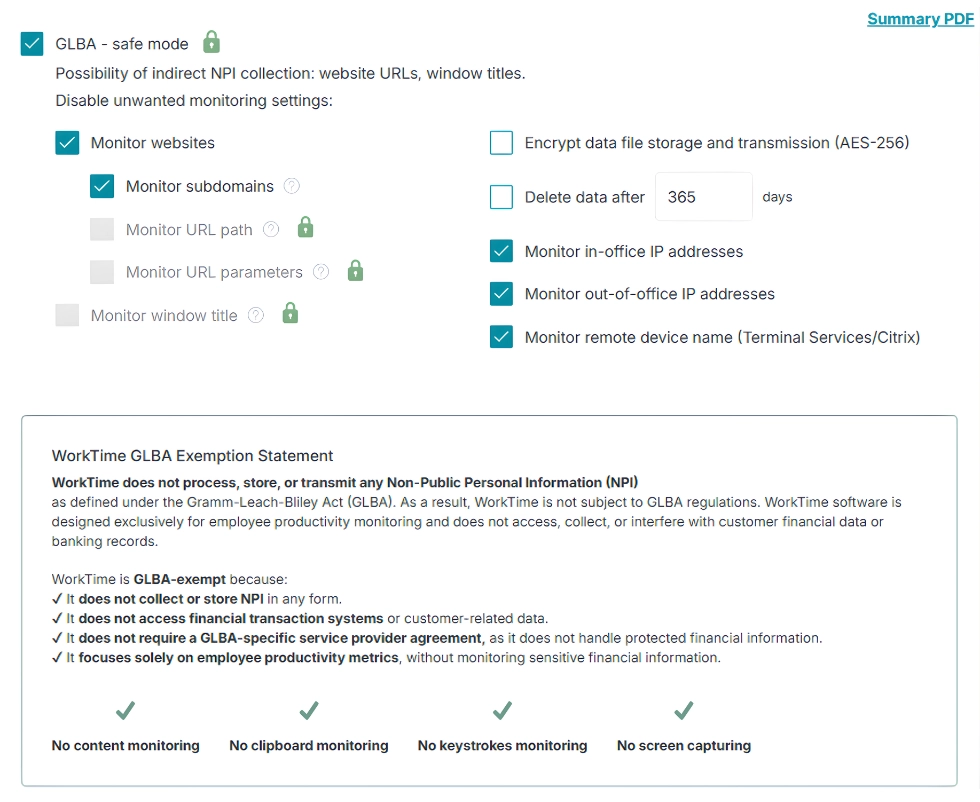

GLBA-safe mode adds an extra privacy layer by restricting data that could indirectly contain NPI, helping organizations maintain a transparent approach to employee monitoring.
Start free trial- Best for: HR, IT, and compliance teams monitoring Macs that handle sensitive data.
- Not for you if: you specifically want screenshots or screen video. We do not take them by design, and that is the entire point. WorkTime's non-invasive screen productivity analyzer focuses on how work is progressing, not what is displayed on the screen, turning activity into useful metrics while keeping personal content out of the picture.
- Proof: a UK bank with 170 employees raised active time 46% within three days of turning WorkTime on.
- Price: a free plan covers up to 3 employees, and Basic starts at $6.99 per employee per month, with full plan details on the pricing page. A 14-day free trial of all features runs with no credit card.


2. ActivTrak: best for screenshots on a fully native Apple Silicon agent
ActivTrak has one of the cleanest native Mac agents among screenshot-based tools. Its macOS agent ships as a universal binary that runs natively on both Apple Silicon and Intel Macs with no Rosetta dependency on macOS 10.14 and later. If you want optical screenshots and activity analytics on modern M-series hardware, this is the strongest native build in the group.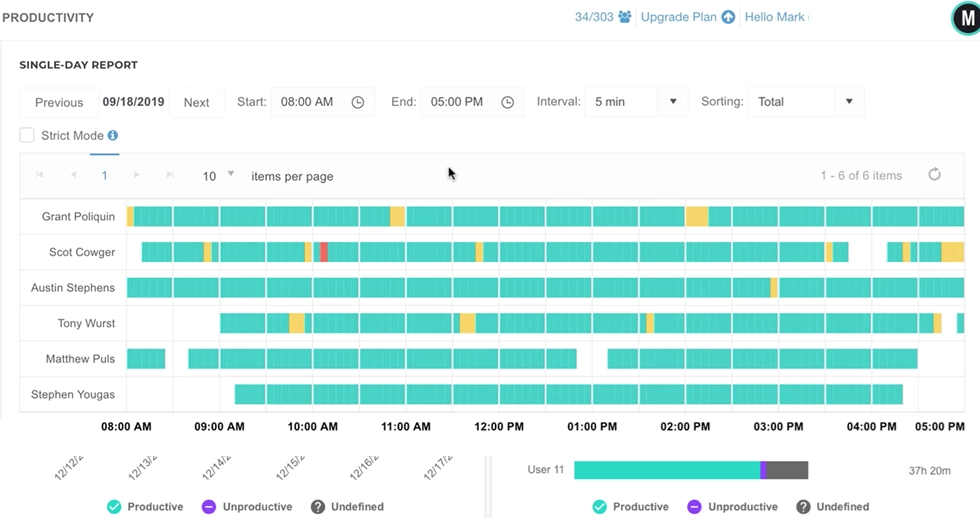
- Best for: teams that want screenshots and want them running natively on Apple Silicon.
- Not for you if your legal or compliance team has ruled out screen capture on employee Macs.
- Price: free for up to 3 users, then $10 per user per month for Essentials.
3. Teramind: best for insider threat and data loss prevention
Teramind is the heavyweight for insider threat detection and data loss prevention, with deep screen recording, keystroke logging, OCR, and policy rules. Founded in 2014 in Aventura, Florida, it is built for security teams that need forensic detail, not just a productivity dashboard. It rates 4.6 out of 5 on G2 across roughly 150 reviews.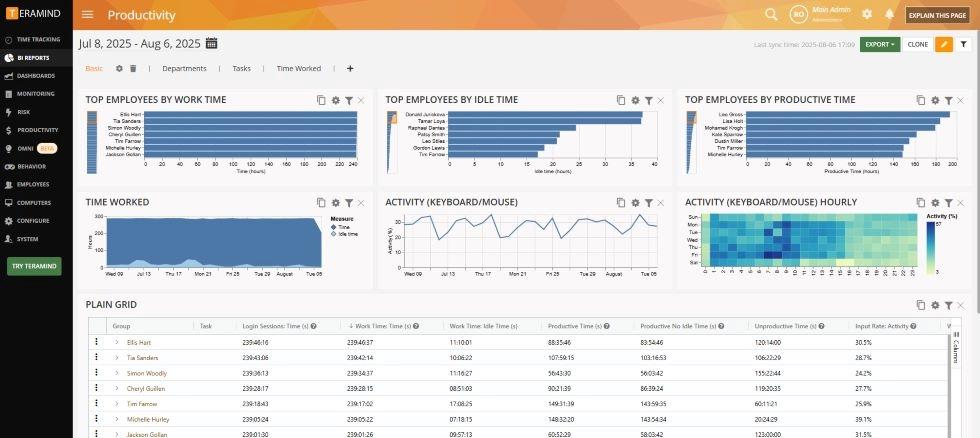
- Best for: security teams running formal DLP or insider-risk programs.
- Not for you if your fleet is Mac-heavy and you expect the same feature set macOS users get on Windows.
- Price: from about $21 per user per month. Confirm the current entry tier before you commit.
4. Hubstaff: best for payroll and scheduling on hourly teams
Hubstaff pairs time tracking with scheduling, invoicing, and payroll, so hours flow straight into pay for hourly and field teams. Founded in 2012 in Indianapolis and bootstrapped without outside funding, it carries a large review base: 4.4 out of 5 on G2 across more than 2,300 reviews.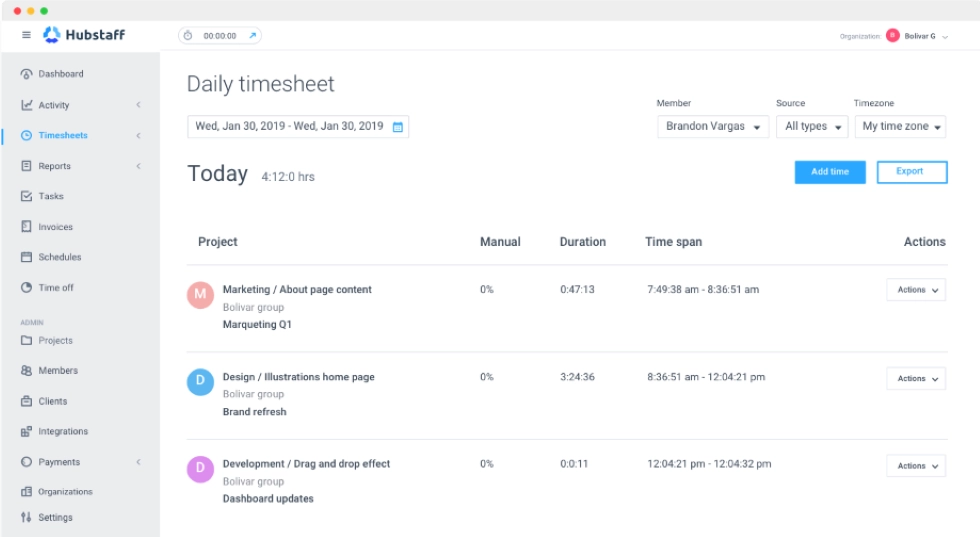
- Best for: hourly or contractor teams that run payroll off tracked time.
- Not for you if you want a fully native Apple Silicon agent today.
- Price: free for a single user, then $7 per user per month for Starter.
5. Time Doctor: best for real-time distraction and idle alerts
Time Doctor keeps individual contributors on task with real-time idle prompts and distraction alerts, plus optional screenshots and screencasts. Founded in 2012 by Rob Rawson and Liam Martin, it is a mature product with a native Mac agent on macOS 11 and later. It rates 4.4 out of 5 on G2 across more than 470 reviews.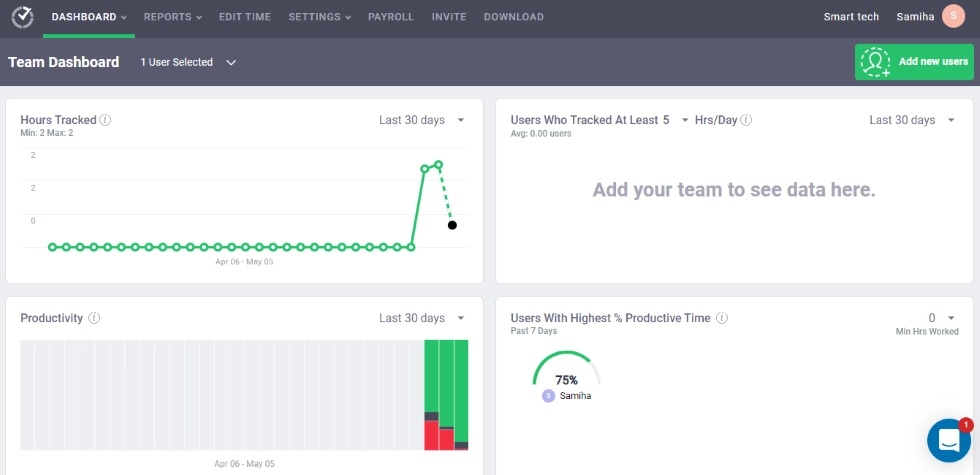
- Best for: managers who want gentle real-time nudges rather than passive reports.
- Not for you if you want minimal permission prompts on employee Macs.
- Price: from $8 per user per month for Basic.
6. DeskTime: best for automatic project time tracking on small teams
DeskTime does automatic time tracking well, sorting time into projects and productive versus unproductive apps with little manual input. Launched in 2011 by Latvia's Draugiem Group, the company behind the Draugiem.lv social network, it runs natively on macOS 11 and later. It rates 4.5 out of 5 on G2 across around 400 reviews.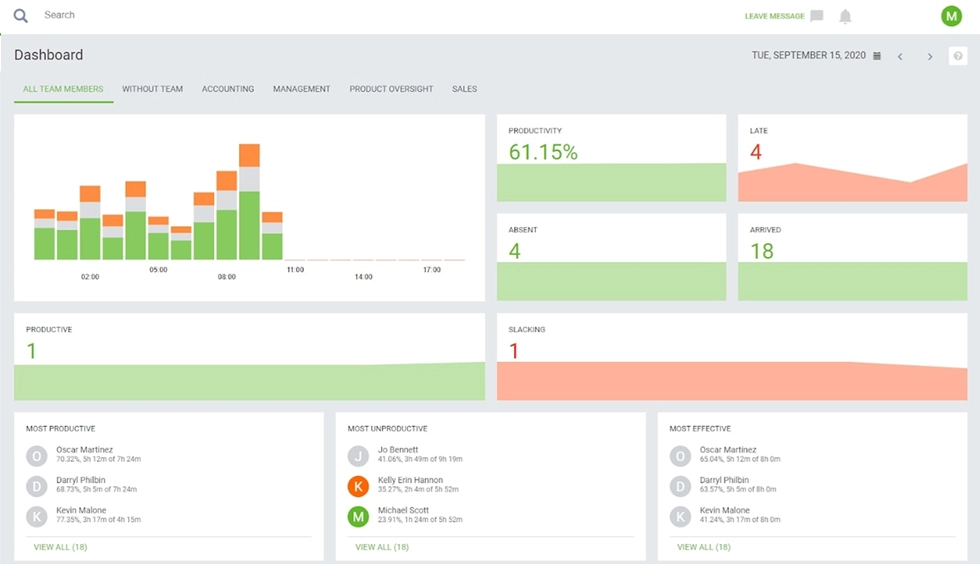
- Best for: small teams that want automatic time and project tracking, screenshots optional.
- Not for you if you run a large fleet that needs same-week support for every new macOS version.
- Price: from $7 per user per month for Pro.
7. Insightful: best for staffing and capacity workforce analytics
Insightful, formerly Workpuls, is built around workforce analytics for staffing and capacity planning: where hours go, who is overloaded, and how teams compare. Launched in 2016 and rebranded to Insightful in April 2022, it runs a native Mac agent on macOS 12 and later. The rating is 4.8 out of 5 on Capterra across 185 reviews.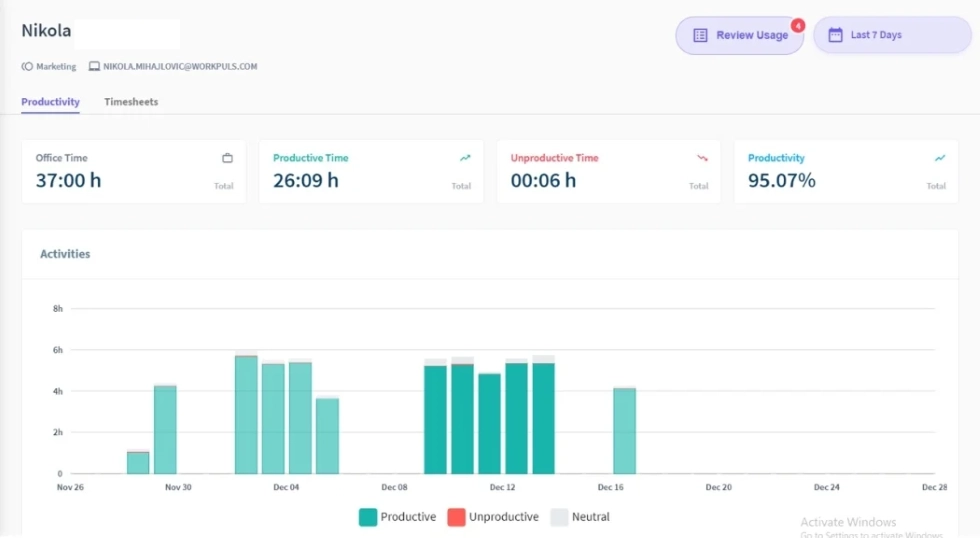
- Best for: operations leaders modeling staffing and capacity from activity data.
- Not for you if you need a screenshot-free deployment out of the box.
- Price: Workforce Analytics from $8 per user per month.
8. HiveDesk: best for timer-based tracking on a lean budget
HiveDesk is a native macOS menu-bar app that tracks time and takes screenshots only while the timer is running, at the lowest price on this list. Founded around 2010 in Louisville, Kentucky, it runs natively on both Apple Silicon and Intel on macOS 10.8 and later. It rates 4.4 out of 5 on Capterra, though from a small base of 27 reviews.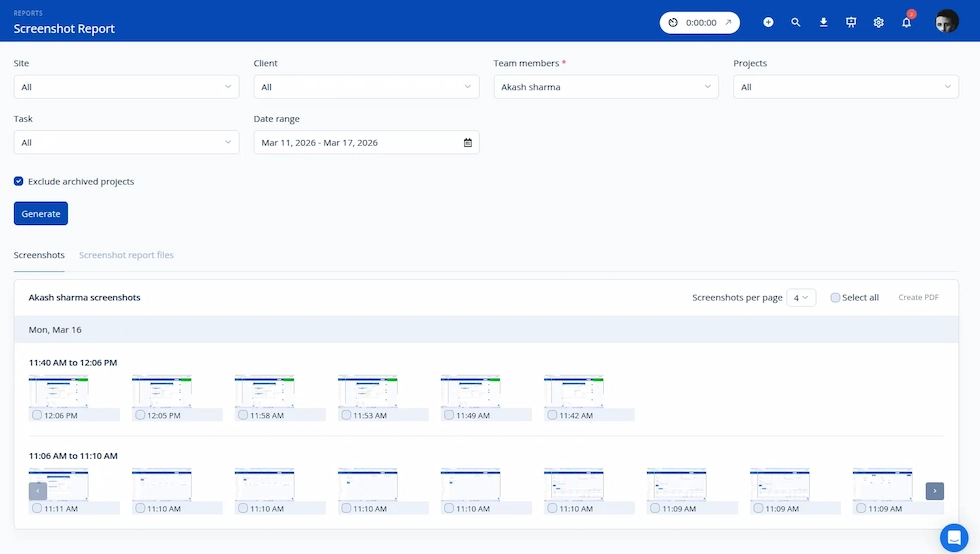
- Best for: small teams that want native, timer-based Mac tracking at the lowest cost.
- Not for you if you need productivity analytics or compliance modes beyond basic tracking.
- Price: $5 per user per month, flat.
What makes monitoring software different on macOS
macOS treats monitoring apps far more strictly than Windows does, and two differences decide which tools deploy cleanly: the permission model and the chip.1. The macOS permission model (TCC) gates every capture
Since macOS Mojave in 2018, monitoring apps must be granted specific permissions, per app, in System Settings under Privacy & Security. The four that matter are Screen Recording (any screenshot or screen capture), Accessibility (window titles and keystroke context), Input Monitoring (keyboard and mouse), and Full Disk Access (file data). A tool that installs silently on Windows will prompt for these on a Mac or quietly fail to capture if they are never granted. Apple's own guidance confirms that screen capture requires explicit Screen Recording permission, and that is the permission employees resent most and the one that returns blank captures when missing.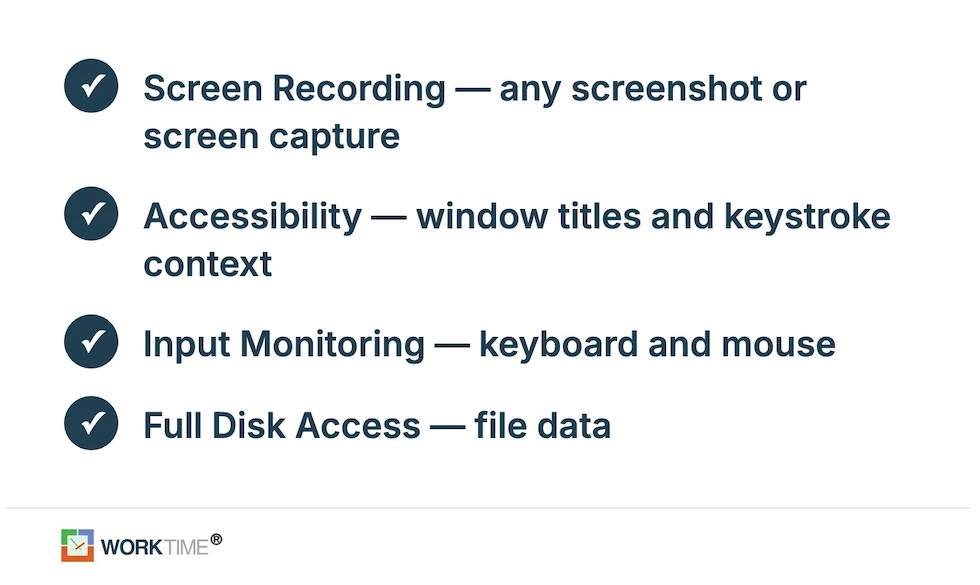
2. Apple Silicon is now table stakes
A native agent is compiled as a universal binary that runs directly on M-series chips. An Intel-only agent runs through Rosetta 2, Apple's translation layer, which uses more battery and is on its way out. Rosetta 2 is being phased out, with warning prompts arriving in macOS 26.4 and general support ending in a later release. Any agent that still ships Intel-only faces a compatibility cliff, so native Apple Silicon support has moved from a nice-to-have to a requirement.3. Feature parity is not automatic
A tool's Mac agent often does less than its Windows agent, so confirm the specific feature you are buying works on macOS before you standardize on it. This is where a non-invasive approach changes the math. A tool that captures no screen content needs no Screen Recording permission, which removes the most friction-prone step from the rollout. WorkTime's active and idle time tracking and Screen Productivity Score deliver the productivity signal teams act on, measured from metadata rather than pixels.How to deploy monitoring on a Mac fleet
Deploying to Macs at scale means solving permissions before employees ever see a prompt. There are two paths.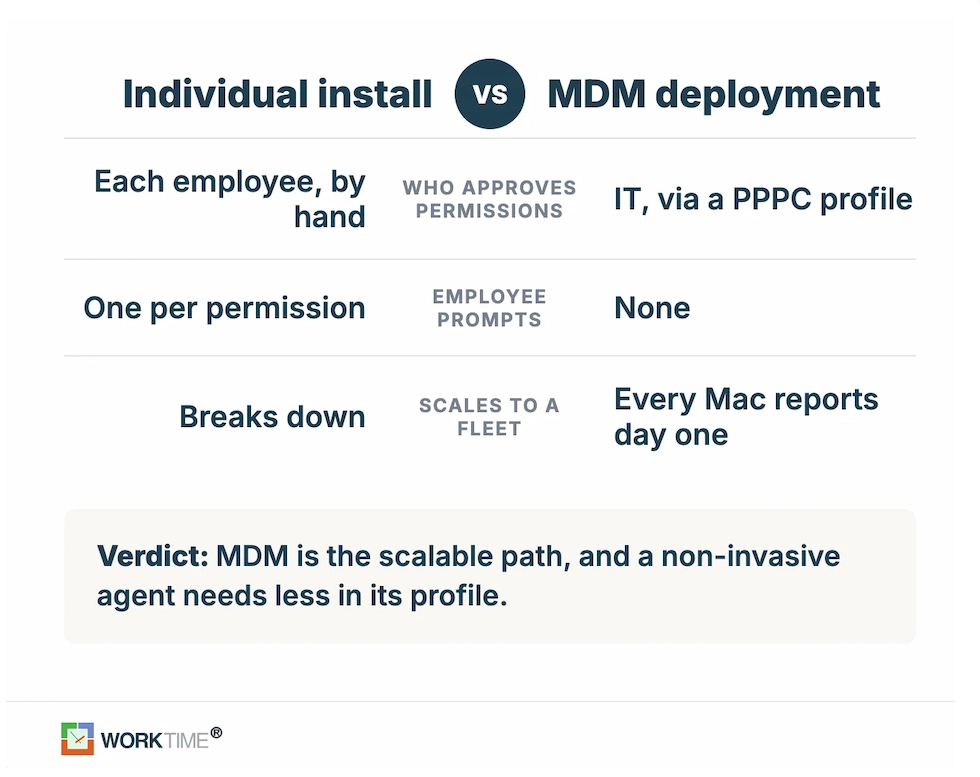
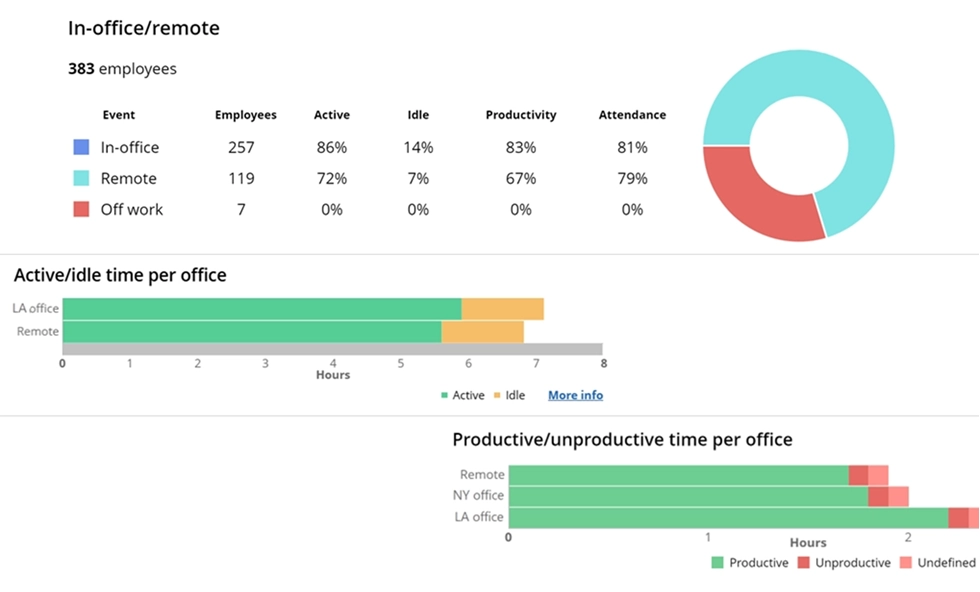
Analyze workforce performance across multiple work environments.
Book demo
This WorkTime report provides transparent insights into productivity across office, home, and remote teams by comparing attendance, productivity scores, and application usage.
Start free trialCompliance for regulated Mac fleets
For regulated industries, the compliance question outranks every feature, and it is the one area no screenshot tool answers well. A screen capture of a patient record, an account balance, or privileged client work is itself the liability, which is why healthcare, finance, legal, and government teams often cannot run screenshot-based monitoring on Macs that touch sensitive data. Non-invasive monitoring removes that exposure at the source. With no screen content captured, there is no sensitive image to store, leak, or hand to an auditor. WorkTime pairs that design with a full compliance stack: HIPAA-safe, GDPR-safe, and GLBA-safe modes on Enterprise, and AES-256 encryption. Pairing a native cross-platform agent with that depth of compliance coverage is rare, which is what makes us a safe default for regulated Mac fleets.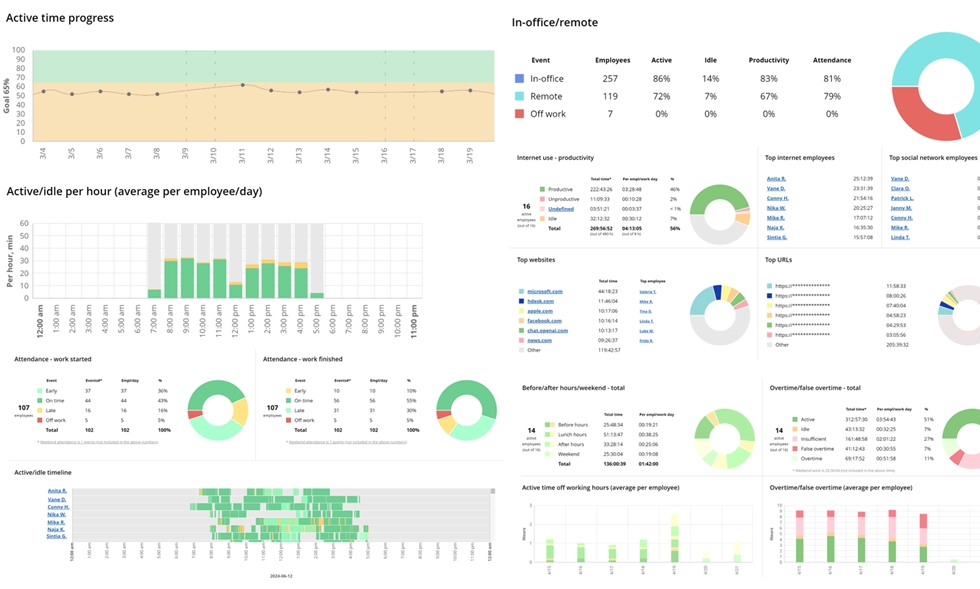

WorkTime offers 80+ comprehensive reports that turn employee activity into transparent performance insights without capturing personal data.
Start free trialHow to tell if your Mac is being monitored
You can usually tell in a few minutes. Open System Settings and check for a device management profile, which signals a company-managed Mac. Look at Login Items for software that launches at startup, review Activity Monitor for unfamiliar background processes, and check Privacy and Security to see which apps hold Screen Recording, Accessibility, or Input Monitoring permissions. That so many people search for these points to the real tension in monitoring. In a US workforce survey, only 19% of workers said their company is not using employee tracking software, so for most employees the question is not whether they are monitored but how. Employees mind covert screen capture far more than disclosed productivity metrics, and transparent, non-invasive monitoring is the answer to that anxiety: when a tool cannot read messages or capture the screen, there is far less to hide and far less to resent. Some US states also require before monitoring workplace communications, so treat disclosure as a fit consideration and confirm the rules that apply to your workforce.The bottom line
On a Mac, the monitoring decision comes down to three things: whether the agent runs natively on Apple Silicon, which permissions it forces your employees to grant, and whether it clears your compliance bar. For teams that want workforce visibility without that permission or the legal exposure of screen captures, WorkTime is the non-invasive Mac employee monitoring software built for exactly that trade-off. We turn activity metadata into productivity insights through a non-invasive approach backed by more than 26 years of experience. If non-invasive is that bar, you can try WorkTime free for 14 days with no credit card or book a demo to see it on your own Macs first.