


TL;DR
- Controlio includes features such as screen recording, keystroke logging, and email and printing capture. For organizations that prioritize employee privacy, an approach based on activity analytics rather than content capture may be a better fit.
- The real decision is invasive versus non-invasive, not a feature count. Decide which side of that line you belong on before you compare dashboards.
- Non-invasive monitoring removes the compliance liability at the source. When no screen is captured, there is no image of a patient record or an account balance to store, leak, or hand an auditor.
- WorkTime offers a privacy-first monitoring approach, using measurable productivity and activity data to provide workforce visibility without screenshots, screen recording, or keystroke content.
In this article
Top 9 Controlio alternatives
Here is how the nine options compare on the one axis that decides most switches from Controlio: what the tool captures, what it starts at, and how buyers rate it. Prices are per user per month as of August 2026. Confirm current tiers on each vendor's own pricing page before you buy.| Tool | Best for | What it captures | Starting price |
|---|---|---|---|
|
WorkTime |
Non-invasive monitoring & in-depth performance analytics |
Metadata only. No screenshots, no keystroke content, no recording |
Free / $6.99 |
|
Teramind |
Insider-threat prevention and DLP |
Screen recording, keystrokes, OCR, policy rules |
$21 |
|
ActivTrak |
Productivity analytics without screen recording |
Metadata, screenshots optional |
Free / $10 |
|
Hubstaff |
Remote and field teams running payroll off hours |
Time, GPS, screenshots optional |
Free / $7 |
|
Time Doctor |
Time tracking with real-time distraction alerts |
Time, screenshots and screencasts optional |
$8 |
|
Insightful |
Workforce analytics and hybrid capacity planning |
Screenshots on base plan, activity data |
$8 |
|
DeskTime |
Automatic time tracking on small teams |
Time and app use, screenshots optional |
$7 |
|
Veriato |
Forensic investigations and behavioral risk scoring |
Screen recording, keystrokes, AI risk scoring |
$18 |
|
Kickidler |
Live screen viewing on a tight budget |
Live screen video, keystrokes |
from ~$5 |
1. WorkTime: best for non-invasive monitoring & in-depth performance analytics
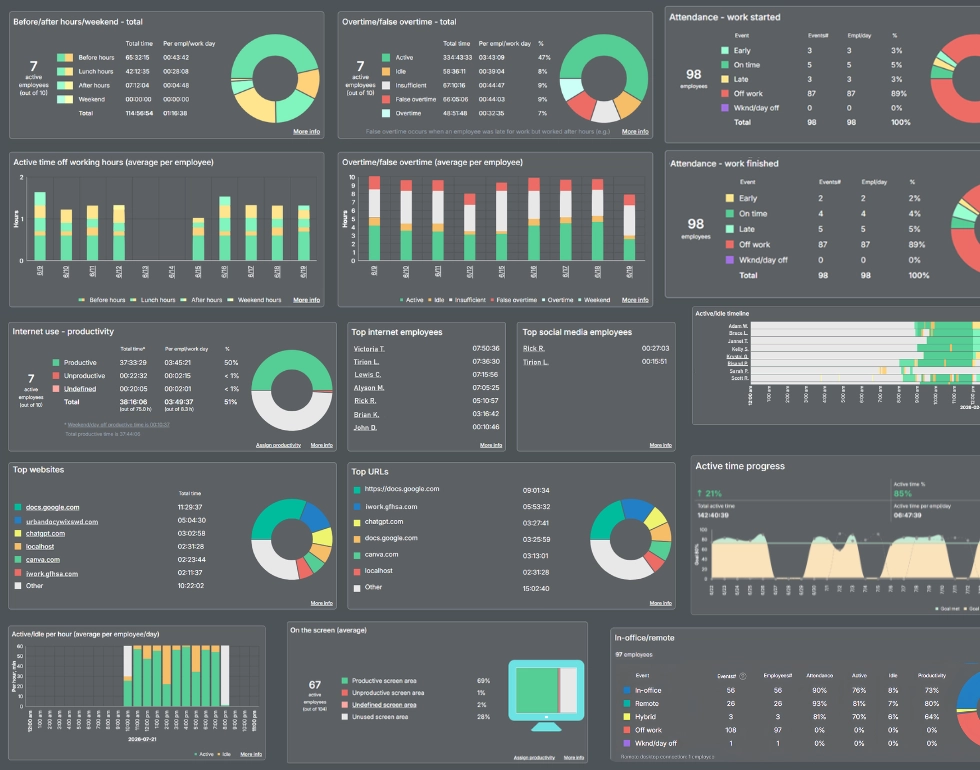
WorkTime is the non-invasive alternative to Controlio, and the switch most teams make when the problem with Controlio is the surveillance itself. We take no screenshots, log no keystroke content, make no screen recordings, and capture no emails or chats. Instead, we measure active and idle time, attendance, app and website use, and per-employee productivity scores from metadata alone, including a Screen Productivity Score that reads active screen use without storing what is on the screen.WorkTime helps more than 9,500 organizations measure employee performance through a privacy-first approach that avoids screenshots, keystroke logging, and screen recording.That design also strips out the overhead. With no images to keep, our non-invasive approach carries none of the screenshot storage a capture-based tool piles up, roughly 9.5 GB against our 0 GB, and a manager can pull a productivity report in about 5 minutes rather than spending 5 days combing through saved screens. That design is what makes us the natural fit for regulated and remote teams. WorkTime offers HIPAA-safe, GDPR-safe, and GLBA-safe modes on the Enterprise plan and AES-256 encryption.
GDPR-, HIPAA-, and GLBA-safe modes add further protection for regulated environments.
Book demo
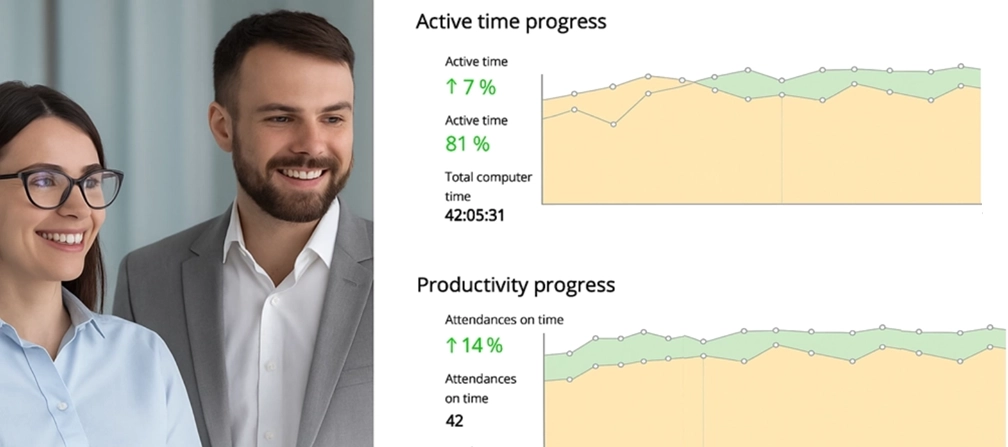
Gain detailed workforce insights with 80+ WorkTime reports, all built around transparent monitoring with no personal content capture.
Start free trial- Best for: organizations that need in-depth productivity insights without turning employee monitoring into surveillance.
- Not for you if you specifically want screenshots, screen video, keystroke logging, GPS field tracking, or data-loss prevention. We do not offer them by design, and that is the point. WorkTime offers a non-invasive alternative built around productivity analytics rather than content capture.
- Price: a free plan covers up to 3 employees, and Basic starts at $6.99 per employee per month, with full plan details on the pricing page. A 14-day trial of all features runs with no credit card.
2. Teramind: best for insider threat prevention and data loss prevention
Teramind is the pick for teams that leave Controlio wanting more forensic control, not less. It runs real-time policy rules that can block actions as they happen, pairing heavy screen recording, keystroke capture, and OCR with data-loss prevention aimed at security and insider-risk programs. If your goal is to prevent data leaving the building, this is the heavier tool.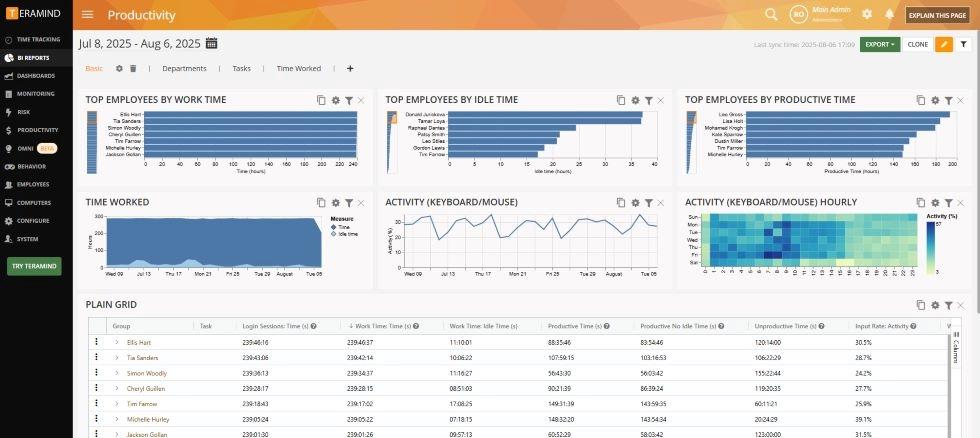
- Best for: security teams running formal DLP or insider-threat programs.
- Not for you if the reason you are leaving Controlio is to reduce surveillance or lighten the agent on employee machines.
- Price: from about $21 per user per month. Confirm the current entry tier before you commit.
3. ActivTrak: focused primarily on productivity monitoring
ActivTrak focuses on productivity metrics, workforce trends, and burnout and engagement signals, and it does not record video. Screenshots are optional rather than the core of the product, which is why it reads as the lighter, more employee-friendly choice among the analytics tools.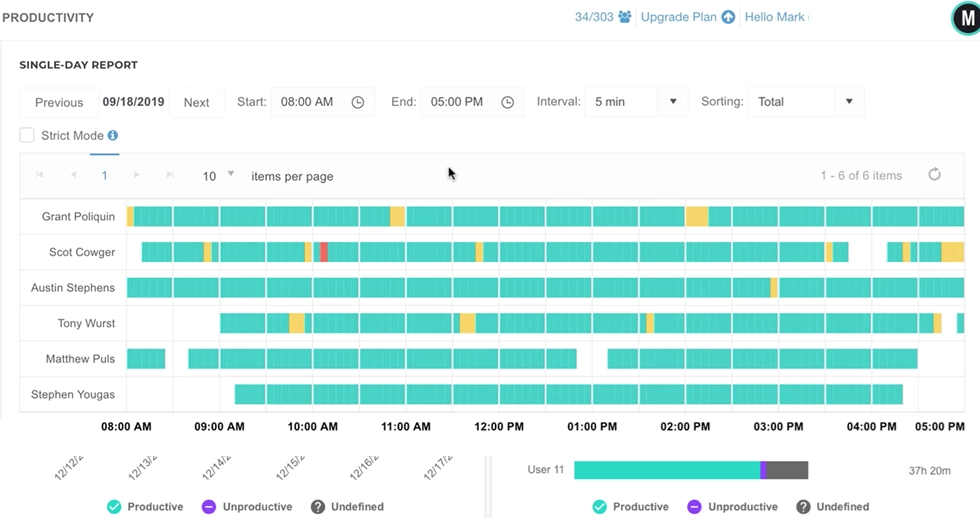
- Best for: managers looking for productivity monitoring with optional screenshot monitoring.
- Not for you if you need forensic screen capture or data-loss prevention for a security investigation.
- Price: free for up to 3 users, then $10 per user per month.
4. Hubstaff: best for remote and field teams running payroll off hours
Hubstaff ties time tracking to GPS location, scheduling, invoicing, and payroll, so tracked hours convert directly into pay. That makes it the strongest fit for remote and field teams where the point of monitoring is accurate billing and payroll, not screen review. It also handles the mobile and location side that a desktop-only tool like Controlio does not.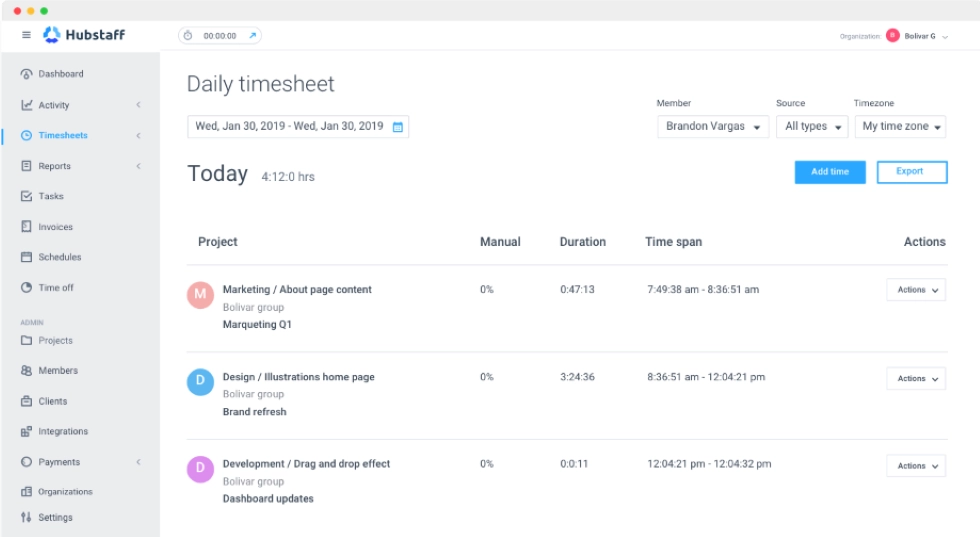
5. Time Doctor: best for time tracking with real-time distraction alerts
Time Doctor nudges people back on task with real-time idle and distraction alerts, sitting on top of its time tracking. Screenshots and screencasts are available but optional, so you can run it as a nudge-based time tracker or turn on heavier capture if you choose.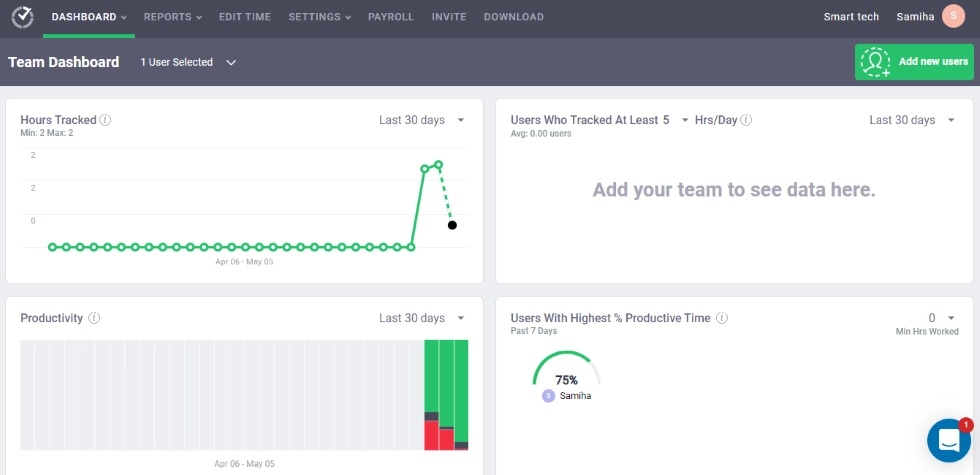
- Best for: managers who want gentle real-time nudges to reduce distraction.
- Not for you if you want quiet, passive tracking with no prompts to employees.
- Price: from $8 per user per month for Basic.
6. Insightful: best for workforce analytics and hybrid capacity planning
Insightful, formerly Workpuls, is built around workforce analytics for staffing and capacity decisions: where hours go, who is overloaded, and how teams compare. It suits operations leaders modeling hybrid team capacity from activity data rather than watching screens. The trade-off is that screenshots are on by default in its base plans, so it is not a screen-free tool out of the box.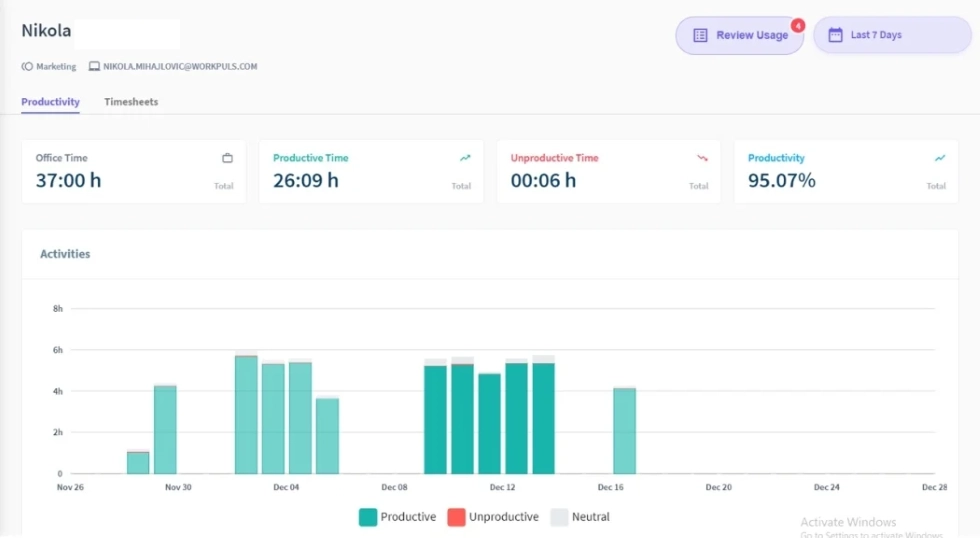
- Best for: operations leaders planning staffing and capacity from workforce data.
- Not for you if you need a screenshot-free deployment from the first day.
- Price: Workforce Analytics from $8 per seat per month.
7. DeskTime: best for automatic time tracking on small teams
DeskTime handles automatic time tracking cleanly, categorizing hours by project and by productive versus unproductive apps without much manual setup. It suits small teams that want tracking without a heavy security layer. Screenshots are an optional add-on rather than the default.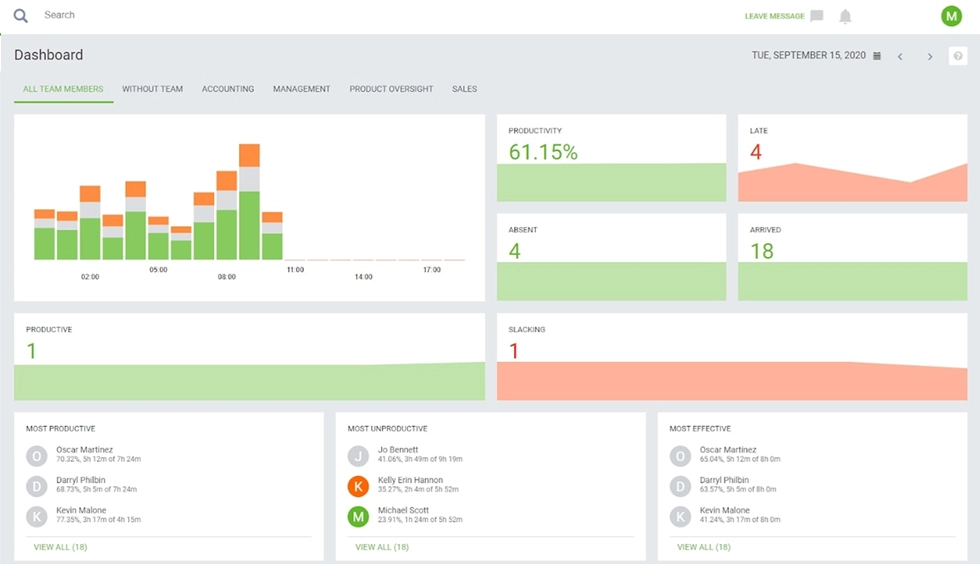
- Best for: small teams that want automatic time and project tracking with low admin.
- Not for you if you need compliance modes or data loss prevention beyond basic tracking.
- Price: from $7 per user per month for Pro.
8. Veriato: best for forensic investigations and behavioral risk scoring
Veriato is the security pick for after-the-incident evidence and behavioral risk scoring, which sets it apart from Teramind's focus on blocking actions in real time. It records screen activity and keystrokes and layers AI-based risk scoring on top to flag users whose behavior shifts. Teams use it when they need a forensic record and an early warning system, not a productivity dashboard.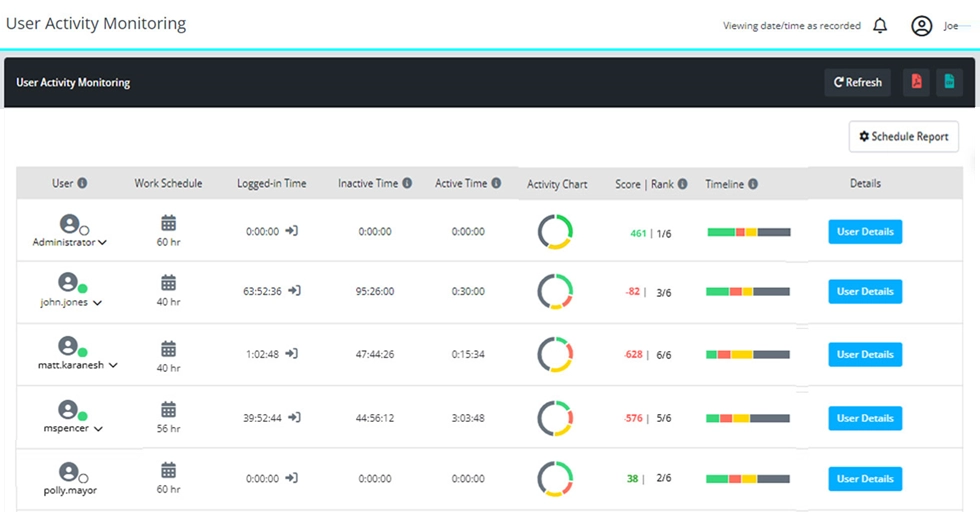
- Best for: security and HR teams running investigations and insider-risk scoring.
- Not for you if you want a light productivity tool rather than a security platform.
- Price: custom, quoted per deployment. Ask for a current quote.
9. Kickidler: best for live screen viewing on a tight budget
Kickidler is the budget option for teams that specifically want live screen viewing across many machines at once. It streams employee screens in real time, records video, and logs keystrokes at a lower price than the heavier security tools. It is squarely on the invasive side of the line, so it fits only when live oversight is exactly what you are after.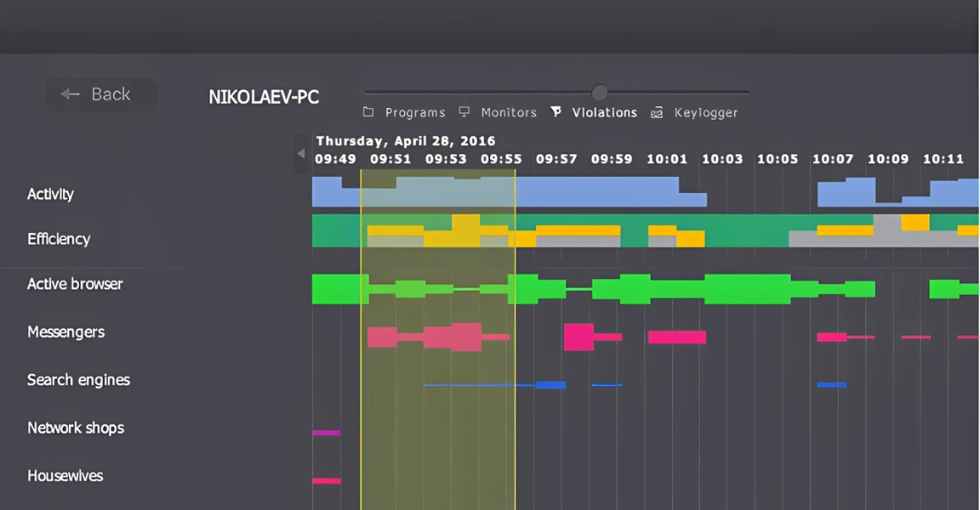
- Best for: teams that want real-time live screen oversight at the lowest cost.
- Not for you if reducing invasiveness is the reason you are leaving Controlio in the first place.
- Price: from about $5 per user per month, as of August 2026.
Why teams leave Controlio
The most common reason teams leave Controlio is that it is surveillance, and employees resent being watched that closely. Controlio records the screen, can log keystrokes, and can capture emails and printing, and its own marketing frames it as taking full control over remote workers. On Reddit's r/remotework, a worker told to expect Controlio on their laptop described a tool marketed as surveillance as a substitute for actually trusting remote employees and said they would sooner take a job elsewhere. That trust cost, and the attrition risk behind it, is what pushes managers to look for something lighter. The switching triggers cluster into a few clear problems:- Surveillance and trust. Continuous screen recording reads as distrust and drives disengagement, which is the emotional core of nearly every Controlio complaint.
- Compliance exposure. In healthcare, finance, and legal work, a captured screen of a patient record or an account balance is itself the liability, which many compliance teams cannot sign off on.
- Missing workforce features. Controlio is a monitoring and recording tool. Teams often report needing separate software for time tracking, attendance, and payroll.
- Deployment gaps. Reported limits on Linux support and blind spots in some Citrix and RDP virtual-session setups push technical teams to compare alternatives.
How to choose a Controlio alternative
Start with one question that settles most of the shortlist: do you want to monitor more invasively than Controlio, or less? Everything else follows from that.1. Decide invasive versus non-invasive first
If you need forensic evidence, data loss prevention, or live screen viewing, look at Teramind, Veriato, or Kickidler. If you want productivity analytics without capturing screens or keystrokes, WorkTime is built for exactly that, and ActivTrak sits in between with screenshots turned off.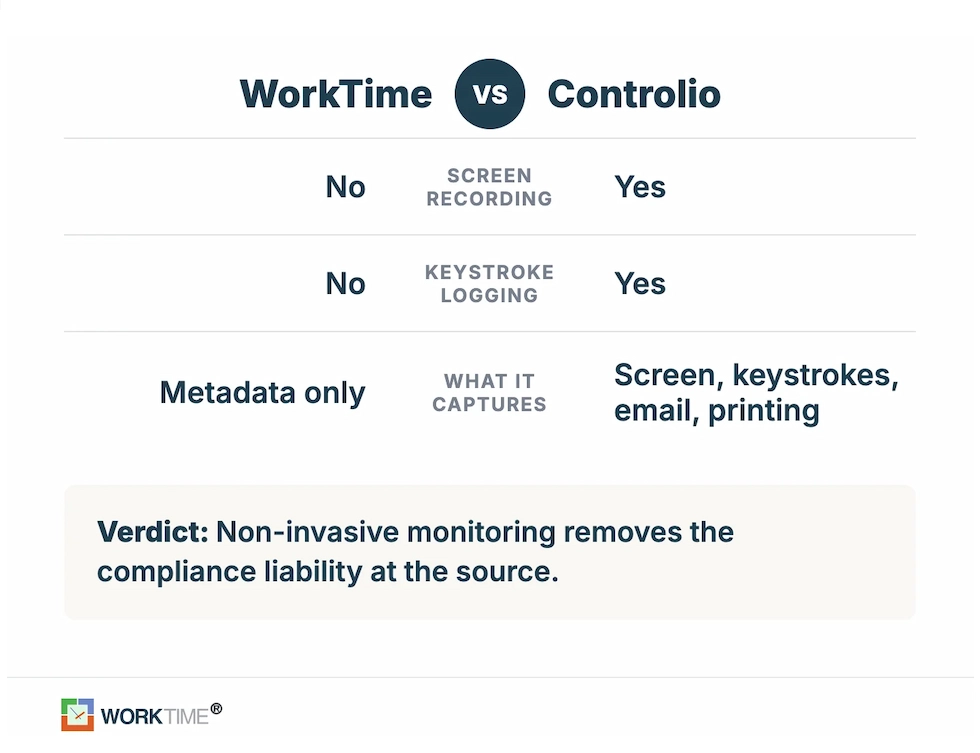
2. Check the compliance bar
For regulated teams, the ability to monitor without capturing sensitive screen content is the deciding factor, not the feature list. WorkTime supports this approach with GDPR-, HIPAA-, and GLBA-safe modes designed to minimize the collection of regulated information while still providing meaningful productivity and workforce analytics.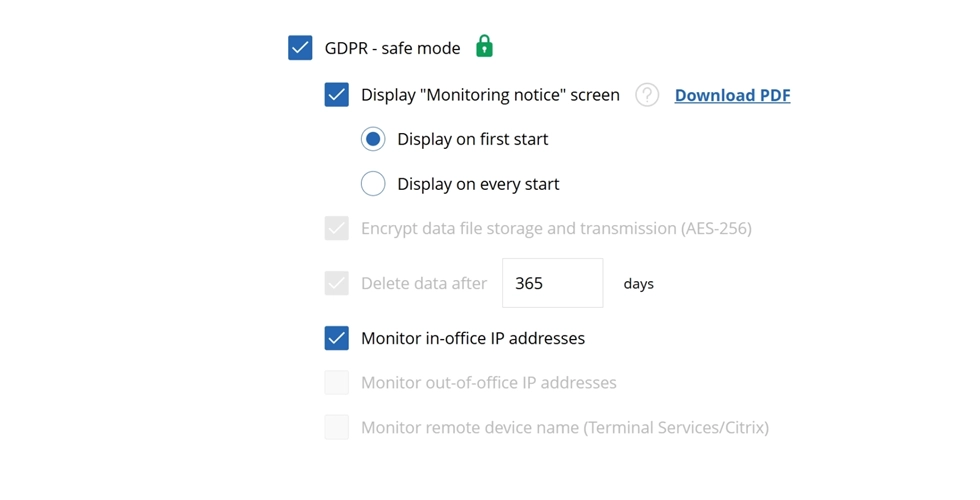

WorkTime’s GDPR-safe mode helps businesses meet privacy requirements while maintaining a transparent and privacy-focused approach to employee monitoring.
Start free trial3. Decide what else you need bundled
If you need time tracking, attendance, and payroll in one place, Hubstaff, Time Doctor, or DeskTime covers that ground better than a recording-first tool. For organizations looking beyond basic time tracking, WorkTime adds 80+ comprehensive performance reports, productivity analytics, attendance insights, and work-pattern analysis without relying on screenshots or invasive monitoring.
4. Confirm deployment and the legal basics
Check cloud versus on-premises support, then confirm the disclosure rules where your employees work. Some US states require notice or all-party consent before monitoring workplace communications, so treat clear disclosure as a fit consideration rather than a legal afterthought. This is guidance on fit, not legal advice for your specific situation. The best Controlio alternative comes down to which direction you want to move. WorkTime is the non-invasive employee monitoring software built for that switch: it gives regulated and remote teams real productivity data without a single screenshot or screen recording. One UK bank raised active time 46% within three days of turning WorkTime on without capturing anyone's screen.A 46% boost in active time!
Excellent boost!
Industry
Banking
Employees
170
WorkTime gave the bank clearer visibility into workforce activity, followed by a 46% increase in active time within three days.
Read more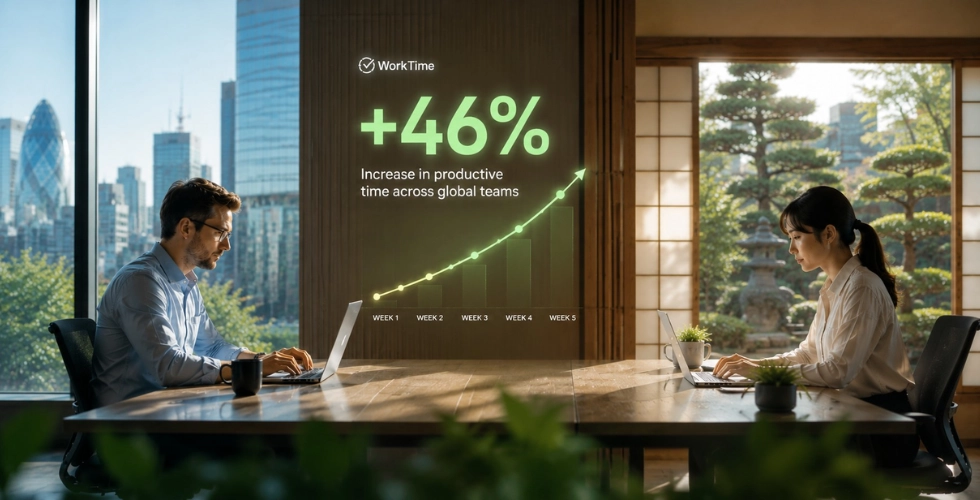
The bottom line
The best Controlio alternative isn’t necessarily the tool with the most features. It’s the one that matches your monitoring philosophy and business requirements. WorkTime is the best non-invasive alternative for organizations that want that balance, offering detailed productivity analytics and workforce insights while avoiding screenshots, screen recording, and keystroke logging. That makes it particularly well suited to regulated, remote, hybrid, and privacy-conscious teams. Try WorkTime free for 14 days with no credit card or book a demo to see it on your own team first.