


TL;DR
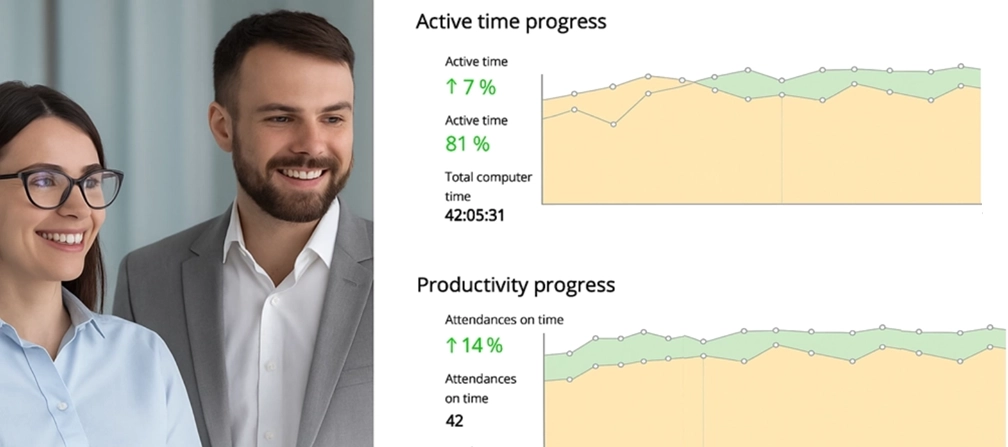
- Transparent employee monitoring isn’t a “nice-to-have” in 2026 - it’s the baseline for trust, adoption, and long-term performance.
- Most monitoring failures come from poor communication, not the tool. Employee monitoring transparency is what prevents fear and rumors.
- The fastest way to lower resistance is to explain employee monitoring to employees clearly: what’s tracked, what’s not, who sees it, and why it exists.
- Trust-based employee monitoring works when it’s predictable, non-invasive, and designed for shared visibility - not “gotcha” control.
In this article
The article is prepared by WorkTime, providing workforce analytics that improve productivity while respecting employee privacy and fostering trust.
Why employee monitoring fails without transparency
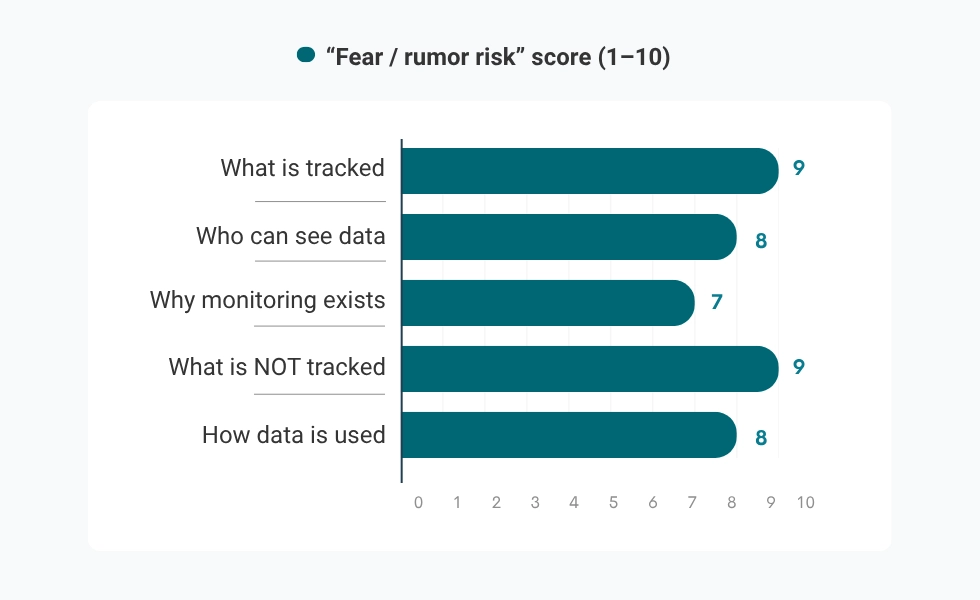
Monitoring doesn’t fail because employees “hate accountability.” It fails because unclear and invasive monitoring can feel like a lack of trust, hidden judgment, and an invasion of privacy. People are human beings after all, and if they don’t know what’s being tracked or are scared of private information coming to light, they aren’t going to be huge fans of monitoring. That’s the difference between being monitored and being supported. It’s really about communication, such as:| If you don’t explain… | Employees often assume… |
What transparency fixes |
|---|---|---|
|
What is tracked |
“Everything is being recorded.” |
Clear boundaries and predictable rules |
|
Who can see data |
“This will be used against me.” |
Defined access and purpose |
|
Why monitoring exists |
“They don’t trust us.” |
A business case grounded |
|
What is NOT tracked |
“Personal activity is being watched.” |
Reduced rumors and lower anxiety |
What employees really ask about monitoring
Most employees are going to expect to be monitored in some capacity; that’s part of the game. But they will have questions. The five questions employees usually care about:- What data is collected?
- Who can see the data?
- How will the data be used?
- Is personal activity tracked?
- Can I see my own data?
Before rollout: Prepare the message, not just the tool
Most rollouts fail before they begin, not because the tool is wrong, but because the message is inconsistent. Leadership says one thing. Managers interpret it differently. HR is left answering questions without a clear script. If you want to know how to introduce employee monitoring responsibly, treat communication like a product launch:- Align leadership, HR, and managers on one purpose
- Define the boundaries clearly
- Prepare answers to uncomfortable questions
- Show examples of reporting, not rumors of “tracking.”
| Fairness | Clarity | Support |
|---|---|---|
|
Shared standards across the team. |
Less guesswork, more visibility. |
Workload balance and early intervention. |
|
Everyone is measured |
Clear understanding of what’s happening and why. |
Helps identify overload |
|
Removes subjective judgment |
Reduces confusion, rumors, and uncertainty. |
Positions monitoring as help, |
6 steps to introduce WorkTime without breaking trust
This is where employee monitoring communication becomes concrete. You don’t need a long speech. You need a clear sequence that answers the right questions in the right order.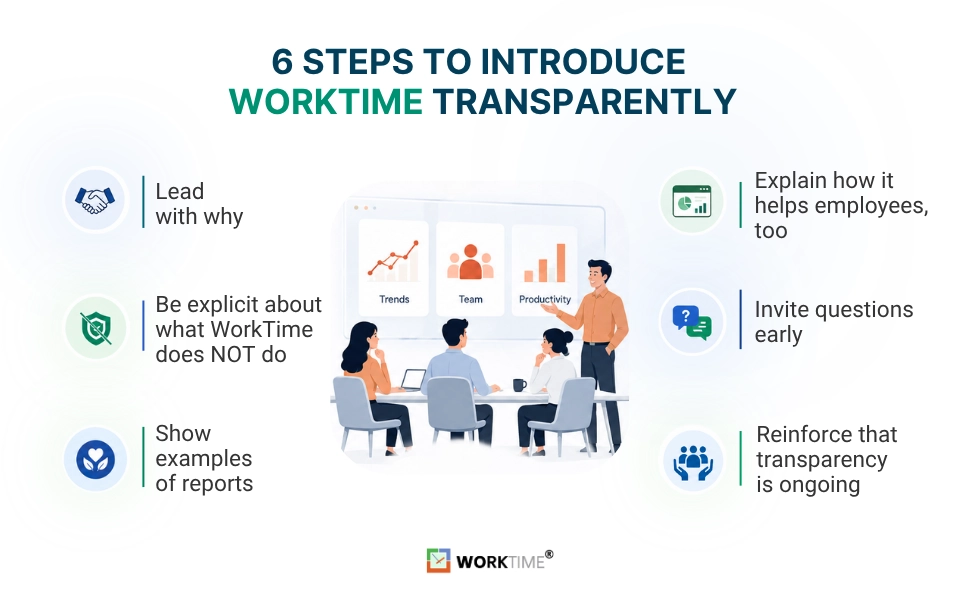
Step 1: Use a purpose statement that employees can believe in
Your announcement doesn’t need to be a lengthy presentation; it just needs to rally the troops. You could say something like: “We will be implementing WorkTime in order to get a better view of how our workload is distributed among employees and to understand employee performance trends over time. Our hope is that WorkTime will help us plan more effectively; ensure workloads are distributed fairly across employees; and improve communication and collaboration among team members. It’s not invasive; it’s a gentle monitoring system that will bring this company to the next level.” To support a smooth rollout, we’ve prepared employee monitoring announcement samples that you can customize and share with your team.Step 2: Draw a hard line around what is not tracked
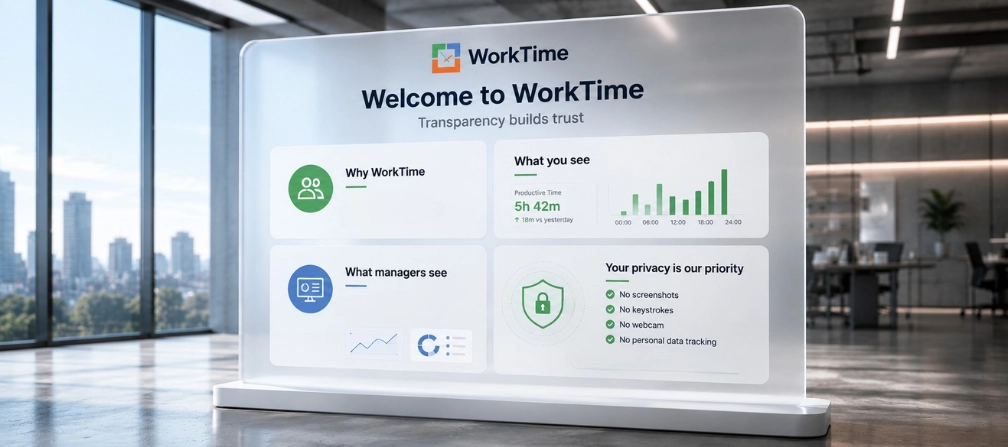
This is where ethical employee monitoring becomes real. WorkTime is a privacy-first employee monitoring software. Being clear here eliminates the most common fear: hidden surveillance.| WorkTime tracks | WorkTime does not track |
|---|---|
|
Attendance, active/idle time, productivity patterns, progress signals |
Content capture, screenshots, keystrokes, webcam/microphone recording |
|
App/website usage signals used for trend reporting |
Private messages, personal content, or “what you typed” details |
Step 3: Show real reporting examples
You can start by showing WorkTime performance summary reports and team-wide data visibility. When employees are shown aggregate trends and planning information versus detailed tracking information, they feel they are working towards a goal rather than being surveilled.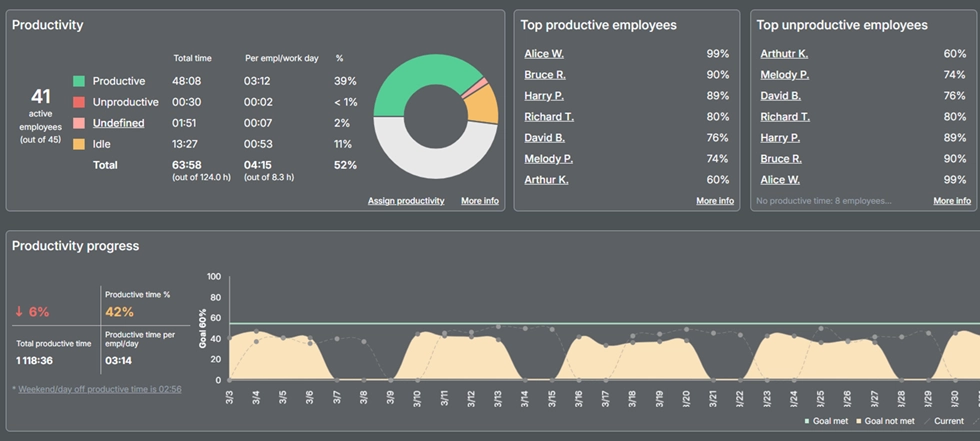

See how your teams are performing through clear, privacy-friendly analytics. WorkTime provides actionable productivity insights without intrusive monitoring or screen content capture.
Start free trialStep 4: Explain how employees benefit
Adoption improves when employees clearly see how WorkTime supports them individually. High performers gain objective visibility through trend reports, without needing to constantly advocate for themselves. Performance conversations shift from opinions and vibes to shared review of WorkTime trend summaries, which results in discussions being far more structured and “fair.”Step 5: Invite questions and feedback early
Trust grows significantly when employees feel comfortable asking specific questions regarding how WorkTime operates. A short session to show employees WorkTime dashboards removes many of the unknowns regarding the inner workings of the product.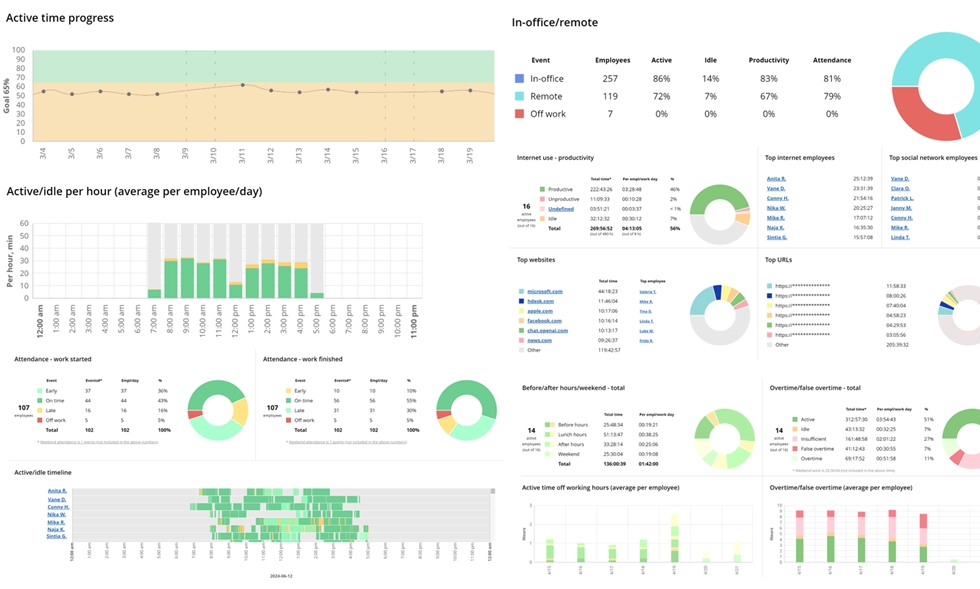
Every report is built on transparent analytics without capturing personal content.
Book demo
From attendance to productivity trends, WorkTime's 80+ reports provide a complete view of workforce performance.
Start free trialStep 6: Reinforce that transparency is ongoing
Rollout of WorkTime should be accompanied by published guidelines explaining which metrics are being measured, how frequently these metrics will be reviewed/analyzed, and who has access to this data. Providing examples of how WorkTime reports have been used for planning and/or workload rebalancing reinforces that WorkTime is designed to improve your operations. Managers need to be reminded periodically that WorkTime trend reporting data is only used for coaching and allocating resources, not for micromanaging.Creating a transparent employee monitoring policy
In order to increase transparency, you need to have a transparent employee monitoring policy. At a minimum, your policy should include:- Purpose: what the monitoring is for (and what it is not for)
- Scope: what data is collected and what is excluded
- Access: who can see what, and in what context
- Use: how monitoring informs coaching, planning, and performance conversations
- Transparency: how employees can ask questions or request clarification.
How WorkTime supports transparency by design
Some tools treat transparency as a company value. WorkTime treats transparency as a foundational principle for our product. Our system was created with transparency in mind.
Non-invasive monitoring explained
With non-invasive and gentle monitoring, predictability is key. With a monitoring system that has its own set of established rules, the employee knows ahead of time what will be monitored and how it will be reviewed, which reduces both stress and guesswork. WorkTime monitors attendance, work hours, employees’ work patterns, and trends in employees’ progress. What WorkTime does not measure, however, is screenshots, keystrokes, or private photos of your trip to Cancun. Reporting is based on summary reports of an employee’s performance and the visibility of their workload, nothing else, and that needs to be communicated to the underlings.Privacy-first positioning for regulated environments
Transparency isn’t just about informing employees about your monitoring program at some point during the rollout process. Transparency is about developing a monitoring system that is transparent. WorkTime provides documentation that supports transparency and privacy expectations under GDPR, outlines a non-PHI handling posture for HIPAA, and details a reporting approach suitable for client-sensitive environments under GLBA.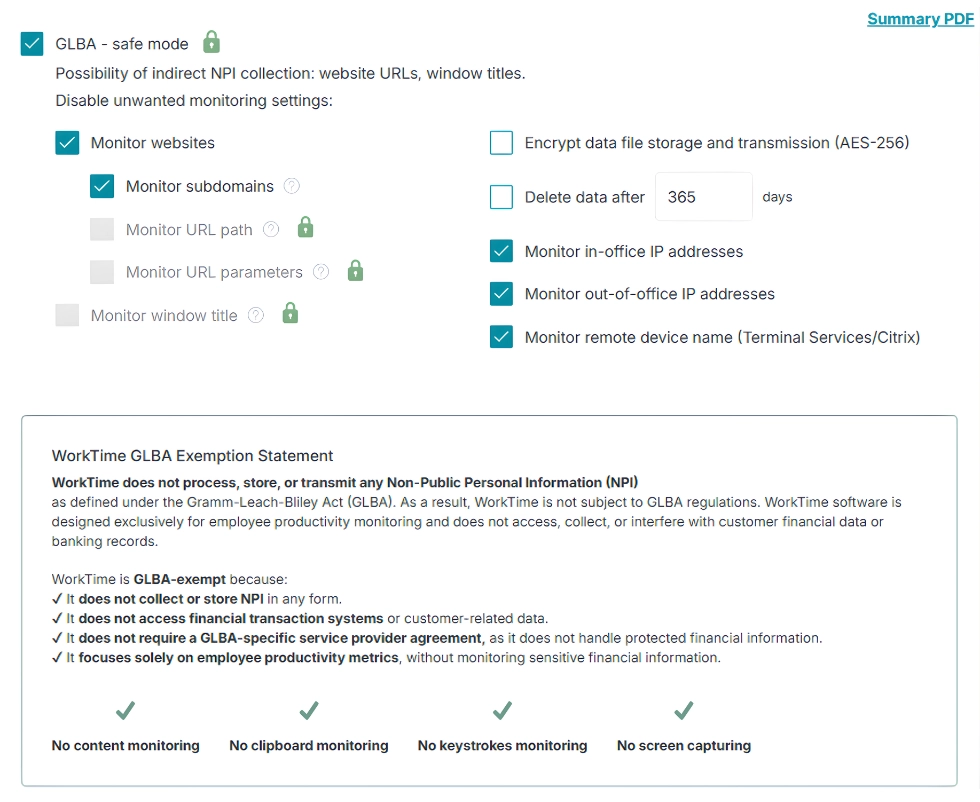

Strengthen compliance with GLBA-safe mode, which minimizes the possibility of indirect NPI collection while supporting transparent, privacy-conscious employee monitoring.
Start free trialVisibility that employees can understand
WorkTime is designed to make monitoring transparent, not one-sided. Managers receive meaningful productivity analytics, while employees gain a clear understanding of how their work is measured and where they can improve. Instead of hidden surveillance, everyone works from the same objective data, creating a culture of trust, accountability, and continuous improvement. With WorkTime, organizations gain:- Live visibility into team productivity;
- Performance trends instead of isolated activity snapshots;
- Attendance analytics and overtime tracking;
- Burnout and distraction indicators for early intervention;
- 80+ reports that support fair, data-driven evaluations.
Practical tips to maintain trust after rollout
Once you’ve rolled out WorkTime, you’ll need to maintain the trust you’ve so carefully built.| What maintains trust | What breaks trust fast |
|---|---|
|
Use monitoring as a support system |
Patterns get replaced by policing |
|
|
|
|
|
|
|
|
Bottom line: Transparency turns monitoring into trust
When you invest your money in stocks, bonds, or real estate, you desire transparency. Then why wouldn’t you want the same transparency when it comes to your company, which for some people is much more personal than their personal investments? The name of the game with running a company and getting the most out of your employees is trust, but in order to maintain that trust, you need visibility. Visibility with shared dashboards and open eyes into the state of the inner workings of the business can be a huge boon to everyone involved. WorkTime leads the way in gentle, non-invasive monitoring that gives an overarching view into what’s going on with your employees today, in real time.