
TL;DR
- Time tracking tells you when work happened. It rarely tells you what progress was made.
- Productivity analytics adds context, patterns, and trend signals for stronger employee productivity measurement.
- Most “hours worked vs. productivity” confusion comes from using time as a proxy for outcomes.
- Modern productivity tools can improve performance without micromanagement when they’re privacy-friendly and trend-based.
In this article
The article is prepared by WorkTime, an expert in balancing productivity, transparency, and employee trust.
What is time tracking?
Time tracking is, at its core, the practice of recording when work happens and how long it takes. In most organizations, this shows up through familiar systems that document presence and duration rather than outcomes. It typically includes:- Clock-in/clock-out systems;
- Timesheets;
- Hours logged by project or task;
- Attendance tracking.
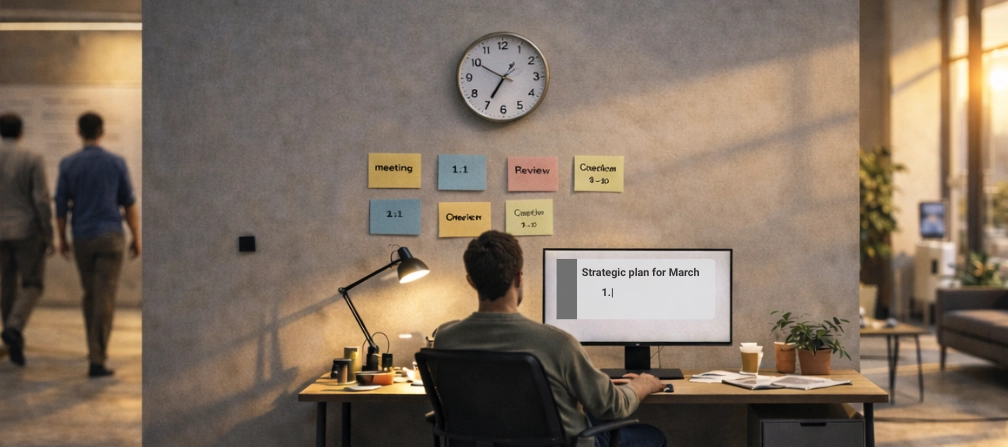
Logged hours don’t equal productivity
Logging hours into a system does not mean you are being productive. In fact, it's so easy that many times employees will have others log into systems on their behalf and "clock in" for them. You also need to have enough confidence in your employees that you don't track their every move like a prison guard.What time tracking really does, and what it misses?
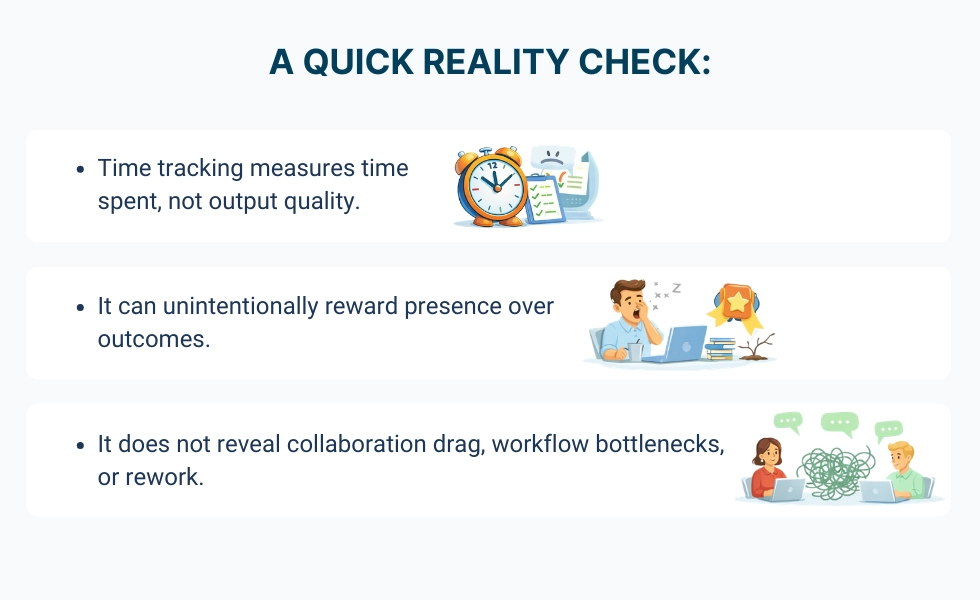
Time tracking is useful for recording activity and attendance, but it rarely explains performance. Here’s the split between what it can tell you and what it leaves out: Time tracking tells you:- When someone was active.
- How long a task took (as logged).
- Context: Was the person blocked, waiting, or doing deep work?
- Outcomes: Did the work actually move a project forward?
- Patterns: Is performance improving or degrading over weeks?
- Drivers: Is the issue workload imbalance, meeting overload, or unclear goals?
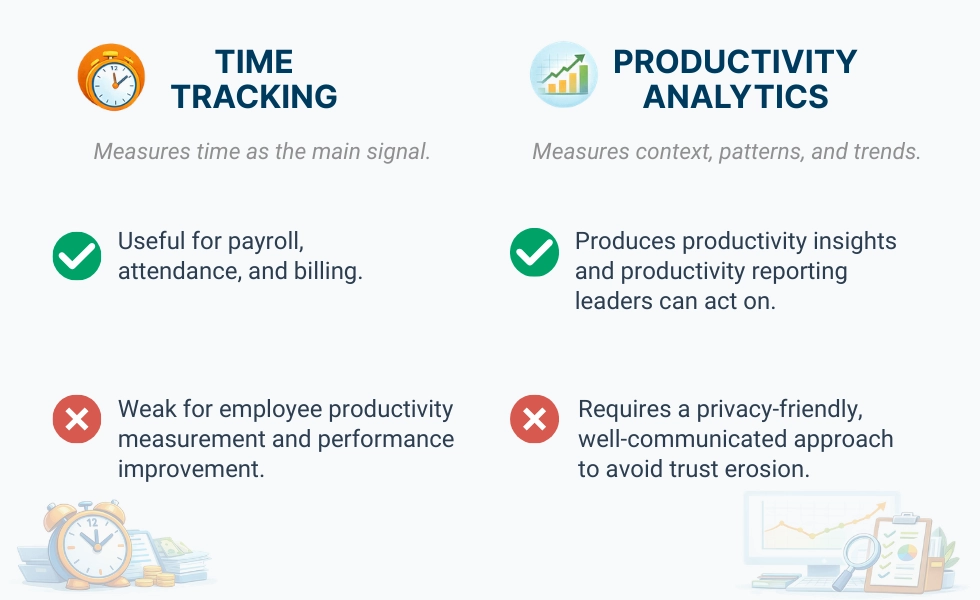
Time tracking answers: “When did work happen?” Productivity analytics answers: “What patterns are forming, what’s improving, and what needs support?”
The risk of misinterpretation and micromanagement
When team managers and leaders only have hours logged as a reference point, this can cause issues. Many times, a high number of hours can be indicative of an inefficient process, too many meetings, or poor focus on projects that should be taking priority. Conversely, low numbers of hours worked do not automatically equate to a lack of engagement. An employee who has streamlined their work process through automation may create more in less time than their peers. An employee's "presence" on social media platforms (Slack) indicates little about what they have accomplished or how they have contributed to a project, just that their Slack was green.Get comprehensive productivity insights!


The cost of bad data
Time tracking creates dashboards, totals, and reports that make managers feel informed. But this confidence is often misplaced. But the confidence is often false:- You can “see” hours without understanding blockers.
- You can approve timesheets without seeing rework.
- You can track attendance without seeing burnout risk.
Presenteeism becomes a thing
When time becomes the dominant metric, employees begin optimizing for looking busy instead of producing meaningful outcomes. Staying online, responding quickly, and appearing active becomes safer than stepping away for deep, focused work that actually moves projects forward.Remote and hybrid reality: time tracking was built for desks
Time tracking assumes work is visible. It was designed for environments where presence usually meant productivity. But modern remote and hybrid teams operate across tools, locations, and time zones where performance depends far more on coordination and focus than physical visibility.Time tracking can show time spent, but it cannot reliably explain performance. That’s why productivity analytics software exists: to provide productivity insights for managers without turning daily work into a courtroom.
Productivity analytics, the missing layer of time tracking, never had
Here’s the “aha” moment most teams experience once they see the difference. Time tracking asks: How long was someone online? Productivity analytics asks different questions entirely. Instead of focusing on duration, it looks for signals that explain performance over time and across contexts:- Are performance patterns improving or starting to decline?
- Is engagement rising, stable, or quietly dropping?
- Where are bottlenecks forming inside workflows or between teams?
- Who might need support, and who is consistently excelling?
- Examines long-term trends;
- Shows how often (if at all) employees stay focused on their assigned tasks;
- Collaboration patterns;
- Early signs of potential friction or roadblocks in workflow.
Why WorkTime beats traditional time tracking
Traditional time tracking asks how many hours were logged. WorkTime looks at what’s changing over time, where teams get stuck, and where performance improves, using a transparent, privacy-friendly monitoring approach that people can trust.
Context-rich reporting
WorkTime includes a wide set of reports that surface productivity patterns without forcing managers to manually audit individuals. That’s where productivity analytics become usable in day-to-day operations. Clear summaries show direction over time, workload visibility helps leaders improve workplace productivity, and reporting supports coaching rather than policing.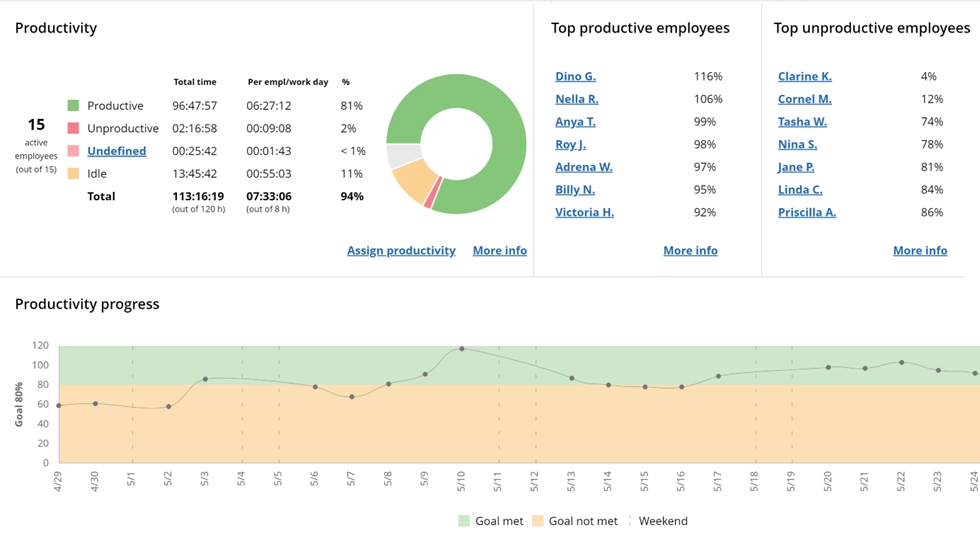

This report shows total productive/unproductive time. See whether the employee achieved the productivity goal or if there is a need for improvement.
Start free trialPerformance trends analysis
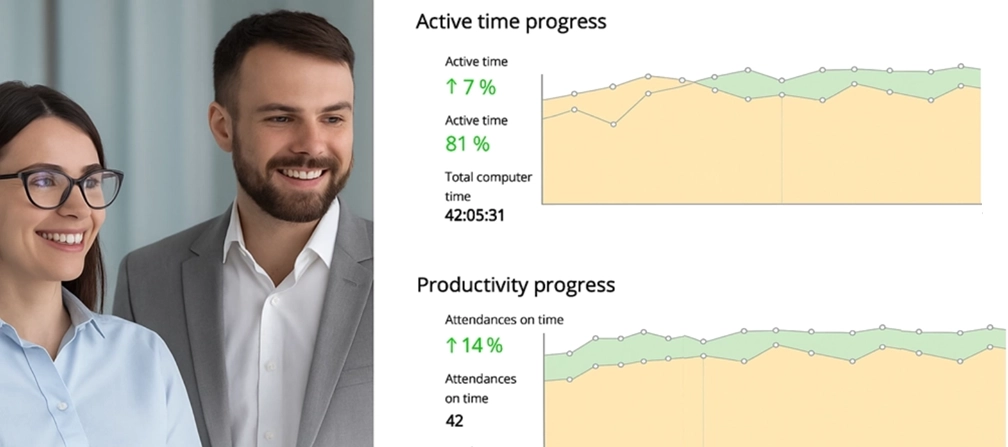
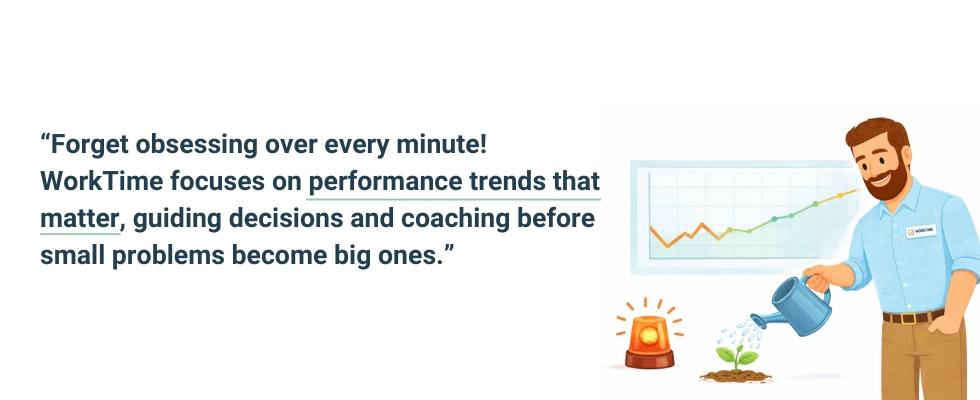
Most organizations don’t need more daily noise. They need trend clarity. WorkTime focuses on performance trends analysis across:- Productivity %
- Attendance %
- Active time %
Decision-ready insights
A primary distinction between time tracking and productivity analytics lies in how the data is used. Most traditional time tracking systems create detailed records from which a manager will have to manually review each record. WorkTime reduces "screenshot" type data and focuses on clear, accountable indicators. This provides visibility into the progress of the employee's work over time rather than proving an employee is present.
5 simple steps to get started with productivity analytics
If you are ready to ditch the intense, authoritarian monitoring and embrace productive analytics, then follow the checklist below:- Set expectations upfront: Explain what’s measured and why (trend insights, not “gotcha” tracking).
- Start with teams, not individuals: Use productivity reporting to detect bottlenecks and overload patterns.
- Review weekly trends: Focus on direction, not single-day spikes.
- Connect metrics to outcomes: Tie employee productivity metrics to deliverables, customer impact, or project progress.
- Use insights to support: Rebalance workload, reduce meeting drag, and clarify goals.
WorkTime - high-quality productivity insights
WorkTime is a leader in productivity analytics, and the results speak for themselves. With productivity analytics, managers can stop stressing about what their employees are doing, and employees can stop stressing about always having to appear "online." Plus, these days, there are so many hacks that many of your employees might be using chatbots instead of themselves to speak with you. WorkTime leans into trend-based reporting instead of daily check-ins and noise. Leaders see patterns, not random hours logged into a calendar. They can coach earlier, balance workloads, and have better performance conversations without hovering. If hours are still the main signal inside an organization, the picture is incomplete. Moving to productivity analytics creates clarity without turning management into surveillance.Try WorkTime now!
FAQ
Why does time tracking fail as an employee productivity measuring tool?
Time tracking will track how many hours employees put in and their attendance. However, most often it will track neither the outcome (the results) of those hours worked nor the difference in impact that two employees working the same number of hours could have on a company. Therefore, this is one of the reasons that time tracking is such a limited way to measure productivity, especially in the knowledge work environment. To truly measure employee productivity, teams need a productivity analytics system to show them trends, bottlenecks, and performance patterns - not just hours worked.What is productivity analytics?
Productivity analytics refers to the process of identifying and using work patterns to create actionable performance insights. A practical productivity analytics definition includes trend reporting, context-rich measurement, and productivity insights for managers that help make better decisions. As such, a productivity analytics definition = providing clarity into performance over time, not constant monitoring of your employees.How does productivity analytics differ from time tracking?
Time tracking tracks when the employee worked and how long they spent at their workstation. Productivity analytics tracks context and trends, like:- What has improved?
- Where does the team get stuck?
- What kind of support do employees require?