



TL;DR
- Deep monitoring by design: Kickidler combines live screen viewing, continuous screen and audio recording, and a keylogger that records typed content, including passwords.
- Pricing starts at around $5.50 per user per month on annual billing, with a perpetual license option and a 14-day free trial that needs no credit card.
- Built for high-oversight teams: Kickidler suits IT security, data loss prevention, and call-center environments that need a replayable record.
- Name change in progress: Kickidler is becoming KeepActive, so buyers will see both names for the same product.
- WorkTime alternative: Get detailed productivity analytics without screenshots, screen recording, or keystroke-content logging.
In this article
What is Kickidler?
Kickidler is employee monitoring, user-activity tracking, and time-tracking software for Windows, macOS, and Linux. It is built for office, hybrid, and remote teams that want granular oversight of employee computer activity. The company is rebranding the product as KeepActive, which review platforms already list as "KeepActive (formerly Kickidler)," so both names refer to the same tool during the transition.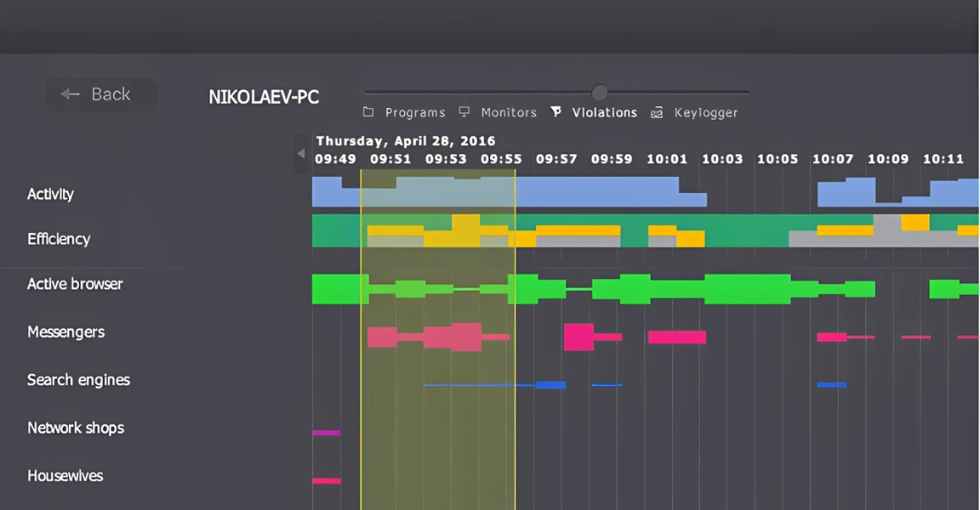
Kickidler features
Kickidler's feature set is built around capturing granular records of employee activity rather than summarizing it. Independent reviewers at People Managing People describe it as a self-hosted platform that combines activity tracking, screen and audio recording, keystroke logging, and data loss prevention across Windows, macOS, and Linux. Here are its core capabilities and what each one actually collects, which is the detail that drives the trust and legal questions this review covers.| Feature | What it captures | Privacy and compliance implication |
|---|---|---|
|
Live screen monitoring |
Real-time view of employee screens, including multi-monitor grids |
Managers see live content, including anything sensitive on screen |
|
Screen video and audio recording |
Continuous screen recording plus microphone and audio capture |
Records conversations and on-screen data that may include third-party or regulated information |
|
Keylogger |
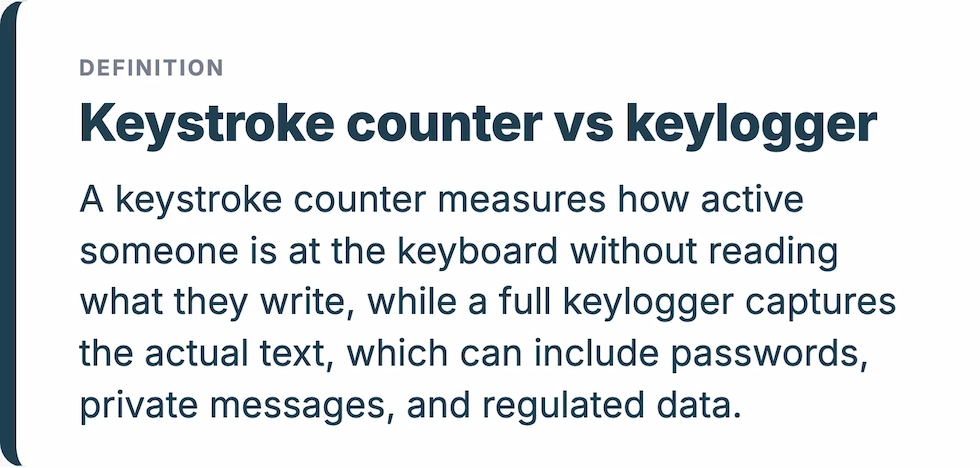
Every keystroke, including typed words, application names, and window titles |
Can capture passwords and other sensitive text |
|
Time tracking and timesheets |
Start and stop times, worked hours, attendance |
Standard tracking, low sensitivity |
|
Productivity analysis |
Activity timelines, app and site use, performance ratings |
Moderate; depends on how granular the logging is |
|
Autokick and violation alerts |
Red-frame warnings and automatic logout on rule breaches |
Employee-facing enforcement, can feel punitive |
|
Remote access and control |
Direct remote control of an employee PC plus file transfer |
Remote control of a live machine; normally requires disclosure to staff |
|
DLP (data loss prevention) |
Monitors file and data movement to flag leaks |
Higher-tier capability aimed at security teams |
|
Project tracking |
Task time logs and Gantt charts |
Standard project oversight, low sensitivity) |
Kickidler pricing
Kickidler pricing starts at around $5.50 per user per month on annual billing. The listing on SoftwareAdvice puts the starting price at USD 5.50 per month and notes there is no free version, only a trial (as of October 2026). Its monitoring is sold in paid tiers, with data loss prevention and the heavier security features on the higher plans rather than the entry plan. Kickidler also offers a perpetual, or lifetime, license as an alternative to subscription billing for buyers who prefer a one-time purchase per computer. It does not publish a fixed figure for this option, so treat any lifetime price as quote-on-request rather than a set rate. Every plan includes a 14-day free trial with full features and no credit card. Tiered pricing like this is normal for the category, so the thing to check is not the headline price but which tier carries the specific feature you need.Kickidler pros and cons
Pros
- Depth of visibility. Few tools match the granularity of live screen viewing, continuous recording, and full keystroke logging in one package. For teams that genuinely need a complete record, that breadth is the main reason to buy.
- Cross-platform support. Kickidler runs on Windows, macOS, and Linux, which suits mixed-device environments.
- Fast setup and responsive support. Reviewers on G2 and Capterra consistently praise how quickly it installs and how fast the multilingual support team replies.
- Flexible licensing. Buyers can choose a subscription or a one-time perpetual license, rather than being locked into one billing model.
Cons
- Trust and surveillance risk. A potential drawback is the extent of monitoring some features enable. Keylogging, audio or video recording, and remote access can raise privacy concerns and require careful attention to applicable laws, proportionality, and employee transparency.
- Legal and consent burden. Deep keylogging and audio or video capture trigger transparency and consent obligations. Under US state law, Connecticut and Delaware require employers to give notice before monitoring, and California, Florida, and Maryland require all-party consent to monitor electronic communications (Nolo). GDPR adds its own transparency duties for teams in or hiring from Europe.
- A heavy interface for light needs. The same depth that captures everything produces dense dashboards and multi-screen grids, which is more than a manager wants when the goal is a simple read on productivity rather than a forensic record.
Who Kickidler is for
Kickidler is a good fit for IT security teams, data-loss-prevention programs, call centers, and other high-oversight environments that need maximum, uncompromised visibility into terminal activity. If your use case genuinely requires a replayable record of what happened on a screen, few tools go deeper. It may be less suited to organizations that prioritize a lighter-touch approach to monitoring, particularly in hybrid or remote settings where employee expectations around privacy can vary. Teams looking for productivity insights with less intrusive monitoring may prefer a non-invasive alternative.A non-invasive alternative: WorkTime
For teams that want productivity visibility without capturing content, non-invasive monitoring is a different category of tool. Instead of recording screens, logging keystrokes, or capturing audio, non-invasive tools measure activity patterns: active and idle time, attendance, app and website use, and productivity trends. You learn whether work is happening without reading what people write or watching what they do. WorkTime follows this non-invasive approach, providing productivity analytics without screenshots or screen recording. We deliver productivity scores by employee, department, and team, plus active and idle time, attendance verification, app and website usage, and distraction and burnout signals. Besides, you get a side-by-side comparison of remote versus in-office productivity.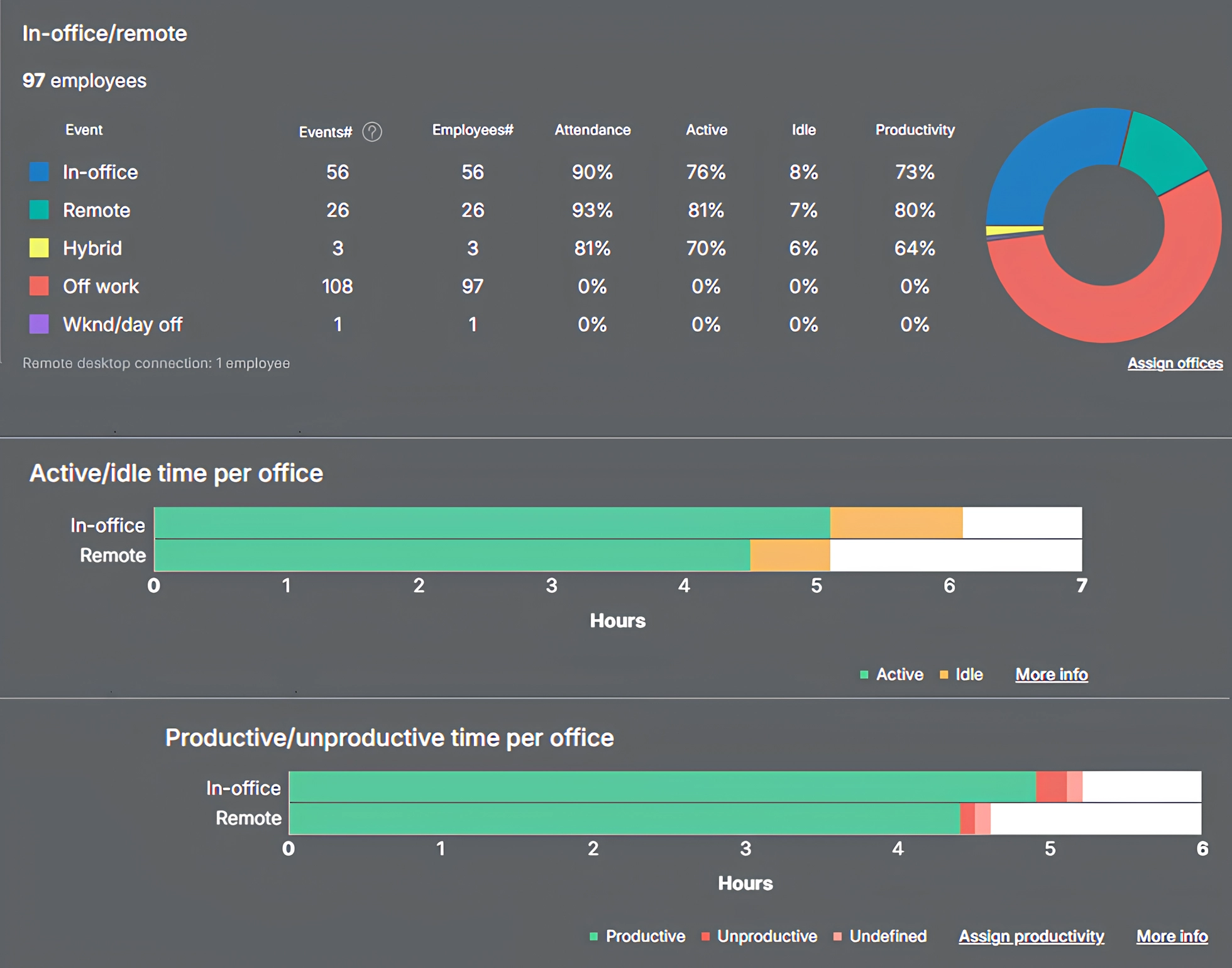

Discover how productivity patterns vary between office and remote work. Compare key metrics, including attendance, productivity scores, and application use.
Start free trial| Kickidler (KeepActive) | WorkTime | |
|---|---|---|
|
Monitoring method |
Forensic: records activity in detail |
Non-invasive: measures activity patterns |
|
Screen and video recording |
Yes, continuous, plus audio |
No, by design |
|
Keystrokes |
Full keylogger, captures typed content |
Counter only, no content captured |
|
Compliance modes |
Security and DLP focus |
HIPAA, GDPR, and GLBA-safe modes (Enterprise) |
|
Starting price |
$7 per user per month |
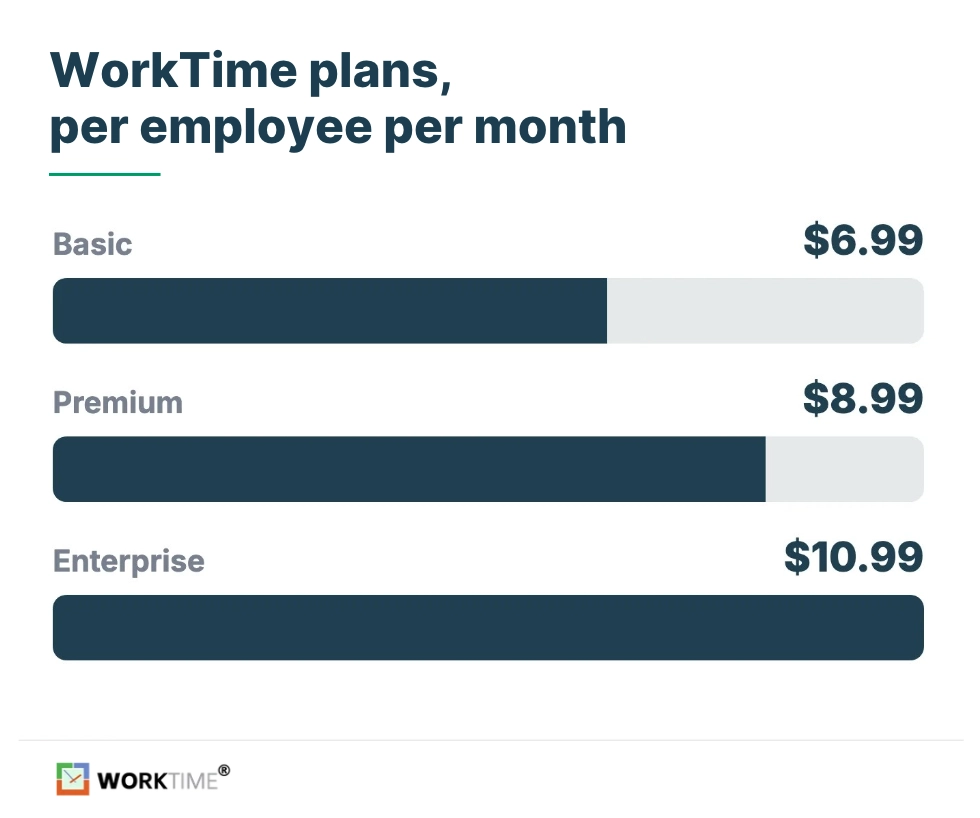
Free tier, then $6.99 per employee per month |
The bottom line
Kickidler, soon KeepActive, offers a broad range of employee monitoring features, including live screen viewing, audio and video recording, and keystroke logging. While these capabilities may meet specific oversight needs, they can also raise concerns about employee privacy, transparency, and trust, particularly when monitoring is extensive or its purpose is unclear. For teams focused on everyday productivity analysis, this level of monitoring may go beyond what is necessary. For teams that need productivity visibility without that trade-off, WorkTime offers non-invasive employee monitoring that measures output instead of recording people. With zero sensitive-data capture by design and HIPAA, GDPR, and GLBA safe modes, it is built for regulated and trust-sensitive organizations that need productivity visibility without capturing content. You can try WorkTime free for 14 days to see how non-invasive monitoring compares.