



In this article
The article is presented by WorkTime, a non-invasive employee monitoring solution designed to deliver comprehensive performance insights while respecting employee privacy.
4 main reasons why employers monitor employees
With over 20+ years of experience in the field, we have done extensive research and found that these are the four main reasons prompting businesses to monitor their workers:1. Improve employee productivity
The US Bureau of Labor Statistics reported a decline in employee productivity in 2016. Why did this happen? The reason is pretty straightforward. When employees sleep on the job, there’s a dead-time effect: they’re not just wasting the company’s time. They’re also wasting money.“Low employee productivity can be harmful to a business. The impact might be so significant that it brings down a particular project or even ruins the business's reputation and, as a result, loses customers. Creating a highly productive environment is important for both sides – the business and the employees.” NesterSoft Inc. CEO Kirill Nesterenko.
2. Understand how employees spend work time
The typical full-timer is paid for approximately 8-9 hours of work each day, but he or she is wasting between 60 and 290 minutes. Imagine how much money this time waste could cost a business. Let’s use a real-life scenario: A case study conducted by WorkTime revealed how employees of a Dutch business travel club spent their work hours unsupervised.More focus, less idle time!
Industry
Business travel
Employees
12
WorkTime helped this Dutch business travel company identify idle and personal internet use and improve work discipline when the owner was away.
Read more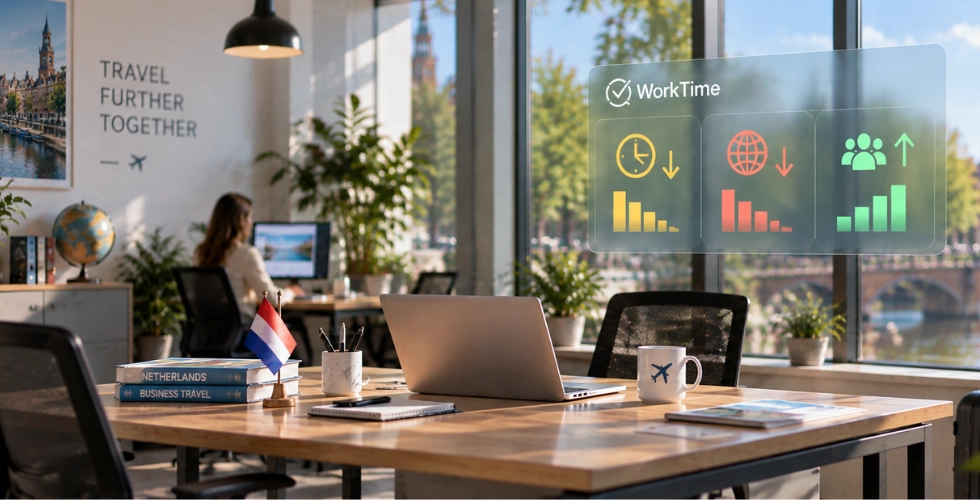
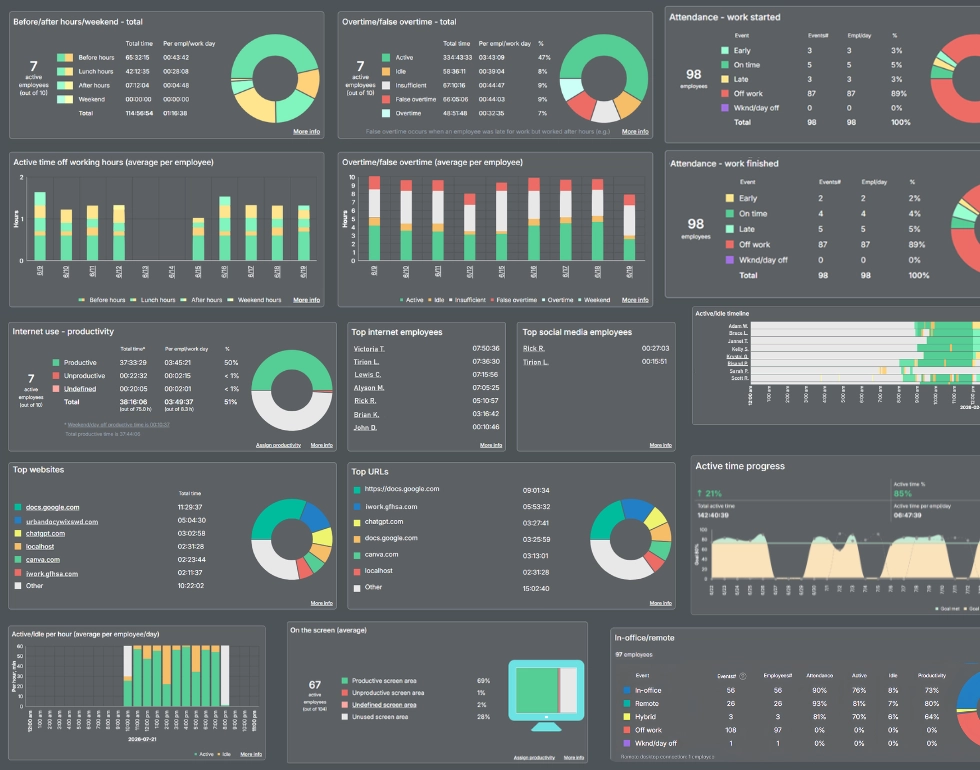

Get more from your workforce data with WorkTime’s 80+ comprehensive performance reports. Explore transparent, privacy-safe insights without capturing personal content.
Start free trial3. Evaluate in-office and remote employees’ performance
You'll be amazed at how employee monitoring software can synchronize your work even across time zones, enable you to focus on office and remote employees’ operations, point out mistakes, make proper adjustments, or take corrective action. When performance checks are carried out using employee monitoring software, employers can identify who the cyber slackers are and spot shortcomings on time. They can also see what employees are currently working on and guide them to prioritize projects. Additionally, managers can recognize who is doing a great job and hitting performance targets. Employees would be provided with real-time, tangible examples of high performance and areas for improvement. Training materials or sessions can be offered to address challenges better and boost activity in the long run.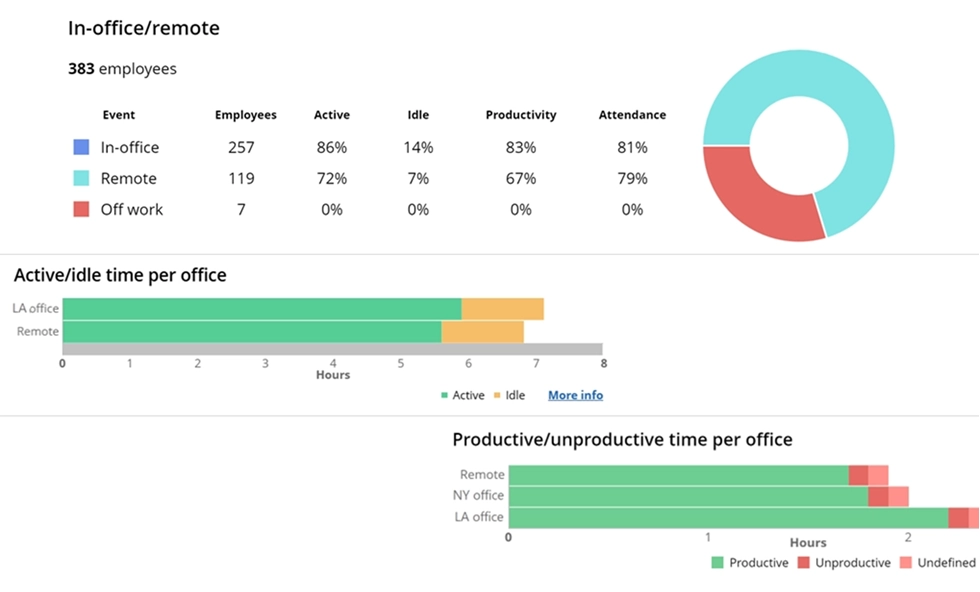
Discover how your team performs across office and remote settings.
Book demo
Track attendance, compare productivity by location, and see which apps employees use most throughout the workday.
Start free trial4. Protect company data from theft or disclosure
Sadly, data theft is prevalent in the business world. Resentful employees who have access to computer files containing trading secrets or proprietary information could conceivably steal and distribute the information to competitors, causing great harm to the company in the process. Here’s another real situation. In 2018, a company filed a lawsuit against an executive for breach of contract, misappropriation of trade secrets, and stealing many files. It was alleged that the files included personal data of the company’s clients: actual credit card numbers, names, dates of birth, Social Security numbers, and addresses. These documents contained personal information of around 143 million Americans. Exposing important assets, sensitive information, and trading secrets can destroy careers and companies. The best way to avert this from happening in your company is to implement an employee monitoring solution. The correct features and configuration protect the company from insider threats, that is, against the leaking of sensitive or vital information. WorkTime's GDPR-, HIPAA-, and GLBA-safe modes help organizations keep sensitive information outside the scope of monitoring wherever possible. By limiting settings that could indirectly capture regulated data, these modes add an extra safeguard for companies that need productivity analytics without increasing their data-protection exposure.WorkTime - GDPR-, HIPAA-, & GLBA-safe monitoring!


Is it beneficial to my business to implement employee monitoring?
Yes, if used in accordance with your business goal. Employee monitoring software can yield great benefits. It plays a crucial role in improving the overall health of the business. Ensuring high productivity, safety, and better time management. All these could lead to a thriving business. The right employee monitoring software will help you achieve these major goals:- Enable you to monitor almost 100 percent of work operations, including task execution, web/computer activities, and active/idle times, among others.
- Provide you with real-time reports that can change the entire work process and give you a better understanding of your work environment.
- Save you time and money.
Bottom line
Ultimately, employee monitoring is most beneficial when it helps you understand how work is progressing without creating unnecessary pressure or complexity. The right solution can turn everyday activity data into useful insights for improving productivity, managing time, and making better business decisions. WorkTime provides this visibility through comprehensive productivity and performance reports covering active and idle time, attendance, app and website usage, and other key work patterns without screenshots or invasive content monitoring. If you're looking for a practical way to understand employee productivity while respecting privacy, see how WorkTime can fit your business needs!Try WorkTime now!